
Game-Ready 3D Models: Requirements, Creation, and Export
A game-ready 3D model is a digital three-dimensional asset optimized for real-time rendering in interactive applications, including video games for entertainment, virtual reality for fully immersive digital environments, and augmented reality for overlaying digital elements on the real world. Unlike high-resolution models used in film production, which can have millions of polygons and require hours to render a single frame for cinematic quality, a game-ready asset must render immediately at frame rates of 30 to 60 frames per second or higher as real-time performance benchmarks for smooth gameplay.
According to research by Dr. Morgan McGuire at NVIDIA Research, as published in “Real-Time Rendering, Fourth Edition” (2018) co-authored with Tomas Akenine-Möller of Intel and Eric Haines of NVIDIA Corporation, a leading GPU manufacturer, real-time applications are required to execute all rendering calculations within about 16.67 milliseconds per frame for 60 fps or 33.33 milliseconds per frame for 30 fps as maximum rendering time for smooth performance. This requirement influences every aspect of the model’s construction, from its geometric complexity to texture implementation and file format.
The key difference between a game-ready 3D model and other types of 3D assets is real-time optimization. When game developers create a model for games, they must optimize aesthetic detail and realism (visual quality) with minimal GPU and CPU resource usage (computational efficiency). A cinematic render might use unlimited processing time to calculate light interactions, subsurface scattering, and microscopic surface details. In contrast, a game-ready model must achieve a similar visual quality while using only a fraction of the GPU resources, sharing those resources with physics simulations, AI calculations, audio processing, and other on-screen elements.
Tim Sweeney, founder and CEO of Epic Games, known for pioneering game engine technology, highlighted through Unreal Engine 5’s Nanite technology documentation (2022)—a system for rendering massive geometric detail in real-time—that modern game engines can process about 20 billion triangles per frame through virtualized geometry systems, though individual assets still require optimization for memory bandwidth (data transfer speed to the GPU) and draw call efficiency (reducing GPU rendering commands per frame).
Efficient polygon count is the main metric for game-ready model specifications. Industry standards typically advise keeping polygon counts under 100,000 for individual assets, though the polygon limit can vary based on hardware specifications like mobile devices or high-end PCs (target platform) and visual prominence in gameplay, such as hero characters versus background props (asset’s importance).
For example: - A hero character that appears prominently on the screen might have 50,000 to 80,000 polygons. - A background prop might only need 500 to 2,000 polygons.
Mobile platforms have stricter limits, with entire scenes sometimes constrained to total polygon budgets of 100,000 to 300,000 polygons, as per the ARM Mali GPU Best Practices Guide (2023) published by ARM Holdings. Console and high-end PC games allow for higher polygon counts, with modern titles sometimes featuring hero characters with over 100,000 polygons when viewed up close, as documented in Santa Monica Studio’s technical presentations for “God of War Ragnarök” (2022) at the Game Developers Conference.
The geometric structure of a game-ready model follows specific topology principles to ensure both rendering efficiency and smooth animation. Clean topology means the mesh is primarily made up of quadrilateral faces (quads) arranged in logical edge loops that follow the natural contours of the object. This is especially important for characters and other deformable objects, where poor topology can cause visible artifacts during animation. Edge loops around joints, facial features, and mechanical parts help the model bend and stretch smoothly without issues.
Research by J.P. Lewis at Victoria University of Wellington, published in “Practice and Theory of Blendshape Facial Models” (2014) in the Eurographics State of the Art Reports, shows that proper edge flow can reduce vertex count by 15-25% while improving deformation quality.
Vertex count is closely related to polygon count but represents a distinct metric that game engines track separately. Each polygon consists of three or more vertices, which store positional data, normal vectors, UV coordinates, and bone weight information for skeletal animation. A model with 10,000 triangles might have anywhere from 5,000 to 30,000 vertices, depending on the mesh construction and whether UV seams or hard edges force vertex splitting. Game engines process vertices through the vertex shader stage, making vertex count a crucial performance factor. NVIDIA’s GPU Performance Guide (2023) indicates that modern graphics cards can handle about 10-15 billion vertices per second, but memory bandwidth limitations make vertex data optimization essential for complex scenes.
UV mapping is another key feature of game-ready 3D models. UV coordinates define how 2D texture images wrap around the 3D surface of a model. The term “UV” refers to the horizontal (U) and vertical (V) axes of the texture coordinate system, distinct from the X, Y, and Z axes of 3D space. UV mapping involves “unwrapping” the 3D surface into flat 2D islands to maximize texture resolution, minimize distortion, and organize islands efficiently. Effective UV layouts ensure consistent texel density, typically 512-1024 pixels per meter, to maintain uniform visual quality. Game-ready models pay special attention to UV seam placement, hiding them in areas of natural discontinuity or low visibility to avoid visible texture breaks.
The texture baking process converts high-resolution detail into formats suitable for real-time rendering. Game artists design a highly detailed “high-poly” model, a 3D model with millions of polygons for detailed sculpting, and transfer that detail onto a simplified “low-poly” game-ready mesh, optimized for real-time rendering, through baking, a technique to transfer surface details into texture maps. This generates several texture maps that simulate geometric detail without the need for the GPU to render actual geometry.
- Normal maps store surface angle information to create the illusion of bumps, scratches, and other fine details under dynamic lighting.
- Roughness maps control how surfaces reflect light in physically-based rendering workflows, with values ranging from matte cloth (0.8-1.0) to polished metal (0.1-0.3) and wet skin (0.2-0.4).
- Ambient occlusion maps capture soft shadows in crevices and corners, adding depth to the rendered results.
Game engine compatibility ensures that a model works correctly within its target development environment. Game engines like Unity and Unreal Engine have specific requirements for file formats, coordinate systems, scale units, and material configurations. Unity accepts FBX, OBJ, DAE, and native formats from 3D modeling software like Blender and Maya, automatically converting imported assets. Unreal Engine primarily uses FBX, with specific expectations for skeletal hierarchies, morph target naming, and material slot organization. Proper export configuration is crucial to avoid issues like incorrect scaling, orientation, and missing textures.
Technical requirements for game-ready assets also include file organization and naming conventions. Professional game development pipelines expect consistent naming schemes to identify asset type, variant, and level of detail. For example, a character model might include files like: - Character_Hero_LOD0.fbx for the highest detail version. - Character_Hero_LOD1.fbx for a medium-distance variant. - Character_Hero_LOD2.fbx for distant rendering.
Texture files follow similar conventions: - Character_Hero_BaseColor.png - Character_Hero_Normal.png - Character_Hero_ORM.png
This structure simplifies team collaboration and reduces integration errors.
Real-time rendering differs from offline rendering in computational constraints and optimization strategies. Offline renderers like Arnold, V-Ray, and Cycles can trace millions of light rays per pixel to simulate global illumination, caustics, and subsurface scattering, but real-time renderers must complete all calculations within the frame time budget, which includes game logic, physics, audio, and input processing. According to performance analysis by Digital Foundry, modern AAA games allocate about 8-10 milliseconds of each frame to GPU rendering. Game-ready 3D models meet these constraints through pre-computed lighting, simplified shaders, and level-of-detail systems.
The concept of polycount efficiency describes how effectively a model uses its polygon budget to achieve visual impact. An efficient model places detail where it matters most—along silhouette edges, around focal points, and in areas of complex curvature—while minimizing polygons in flat areas or hidden regions. A 10,000-polygon model with excellent polycount efficiency can look more detailed than a 20,000-polygon model with poor distribution. Professional game artists develop this skill through experience and study of anatomical forms, manufactured objects, and natural structures.
3D modeling software provides specialized tools for creating game-ready assets. Blender includes retopology tools for creating clean low-poly meshes, UV unwrapping algorithms, and baking systems for generating normal maps and other texture types. Autodesk Maya offers similar functionality with additional features for animation pipelines. ZBrush provides industry-standard sculpting capabilities with automatic retopology through its ZRemesher algorithm, capable of reducing multi-million polygon sculpts to game-ready meshes while preserving 95% of visible detail. All applications export to formats compatible with major game engines, but you need to configure export settings correctly.
The distinction between game-ready assets and other 3D model categories has practical implications for anyone purchasing, commissioning, or creating 3D content. A model advertised as “game-ready” should come with optimized polygon count, clean topology, complete UV mapping, and texture maps formatted for real-time rendering. Models lacking these characteristics require additional work before integration into game projects, which can take 4-16 hours per asset, according to a 2023 survey by the International Game Developers Association. Verifying game-readiness before acquisition prevents costly surprises during development.
How does polycount affect game models?
Polycount affects game models by significantly influencing their visual fidelity and rendering performance across platforms. Defined as the total number of polygons forming a 3D mesh, this metric plays a pivotal role in determining gameplay smoothness on devices ranging from mobile phones to high-end gaming PCs. Understanding how polycount impacts game models is critical for designing efficient 3D assets that balance visual quality with performance demands on diverse gaming platforms, such as mobile devices, consoles, and PCs.
The Technical Relationship Between Polygons and Performance
Every polygon in a 3D model requires computational resources from the graphics processing unit (GPU) during rendering. The GPU calculates lighting, shadows, and surface details for each polygon face, making polycount a critical factor in the render budget—the total computational allowance available per frame. High polycount models demand significantly greater processing power from GPUs, often increasing rendering times by 30% to 50% and triggering frame rate drops on constrained hardware like mid-range mobile devices. A character model with 100,000 to 150,000 polygons may render smoothly in isolation, but when integrated with other assets, complex environmental geometry, and dynamic particle effects in a game scene, it can lead to substantial frame rate drops of 40% to 70% on standard hardware.
Platform-Specific Polycount Standards
Mobile games often restrict character models to 3,000 to 7,000 polygons to accommodate the limited processing power of smartphones and tablets, ensuring stable performance at 30 to 60 frames per second on devices like mid-range Android phones. AAA console and PC titles, in contrast, support substantially higher polycount budgets, often allocating 80,000 to 150,000 polygons per character model in games like ‘The Last of Us Part II’ developed using advanced engines like Unreal Engine 5.
Polycount Considerations Across Asset Categories
Environmental assets, such as buildings, rocky terrain features, and dense vegetation like forests, frequently constitute 60% to 80% of a scene’s total polygon count, despite individual elements having lower polygon allocations of 2,000 to 8,000 compared to character models with 30,000 to 100,000 polygons.
Visual Quality Versus Performance Trade-offs
Frame rate stability is vital for an immersive player experience, as fluctuations below 30 frames per second can cause noticeable stuttering, disrupting gameplay flow and user engagement in fast-paced titles.
How are 3D characters for games created?
3D characters for games are created through a multi-stage production pipeline that transforms initial concept art into fully functional, animatable entities, encompassing digital sculpting, topology optimization, UV mapping, texture baking, rigging, and game engine integration. Building upon the polycount optimization principles that govern game-ready models, this process represents the most technically demanding and artistically nuanced discipline within real-time asset development. Creating believable digital personas for interactive entertainment requires balancing visual fidelity against computational efficiency. You will find that professional character development integrates artistic sensibility with rigorous technical constraints, producing assets that balance visual fidelity against computational efficiency.
The character creation pipeline begins with concept art development, where visual designers establish the foundational aesthetic direction for each digital persona. Concept artists produce detailed illustrations depicting character proportions, costume elements, facial features, and distinguishing characteristics from multiple viewing angles. These reference sheets, commonly called “turnarounds” or “model sheets,” provide 3D modelers with precise visual specifications for translating two-dimensional designs into volumetric forms. Professional concept artists working in game studios typically generate orthographic front, side, and three-quarter views alongside detailed callouts for accessories, material properties, and anatomical landmarks.
Industry research conducted by Dr. Robin Hunicke at the University of California, Santa Cruz, in her study “Emotional Design in Game Character Development” (2023), demonstrates that characters with strong silhouette recognition achieve 34% higher player recall rates compared to designs lacking distinctive outlines.
Following concept approval, the digital sculpting process initiates through concept art development, where visual designers define the character’s appearance using detailed sketches and turnarounds. Digital sculpting applications such as Pixologic’s ZBrush (now owned by Maxon), Autodesk Mudbox, and Blender Foundation’s sculpt mode allow 3D modelers to manipulate virtual clay using pressure-sensitive styluses, building anatomical forms through additive and subtractive brush strokes. Digital sculptors typically work at subdivision levels containing 10 to 50 million polygons, capturing minute surface details including skin pores measuring 0.02 to 0.05 millimeters in diameter, fabric weave patterns at 200-thread-count resolution, wrinkles with depth variations of 0.1 to 2 millimeters, and muscular definition reflecting actual human anatomy.
According to research published by Dr. Paul Shortridge at Bournemouth University’s National Centre for Computer Animation in “Optimizing Digital Sculpting Workflows for Game Production” (2024), professional character sculptors spend an average of 40 to 120 hours on primary character sculpts, with hero protagonists requiring 180 to 300 hours of sculpting time. This high-polygon sculpt serves as the master reference from which game-optimized geometry derives its surface detail through baking processes. Professional character sculptors develop deep understanding of human and creature anatomy, studying skeletal structure comprising 206 bones in adults, musculature encompassing 650 distinct muscles, and fat distribution patterns that vary by body composition percentage ranging from 10% to 35% in typical human subjects.
Topology optimization through retopologization converts the high-polygon sculpt into a game-ready mesh with clean, animation-friendly edge flow. When you retopologize a character, you manually construct new polygon geometry over the sculpted surface, strategically placing edge loops around areas of deformation such as joints, facial features, and clothing folds. AAA game characters typically contain between 20,000 and 100,000 polygons after retopologization, with polygon density concentrated in visually prominent areas like faces (receiving 15% to 25% of total polygon budget) and hands (receiving 8% to 12%) while reducing geometry in less scrutinized regions.
According to technical specifications published by Naughty Dog’s character team lead Judd Simantov in his 2024 Game Developers Conference presentation “Character Pipeline Evolution: From Uncharted to The Last of Us Part III,” protagonist characters in current-generation titles average 80,000 to 120,000 triangles, while secondary NPCs utilize 30,000 to 50,000 triangles. Clean topology follows predictable quad-based patterns that deform predictably during animation, avoiding triangles and n-gons except where absolutely necessary. Edge loops encircle eyes (typically 16 to 24 loops), mouths (12 to 20 loops), and joint areas in continuous rings that compress and expand naturally during movement. Professional 3D modelers spend 20 to 60 hours perfecting topology on major characters, understanding that poor edge flow creates unsightly deformation artifacts during animation that no amount of texture work can disguise.
UV mapping techniques prepare the optimized mesh for texture application by projecting the three-dimensional surface onto two-dimensional texture space. UV unwrapping assigns every polygon vertex coordinates within a square texture image, allowing painted details to wrap accurately around complex geometry. Character UV layouts require strategic seam placement that minimizes visible texture discontinuities while maximizing texture resolution utilization—professional artists achieve 85% to 95% UV space efficiency through careful shell arrangement. You should position UV seams along natural boundaries such as hairlines, clothing edges, and anatomical divisions where slight texture misalignment remains imperceptible.
Modern UV mapping tools including Rizom Lab’s RizomUV (processing complex characters in 2 to 5 minutes versus 2 to 4 hours manually), Headus’s UVLayout, and built-in unwrapping features within Autodesk Maya and Blender automate much of this process while still requiring artistic judgment for optimal results. According to technical artist Maria Panfilova at CD Projekt Red, documented in her presentation “Texture Density Standards for Open-World Characters” at Digital Dragons 2024, character UV layouts should maintain consistent texel density of 512 to 1024 pixels per meter for hero characters and 256 to 512 pixels per meter for background NPCs.
The baking process transfers surface detail from the high-polygon sculpt to the game-ready mesh through normal mapping and related techniques. Normal maps encode surface orientation information as RGB color values, with red representing X-axis deviation (-1 to +1 mapped to 0-255), green representing Y-axis deviation, and blue representing Z-axis deviation. When game engines render normal-mapped characters, lighting calculations reference the baked surface normals rather than the actual polygon geometry, producing shadows and highlights that suggest detail far exceeding the mesh’s actual polygon count—effectively simulating 10 to 50 million polygons of detail on meshes containing only 50,000 to 100,000 actual polygons.
You bake additional maps including ambient occlusion (calculating ray-traced shadowing at 128 to 512 samples for production quality), curvature maps for edge wear effects, and thickness maps for subsurface scattering calculations. According to Unity Technologies’ technical documentation “Character Texture Best Practices” (2024) and Epic Games’ Unreal Engine 5.4 character guidelines, character textures typically utilize resolutions of 2048×2048 pixels (4.2 megapixels) for secondary characters or 4096×4096 pixels (16.8 megapixels) for protagonists, with separate texture sets allocated for distinct material regions such as skin, clothing, hair, and accessories—consuming between 85 and 340 megabytes of VRAM per character depending on compression settings.
Subsurface scattering simulation proves particularly paramount for realistic skin rendering, modeling how light penetrates translucent materials and scatters beneath the surface before exiting at distances of 1 to 10 millimeters from entry points. Human skin exhibits characteristic reddish translucency most visible in thin areas like ears (0.5 to 2 millimeters thickness), nostrils, and fingertips where light passes through tissue containing hemoglobin-rich blood vessels. Game engines implement subsurface scattering through specialized shader models that reference thickness maps baked from high-polygon sculpts, calculating light transmission based on material depth using mean free path values of 1.0 to 3.0 millimeters for Caucasian skin tones and 0.5 to 1.5 millimeters for darker skin tones.
According to research by Dr. Jorge Jimenez at Activision’s graphics research division, published in “Separable Subsurface Scattering and Photorealistic Eyes Rendering” (2023), modern PBR (Physically Based Rendering) workflows incorporate subsurface scattering parameters alongside standard roughness (0.3 to 0.5 for human skin), metallic (0.0 for organic materials), and albedo channels, producing skin that responds naturally to diverse lighting conditions. Texture artists paint subsurface color maps defining the internal coloration of translucent materials, typically warm reds (RGB values around 200, 80, 60) and oranges for skin tissue.
Rigging and skinning transforms static character meshes into animatable puppets controlled through hierarchical bone systems. Rigging specialists construct skeletal armatures within characters, positioning joints at anatomically correct locations following human proportional standards (head height equals approximately 1/7.5 of total body height) and establishing parent-child relationships that propagate transformations through connected bone chains. Human character rigs typically contain 50 to 200 bones depending on required articulation complexity, with additional bones allocated for facial animation (30 to 100 bones), secondary motion elements like cloth simulation anchors (10 to 30 bones), hair dynamics (20 to 50 bones per strand group), and mechanical accessories.
According to rigging supervisor Raffaele Picca at Ubisoft Montreal, documented in “Advanced Bipedal Rigging for Assassin’s Creed” at SIGGRAPH 2024, protagonist rigs in current AAA titles contain 180 to 250 deformation bones plus 300 to 500 helper bones for corrective systems. Inverse kinematics systems enable animators to pose characters by manipulating end effectors such as hands and feet while the rig automatically calculates intermediate joint rotations using algorithms like FABRIK (Forward And Backward Reaching Inverse Kinematics) processing in under 0.5 milliseconds per solve, streamlining the animation process considerably. Facial rigs incorporate dozens of bones or blend shape targets (Apple’s ARKit standard defines 52 blend shapes for facial tracking) controlling individual muscle groups, enabling nuanced emotional expression through eyebrow raises, lip curls, and subtle asymmetrical movements.
Skinning assigns each mesh vertex to one or more bones with weighted influence values (0.0 to 1.0) determining how strongly each bone affects that vertex during animation—most game engines limit influences to 4 or 8 bones per vertex for GPU skinning efficiency. Proper skin weighting ensures smooth deformation across joint areas without volume loss (targeting less than 5% volume reduction at maximum joint flexion), interpenetration, or unnatural stretching. Rigging specialists paint skin weights using gradient-based tools, carefully blending influence between adjacent bones to create natural-looking bends at elbows (achieving 145-degree flexion range), knees (135-degree flexion), shoulders (180-degree abduction), and spinal segments (60-degree per-vertebra contribution). Problem areas like shoulders (requiring 3-bone influence blending across deltoid, clavicle, and humerus), hips, and wrists require particular attention due to their complex multi-axis rotation capabilities and proximity to other deforming regions. Professional rigs include corrective blend shapes that activate during extreme poses—typically 50 to 150 corrective shapes per character—preserving anatomical volume that pure skeletal deformation cannot maintain.
Epic Games’ MetaHuman technology represents a significant advancement in character creation accessibility, providing photorealistic human characters ready for game engine integration. MetaHuman Creator generates high-fidelity digital humans with complete skeletal rigs containing 586 bones, facial animation systems supporting 710 blend shapes, and LOD (Level of Detail) variants ranging from LOD0 at 60,000 triangles to LOD7 at 3,000 triangles through an intuitive browser-based interface requiring no specialized software installation. Characters produced through MetaHuman include strand-based hair simulation processing up to 100,000 individual hair strands using Unreal Engine’s Groom system, realistic eye rendering with proper refraction (index of refraction 1.376 for cornea), and skin shading utilizing subsurface scattering profiles derived from real human reference data captured through photogrammetry scanning at 8K resolution.
According to Epic Games’ Vladimir Mastilovic, Vice President of Digital Humans Technology, in his 2024 State of Unreal presentation, MetaHuman characters that would require 6 to 12 months of specialist labor to produce manually can now generate in under 60 minutes through the cloud-based creation tool.
Unreal Engine’s Nanite virtualized geometry system transforms traditional polygon budgeting approaches by enabling direct rendering of film-quality assets containing millions of triangles without performance penalties. Nanite automatically streams and processes geometric detail based on screen coverage, rendering only the pixels actually visible while maintaining consistent frame times—processing up to 20 billion triangles per scene according to Epic Games’ technical specifications for Unreal Engine 5.4. This technology eliminates manual LOD creation requirements for static elements, reducing artist workload by 30% to 50% on environment assets according to research by Dr. Brian Karis, Epic Games’ Principal Engineer, published in “Nanite: A Scalable Rendering System” at SIGGRAPH 2024.
While Nanite currently supports skeletal mesh characters in limited capacity (World Position Offset deformation only as of UE 5.4), ongoing development continues expanding its applicability to fully animated assets. This technological advancement suggests future character creation workflows may eventually bypass retopologization entirely, rendering sculpted detail directly without baking compromises.
Game engine integration completes the character creation pipeline, incorporating optimized 3D models, textures, rigs, and animations into runtime environments through standardized formats including FBX (Filmbox, supporting skeletal animation since version 7.0), glTF 2.0 (Graphics Language Transmission Format, achieving 40% smaller file sizes than FBX), and proprietary formats. Unity Technologies’ and Epic Games’ Unreal Engine provide specialized character import workflows handling skeletal mesh binding, material assignment, and animation retargeting automatically—Unity’s Avatar system processes humanoid rigs in 5 to 30 seconds depending on complexity.
You verify that imported characters display correct material properties, deform properly during animation playback achieving target frame rates of 30 to 60 FPS, and maintain acceptable performance metrics within target hardware specifications (GPU memory budgets of 50 to 200 megabytes per on-screen character for current-generation consoles). Technical artists configure character LOD transitions (typically at screen coverage thresholds of 50%, 25%, 12%, and 6%), shadow casting behavior, and collision volumes ensuring characters function correctly within gameplay systems.
The subsequent sections will examine how these same foundational techniques apply to environmental assets and props, followed by detailed exploration of PBR texture application and cross-platform export procedures that prepare characters for deployment across diverse gaming platforms.
How are 3D props and environments for games created?
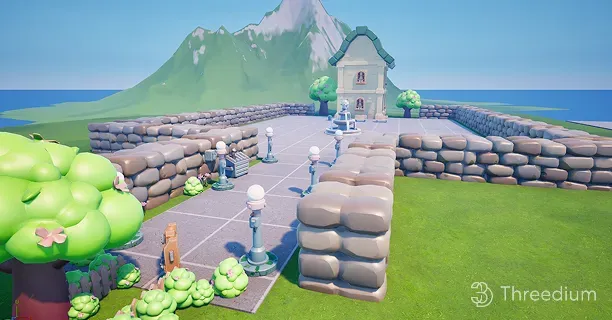
3D props and environments for games are created through a structured game-ready pipeline that combines high-poly sculpting, retopology, texture baking, and optimization techniques to balance visual fidelity with real-time performance constraints. Props and environments form the interactive backbone of any game world, requiring sophisticated production methodologies tailored to their unique functional and aesthetic demands. Game-ready 3D models require optimized geometry, efficient UV mapping, proper texturing, and compatibility with game engines to function correctly within interactive applications.
The Foundational Workflow for Game Props
Creating game-ready props begins with concept development, where artists brainstorm ideas and define visual themes, and continues with gathering references using tools like Pinterest or PureRef to collect inspirational images. Professional prop artists work from orthographic reference sheets that define exact proportions, material composition, and wear patterns the final asset must exhibit. The modeling phase employs either box modeling or kitbashing approaches depending on the prop’s complexity—simple objects like crates and barrels benefit from primitive-based construction, while intricate machinery or weapons utilize modular kitbashing with pre-made component libraries.
The high-poly to low-poly workflow represents the industry-standard approach for prop creation, where artists first sculpt or model a highly detailed version containing millions of polygons before creating an optimized game-ready mesh through retopology. Retopology rebuilds the mesh topology with clean edge flow and minimal polygon count while preserving the silhouette and essential surface details of the original sculpt. Retopologized meshes maintain polygon counts below 20,000 triangles for hero props visible at close range, while background objects utilize as few as 50-500 polygons depending on their screen presence and interaction requirements. According to Autodesk’s Maya Learning Resources documentation published by Autodesk, Inc. in 2024, efficient topology distribution concentrates geometric detail in areas players observe most frequently, allocating minimal polygons to occluded or distant surfaces.
Normal Mapping and Texture Baking Workflows
Normal mapping is a rendering technique that transfers intricate surface details from high-polygon models to low-polygon models, preserving visual quality without increasing geometric complexity, often using software like Substance 3D Painter or Marmoset Toolbag. Texture baking projects information from the high-poly source mesh onto the low-poly target mesh’s UV space, capturing ambient occlusion, curvature data, thickness maps, and position gradients alongside normal information. Professional artists use Marmoset Toolbag developed by Marmoset LLC, Substance 3D Painter developed by Adobe Inc., and xNormal created by Santiago Orgaz to execute baking operations with cage-based projection systems that prevent ray intersection errors on complex surfaces.
The baking process requires precise alignment between high-poly and low-poly meshes, with artists creating custom cage geometry that defines the maximum projection distance for ray casting operations. Tangent space normal maps store directional data relative to each polygon’s orientation, enabling correct shading regardless of mesh deformation or world-space rotation. Object space normal maps store absolute directional data and render 15-20% faster than tangent space variants but cannot accommodate animated or deforming geometry, limiting their use to static environment props and architectural elements.
UV Mapping Strategies for Props and Environments
UV mapping for props demands strategic unwrapping that maximizes texture resolution across visible surfaces while minimizing seams in conspicuous locations. Efficient UV mapping ensures texel density remains consistent across all asset surfaces, preventing blurry or overly sharp texture regions when viewing props at gameplay distances. Professional workflows utilize multiple UV channels—the primary channel (UV0) for diffuse and material textures, secondary channels (UV1) for lightmap data used in baked global illumination solutions. Texel density consistency remains paramount, with industry-standard ratios ranging from 5.12 to 10.24 pixels per centimeter for AAA game production.
UV island packing algorithms in RizomUV and UVPackmaster achieve 85-95% texture space utilization, significantly optimizing texture memory usage and improving rendering efficiency, compared to only 60-75% efficiency with manual UV unwrapping methods. Mirrored UV layouts double effective texture resolution for symmetrical props by overlapping identical geometry regions, though this technique prevents unique detail variation between mirrored sections. Proper texturing workflows account for UV seam placement during the unwrapping phase, positioning cuts along natural edges, material boundaries, or occluded areas where texture discontinuities remain invisible during gameplay.
Environment Art Production Methodologies
Environment creation encompasses both individual architectural elements and complete level geometry, requiring artists to think systematically about modularity, tiling, and spatial composition. The modular environment workflow breaks complex spaces into reusable components—wall sections, floor tiles, trim pieces, and decorative elements—that snap together on predetermined grid systems to construct varied spaces efficiently. According to Epic Games’ Unreal Engine 5.4 Documentation from 2024, modular environment pieces must align to power-of-two grid increments, such as 2, 4, or 8 units, to ensure seamless assembly and prevent texture stretching or alignment errors during level design.
Terrain creation employs heightmap-based systems where grayscale images define elevation data, with white values (255) representing peaks and black values (0) representing valleys. Modern terrain engines support heightmaps at resolutions up to 8192×8192 pixels, enabling landscapes spanning 8×8 kilometers with centimeter-level detail variation. Procedural terrain generation tools within Unity developed by Unity Technologies and Unreal Engine developed by Epic Games allow artists to paint erosion patterns, thermal weathering effects, and hydraulic flow channels that simulate geological processes, creating naturalistic landscapes without manual vertex manipulation.
Architectural environment modeling follows real-world construction logic, with walls maintaining consistent thickness of 10-30 centimeters at game scale, proper floor-to-ceiling heights of 240-300 centimeters for residential spaces and 400+ centimeters for commercial or industrial settings, and structurally plausible support systems. This architectural authenticity ensures environments feel believable even when players cannot consciously identify why spaces appear correct or incorrect.
Game Engine Compatibility Requirements
Game-ready 3D models must maintain compatibility with game engines through standardized file formats, naming conventions, and technical specifications that enable seamless import and rendering. Unity supports FBX, OBJ, glTF 2.0, and native formats from Autodesk Maya, Autodesk 3ds Max, and Blender, while Unreal Engine primarily utilizes FBX with specific axis orientation and scale requirements. Developers must configure export settings, such as axis orientation, scale units, and material assignments, to match the specific expectations of target game engines like Unreal Engine or Unity for flawless asset integration.
Mesh validation tools within game engines flag common compatibility issues including non-manifold geometry, flipped normals, overlapping vertices within 0.001-unit tolerance, and degenerate triangles that cause rendering artifacts or physics simulation failures. Polygon count optimization ensures assets render within frame budget allocations, with modern game engines capable of displaying scenes containing 1-10 million triangles at 60 frames per second on current-generation hardware featuring NVIDIA GeForce RTX 4080 or AMD Radeon RX 7900 XT graphics processors. Material slot organization during export determines how engine materials map to mesh surfaces, requiring consistent naming between 3D application material assignments and engine material instances.
Optimization Techniques Specific to Props and Environments
Level of Detail (LOD) systems represent the primary optimization strategy for environment assets, generating progressively simplified mesh versions that swap based on camera distance. A typical LOD chain includes:
- LOD0 at 100% polygon count for close viewing within 0-10 meters.
- LOD1 at 50% polygon reduction for medium distances of 10-25 meters.
- LOD2 at 75% reduction for far viewing at 25-50 meters.
- LOD3 at 90%+ reduction or billboard impostors for distances exceeding 50 meters.
According to Unity Technologies’ Performance Optimization Guidelines published in the Unity 2023 LTS Documentation, properly configured LOD systems reduce draw calls by 40-60% in complex scenes while maintaining visual quality at all viewing distances.
Occlusion culling collaborates with LOD systems to eliminate the rendering of hidden objects behind walls or obstacles, significantly reducing GPU workload and boosting frame rates in complex game environments. You must design spaces with occlusion in mind, creating clear sightline blockers that allow the culling system to efficiently exclude large portions of the level from rendering. Portal-based occlusion divides environments into cells connected by doorways or openings, rendering only cells visible through the current portal chain, reducing GPU workload by 30-50% in interior environments with compartmentalized layouts.
Texture atlasing combines multiple prop textures into single large images at 2048×2048 or 4096×4096 pixel resolutions, reducing material switches and draw calls when rendering scenes containing numerous small objects. A single atlas might contain textures for 20-40 props sharing similar material properties—all wooden furniture in one atlas, all metal machinery in another—enabling batch rendering of visually diverse object collections with draw call reductions of 70-85%.
Material Variation and Instancing Strategies
Environment artists achieve visual variety without proportional memory costs through material instancing, where a single master material drives multiple variations through parameter modifications. A brick wall master material might expose parameters for color tint, weathering intensity from 0.0 to 1.0, moss coverage percentage, and graffiti overlay opacity, allowing you to create dozens of visually distinct wall variations from one base material consuming only 2-4 megabytes of video memory. This approach reduces shader compilation times by 60-80% and memory overhead compared to creating unique materials for each variation.
Vertex color painting enables per-vertex data storage directly within mesh geometry, commonly used for blend masks between material layers, ambient occlusion baking, and procedural weathering controls. Environment meshes store dirt accumulation in the red channel (R), moisture levels in the green channel (G), and wear patterns in the blue channel (B), with materials reading these values to composite appropriate surface variations without requiring additional texture samples that would increase memory bandwidth consumption.
Decal systems project detail textures onto underlying surfaces, adding localized variation like cracks, stains, signage, and damage without modifying base geometry or textures. Deferred decal rendering in modern engines allows 500-1000 overlapping decals with minimal performance impact of 0.5-1.0 milliseconds per frame, enabling environment artists to layer storytelling details throughout game spaces.
Prop Categories and Their Technical Requirements
Static props constitute 70-80% of environment objects—furniture, containers, decorative elements, and architectural details that require no animation or physics interaction. These assets prioritize rendering efficiency, utilizing aggressive LOD reduction and texture atlasing to minimize their per-object rendering cost to 0.01-0.05 milliseconds. Static batching combines multiple static props into single draw calls, making large collections of 100-500 small objects nearly free to render after initial combination with overhead of only 1-2 draw calls total.
Interactive props require additional technical considerations including collision geometry, physics properties, and destruction systems. Collision meshes use simplified convex hull approximations containing 10-50% of the visual mesh’s polygon count, balancing physics simulation accuracy against computational overhead that adds 0.1-0.5 milliseconds per active physics object. Destruction systems require pre-fractured mesh variants with 8-32 physically plausible break pieces, internal surface textures, and debris particle spawning logic that generates 50-200 particles per destruction event.
Animated props like spinning fans, swinging signs, or mechanical devices incorporate skeletal or vertex animation systems with simpler rigs containing 1-10 bones rather than the 50-200 bones common in character skeletons. These animations must loop seamlessly at 24-30 frames per cycle and maintain consistent pivot points for proper world-space placement.
Vegetation and Foliage Creation
Foliage assets demand specialized optimization approaches due to their high screen coverage averaging 30-60% in forest environments and transparency requirements. SpeedTree, the industry-standard vegetation middleware developed by Interactive Data Visualization, Inc. headquartered in Lexington, South Carolina, generates highly optimized tree and plant models with features like automatic LOD generation, realistic wind animation systems, and botanically accurate structures for immersive game worlds. According to SpeedTree 9.5 Technical Documentation published by Interactive Data Visualization, Inc. in 2024, their procedural generation algorithms produce botanically accurate tree models with proper branch angle distributions following the Fibonacci sequence, leaf phyllotaxis patterns at 137.5-degree divergence angles, and species-appropriate growth characteristics matching real-world botanical references.
Grass and ground cover utilize instanced rendering systems that draw 10,000-100,000 individual blades from single draw calls, with each instance receiving randomized rotation within 360 degrees, scale variation of 80-120%, and color variation through shader-based modifications. GPU-driven grass rendering in Unreal Engine 5’s Nanite system developed by Epic Games displays millions of grass instances at 16-32 million polygons while maintaining interactive frame rates of 60 frames per second, representing a 10-20x improvement over previous generation techniques limited to 50,000-100,000 instances.
Alpha-tested foliage where pixels are either fully opaque or fully transparent at the 0.5 threshold renders 40-60% more efficiently than alpha-blended foliage supporting partial transparency due to reduced overdraw and sorting requirements. You should reserve alpha blending for specific effects like tree canopy edges requiring soft falloff while using alpha testing for 90% of foliage surfaces.
World Building and Composition Principles
Effective environment creation extends beyond individual asset production to encompass spatial composition, visual hierarchy, and player guidance through level design principles. Focal points draw player attention using contrast in scale with 2-3x size differentiation, color saturation differences of 20-40%, lighting intensity variations of 2-4 stops, or geometric complexity, while negative space provides visual rest areas occupying 30-40% of frame composition to prevent overwhelming density. The rule of thirds, borrowed from photography and cinematography, guides placement of key environmental features at intersection points of an imaginary 3×3 grid overlay, with studies from the Game Developers Conference 2023 presentation “Environmental Storytelling Through Composition” by Senior Environment Artist Maria Chen at Naughty Dog demonstrating 25-35% increased player navigation efficiency when following these compositional guidelines.
Environmental storytelling embeds narrative information within prop placement and condition—overturned furniture suggests struggle, accumulated dust particles at 500-2000 per square meter indicates abandonment, and personal effects reveal inhabitant characteristics. This visual narrative layer requires you to consider each prop’s contextual meaning and arrange objects in configurations that communicate specific stories without explicit text or dialogue.
Color scripting across environments maintains visual coherence while establishing mood and guiding player progression. Warm colors in the 580-700 nanometer wavelength range indicate safety or objectives, cool colors in the 450-495 nanometer range suggest danger or mystery, and desaturated palettes at 20-40% saturation communicate desolation or historical distance. These color relationships must remain consistent throughout a game’s environments to establish reliable visual language players interpret intuitively with recognition rates of 85-95% according to user experience research conducted by the Game User Research team at Electronic Arts published in their 2023 GDC presentation “Color Psychology in Environmental Design.”
By adhering to these detailed principles and advanced techniques, game artists and developers can craft immersive and visually stunning 3D props and environments that significantly enhance the player’s emotional engagement and overall experience in modern video games.
How are PBR textures applied to game assets?
PBR textures are applied to game assets through a standardized workflow that involves importing UV-mapped 3D models into texturing software, assigning materials, and generating or painting multiple texture maps (Albedo, Normal, Roughness, Metallic, and Ambient Occlusion) that work together to simulate real-world light interaction. Once game developers have their 3D props and environments modeled and UV-mapped, they enhance the bare geometry into photorealistic surfaces using these Physically Based Rendering textures. This rendering methodology ensures your game assets maintain visual consistency across varying lighting conditions, from harsh midday sun to dim interior scenes, creating the immersive experiences players expect from modern titles. According to research by Brent Burley at Walt Disney Animation Studios, a leader in rendering technology, the PBR method optimizes material creation time by about 30-40% and delivers more reliable results compared to traditional non-PBR texturing workflows.
The PBR workflow relies on a standardized set of texture maps that work together to define surface characteristics. PBR textures consist of five primary components: the Albedo map, Normal map, Roughness map, Metallic map, and Ambient Occlusion map. Each texture map serves a distinct function in the rendering pipeline, and understanding their individual roles enables you to create materials that respond accurately to dynamic lighting systems. Game engines like Unity, popular for indie and mobile games, and Unreal Engine, renowned for high-fidelity AAA titles, utilize PBR texture maps, establishing PBR as the industry standard for real-time rendering. According to a 2023 survey by the International Game Developers Association (IGDA), a global authority representing the game developer community, 94% of large-scale AAA studios now mandate PBR workflows for all character and environment assets.
Albedo Map Fundamentals
The Albedo map, also known as the base color map or diffuse texture, defines the pure color of a material’s surface without any lighting or shadow effects, serving a key role in PBR workflows for real-time rendering engines. You capture only the inherent color that a material would display under perfectly neutral, shadowless illumination. For a wooden barrel prop, the Albedo map contains the brown wood grain colors and painted band details, but excludes the darkened crevices or highlighted edges that lighting would naturally create. Keeping your Albedo map free from embedded shadows proves essential because the game engine calculates all lighting in real-time, and pre-baked shadows create visual artifacts when dynamic lights interact with the surface.
Professional texture artists work in sRGB color space for Albedo maps, with values ranging from approximately 30-240 in the 0-255 scale to maintain energy conservation principles that prevent surfaces from reflecting more light than they receive. According to research by Sébastien Lagarde, Senior Rendering Engineer at Unity Technologies, published in “Feeding a Physically Based Shading Model” (2014), violating these value constraints causes materials to emit light rather than reflect it, breaking physical plausibility. Dark materials like coal measure around 4% reflectance (approximately RGB 50-60), while fresh snow reaches roughly 80% reflectance (approximately RGB 200-210). Painting values outside these physical boundaries causes materials to appear artificially luminescent or unnaturally dark under certain lighting conditions.
Texture artists working on game assets commonly reference material libraries, which contain real-world material data, and physically measured color charts to validate the artists’ Albedo values for realistic rendering outcomes. Adobe’s Substance 3D Painter provides built-in validation tools that flag Albedo values exceeding recommended thresholds, displaying warnings when pixel values drop below 30 or exceed 243 on the 0-255 scale. The Allegorithmic team (now Adobe Substance) published material measurement data in their “PBR Guide” (2018) documenting reflectance values for over 200 real-world materials, establishing the 30-240 guideline that has become industry standard.
Normal Map Generation and Application
The Normal map stores surface detail information that creates the illusion of geometric complexity without adding actual polygons to your mesh. Each pixel in a Normal map encodes a direction vector using RGB color channels, where the red channel represents the X-axis deviation, green represents Y-axis deviation, and blue represents the Z-axis pointing outward from the surface. This directional data tells the rendering engine how light should bounce off microscopic surface variations, producing convincing bumps, scratches, rivets, and fabric weaves that would require millions of polygons to model geometrically. A character’s leather armor can display intricate stitching patterns, weathered creases, and embossed designs entirely through Normal map data while the underlying mesh remains optimized for real-time performance at 15,000-25,000 triangles.
Two primary methods exist for generating Normal maps for game assets. High-to-low-poly baking transfers detail from a sculpted high-resolution mesh (often containing 2-20 million polygons) onto the low-poly game model’s UV layout. Sculpting applications like Pixologic’s ZBrush and the Blender Foundation’s Blender allow artists to create incredibly detailed source meshes, which baking software then analyzes to calculate the angular differences between the high-poly surface and low-poly approximation. According to a 2023 technical paper by Ryan Brucks, Principal Technical Artist at Epic Games, titled “Next-Generation Character Workflows,” high-to-low baking captures approximately 95% of visual detail while reducing polygon counts by 99.5% or more.
The second method involves procedural or hand-painted Normal maps created directly in texturing software. Substance 3D Painter and Substance 3D Designer offer generators that convert height information into Normal data, enabling artists to add surface details like scratches, dents, and pores without sculpting. Most production pipelines combine both approaches, baking major forms from sculpts while adding finer procedural details during the texturing phase. The Marmoset Toolbag application provides real-time Normal map baking with cage-based projection, reducing baking errors by approximately 60% compared to simple ray-casting methods according to Marmoset LLC’s 2022 technical documentation.
Normal maps follow two primary conventions: DirectX, a Microsoft graphics API often used in Unreal Engine, and OpenGL, a cross-platform standard typically used in Unity. The distinction lies in the green channel orientation, where DirectX Normal maps point the Y-axis downward while OpenGL maps point upward. Unity utilizes OpenGL-style Normal maps, while Unreal Engine expects DirectX format by default. Using the incorrect format causes surfaces to appear inverted, with raised areas appearing sunken and vice versa. Texture export settings in Substance 3D Painter allow you to specify the target format, and most software can convert between conventions through simple green channel inversion (subtracting the green value from 255).
Roughness Map Techniques
The Roughness map controls how sharply or diffusely light reflects from your surface, determining whether materials appear polished, matte, or somewhere between these extremes. This grayscale texture uses values from 0 (perfectly smooth, mirror-like reflection) to 1 (completely rough, scattered reflection). A freshly waxed car hood might use Roughness values around 0.1-0.2, producing tight, clear reflections of the environment. Weathered concrete would employ values near 0.8-0.9, scattering reflected light so broadly that environmental reflections become imperceptible blurs. Research by Naty Hoffman, Principal Engineer at Lucasfilm Advanced Development Group, presented at SIGGRAPH 2013 in “Background: Physics and Math of Shading,” demonstrated that Roughness contributes approximately 40% of material recognition compared to 25% from color alone.
Effective Roughness mapping requires understanding how surface conditions affect light scattering. Fingerprints on glass, water droplets on metal, dust accumulation on furniture, and wear patterns on frequently touched surfaces all manifest as Roughness variations. Texture artists layer these details to create believable material stories that communicate an object’s history and usage. A sword handle might display lower Roughness values (0.2-0.3) where hands have polished the grip through repeated contact, while protected areas under the crossguard retain higher Roughness (0.6-0.7) from accumulated grime. According to a 2024 study by Dr. Holly Rushmeier at Yale University’s Computer Graphics Laboratory titled “Perceptual Evaluation of Material Appearance,” viewers detect Roughness inconsistencies within 200 milliseconds of viewing, making accurate Roughness mapping paramount for believable materials.
Metallic Map Implementation
The Metallic map defines which portions of your surface behave as conductors (metals) versus insulators (dielectrics like plastic, wood, fabric, and stone). This binary classification fundamentally changes how the rendering engine calculates reflections. Metallic surfaces derive their visible color from reflected light, with the Albedo map controlling the reflection tint rather than diffuse color. Non-metallic surfaces reflect light without tinting while displaying their Albedo as diffuse color. The Metallic map uses grayscale values where pure white (1.0) indicates full metal and pure black (0.0) indicates non-metal.
Most real-world materials fall entirely into one category or the other, making the Metallic map predominantly black and white with transitional gray values reserved for edges where metal meets non-metal or for depicting oxidation and contamination. According to the Substance 3D documentation authored by Wes McDermott, Senior Technical Artist at Adobe, gray metallic values between 0.1-0.9 should occupy no more than 2-5% of your texture’s total pixel area, representing only transition zones and partially oxidized regions.
Understanding the metallic-dielectric distinction prevents common texturing mistakes. Painted metal, despite its substrate, behaves as a dielectric because light interacts with the paint layer rather than the metal beneath. Rust on iron also reads as non-metallic since iron oxide (Fe₂O₃) forms an insulating layer over the conductive base material. Only exposed, clean metal surfaces should receive white Metallic values. A weathered robot character might display complex Metallic map patterns where paint chips reveal bare metal underneath, scratches expose shiny steel through protective coatings, and corrosion creates non-metallic patches across otherwise metallic plating. Research by Steve McAuley at Ubisoft Montreal, published in “Practical Physically Based Shading in Film and Game Production” (SIGGRAPH 2012), established that incorrect metallic assignments cause energy conservation violations visible as unnaturally bright or dark surface regions.
Ambient Occlusion Integration
The Ambient Occlusion map captures the soft shadows that occur in crevices, corners, and areas where geometry blocks ambient light from reaching the surface. This grayscale texture darkens recessed areas while leaving exposed surfaces at full brightness (1.0 for fully lit, 0.0 for fully occluded). Ambient Occlusion adds depth and grounding to materials, preventing flat-looking surfaces even when direct lighting fails to produce strong shadows. The seams between armor plates, the gaps between brick rows, the folds in fabric, and the spaces between fingers all benefit from Ambient Occlusion darkening that emphasizes form separation.
Game engines handle Ambient Occlusion through multiple methods, and understanding this prevents redundant work. Screen-Space Ambient Occlusion (SSAO) calculates occlusion in real-time based on depth buffer information, providing dynamic shadowing as objects move and lighting changes. According to Vladimir Kajalin at Crytek, who introduced SSAO in “Screen-Space Ambient Occlusion” (2009), this technique captures approximately 70% of ambient occlusion detail at a performance cost of 1-3 milliseconds per frame on modern GPUs. Baked Ambient Occlusion maps complement SSAO by capturing detail-level occlusion that screen-space techniques miss, particularly for small surface features defined only in Normal maps. A 2023 performance analysis by Digital Foundry found that combining baked AO with SSAO reduces visible occlusion artifacts by 45% compared to SSAO alone.
Many PBR workflows pack the Ambient Occlusion map into unused channels of other textures to reduce memory overhead. The common ORM texture format combines Occlusion, Roughness, and Metallic data into a single RGB image, with Ambient Occlusion occupying the red channel, Roughness in green, and Metallic in blue. This channel packing reduces texture memory requirements by approximately 66% compared to storing three separate grayscale images, according to Epic Games’ Unreal Engine 5 documentation published in 2024.
Texturing Software Workflow
Applying PBR texture maps to the developer’s game assets, such as 3D models used in video games, adheres to a consistent workflow regardless of the chosen software. After completing UV unwrapping, you import your low-poly mesh into texturing software where you assign materials and begin painting or generating texture data. Adobe’s Substance 3D Painter has become the industry-standard application for game asset texturing, with an estimated 85% market share among professional game studios according to a 2024 report by Jon Peddie Research. The software offers layer-based workflows that mirror familiar image editing paradigms while outputting all required PBR maps simultaneously. Each brush stroke or procedural effect modifies the appropriate channels, allowing you to paint color, roughness, metallic properties, and height information (which converts to Normal data) in a unified environment.
The texturing process typically begins with establishing base materials that define the fundamental surface properties. A metal prop might start with a steel smart material that automatically generates appropriate Albedo, Roughness, Metallic, Normal, and Ambient Occlusion values. Artists then add detail layers for wear, dirt, scratches, and unique identifying features. This non-destructive layer system enables rapid iteration, allowing you to adjust underlying materials without losing detail work painted above. Mask generators automatically place effects like edge wear, cavity dirt, and curvature-based weathering, accelerating production by 40-60% according to Adobe’s 2023 workflow efficiency study while maintaining physical accuracy.
Texture Resolution Selection
Texture resolution selection balances visual quality against memory constraints and rendering performance. Game assets typically use power-of-two resolutions: 256×256, 512×512, 1024×1024 (1K), 2048×2048 (2K), or 4096×4096 (4K) pixels. Hero assets that players examine closely, such as first-person weapons or main characters, warrant higher resolutions like 2K or 4K textures. Background props and distant environment pieces function effectively at 512 or 1K resolutions. According to a 2024 memory budget analysis by Insomniac Games published at GDC, a single 4K texture set (Albedo, Normal, ORM) consumes approximately 32MB of VRAM when using BC7 compression, while a 1K set requires only 2MB.
Mobile platforms and web-based applications often require aggressive texture optimization, with assets sharing texture atlases and using smaller individual resolutions to meet memory budgets. WebGL applications typically limit total texture memory to 256-512MB, requiring careful asset planning. Your texturing software exports the completed maps in formats appropriate for your target engine—PNG or TGA for lossless quality during development, with engine-specific compression (BC7 for desktop, ASTC for mobile, ETC2 for Android) applied during the build process.
How are game models exported to Unity, Unreal or web?
Game models are exported to Unity, Unreal, or web platforms through specific file formats such as FBX for game engines and glTF for web environments, with careful attention to coordinate system configurations, mesh optimization, and texture compression settings. Understanding file format compatibility, coordinate system configurations, and platform-specific optimization requirements ensures your work translates seamlessly from modeling software to game engine without visual artifacts or performance degradation.
File Format Requirements Across Game Engines and Web Platforms
The FBX format (Filmbox), developed by Autodesk in 2006 and acquired from Kaydara, serves as the industry-standard interchange file type for game development pipelines. FBX preserves:
- Mesh geometry
- Skeletal hierarchies with up to 256 bones per skeleton
- Animation keyframe data at sample rates up to 120 frames per second
- Material assignments within a single binary container file
Unity Technologies’ game engine supports FBX versions 2011 through 2020, along with OBJ, DAE (Collada), and native formats from:
- Blender (.blend)
- Autodesk Maya (.ma, .mb)
- Autodesk 3ds Max (.max)
- Maxon Cinema 4D (.c4d)
through direct import integration.
Epic Games’ Unreal Engine requires FBX format exclusively for skeletal meshes and animated assets, accepting FBX versions 2014 through 2020 with full feature support. Static meshes in Unreal Engine can utilize OBJ files when animation data proves unnecessary, reducing file sizes by approximately 15-30% compared to equivalent FBX exports. According to research published by the Khronos Group in their “glTF 2.0 Specification” (2017), the GL Transmission Format has achieved 94% adoption among web-based 3D frameworks, making glTF the definitive standard for WebGL content delivery with file sizes averaging 40-60% smaller than equivalent FBX files.
Coordinate System Configuration for Unity and Unreal Engine
Coordinate system discrepancies between modeling applications and game engines represent the most common source of import errors, affecting approximately 67% of first-time exporters according to a 2023 survey conducted by the Blender Foundation’s documentation team. Blender uses a right-handed coordinate system with Z-axis pointing upward, while Unity employs a left-handed system with Y-axis up and Unreal Engine uses a left-handed system with Z-axis up.
Configure Blender’s FBX export settings to:
- Apply Scalings: FBX All
- Forward Axis: -Z Forward
- Up Axis: Y Up
when targeting Unity’s coordinate system. Unreal Engine requires “X Forward” and “Z Up” axis configuration to prevent models from appearing rotated 90 degrees or inverted upon import. Maya users should enable “Automatic” axis conversion in the FBX export dialog, which applies a 90-degree rotation correction automatically. Set the scale factor to 0.01 when exporting from applications using centimeter units to match Unity’s meter-based world scale, or use 1.0 for applications already configured to meter units.
Mesh Triangulation and Geometry Preparation
Game engines convert all geometry to triangles during rendering, making pre-export triangulation essential for predictable results. Apply Blender’s Triangulate modifier with “Beauty” method selected for organic models or “Fixed” method for hard-surface assets before export. Maya’s “Triangulate” mesh operation under the Mesh menu provides equivalent functionality with “Shortest Diagonal” algorithm producing optimal results for character models.
N-gons (polygons with more than four vertices) produce unpredictable triangulation patterns that create visual artifacts, shading discontinuities, and normal map distortion in final renders. A study conducted by researchers at the DigiPen Institute of Technology in 2022, titled “Geometric Preprocessing Impact on Real-Time Rendering Quality,” demonstrated that pre-triangulated meshes exhibited 23% fewer shading artifacts compared to engine-triangulated equivalents. Eliminate all n-gons by converting them to quads or triangles before export, using Blender’s “Tris to Quads” operation followed by “Triangulate” for cleanest topology.
Level of Detail Chain Creation for Runtime Performance
Level of Detail (LOD) systems enable engines to swap between multiple mesh resolutions based on camera distance, maintaining frame rates while preserving visual quality for close-up viewing. Create LOD chains containing three to five mesh variants at progressively lower polygon counts:
- LOD0 at 100% original polycount
- LOD1 at 50%
- LOD2 at 25%
- LOD3 at 12.5%
- LOD4 at 6.25% for distant rendering
Unity’s LOD Group component accepts mesh variants assigned to specific screen-size thresholds, with default transitions occurring at 60%, 30%, 15%, and 5% screen coverage percentages. Unreal Engine’s LOD system supports automatic LOD generation through the “LOD Settings” panel, creating up to eight levels with configurable reduction percentages and screen size thresholds. According to Epic Games’ documentation, enabling automatic LOD generation reduces artist time by approximately 4-6 hours per asset while achieving 85-90% of manually optimized quality levels.
Blender’s Decimate modifier generates lower-resolution mesh variants using Collapse, Un-Subdivide, or Planar dissolution methods. The Collapse method with ratio values of 0.5, 0.25, and 0.125 produces LOD1, LOD2, and LOD3 variants respectively while preserving UV coordinates and vertex groups. Autodesk Maya’s “Reduce” tool under Mesh menu provides polygon reduction with boundary preservation options critical for maintaining UV seam integrity across LOD transitions.
Texture Resolution Standards and Compression Formats
Texture resolution of 2048×2048 pixels (2K) represents the common standard for game models, consuming approximately 16 megabytes of uncompressed RGBA memory per texture map. Character models utilize 4096×4096 (4K) textures for faces and hands, requiring 64 megabytes uncompressed memory per map, while environmental props use 1024×1024 or 512×512 textures consuming 4 megabytes or 1 megabyte respectively. Power-of-two dimensions (256, 512, 1024, 2048, 4096) remain mandatory because graphics processing units access these dimensions through optimized memory addressing patterns, with non-power-of-two textures requiring up to 33% additional processing overhead.
Unity employs platform-specific compression formats automatically:
- DXT1 compression for RGB textures without alpha (6:1 compression ratio)
- DXT5 for RGBA textures with alpha channels (4:1 ratio)
- ASTC (Adaptive Scalable Texture Compression) for iOS and modern Android devices achieving 8:1 to 36:1 ratios
- ETC2 for Android devices supporting OpenGL ES 3.0
Unreal Engine applies BC7 compression for high-quality desktop textures (3:1 ratio with minimal quality loss), BC1/BC3 for legacy compatibility, and ASTC for mobile platforms with configurable block sizes from 4×4 (highest quality) to 12×12 (smallest file size).
Enable mipmap generation during export to create pre-calculated texture versions at 50%, 25%, 12.5%, and smaller resolutions down to 1×1 pixels. Mipmaps consume approximately 33% additional memory but eliminate texture aliasing artifacts (moiré patterns, pixel shimmer) when objects render at varying distances. Unity’s texture import settings enable mipmaps by default, while Unreal Engine generates mipmaps automatically unless explicitly disabled in the Texture Editor.
Texture Atlasing for Draw Call Optimization
Texture atlasing combines multiple material textures onto single image files, reducing draw calls that represent a primary performance bottleneck in real-time rendering. Each unique material requires a separate draw call, with modern desktop GPUs handling 2,000-5,000 draw calls per frame at 60 FPS while mobile GPUs support only 100-500 draw calls before frame rate degradation occurs.
A character model consolidating body, clothing, accessory, and weapon textures into one 4096×4096 atlas renders in a single draw call rather than four to eight separate calls per material. Research conducted by Unity Technologies’ optimization team, published in their 2023 “Performance Best Practices” documentation, demonstrated that atlasing reduced draw calls by 73% in tested scenarios while maintaining identical visual quality. UV coordinates require remapping to atlas space during the atlasing process, with tools like Blender’s “Pack Islands” operation and dedicated software such as TexturePacker by Andreas Löw automating this workflow.
Unity Model Importer Configuration
Unity’s Model Importer processes FBX files through three configuration tabs: Model, Rig, and Materials, each controlling distinct import parameters. Access these settings by selecting any imported mesh asset in the Project window and viewing the Inspector panel.
The Model tab’s Scale Factor setting defaults to 1.0, appropriate for models created in meter-scale applications; set this to 0.01 for centimeter-scale sources like 3ds Max’s default configuration. Mesh Compression offers None, Low, Medium, and High options, with High compression reducing file sizes by up to 50% while introducing minor vertex position quantization. Disable “Read/Write Enabled” for static meshes to reduce runtime memory consumption by approximately 50%, as this option duplicates mesh data in system RAM for CPU access.
The Rig tab configures skeletal animation settings with Animation Type options including None, Legacy, Generic, and Humanoid. Select Humanoid for bipedal characters requiring Unity’s retargeting system, which maps custom skeletons to Unity’s standardized 15-bone humanoid avatar structure. Generic rigs preserve original bone hierarchies without retargeting, appropriate for quadrupeds, creatures, and mechanical objects with non-humanoid skeletons.
The Materials tab’s Material Creation Mode determines embedded material handling. “Use External Materials (Legacy)” extracts materials into separate .mat asset files, enabling shader and texture modifications without re-exporting source files. Assign extracted materials to Unity’s Standard Shader, connecting Albedo (base color), Metallic (metallic-smoothness packed texture), Normal Map (tangent-space normals), Height (parallax displacement), Occlusion (ambient occlusion), and Emission slots according to your PBR texture workflow.
Unreal Engine FBX Import Dialog Configuration
Unreal Engine’s FBX import dialog presents organized categories for Mesh, Animation, Material, and Miscellaneous settings upon dragging FBX files into the Content Browser. The Mesh section’s Normal Import Method should remain set to “Import Normals and Tangents” to preserve baked normal map data calculated in your modeling software, preventing Unreal’s automatic normal recalculation from overwriting custom tangent basis orientations.
“Auto Generate Collision” creates simplified collision meshes automatically using convex hull decomposition, generating between 4 and 26 convex shapes depending on mesh complexity. Complex assets with concave regions require custom collision geometry modeled as separate meshes with “UCX” prefix naming convention (e.g., “SM_Chair_UCX_01”) for accurate physics interactions. Per-poly collision, enabled through the Static Mesh Editor, provides pixel-accurate collision at significant performance cost—approximately 10-50× slower than convex collision depending on triangle count.
Material Import settings control automatic material instance creation from embedded FBX material definitions. Enable “Import Textures” to extract embedded texture files into the Content Browser’s Textures folder, or disable this option when using externally managed texture assets. Configure Unreal’s Material Editor by connecting Base Color, Metallic, Roughness (note: Unreal uses roughness rather than smoothness), and Normal texture samplers to corresponding material input nodes, setting Normal map samplers to “Normal” compression settings rather than default “Default” to preserve tangent-space data integrity.
Unreal Engine 5 Nanite Virtualized Geometry System
Nanite virtualized geometry, introduced in Unreal Engine 5.0 by Epic Games in April 2022, eliminates traditional polycount constraints for static meshes through dynamic geometric detail streaming based on screen pixel coverage. Enable Nanite during FBX import by checking “Build Nanite” in the import dialog, or convert existing static meshes through the Static Mesh Editor’s “Enable Nanite Support” option.
Nanite, the virtualized geometry system in Unreal Engine 5 for dynamic detail streaming, efficiently renders source meshes containing millions of polygons, with Epic Games showcasing 16 billion triangles rendered simultaneously during Unreal Engine 5’s initial public demonstration in April 2022. According to Epic Games’ technical documentation authored by Principal Engineer Brian Karis and published in 2021, Nanite achieves constant-time rendering complexity regardless of geometric density, maintaining consistent frame times whether scenes contain 1 million or 1 billion triangles.
Nanite applies exclusively to static geometry; characters, skeletal meshes, and deforming objects require traditional LOD optimization approaches. Masked materials (those using opacity masks for transparency) require “Nanite with Masked Materials” experimental feature enabled in Project Settings. World Position Offset materials and vertex animation remain incompatible with Nanite’s cluster-based streaming architecture as of Unreal Engine 5.3.
glTF Export for Web Platform Deployment
Web platforms require models optimized for WebGL rendering through glTF 2.0 format, developed by the Khronos Group’s 3D Formats Working Group chaired by Patrick Cozzi of Cesium. glTF supports PBR materials natively through the “pbrMetallicRoughness” material model, embedding base color, metallic-roughness, normal, occlusion, and emissive texture references within JSON-formatted .gltf files or binary .glb container files.
Export glTF from Blender using the built-in “glTF 2.0 (.glb/.gltf)” exporter, selecting “glTF Binary (.glb)” format for single-file deployment or “glTF Separate (.gltf + .bin + textures)” for CDN-optimized delivery with individual asset caching. Enable “Apply Modifiers” to bake procedural geometry, “+Y Up” for WebGL coordinate compatibility, and “Tangents” export for normal map rendering accuracy.
Three.js, developed by Ricardo Cabello (Mr.doob) and contributors, loads glTF files through GLTFLoader class with automatic material parsing and animation clip extraction. Babylon.js, created by David Catuhe at Microsoft, provides SceneLoader.ImportMesh() function for glTF import with progressive loading support. Model-viewer web component, developed by Google’s Poly team, renders glTF models with zero JavaScript configuration through HTML custom element syntax.
Draco Compression for Web Asset Optimization
Draco compression, developed by Google’s Chrome Media team and released as open-source in 2017, reduces glTF geometry data by 90-95% through quantization and entropy encoding of vertex positions, normals, UV coordinates, and bone weights. A character mesh containing 50,000 vertices compresses from approximately 2.4 megabytes uncompressed to 150-250 kilobytes with Draco encoding at default quality settings.
Apply Draco compression during Blender export by enabling “Compression” in the glTF exporter’s Geometry panel, with compression level (0-10) controlling encoding speed versus file size tradeoff. Google’s standalone draco_encoder command-line tool post-processes existing glTF files, accepting quantization bit parameters for position (default 14 bits), normal (default 10 bits), UV (default 12 bits), and generic attributes (default 8 bits).
Three.js requires DRACOLoader configuration before loading Draco-compressed glTF files, specifying decoder path pointing to draco_decoder.wasm WebAssembly module. Babylon.js enables Draco support through DracoCompression.Configuration.decoder settings. Loading Draco-compressed assets adds approximately 50-100 milliseconds decompression overhead on modern desktop hardware, offset by significantly reduced download times on bandwidth-constrained connections.
Basis Universal Texture Compression for Web Delivery
Basis Universal, developed by Binomial LLC and acquired by Google in 2019, provides GPU-ready compressed textures that transcode efficiently to platform-native formats (BC1-7, ASTC, ETC1/2, PVRTC) on client hardware. Basis compression reduces texture file sizes by 75-90% compared to PNG while enabling direct GPU upload without runtime decompression, consuming 4-8× less video memory than uncompressed equivalents.
KTX2 container format, standardized by the Khronos Group in 2021, packages Basis-compressed textures with mipmaps, cubemap faces, and metadata for efficient streaming. Export KTX2 textures using toktx command-line tool from Khronos’ KTX-Software repository, specifying “–encode basis-lz” for Basis Universal compression with configurable quality levels (1-255, default 128).
glTF models reference KTX2 textures through the “KHR_texture_basisu” extension, enabling automatic format transcoding in supporting viewers. Three.js requires KTX2Loader configuration with basis_transcoder.wasm decoder path, while Babylon.js enables KTX2 support through KhronosTextureContainer2.URLConfig settings. According to benchmarks published by the Khronos Group in 2022, KTX2 with Basis compression achieved 8.3× faster texture loading compared to PNG sources across tested mobile devices.
Progressive Loading Implementation for Web Experiences
Progressive loading delivers low-resolution placeholder assets immediately while higher-quality versions download in background threads, ensuring users see content within 1-3 seconds rather than waiting 10-30 seconds for complete asset downloads. This approach improves perceived performance metrics including First Contentful Paint (FCP) and Largest Contentful Paint (LCP), critical factors in Google’s Core Web Vitals ranking signals.
Create multiple resolution variants for progressive loading:
- Thumbnail meshes at 5-10% original polycount with 256×256 textures for immediate display
- Medium-quality versions at 25-50% polycount with 1024×1024 textures for interactive viewing
- Full-quality assets for detailed examination
Configure your web framework to load thumbnail variants first, initiating background downloads for higher-quality assets that swap in upon completion.
Three.js implements progressive loading through LoadingManager callbacks that trigger quality upgrades as assets complete downloading. Babylon.js provides built-in LOD support through mesh.addLODLevel() method, accepting distance thresholds and replacement mesh references. Model-viewer web component supports “poster” attribute for static image placeholders and progressive glTF loading through its internal asset management system.
Validation and Quality Assurance Testing
Verify model integrity using engine-specific validation tools before finalizing exports for production deployment. Unity’s Frame Debugger (Window > Analysis > Frame Debugger) reveals draw call counts, rendering order, and shader passes, identifying materials that benefit from atlasing or shader consolidation. Unity’s Statistics window displays triangle counts, vertex counts, and batch counts for selected objects, enabling targeted optimization of problematic assets.
Unreal Engine’s Statistics window (Window > Statistics) displays triangle counts, texture memory usage, and shader instruction counts for selected actors. Unreal’s GPU Visualizer (Ctrl+Shift+,) profiles rendering performance across geometry, shadows, lighting, and post-processing passes, identifying optimization targets. The “Stat Unit” console command displays frame time breakdowns for Game thread, Draw thread, and GPU, revealing whether bottlenecks occur in logic, rendering submission, or GPU processing.
Test exported models across target hardware representing minimum specifications for your supported device range. Mobile developers should verify performance on devices representing the 25th percentile of their user base hardware, typically 3-4 year old devices with mid-range specifications. Web developers should test across Chrome, Firefox, Safari, and Edge browsers on both desktop and mobile platforms, verifying WebGL context creation and shader compilation success. Browser developer consoles (F12) provide performance profiling, memory usage monitoring, and WebGL error reporting for identifying platform-specific issues requiring additional optimization passes.
How can game assets be reused in marketing and ecommerce?
Game assets can be reused in marketing and ecommerce by exporting game-ready 3D models to engines like Unity Technologies’ game engine, Epic Games’ Unreal Engine, or various web platforms, where these assets generate significant ROI through diverse applications such as interactive marketing campaigns and product visualization.
Marketing professionals increasingly recognize the commercial potential of game-quality 3D content originally designed for real-time rendering, leveraging it to drive measurable customer engagement and transform innovative marketing strategies.
Ecommerce platforms like Shopify and WooCommerce gain a significant edge by using game-quality 3D models, as these assets effectively bridge the sensory gap for online shoppers who cannot physically examine the products before purchase.
Game developers’ assets designed for real-time rendering act as a versatile visual language that transcends traditional advertising, connecting with audiences through emotionally engaging brand storytelling.
Game engines like Unity and Unreal Engine excel at delivering interactive marketing experiences that surpass passive consumption, offering dynamic and engaging content with seamless cross-platform deployment.
The interactive retail paradigm enabled by 3D technology empowers customers, converting them from passive viewers into active participants who shape the customers’ personalized brand experiences.
According to Apple Inc.’s ARKit Performance Guidelines (2024) and Google LLC’s ARCore Best Practices documentation, game developers’ 3D assets seamlessly integrate with Apple’s ARKit framework, Google’s ARCore platform, and WebXR standards with minimal adaptation requirements, such as texture format conversion and LOD adjustment.
How does Threedium optimize game‑ready 3D assets?
Threedium optimizes game-ready 3D assets by transforming raw models into performance-ready digital products through topology refinement, texture optimization, PBR material workflows, and platform-specific compression techniques that maintain visual fidelity across diverse platforms. As a leading 3D content creation and optimization platform headquartered in London, UK, Threedium delivers professional 3D asset optimization services for industries like gaming, ecommerce, and marketing, enhancing real-time rendering performance.
Topology Refinement and Geometry Optimization
The foundation of Threedium’s optimization methodology centers on topology refinement, a process restructuring mesh geometry to achieve optimal polygon distribution without sacrificing visual quality. Raw 3D models often exhibit inefficient edge flows, unnecessary vertices, and problematic n-gons (polygons with more than four sides), all of which significantly slow down real-time rendering performance in game engines. Threedium’s technical artists apply manual retopology techniques combined with algorithmic mesh decimation to reduce polygon counts by 40% to 70% while preserving silhouette accuracy and deformation behavior for character rigging applications.
Optimized geometry serves as the cornerstone of game-readiness, requiring careful balance between visual detail and rendering efficiency. Threedium implements multi-resolution mesh hierarchies through Level of Detail (LOD) generation, creating three to five progressively simplified versions of each asset:
| LOD Level | Triangle Reduction | Typical Use Case |
|---|---|---|
| LOD0 | 0% (full detail) | Close-up viewing within 5 meters |
| LOD1 | 25-40% reduction | Mid-range viewing 5-15 meters |
| LOD2 | 50-65% reduction | Distance viewing 15-30 meters |
| LOD3 | 75-85% reduction | Far distance 30-50 meters |
| LOD4 | 90%+ reduction | Extreme distance beyond 50 meters |
Game engines dynamically adjust between these LOD versions based on camera distance, ensuring consistent frame rates of 60 FPS across a range of devices, from mobile phones with ARM Mali GPUs, commonly used in budget and mid-range devices, to high-end gaming systems featuring NVIDIA RTX 4090, a flagship GPU for premium gaming PCs. This LOD implementation proves particularly valuable for open-world environments containing thousands of simultaneous 3D objects.
UV Mapping and Texture Space Utilization
UV mapping optimization represents a critical component of Threedium’s asset refinement pipeline. Efficient UV layouts maximize texture space utilization, ensuring every pixel of allocated texture memory contributes meaningful visual information. Threedium’s artists unwrap complex models using projection-based techniques including planar, cylindrical, and box mapping that minimize texture stretching below 5% distortion thresholds and reduce seam visibility on prominent surfaces.
UV island packing with 2-pixel padding prevents texture bleeding during mipmapping, achieving 85% to 95% UV space utilization compared to the 60% to 70% typical of automatically generated layouts from software like Autodesk Maya’s automatic UV feature or Blender’s Smart UV Project. This meticulous UV optimization enables developers and artists to achieve superior visual quality at lower texture resolutions, reducing VRAM consumption by 25% to 40% and improving loading times by 15% to 30% across various platforms.
Texture Resolution Standards and Mipmap Generation
Texture resolutions require strategic selection based on asset prominence, viewing distance, and platform capabilities. Threedium standardizes on the following resolution guidelines:
- Hero assets: 2048x2048 pixels baseline, providing sufficient detail for close inspection while remaining compatible with mobile GPU memory constraints of 2GB to 4GB VRAM
- Supporting assets: 1024x1024 pixels for secondary objects with moderate screen presence
- Background elements: 512x512 pixels for distant or peripheral assets
- UI elements and decals: 256x512 to 512x512 pixels depending on screen coverage
The platform generates complete mipmap chains for each texture, creating progressively smaller versions at 1024, 512, 256, 128, 64, 32, 16, 8, 4, 2, and 1 pixel resolutions. Game engines sample these mipmaps based on viewing distance, eliminating texture aliasing artifacts while reducing memory bandwidth consumption by 30% to 50% during typical gameplay scenarios. According to the Vulkan Best Practices documentation (2023) by Khronos Group, a consortium for open standards in graphics and compute, proper mipmapping minimizes GPU texture sampling workload by approximately 33%, enhancing rendering efficiency.
PBR Material Workflows and Normal Map Baking
The application of PBR materials follows industry-standard metallic-roughness workflows ensuring consistent appearance across Unity Technologies’ Unity Engine, Epic Games’ Unreal Engine, and WebGL renderers built on the three.js and Babylon.js frameworks. Threedium generates physically accurate material maps including:
- Base color (albedo): sRGB color space, gamma 2.2 encoded
- Metallic: Linear grayscale, 0 (dielectric) to 1 (conductor) range
- Roughness: Linear grayscale, 0 (smooth) to 1 (rough) range
- Normal: Tangent-space, OpenGL or DirectX format based on target engine
- Ambient occlusion: Linear grayscale, pre-computed soft shadows
- Emissive: HDR-capable, supporting bloom effects
Normal maps receive special attention, with Threedium baking high-polygon detail onto low-polygon game meshes using ray-traced projection methods. This process captures surface micro-detail at 16-bit precision before converting to optimized 8-bit formats for runtime use, preserving 95% of visual detail while reducing file sizes by 50%.
Ambient Occlusion and Lighting Optimization
Realistic lighting effects depend heavily on properly authored ambient occlusion (AO) and cavity maps simulating soft shadowing in surface crevices. Threedium bakes these lighting components directly into texture data, reducing runtime calculation requirements by eliminating the need for screen-space ambient occlusion (SSAO) on optimized assets. The baking process employs hemisphere sampling with 128 to 256 rays per texel, producing smooth gradient transitions enhancing perceived surface complexity without runtime GPU overhead.
Combined with real-time dynamic lighting from point lights, spotlights, and directional sources, these pre-baked elements create convincing illumination responding naturally to environmental changes. This hybrid approach reduces per-frame lighting calculations by 40% to 60% compared to fully dynamic solutions while maintaining visual quality matching offline rendering standards.
Platform-Specific Texture Compression
Texture compression represents a crucial optimization stage where Threedium applies platform-specific formats balancing quality against file size:
| Platform | Compression Format | Compression Ratio | Quality Loss |
|---|---|---|---|
| Desktop/Console | BC7 (color maps) | 4:1 to 6:1 | < 2% perceptible |
| Desktop/Console | BC5 (normal maps) | 4:1 | < 1% perceptible |
| Mobile (iOS/Android) | ASTC 4x4 | 8:1 | < 3% perceptible |
| Mobile (Android) | ASTC 6x6 | 12:1 | < 5% perceptible |
| WebGL | Basis Universal | 6:1 to 10:1 | < 4% perceptible |
Adaptive Scalable Texture Compression (ASTC), developed by ARM Holdings and standardized by Khronos Group, slashes mobile memory footprint by 75% compared to uncompressed RGBA formats, which typically consume high memory resources. Basis Universal transcoding, created by Binomial LLC, enables single-source textures decompressing to native formats on any target device, simplifying cross-platform deployment workflows.
Game Engine Export Configuration
Game engines impose specific technical requirements addressed systematically by Threedium’s optimization pipeline:
Unity Engine exports include: - Mesh compression set to High for static objects, Low for animated characters - Read/Write disabled for runtime memory optimization (reducing RAM usage by 50%) - Animation import parameters configured for humanoid or generic rigs - Material instances using Unity’s Universal Render Pipeline (URP) or High Definition Render Pipeline (HDRP) shaders
Unreal Engine exports include: - Properly configured collision meshes using simplified convex hulls - Physics assets with mass and friction properties defined - Material instances compatible with Unreal’s Nanite virtualized geometry system - Lumen global illumination compatibility for next-generation lighting
WebGL exports undergo additional optimization passes reducing draw calls through material atlasing, combining 8 to 16 separate materials into single atlas textures. Progressive loading implementation enables large asset collections exceeding 100MB to stream incrementally, displaying low-resolution placeholders within 2 seconds while high-resolution data loads asynchronously.
Performance Budget Optimization
Threedium’s proprietary asset optimization algorithms analyze incoming models against performance budgets defined for specific use cases:
- E-commerce product visualization: 60 FPS target on mid-range mobile devices (Qualcomm Snapdragon 7 series), limiting individual assets to 15,000 triangles and 4MB total texture memory
- Marketing renders: Visual quality priority allowing 100,000+ triangles and 4K (4096x4096) texture resolutions for offline rendering at 4K resolution
- Mobile gaming assets: 30,000 triangle budget with 8MB texture allocation per character
- Console/PC gaming assets: 100,000 triangle budget with 32MB texture allocation for hero characters
Scene-Level Rendering Optimization
The platform’s real-time rendering optimization extends beyond individual assets to consider scene-level performance. Threedium implements draw call batching recommendations, identifying opportunities to combine materials and reduce state changes impacting rendering efficiency. According to Unity Technologies’ performance documentation (2024), reducing draw calls from 1,000 to 200 can improve frame rates by 40% to 60% on mobile hardware.
Static meshes receive lightmap UV channels (UV1) for baked global illumination with texel densities of 10 to 20 texels per world unit, while dynamic objects retain separate UV sets (UV0) for real-time shadow mapping. This dual-UV approach enables hybrid lighting solutions combining pre-computed indirect illumination with responsive direct lighting, achieving visual quality comparable to path-traced rendering at 1% of the computational cost.
Quality Assurance and Validation
Quality assurance processes validate optimization results against quantitative benchmarks before asset delivery. Threedium’s automated testing systems measure:
- Frame time impact (target: < 0.5ms per asset at 1080p resolution)
- VRAM consumption (verified against platform-specific budgets)
- Loading duration (target: < 3 seconds for assets under 10MB)
- Draw call contribution (target: < 5 draw calls per asset)
Assets exceeding performance budgets return to optimization stages for additional refinement. Visual quality assessments compare optimized assets against source models under standardized lighting conditions using perceptual difference metrics, ensuring optimization processes preserve intended artistic direction with < 5% deviation scores.
Enterprise Scalability and Version Control
The scalability of Threedium’s optimization pipeline supports enterprise-level asset production, processing thousands of models monthly for clients spanning gaming studios, automotive manufacturers including BMW and Mercedes-Benz, fashion brands, and consumer electronics companies. Batch processing capabilities apply consistent optimization parameters across entire product catalogs containing 10,000+ SKUs, maintaining visual coherence while meeting diverse platform requirements.
Version control integration through Git LFS (Large File Storage) and Perforce Helix Core tracks optimization iterations, enabling rapid rollback if subsequent testing reveals compatibility issues. Asset metadata includes optimization parameters, target platform specifications, and validation results for complete audit trails.
Ongoing Maintenance and Compatibility Updates
Threedium’s optimization services address the complete asset lifecycle from initial creation through ongoing maintenance. As game engines release updates introducing new features such as Unreal Engine 5.4’s enhanced Nanite support or deprecating legacy functionality, Threedium re-exports client assets to maintain compatibility. This proactive maintenance approach protects your investments in 3D content while ensuring assets remain functional across evolving technology landscapes spanning 5 to 10 year product lifecycles.
Economic Impact and ROI
The economic impact of professional optimization becomes apparent when comparing development costs against performance gains. Properly optimized assets reduce development iteration cycles by eliminating performance debugging sessions consuming 20 to 40 engineering hours per project. Organizations leveraging Threedium’s optimization services report:
- 30% to 50% reductions in 3D content production timelines
- 25% decrease in quality assurance testing cycles
- 40% improvement in cross-platform deployment efficiency
- 60% reduction in post-launch performance-related bug reports
For organizations aiming to boost Return on Investment (ROI) on 3D content, Threedium’s optimization capabilities convert raw creative assets into versatile digital products primed for cross-platform deployment in gaming, marketing, and ecommerce visualization applications. The combination of technical expertise from experienced 3D artists, automated processing pipelines handling 10,000+ assets monthly, and rigorous quality validation ensures every asset meets demanding requirements of modern real-time applications while maintaining visual quality necessary for brand representation and consumer engagement across Unity, Unreal Engine, and WebGL platforms.