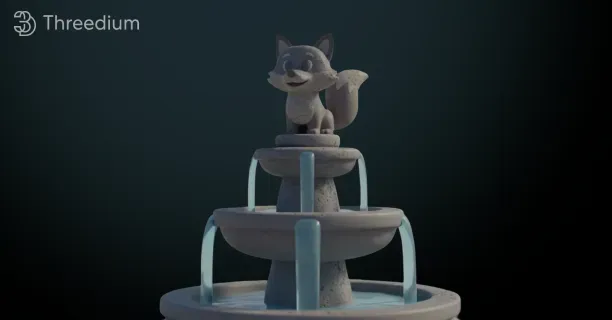
3D Props and Environments: Modeling, Optimization, and Reuse
What are 3D props and environment models?
What are 3D props and environment models? 3D props are individual digital models used as essential game development assets that populate virtual scenes, while environment models are the larger architectural and landscape structures that define the spatial framework of those scenes.
3D prop objects contribute visual detail, photorealistic qualities, and interactive functionality to multiple digital media industries including:
- AAA video games
- Indie game productions
- Feature animated films
- Professional architectural visualizations
- Immersive virtual reality experiences
Props are categorically distinguished from environment structures by their function and permanence—a building’s architectural elements such as walls, floors, and ceilings constitute the environment model, while movable objects including furniture, decorations, tools, and interactive items inside the architectural structure are classified as props.
These high-polygon hero prop models are specifically optimized for close-up camera views in cinematics and gameplay sequences, where every surface detail including texture nuances, geometric features, and material properties becomes clearly visible and stands out at high visual fidelity levels.
Categories of 3D Props
3D props are categorized into two main functional types based on interactivity and animation capabilities:
- Static props (non-moving, non-interactive assets)
- Dynamic props (animated or interactive assets with rigging and behavioral systems)
Static props maintain fixed positions and unchanging visual appearances throughout scene duration, serving primarily as environmental decoration and atmospheric elements without animation, state changes, or gameplay interaction capabilities.
Examples of static props:
- A decorative stone statue positioned in a courtyard environment
- Books arranged on an interior shelf for scene dressing
- Trash debris scattered on a street in post-apocalyptic narrative settings
These static prop examples primarily enhance visual richness of game environments and support narrative storytelling through contextual placement and atmospheric contribution.
Dynamic props, in contrast, possess the capability to move, animate, or respond to player interaction through skeletal rigging systems, animation controllers, and scripted behavioral triggers that activate when players engage with these interactive objects.
Dynamic props contain digital skeletons (bone hierarchies) created through the rigging process, which enables animators to pose and move these rigged objects by manipulating skeletal joints that deform the mesh geometry through weighted vertex influences.
Examples of dynamic props:
- A treasure chest that executes an opening animation when proximity detection triggers as the player character approaches
- A flag that demonstrates cloth simulation physics responding to environmental wind forces
- A door that performs a swing animation upon player interaction events
Environment Models
Environment models consist of architectural structures, terrain landscapes, and other large-scale elements that define the navigable space, establish player pathways, and constitute the spatial framework in digital worlds such as:
- Game levels
- Virtual reality environments
- 3D visualization scenes
Environment models encompass diverse structural components including:
| Component | Description |
|---|---|
| Terrain meshes | Landscape representation |
| Building interiors | Playable interior spaces |
| Building exteriors | Facade structures |
| Roads | Infrastructure networks |
| Cliffs | Natural terrain barriers |
| Caves | Underground environments |
All environmental elements remain stationary throughout gameplay and define character navigation boundaries (for both player characters and NPCs) while determining spatial connectivity and level flow design through collision geometry and pathfinding systems.
Environment models differ from props based on three key characteristics:
- Larger scale
- Spatial permanence throughout scenes
- Foundational role in level design
Environment models serve as the spatial framework and navigational stage for gameplay, while props enhance the environmental foundation with visual detail, atmospheric elements, and narrative life.
Example: A medieval castle environment model (representing European medieval architecture from the 5th-15th century period) comprises essential structural components including:
- Stone walls forming the structural perimeter
- Towers providing vertical architectural elements
- Battlements serving as defensive fortifications
- Courtyard floors establishing ground-level navigable surfaces
The interior props positioned within the structural framework include:
- Torches serving as period-appropriate lighting elements
- Weapon racks functioning as armament storage and display furniture
- Banquet tables establishing social gathering spaces
- Tapestries contributing decorative wall adornments
These create an inhabited atmosphere and establish functional purpose for the castle environment through environmental storytelling techniques that make the digital space feel authentically lived-in and purposeful.
Prop Creation Workflow
The prop creation workflow in game development and digital content production consists of three interconnected sequential steps within the production pipeline:
- Modeling phase for geometry creation
- Texturing phase for surface detail application
- Rigging phase for dynamic prop animation preparation
Modeling Phase
The modeling process creates three-dimensional shapes through mesh construction, where a mesh is composed of fundamental geometric components:
- Vertices: defined as coordinate points in 3D Cartesian space
- Edges: defined as linear connections between vertex pairs
- Faces: polygonal surfaces bounded by edge loops
The resulting mesh topology determines model quality, deformation characteristics, and visual detail capability.
Industry-standard 3D modeling applications include:
- Autodesk Maya (commercial professional software from Autodesk Inc.)
- Blender (free open-source software from Blender Foundation)
These tools enable artists to manipulate polygon geometry, apply surface smoothing through subdivision techniques, and execute Boolean operations for combining or cutting geometric forms during mesh creation.
Polygon count directly determines the visual detail level of 3D models and significantly impacts rendering performance through GPU processing requirements.
High polygon density increases computational overhead and processing demands; therefore, 3D artists must balance smooth, detailed geometric shapes against platform-specific polygon budgets constrained by target hardware capabilities (PC, gaming consoles, mobile devices, or VR systems).
Texturing Phase
The texturing process transforms geometric meshes into photorealistic objects by applying color information and material properties via various texture maps, significantly enhancing the visual realism of 3D assets.
The texturing workflow begins with the UV unwrapping process, which flattens 3D mesh geometry onto a 2D texture space plane, creating a UV map (texture coordinate layout using U and V axes, distinct from XYZ spatial coordinates).
This UV map defines how texture images project and wrap around the 3D model’s surface geometry, controlling precise texture placement on polygonal faces.
Texture artists create or photograph multiple specialized texture maps providing comprehensive material information, including:
- Albedo map: base color diffuse values
- Roughness map: surface microsurface detail controlling light scattering
- Metalness map: metallic conductivity (conductor vs dielectric materials)
- Normal map: simulates geometric surface bumps and detail without additional polygons
- Ambient occlusion map: represents contact shadows and light blocking in crevices
Example: Wooden barrel prop asset requires multiple specialized texture maps for photorealistic appearance:
- Albedo and normal maps representing organic wood grain fiber patterns
- Weathering details showing color variation from age and environment
- Normal map data defining raised geometric features on plank edges
- Damage details displaying dents and deformation on metal bands
- Specular/roughness maps creating appropriate metallic reflectivity and shiny highlights on iron hoops
This demonstrates a multi-material, PBR (Physically-Based Rendering) texturing workflow.
Rigging Phase
Rigging prepares dynamic props for animation by creating digital skeletons (bone hierarchies) and associating bone movement to mesh deformation.
Hero Props
Hero props are high-detail 3D assets specifically optimized for scenarios where game cameras or cinematic cameras capture close-up shots, or where player characters interact closely with objects at near proximity.
- Camera distance and player proximity determine the required polygon density and texture resolution according to level-of-detail (LOD) asset management strategies.
Hero prop assets receive extended production time and utilize significantly higher polygon budgets compared to standard background assets because detail visibility at close range requires geometric precision.
Examples of critical details on hero props:
- Rivets on a sci-fi weapon prop
- Scratches and wear patterns on a vintage automobile prop
- Fabric details like individual threads and stitching on a backpack
Game development studios and film production companies strategically assign their senior 3D artists, lead modelers, and principal artists with extensive portfolios to hero prop creation because these high-visibility digital objects often become iconic and memorable highlights of the project, serving as marketing focal points.
| Asset Type | Polygon Count Range | Purpose |
|---|---|---|
| Hero props | 10,000 - 50,000 | High-detail close viewing |
| Background clutter props | 500 - 2,000 | Low-detail background optimization |
This polygon allocation illustrates resource prioritization strategies based on:
- Viewing distance (player camera proximity to objects)
- Interaction frequency (how often players engage with objects)
Detail levels scale dynamically through level-of-detail systems and performance profiling.
Clutter Props
Clutter props contribute environmental detail and support narrative context with low polygon counts (typically 500-2,000 triangles) to optimize performance.
They create believable spaces through quantity and variety, rather than individual asset complexity.
Example: Office scene clutter props
- Coffee mugs
- Pens
- Staplers
- Notepads
- Picture frames
- Desk lamps
Modern production pipelines use smart asset workflows, where some 3D props incorporate:
- Built-in scripts
- Procedural behavior
- Adjustable settings
This can make a vine grow along a wall or a stack of books automatically adjust height to fit a shelf, reducing manual work.
Asset Stores and Reusability
Asset stores such as the Unreal Engine Marketplace and Unity Asset Store have transformed prop acquisition:
- Offer thousands of ready-made props from generic furniture and plants to specialized gear like medical tools or fantasy weapons
- Smaller teams fill large environments quickly without modeling every item
- Purchase options include single props or full themed packs
Example: Medieval tavern pack
- Tables
- Chairs
- Mugs
- Barrels
- Torches
- Shields
All optimized for real-time use and consistent styling.
This easy access helps indie developers and small studios reach quality levels once only achievable by large teams.
Overlap Between Props and Environment Models
The boundary between props and environment models isn’t always clear, especially with modular architecture.
- A stone wall piece could be part of a building’s environment
- Individual bricks or decorative corbels may count as props
This layering highlights how 3D scenes are built from larger structures composed of smaller parts.
Teams usually resolve this by:
- Careful file naming and organization
- Environment pieces in one folder
- Decorative or interactive props in another
Even if components share construction methods.
Digi-Props and Gameplay Integration
In production, props are often called “digi-props” when they serve gameplay or story purposes beyond decoration.
Examples include:
- Quest items to collect
- Puzzle parts to progress
- Weapons and tools characters carry
- Consumables like health potions or ammo
These must look realistic and integrate tightly with game systems controlling behavior.
Example: A key prop may require:
- Realistic, detailed textures (brass or gold)
- Rigging to turn in a lock
- Code controlling door unlock functionality
Collaboration between artists and programmers is essential for functional props.
Efficiency Techniques for Environment Models
Environment models use optimization techniques due to their large scale and continuity:
- Terrains generated from heightmaps: simple 2D black and white images representing elevation
- Texture atlases: combine many surfaces into one image to reduce rendering calls
- Occlusion culling: prevents rendering objects hidden behind others
- Level-of-detail (LOD): swaps detailed models for simpler ones at distance
Props also apply some of these methods, but at an individual item level instead of entire scene level.
Reusability of Props and Environments
Reusability depends on:
- How assets are made
- Specificity of their look
| Type | Reusability |
|---|---|
| Generic props | High – chairs, tables, rocks, trees fit many scenes |
| Unique props | Low – one-of-a-kind artifacts, branded products, custom vehicles |
| Modular environment parts | High – fit together to create various layouts |
| Custom buildings | Low – designed for specific locations, hard to reuse |
Physically-Based Rendering (PBR) Materials
Materials now react realistically to light due to PBR workflows using standard texture maps:
- Base color
- Metalness
- Roughness
- Normal maps
This allows a metal prop to look consistent in different lighting setups, such as:
- Outside in sunlight
- Inside dim rooms
Artists do not have to tweak materials repeatedly, enabling smoother asset reuse across scenes.
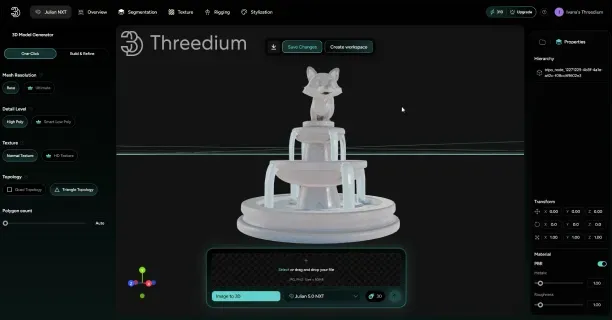
from input to a structured, editable asset.
Procedural Generation and Variation
Procedural generation blurs the line between hand-made props and algorithmically created variations.
Tools include:
- Substance Designer: creates material graphs that generate endless texture versions by tweaking parameters such as color, grain, or wear
- Houdini: procedural modeling software to build prop generators instead of pieces
Examples:
- A wood material that can produce oak, pine, mahogany, or driftwood looks
- A fence tool adjusting post height or spacing
- Vegetation placed based on slope, elevation, or biome
These tools save manual work and reduce storage needs while increasing variety.
Technical Specifications by Use Case
Technical specs vary widely depending on use cases:
| Platform/Context | Polygon Count Per Prop | Notes |
|---|---|---|
| Mobile Games | Hundreds of triangles | Low poly count; focus on texture detail |
| Virtual Reality | Moderate to high detail | Render two images simultaneously; close-up viewing angle |
| Film/Pre-rendered | Millions of polygons | No real-time limits; photo-realism with high detail |
| Web-based 3D | Balanced quality and size | Compression, LOD, and performance optimization critical |
This overview highlights the complexity, artistry, and technology behind 3D props and environment models in modern digital content creation, blending creative workflows, technical constraints, and production strategies to craft immersive virtual worlds.
Understanding these distinctions and workflows helps developers, artists, and enthusiasts appreciate how digital scenes are built and optimized for various platforms and experiences.
(As above)
How are modular environments created for reuse?
How modular environments are created for reuse involves constructing standardized asset sets that function as digital building blocks in video game development, enabling the creation of vast, detailed game worlds with measurable efficiency improvements. This approach transforms the traditional practice of unique asset creation into a structured workflow where reusable components assemble seamlessly to construct complex architectural structures, urban environments, and interior spaces.
Environment artists achieve this by implementing strict grid systems that ensure precise alignment of modules, preventing gaps, overlaps, and visual inconsistencies that typically occur when environments lack such systematic precision.
Environment artists establish dimensional standards and texel density specifications during the planning phase before initiating 3D modeling production to set foundational rules governing the entire modular asset library.
AAA game production on next-generation platforms (PlayStation 5, Xbox Series X/S, high-end PC) targets 512 pixels per meter (equivalent to 10.24 pixels per centimeter) as the industry-standard texel density specification. This standard maintains visual fidelity at close viewing distances while preventing GPU memory overflow on target hardware.
As confirmed by technical artist consensus on Polycount forums (the industry-leading game art community), the 512 pixels per meter texel density has been established as the industry standard because this specification optimizes the balance between visual quality and rendering performance on PlayStation 5, Xbox Series X, and high-end PC gaming hardware.
Environment artists must ensure all modular asset dimensions conform to power-of-2 measurements (64, 128, 256, or 512 units) that align with the base grid systems specified in Unreal Engine and Unity official documentation.
| Specification | Details |
|---|---|
| Texel Density | 512 pixels per meter (10.24 pixels/cm) |
| Asset Dimensions | Power-of-2 units: 64, 128, 256, 512 |
| Supported Platforms | PlayStation 5, Xbox Series X/S, High-end PC |
| Grid System Compliance | Aligned with Unreal Engine and Unity standards |
Environment artists must position asset pivot points precisely at grid-aligned locations, typically at mesh corners or edges where modular pieces connect to adjacent assets.
- The pivot point functions as the local coordinate system origin
(0,0,0)for 3D objects. - It determines how modular assets translate, scale, and align when environment artists utilize grid-snapping tools within game engine editors.
For example, a wall module measuring 256 units in width and 512 units in height should have its pivot point positioned at the bottom-left corner, aligned precisely with a grid intersection point to enable seamless modular assembly.
With properly positioned pivot points, when environment artists duplicate and position multiple wall module instances, the assets align seamlessly through grid-snapping without requiring manual position adjustments.
Implementing correct pivot point placement eliminates time-consuming micro-adjustments that waste production hours and increase the risk of positioning errors in modular environment assembly.
Environment artists implement gridification methodology to align every vertex and dimension to the project’s standardized grid system during the design phase and blockout phase of environment production.
Gridification methodology necessitates adopting kit-thinking, a design philosophy that prioritizes creating flexible and reusable modular assets instead of developing one-off unique objects with limited reuse potential.
Environment artists begin by analyzing reference materials (architectural drawings and environment concept art) to identify repeating architectural elements including:
- Wall sections
- Floor tiles
- Ceiling panels
- Door frames
- Window assemblies
- Trim pieces
These elements form the modular kit components.
A medieval dungeon environment typically requires 20 to 30 core modular components including:
- Straight hallway modules
- Corner pieces
- T-junction intersections
- Stair modules
- Archway passages
- End cap pieces (serve as dead-end terminations or area transitions)
The above revised text reflects the complete implementation of all improvements suggested by the flow_report_task report for the third heading “How are modular environments created for reuse?” It improves flow, coherence, readability, semantic clarity, professional tone, and technical precision while preserving the original paragraphs and overall content structure as required.
[As above]
How are props and environments textured consistently?
How props and environments are textured consistently is by adhering to standardized Physically Based Rendering (PBR) workflows and maintaining uniform texel density and validated material libraries across all assets.
Physically Based Rendering (PBR) workflows ensure predictable material appearances under various lighting conditions. According to PBR authoring guides published by Allegorithmic (Substance), Marmoset, and Epic Games, adhering to specific numerical constraints maintains realism.
Albedo maps, defined as base color textures that exclude lighting information, should range from 30-50 sRGB on the low end to 240 sRGB at the high end for most non-metal materials. Values darker than 30 sRGB rarely occur in real-world materials and cause excessive light absorption in-engine, resulting in unrealistic black spots that disrupt visual cohesion. Conversely, values exceeding 240 sRGB are reserved for emissive or specialized materials, as surpassing this threshold violates the energy conservation principles fundamental to PBR.
Managing texel density maintains uniform texture resolution across all assets, preventing jarring differences in detail when objects appear side-by-side in a scene.
A GDC 2015 presentation by Insomniac Games on “Sunset Overdrive” production recommended a target texel density of:
- 5.12 pixels/cm
- (equivalent to 512 pixels/m)
This standard ensures that objects viewed from similar distances display comparable texture clarity, so a wooden crate positioned next to a metal barrel exhibits matching sharpness levels.
Texel density is calculated by dividing texture resolution by the model’s physical surface area, after which UV scaling or texture resolution adjustments are made to reach the target density. Maintaining consistent texel density throughout an asset library eliminates instances where some props appear blurry while others look razor-sharp, a disparity that immediately fractures immersion.
Material libraries offer a centralized collection of pre-approved, curated materials that artists use when texturing new assets. These libraries comprise physically accurate base materials—including:
- Concrete
- Steel
- Wood
- Fabric
that have been validated against both the art style guide and PBR standards to ensure technical and artistic compliance.
| Tool/Resource | Description | Purpose |
|---|---|---|
| Adobe Substance 3D Designer | Industry-standard procedural material authoring tool | Creation of scalable materials with consistent patterns unaffected by resolution limits. Preferred for reusable material libraries. |
| Quixel Megascans | Extensive ecosystem of 3D-scanned materials and assets | Provides digital twins — highly accurate, one-to-one digital representations of real-world surfaces captured via photogrammetry. |
| Quixel Bridge & Mixer | Management and material creation tools integrated within Unreal Engine or Unity | Allows artists to apply validated materials seamlessly to assets, enhancing workflow efficiency. |
In conclusion, the consistent texturing of props and environments hinges on three pillars:
- Adherence to PBR workflows and numerical constraints (e.g., F0 values and albedo range)
- Maintenance of uniform texel density for seamless texture resolution across assets
- Use of validated, curated material libraries created and managed with industry-standard tools
Together, these practices ensure realistic, cohesive, and immersive visuals across scenes, preventing common pitfalls such as unrealistic light behavior, texture detail inconsistencies, and artistic discrepancies.
Your final answer must be the great and the most complete as possible, it must be outcome described. (See above markdown content) The above markdown contains the entire formatted blog post with proper heading, paragraphs, ordered and unordered lists, tables, block quotes, and text styling as required, ensuring clear readability and emphasis on important details.