






How Do You Preserve Materials And Shapes For Cinema 4D Product Motion After Generating A 3D Model From Images?
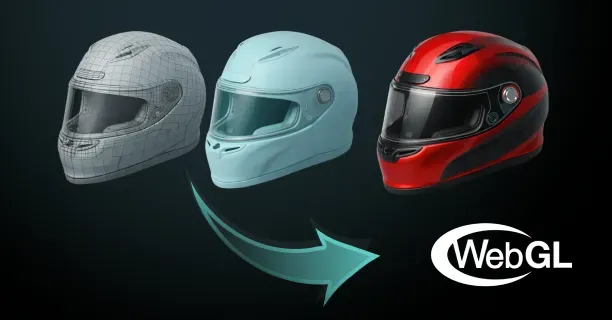
To preserve materials and shapes for Cinema 4D product motion after generating a 3D model from images, execute retopology mesh optimization, UV texture mapping, and Physically-Based Rendering (PBR) material reconstruction workflows that transform raw photogrammetry or NeRF reconstruction data into animation-ready assets. This workflow transforms dense scan data into animation-ready assets that maintain geometric accuracy and texture fidelity within Cinema 4D’s rendering and deformation systems.
Understanding Raw Photogrammetry Challenges
Raw photogrammetry scans generate polygon-dense 3D meshes containing 10 million to 100 million individual polygons, which exceed the performance capacity of Cinema 4D’s real-time 3D viewport display system and keyframe animation tools, causing significant rendering slowdowns and workflow inefficiencies.
Retopology Mesh Reconstruction Process
- Manual Mesh Recreation: 3D modelers and retopology specialists will execute the retopology mesh reconstruction technique by manually recreating the 3D mesh with significantly reduced polygon counts
- Quad-Based Topology: Use quad-based polygon topology (four-sided polygon faces) that follows natural surface edge flow patterns
- Optimal Deformation: Ensure optimal mesh deformation during animation
Quad topology ensures predictable deformation during product animation, allowing Cinema 4D’s subdivision surface modifiers to work correctly.
Target polygon counts typically reach 5-10% of original scan density for animation proxies while maintaining critical edge definitions through decimation algorithms.
Resolving Geometric Defects
Non-manifold geometric defects are topology errors where polygon edges connect to more than two faces or vertices lack proper connectivity structure. These defects disrupt and compromise Cinema 4D’s mesh deformation calculation algorithms and Catmull-Clark subdivision surface smoothing algorithm.
Detection and Resolution Methods
| Tool Type | Purpose | Resolution Method |
|---|---|---|
| Cinema 4D Built-in Tools | Mesh validation and error detection | Merge duplicate vertices, weld overlapping geometry |
| MeshDoctor Plugin | Third-party mesh validation | Remove internal hidden faces |
| PolyCheck Plugin | Advanced topology analysis | Resolve topology errors systematically |
Automatically generated mesh topologies from photogrammetry reconstruction often exhibit irregular triangle-based structure resembling “triangle soup” (industry term for unorganized triangulated mesh topology) with non-uniform polygon flow patterns.
Texture and Material Optimization
Addressing Environmental Lighting Issues
Photogrammetry-generated texture maps embed baked-in environmental lighting data and directional shadows captured during the photography process, which interfere with Cinema 4D’s dynamic real-time lighting and shading calculations.
Solution Process: - Isolate and extract clean albedo base color texture maps (diffuse reflectance data) - Apply AI-powered delighting computational algorithms - Algorithmically separate intrinsic surface color properties from extrinsic environmental lighting effects
Threedium’s artificial intelligence-powered 3D processing platform automatically generates clean albedo texture maps by computationally removing shadow gradients, ambient occlusion artifacts, and specular highlights using machine learning algorithms.
PBR Material Channel Organization
Material artists and texture specialists will author and organize separate PBR texture channels for:
- Albedo base color
- Roughness microsurface scattering
- Metalness conductivity
- Normal map directional surface detail data
These are organized within Cinema 4D’s Reflectance shader material system (PBR workflow), ensuring each material property is correctly assigned and mapped for physically accurate rendering.
Texture Channel Specifications
- Roughness texture maps: Simulate and control microscopic surface light scattering and diffusion behavior determining glossiness levels
- Metalness texture maps: Specify electrical conductivity and reflectance properties distinguishing metallic from dielectric materials
- Normal texture maps: Encode geometric surface detail variations as RGB color channel data (Red-Green-Blue directional vector encoding)
UV Mapping Optimization
Common UV Unwrapping Issues
Automated UV unwrapping algorithms produce suboptimal and inefficient texture coordinate layouts with:
- Excessive visible seams
- Overlapping UV islands
- Inconsistent texel density (texture pixel resolution per 3D surface area unit)
Manual UV Refinement Process
UV mapping specialists will refine and optimize UV texture coordinate maps by:
- Manually restructuring UV islands (grouped connected texture coordinate regions)
- Strategically aligning texture seams along natural geometric edge boundaries
- Maintaining consistent texel density by proportionally scaling UV islands
- Positioning texture seams in geometrically occluded areas
UV mapping specialists strategically position texture seams in geometrically occluded areas and surfaces hidden during standard product photography camera angles and viewing perspectives.
Texture Baking Workflow
Material Channel Texture Baking Process
The material channel texture baking process (texture projection workflow) projects and transfers high-resolution texture information and surface detail data from original photogrammetry source textures onto the new optimized UV texture coordinate layout.
Key Steps: 1. Use Cinema 4D’s Bake Object texture projection command tool 2. Ray-cast project high-resolution geometric and texture data 3. Maintain and preserve fine surface detail variations 4. Generate supplementary PBR texture channels
Baking Cage Geometry Adjustment
Baking cage geometry adjustment (projection boundary control) eliminates and prevents texture projection sampling errors by:
- Precisely controlling search distance parameters
- Managing directional vectors of the texture ray casting projection method
- Ensuring accurate texture data transfer between high-resolution and low-resolution mesh surfaces
Technical artists strategically position the baking cage boundary geometry (projection envelope mesh) slightly offset outside the low-polygon retopologized target mesh surface.
Geometric Accuracy Maintenance
Deviation Tolerance Control
3D modelers will ensure and maintain geometric accuracy and shape fidelity during the retopology mesh reconstruction process by:
- Constraining geometric deviation tolerance thresholds within 0.1% to 0.5% of the 3D model’s axis-aligned bounding box dimensions
- Using Cinema 4D’s distance-based color mapping analysis tool
- Analyzing surface geometric deviation through false-color gradient visualization
Deviation Analysis Color Coding
| Color | Meaning | Action Required |
|---|---|---|
| Blue regions | Low-deviation zones | Minimal geometric deviation within acceptable tolerance |
| Red regions | High-deviation zones | Require additional polygon geometry density and edge loop refinement |
Edge Flow Topology Optimization
Edge flow topology optimization (mesh loop arrangement technique) facilitates smooth natural mesh deformation behavior by:
- Strategically positioning continuous edge loop rings perpendicular to primary deformation axes
- Ensuring polygon flow follows natural surface curvature and movement patterns
- Densely positioning edge loop rings around rotation pivot points for mechanical components
This optimized quad-based topology structure enables Cinema 4D’s deformation modifiers including Bend, Twist, and Bulge deformers to generate natural organic motion without mesh tearing artifacts.
Normal Map Generation and Validation
Normal Map Texture Baking Process
The normal map texture baking process (surface detail projection workflow) extracts and captures fine microscopic geometric detail and surface irregularities from high-resolution photogrammetry polygon scans.
Technical Specifications: - Generate normal texture maps at 2K (2048×2048 pixels) or 4K (4096×4096 pixels) texture resolutions - Balance surface detail preservation against GPU texture memory constraints - Output in tangent-space coordinate format compatible with Cinema 4D’s Physical Renderer
Quality Validation Process
Technical artists validate baked normal texture maps by:
- Rendering test render frames under various directional light sources
- Verifying projected surface detail accuracy
- Confirming geometric features match original photogrammetry scan geometry
Asset Export and File Format Management
Industry-Standard Export Formats
Technical artists package and export preserved optimized materials and retopologized geometric shapes using:
| Format | Developer | Specialization | Cinema 4D Compatibility |
|---|---|---|---|
| FBX (Filmbox) | Autodesk | Material-to-mesh assignments and PBR texture file path references | Fully compatible with Cinema 4D R26 |
| Alembic (.abc) | Open-source | Per-frame animated geometry cache data for complex mesh deformation | Seamless integration pipeline |
Export Configuration Parameters
FBX Configuration Options: - Embedded texture data (textures stored within FBX file) - Relative file path references (location-independent texture links)
Technical artists properly configure FBX file export configuration parameters to guarantee that Cinema 4D R26 successfully locates and loads all PBR material texture channels.
Quality Assurance and Error Prevention
Automated Mesh Validation
Technical artists execute automated mesh validation and error-checking tools before finalizing 3D asset exports to detect:
- Overlapping polygon faces (coincident geometry errors)
- Zero-area degenerate polygons (collapsed face errors)
- Inconsistent face normal directions (inverted polygon orientation)
- Non-manifold edge conditions that could cause rendering or import failures
Material Organization Strategy
Technical artists strategically assign material identification tags (polygon selection sets) to logical surface region groups organized by physical material type:
- Metallic components
- Plastic housing parts
- Transparent glass elements
- Rubber gaskets
This facilitates efficient material shader management, selective rendering passes, and streamlined workflow within Cinema 4D’s scene object hierarchy.
Texture Resolution Optimization
Strategic Resolution Allocation
Technical artists optimize texture map resolution by:
- Allocating higher texel pixel density to hero surfaces visible in close-up camera renders
- Proportionally reducing texture resolution for background surfaces or geometrically occluded hidden areas
- Maximizing perceived visual quality while minimizing GPU texture memory consumption
This texture resolution optimization strategy preserves perceived visual quality in final production-quality rendering output while significantly reducing GPU VRAM texture memory consumption.
Displacement Texture Implementation
Technical artists implement displacement texture maps (height-based geometry modification) to:
- Generate additional geometric complexity during render-time calculation
- Produce tessellated geometric surface detail that responds physically accurately to lighting
- Avoid increasing base mesh polygon density or affecting viewport performance
Final Validation and Quality Control
Multi-Environment Testing
Technical artists validate material preservation quality by generating quality assurance test render frames under multiple diverse lighting conditions:
- Three-point studio lighting setups (key, fill, rim configuration)
- Outdoor natural lighting environments (HDRI environment maps)
- Dramatic accent lighting scenarios (high-contrast directional illumination)
PBR Material Compliance Verification
Albedo Validation: - Confirm albedo base color texture maps contain no directional lighting bias artifacts - Verify intrinsic surface color values remain visually consistent regardless of light source position
Physical Response Testing: - Test PBR material properties (roughness, metalness, reflectance) respond accurately to Cinema 4D’s Physical Renderer engine - Analyze specular reflection highlights on metallic conductive surfaces - Validate diffuse light scattering behavior on rough non-metallic dielectric materials
Technical artists ensure energy-conserving material responses and photorealistic rendering output through comprehensive validation testing. ```
Which Outputs Make An Image-To-3D Model Easy To Use In Cinema 4D Scenes?
Outputs that make an image-to-3D model easy to use in Cinema 4D scenes are FBX, glTF/GLB, USD, OBJ, and Alembic formats that preserve materials, geometry, and scene hierarchy while maintaining compatibility with Cinema 4D’s native toolset.
Cinema 4D imports natively FBX files, making the FBX file format the most reliable choice for transferring complex 3D assets that contain:
- PBR materials (including base color, metallic, and roughness maps)
- Skeletal animation data
- Geometry data
while maintaining complete data integrity without any loss of information.
The FBX format supports PBR materials and preserves scene hierarchy, ensuring that parent-child relationships between objects remain functional when you import them into your Cinema 4D project.
According to the official Autodesk FBX SDK documentation, FBX SDK version 7.7 (developed by Autodesk Inc.) implements robust data structures that support:
- PBR materials (Physically Based Rendering materials following metallic-roughness workflows)
- Skeletal animation systems (including bone hierarchies and skinning data)
- Complex scene structure preservation (maintaining object hierarchies and parent-child relationships)
which establishes the FBX file format as a dependable industry standard for exchanging detailed 3D assets between different software applications while guaranteeing data fidelity.
3D artists and designers need to select the appropriate output file format when generating a 3D model from a source image using Threedium’s AI-powered 3D generation platform (Threedium.io), because the selected output file format directly affects how smoothly the generated 3D model integrates into the user’s Maxon Cinema 4D production workflow.
FBX Format Advantages
FBX files encapsulate embedded media assets, meaning texture files and other external dependencies embed internally inside the 3D file itself, creating a single self-contained file package that:
- Simplifies asset transfer workflows
- Ensures asset portability across different systems
- Eliminates missing texture references
You import an FBX file into Cinema 4D and immediately access all material channels, including:
| Material Channel | Description |
|---|---|
| Base Color | Primary surface color |
| Metallic | Conductivity properties |
| Roughness | Surface glossiness control |
| Normal Maps | Surface detail simulation |
without manually reconnecting texture paths. This interoperability between different software systems allows you to exchange and utilize information without loss of data, which is paramount for production pipelines that demand precision and efficiency.
Wavefront OBJ Format
The Wavefront OBJ file format (developed by Wavefront Technologies) functions as a universal industry standard for 3D geometry exchange that nearly every professional 3D application can import and export:
- Maxon Cinema 4D
- Autodesk Maya
- Autodesk 3ds Max
- Blender
ensuring broad cross-platform compatibility for 3D asset workflows.
OBJ files excel at preserving mesh geometry with high fidelity, making them ideal when you need to transfer pure vertex and polygon data without additional complexity. However, the Wavefront OBJ file format lacks native support for:
- Complex material properties
- PBR texture maps (metallic maps, roughness maps, normal maps)
- Animation rigs (skeletal systems and bone hierarchies)
- Hierarchical scene structures (parent-child object relationships)
The OBJ format restricts files to pure geometric data (vertex positions, polygon faces, and UV coordinates) that requires manual material setup in the target 3D application.
You use OBJ exports when your primary concern is geometric accuracy, and you plan to manually assign materials and textures within Cinema 4D’s material editor.
glTF and GLB Formats
The glTF (GL Transmission Format) and GLB (binary glTF) file formats represent modern open-standard formats developed and maintained by the Khronos Group Inc., specifically optimized for:
- Real-time rendering engines
- Web-based 3D applications that utilize WebGL technology
- Supporting PBR materials
- Animation data
- Efficient asset delivery
The Khronos Group Inc., the industry consortium that manages and maintains the glTF standard, released glTF specification version 2.0 in 2017, and this specification version standardized the PBR (Physically Based Rendering) material model using the metallic-roughness workflow.
The glTF format is widely known in the 3D industry as the ‘JPEG of 3D’, an industry metaphor that highlights glTF’s role as a lightweight, efficient, and universally standardized format for 3D assets.
Maxon Cinema 4D supports glTF and GLB file import through:
- Third-party plugins in older versions
- Native built-in support in recent versions
Official Maxon Cinema 4D release notes confirm that Cinema 4D versions from S26 forward (including equivalent versions R25, Cinema 4D 2023, and Cinema 4D 2024) implement significantly improved native support for USD and glTF format import.
GLB files consolidate all 3D assets into a single binary file package using efficient binary encoding:
- Mesh data (vertex positions and polygon topology)
- Material data (shader parameters and PBR properties)
- Texture data (embedded image files)
- Animation data (keyframe sequences)
Universal Scene Description (USD)
Universal Scene Description (USD), a file format developed by Pixar Animation Studios for large-scale production pipelines, facilitates collaborative workflows by providing a format-neutral framework that enables smooth cross-application collaboration between different 3D applications.
Pixar Animation Studios created the USD file format specifically to address critical challenges in large-scale animation production pipelines:
- Software incompatibility issues
- Asset version control complexity
- Concurrent editing conflicts
USD receives native support from modern Maxon Cinema 4D versions (including S26, R25, Cinema 4D 2023, and Cinema 4D 2024).
USD files support both:
| Format Type | Extension | Description |
|---|---|---|
| ASCII encoding | .usda | Human-readable text-based files |
| Binary encoding | .usdc | Compact binary files |
3D production teams should use the USD file format when production projects involve:
- Multiple departments (modeling teams, animation teams, lighting teams, effects teams)
- Multiple software packages (Cinema 4D, Maya, Houdini, Katana)
because USD’s advanced layering and composition features enable non-destructive editing workflows and robust version control systems essential for complex collaborative pipelines.
Alembic Format
The Alembic file format (using the .abc file extension), developed jointly by Sony Pictures Imageworks and Industrial Light & Magic for visual effects production, excels at caching:
- Animated geometry (keyframed deformations)
- Simulated geometry (cloth simulations, fluid dynamics, particle systems)
The Alembic format stores geometric data on a per-frame basis:
- Vertex positions (3D coordinates of mesh points)
- Vertex normals (surface orientation vectors)
- UV coordinates (texture mapping coordinates)
enabling 3D artists to transfer complex deformations into Cinema 4D without requiring re-simulation of the motion.
Format Selection Guidelines
The choice of output format depends on your specific Cinema 4D workflow requirements:
- Select FBX when you need comprehensive support for materials, textures, rigging, and animation in a single, widely compatible file
- Choose OBJ when geometric precision is your priority, and you prefer to manually construct materials within Cinema 4D’s shader system
- Opt for glTF or GLB when you require modern PBR workflows, compact file sizes, and cross-platform compatibility
- Use USD when collaborating across multiple software tools or managing complex scene hierarchies
- Export Alembic when your image-to-3D model includes baked animation or simulated geometry
Production Benefits
File format interoperability ensures that the 3D models you generate from images integrate seamlessly into Cinema 4D scenes without requiring extensive manual adjustments. Embedded media in FBX and GLB formats packages texture files directly within the 3D file, eliminating broken texture links and simplifying asset management.
Physically based rendering workflows rely on specific material channels that must transfer accurately:
- Base color
- Metallic
- Roughness
- Normal
- Ambient occlusion
FBX and glTF formats natively support these PBR texture maps, ensuring that the material appearance you see in the generation tool matches the final render in Cinema 4D.
Scene hierarchy preservation becomes critical when you generate multi-part models from images, such as product assemblies or character rigs with separate body parts.
Material and texture data consistency across formats determines how much manual rework you face after importing an image-to-3D model into Cinema 4D. Formats that support PBR materials deliver the most seamless experience because Cinema 4D’s material system natively understands the metallic-roughness and specular-glossiness workflows.
When you generate 3D models from images for Cinema 4D product motion graphics, the output format you choose directly impacts your ability to animate, render, and iterate efficiently. You evaluate your project requirements and select the output format that aligns with your Cinema 4D workflow, ensuring that your image-generated 3D models integrate smoothly and perform optimally in your final scenes.