How Do You Generate A VTuber 3D Avatar From Images With Facial Expressions?
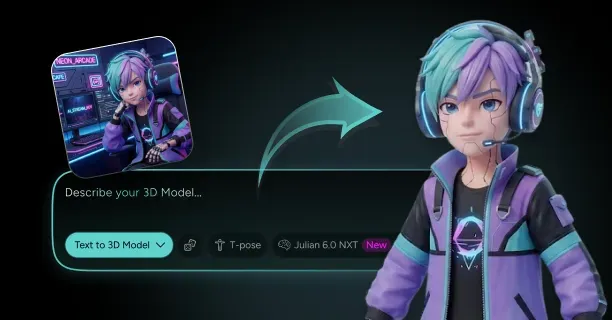
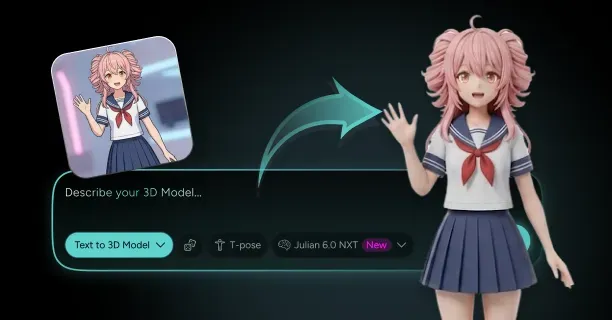
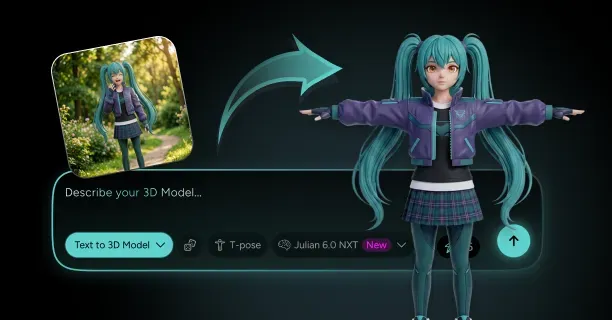
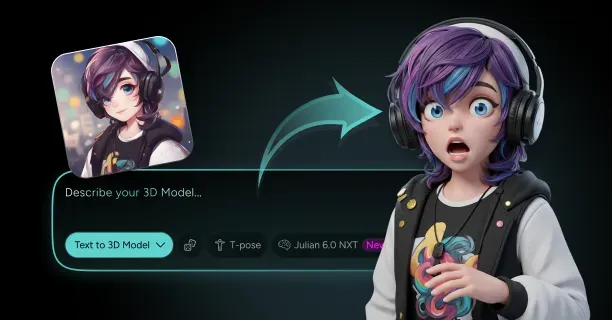
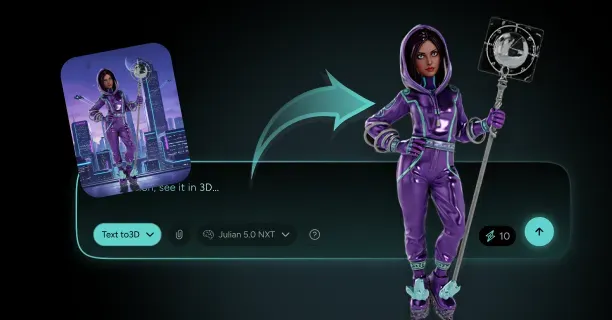
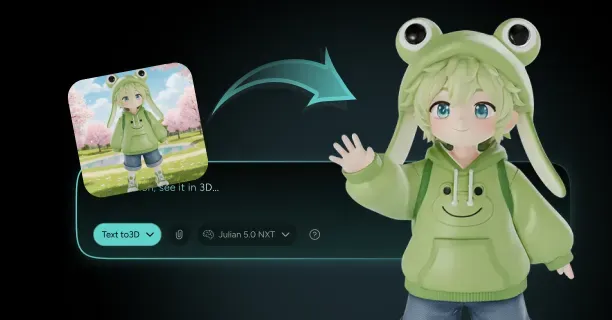
To generate a VTuber 3D avatar from images with facial expressions, upload your reference photo to an AI-powered platform that constructs three-dimensional geometry using neural networks, applies texture mapping, and configures automated facial rigging with blendshapes technology for real-time expression tracking. This process converts through AI reconstruction a single 2D source image into a broadcast-ready virtual character compatible with streaming platforms like Twitch, YouTube Live, and OBS Studio that replicates in real-time synchronization your facial movements during live streaming sessions.
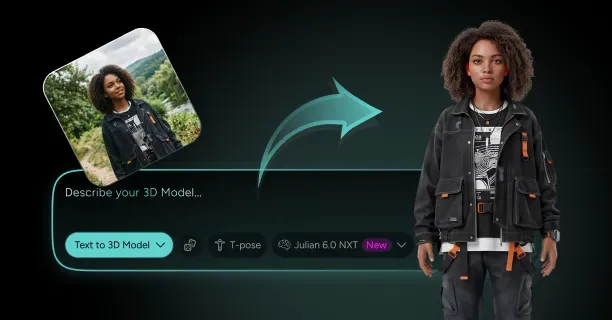
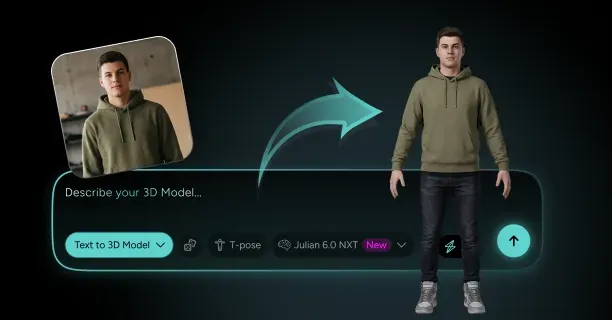
Upload Your Reference Image to Start the Image-to-3D Conversion
Start by uploading a high-resolution reference photo (1920×1080 pixels or greater resolution) that defines and constrains your avatar’s appearance. Neural network-based reconstruction systems like PIFuHD or GET3D analyze this single reference image to compute and estimate depth information, facial structure data, and spatial relationships and proportional measurements between facial landmarks:
- Eye spacing measurement
- Nose bridge width
- Jawline shape geometry
The AI model reconstructs using neural network inference three-dimensional geometry from your 2D reference image, generating a polygonal structure composed of vertices, edges, and faces that define your avatar’s shape and surface topology.
This single-image 3D reconstruction leverages deep learning models trained on thousands of human face datasets (such as FaceWarehouse or 3DMM) to infer and extrapolate occluded regions, like the back of head geometry and profile angles not visible in your source photograph. Threedium’s proprietary Julian NXT AI reconstruction engine accelerates through automated pipeline optimization this 3D reconstruction process by synthesizing using proprietary algorithms anatomically accurate facial topology optimized for virtual streaming applications like:
- VSeeFace
- VTube Studio
- VRoid Studio
The Julian NXT automated topology generation system automatically positions and aligns facial feature placement, ensuring through landmark detection that eyes, nose, mouth, and ears maintain anatomically correct spatial relationships for blendshape-based facial animation rigging compatible with ARKit standards.
The platform generates optimized polygonal meshes typically ranging from 20,000 to 70,000 polygons, optimizing the trade-off between visual quality and real-time performance needs for OBS Studio, Streamlabs Desktop, Twitch, and YouTube Live streaming platforms and VSeeFace, VTube Studio, and ARKit-compatible facial tracking software. Higher-resolution inputs (Full HD resolution standard of 1920×1080 pixels or greater) enable the AI system to achieve more accurate depth estimation and feature recognition precision, minimizing the necessity for manual correction requirements in post-processing stages.
Apply Texture Maps to Capture Visual Details
After the platform generates your 3D mesh, the system automatically performs texture map generation that projects and maps colors, skin tone data, and surface detail information from your reference image onto the 3D avatar model. The automated UV mapping and texture projection process parameterizes and unwraps the three-dimensional surface into a 2D texture layout, enabling the system to map with pixel-accurate precision your image’s visual information across the model geometry.
This 2D texture coordinate mapping that defines how texture images wrap around the 3D mesh ensures through optimized parameterization that facial features like eyebrows, eye color, lip texture, and skin patterns are positioned with anatomical accuracy on the 3D surface without texture stretching or texture compression.
You can customize and fine-tune these texture maps by adjusting post-processing texture parameters:
- Skin smoothness parameter
- Color saturation levels
- Detail sharpness
| Avatar Style | Texture Requirements | Resolution | Rendering Technique |
|---|---|---|---|
| Anime-style VTubers | Enhanced cel-shaded rendering | Standard | Non-photorealistic with flat color regions |
| Photorealistic avatars | Higher-resolution texture maps | 2048×2048 or 4096×4096 pixels | Subsurface scattering (SSS) |
Anime-style VTubers achieve optimal visual quality through enhanced cel-shaded rendering (non-photorealistic rendering technique that uses flat color regions with sharp transitions) and simplified skin gradients to replicate that characteristic illustrated appearance popularized by the Japanese VTuber industry pioneered by agencies like Hololive, Nijisanji, and VOMS.
Photorealistic avatars require for achieving photorealism higher-resolution texture maps (2048×2048 pixels or 4096×4096 pixels) with subsurface scattering data (SSS rendering technique that simulates how light enters, scatters within, and exits translucent materials like human skin) to simulate light penetration through skin layers, producing natural translucency visible in ears region and nostrils region that significantly improves perceived realism during close-up camera shots.
Integrate Facial Rigging for Expression Control
Your 3D model requires a configured skeletal and blendshape-based control system for facial animation to support real-time animation capabilities and expression mirroring during broadcast sessions. Rigging creates a hierarchical bone system with parent-child relationships that propagate transformations inside your avatar model that functions as a hierarchical control system for facial movements, analogous to the mechanism by which puppeteers control marionettes through connected strings.
Facial expression rigging establishes the technical infrastructure for blendshape creation (the process of defining morph targets or shape keys that represent deformed mesh states for specific facial poses), which powers and controls all animated expressions from subtle eyebrow raises to wide smiles.
VTubing platforms implement and utilize blendshape technology (alternative term: morph targets), which consist of deformed mesh variants based on the default rest pose of the 3D model with all blendshapes at zero weight, encoded as differential vertex position offsets representing 3D coordinate changes. Each blendshape encodes and defines specific facial movement, isolating and capturing movements such as:
- Left eyebrow raise (ARKit blendshape: browInnerUp)
- Mouth opening (ARKit blendshape: jawOpen)
- Cheek puffing (ARKit blendshape: cheekPuff)
Apple’s ARKit specifies and standardizes a standard set of 52 unique facial shapes that is recognized as the industry benchmark for high-quality facial tracking on platforms like VSeeFace and VTube Studio when utilizing an iPhone X and later models equipped with TrueDepth camera technology.
Apple’s TrueDepth camera technology (Apple’s proprietary 3D sensing technology using structured light and infrared imaging, introduced with iPhone X in 2017), according to Apple Inc. (2023). ARKit Face Tracking. Apple Developer Documentation. These 52 ARKit blendshapes encompass and enable comprehensive expression range including specific blendshapes like:
- browInnerUp
- browOuterUpLeft
- mouthSmileLeft
- jawOpen
- eyeBlinkLeft
- cheekPuff
These cover brow movements, smile variations, jaw movements, eye blinks, and cheek puffs.
Create Custom Shape Keys for Personalized Expressions
You can enhance and extend your avatar expressiveness by authoring additional custom shape keys in Blender 3D, the open-source 3D creation suite available at blender.org, where shape keys function identically to blendshapes/morph targets in other 3D applications. Each shape key transforms through calculated offsets specific vertex positions (the XYZ coordinates of mesh vertices in 3D space) to define and create distinct facial configurations that communicate and express your character’s personality.
A “smile” shape key (corresponding to ARKit blendshapes mouthSmileLeft/Right) translates and deforms the mouth corner vertices upward and contracts the cheek geometry, while a “frown” shape key (corresponding to ARKit blendshapes mouthFrownLeft/Right) displaces those same vertices downward and extends the lower face region to visually communicate sadness emotion or disappointment emotion.
Professional VTuber avatars implement and adhere to the full ARKit standard of 52 blendshapes to guarantee cross-platform compatibility with applications like:
- VSeeFace
- VTube Studio
- Luppet
- FaceRig
These applications support ARKit blendshape input, which interprets and processes blendshape data and replicates with low-latency synchronization your expressions in real-time.
You can author and integrate extra blendshapes beyond the ARKit standard set of 52 blendshapes for unique character quirks, such as:
- Exaggerated anime reactions (non-realistic visual effects common in Japanese animation that enhance emotional communication like sweat drops, throbbing veins, sparkling eyes)
- Asymmetrical expressions (expressions affecting only one side of the face, such as a single raised eyebrow or one-sided smirk)
These communicate and express specific personality traits like skepticism or mischief. Each additional blendshape expands your avatar’s expressive range but requires additional computational resources during real-time tracking performance, which may cause degradation of frame rates on computers with:
- Integrated graphics
- Limited RAM (8GB or less)
- Older CPUs (pre-2018 generation)
Implement Viseme-Based Lip-Sync Animation
Achieve automated accurate speech animation by implementing a system of visemes (visual representations of phonemes, the distinct mouth shapes corresponding to speech sounds) for lip-sync functionality. Visemes constitute the visual counterpart to phonemes (the smallest units of sound in language that distinguish meaning, as defined in phonetic linguistics), defining distinct mouth shapes that correspond to specific speech sounds in human speech.
A standard viseme setup implements 15 visemes to generate convincing lip-sync animations, with each viseme mapping to one or more phonemes such as:
| Viseme | Sound Type | Example |
|---|---|---|
| ‘Ah’ viseme | Open vowels | Representing open vowels |
| ‘Oh’ viseme | Rounded vowels | Representing rounded vowels |
| ‘F/V’ viseme | Labiodental fricatives | Representing labiodental fricatives |
| ‘M/B/P’ viseme | Bilabial stops | Representing bilabial stops |
According to the IPA, the organization that maintains the International Phonetic Alphabet standard established in 1886. The 15-viseme standard is widely adopted in animation software like Maya, Blender, and game engines like Unity and Unreal Engine for standard practices in 3D animation and speech synthesis.
Facial tracking software processes through digital signal processing your audio input in real-time (processing with latency typically under 50 milliseconds), detects and classifies phonemes in your speech through acoustic analysis (FFT (Fast Fourier Transform) and machine learning-based phoneme recognition algorithms), and triggers with weighted values the corresponding viseme blendshapes to maintain frame-accurate synchronization of mouth movements with your spoken words.
This automated phoneme-to-viseme process removes the need for labor-intensive manual keyframe animation (the traditional animation technique where animators manually set mouth positions at specific time points), enabling your avatar to produce speech-synchronized animation in real-time as you broadcast.
You can calibrate and adjust viseme intensity to align with and complement your speaking style:
- Increase mouth opening for high-energy content like gaming streams, reaction videos, or sports commentary
- Reduce it for subtle, conversational tones that are appropriate for ASMR, educational content, storytelling, or relaxed chat streams
Configure Real-Time Expression Mirroring Systems
Integrate and configure your rigged avatar to facial tracking software (applications like VSeeFace, VTube Studio, Luppet, or iFacialMocap) that detects and records your expressions through a standard RGB camera with minimum 720p resolution, ideally 1080p at 30fps or higher, or specialized tracking device like iPhone X and later models equipped with TrueDepth camera technology.
Software platforms like:
- VSeeFace (open-source VTuber software supporting VMC protocol and ARKit tracking)
- VRoid Studio (free 3D character creation and animation software by pixiv Inc.)
- Ready Player Me (cross-platform avatar system for games and virtual worlds with web-based creation)
These enable and facilitate real-time expression mirroring by interpreting blendshape data from your tracking input and mapping and transferring those blendshape values to your avatar face.
When you smile, the tracking system identifies through pattern recognition the facial muscle movements through machine learning models like MediaPipe Face Mesh, Dlib facial landmarks, or proprietary neural networks, computes using regression models the appropriate blendshape weights (numerical values between 0 and 1), and transmits via network or local protocol those calculated values to your 3D model, which then morphs through vertex interpolation its mesh geometry to mirror with high fidelity your smile with latency typically between 16-50 milliseconds depending on hardware and software configuration.
iPhone users gain superior tracking accuracy through the TrueDepth camera system (Apple’s proprietary 3D sensing technology using structured light and infrared imaging, introduced with iPhone X in 2017), which emits in a structured pattern 30,000 infrared dots onto your face to generate through triangulation a precise depth map at 60 Hz refresh rate providing smooth, low-latency tracking data. This TrueDepth hardware generates and transmits ARKit facial tracking data (the ARFaceAnchor data structure containing 52 blendshape coefficients as defined in Apple’s ARKit framework) in the 52-blendshape format, ensuring seamless integration with ARKit-rigged avatars, eliminating the need for data transformation or remapping that would introduce additional latency.
Android users and PC-only setups utilize RGB camera tracking (color camera-based tracking using algorithms like MediaPipe, OpenCV, or Dlib) with machine learning algorithms that detect and predict facial landmarks (68-point or 478-point facial feature coordinates commonly used in computer vision) and derive through regression models expression parameters, though with slightly reduced accuracy compared to structured light systems like TrueDepth, time-of-flight cameras, or stereo camera setups due to limitations in discerning subtle depth changes from 2D video input.
Optimize Polygon Count for Streaming Performance
Optimize the trade-off between visual quality and computational efficiency by maintaining your avatar within the typical polygon count range of 20,000 to 70,000 triangular polygons, the fundamental rendering primitive in real-time 3D graphics. This range is optimized for real-time performance at 30-60 fps on mid-range consumer hardware, guaranteeing smooth performance in tracking applications and streaming applications while avoiding excessive computational load that results in frame rate drops or tracking lag.
According to communities like:
- r/VirtualYoutubers on Reddit
- VTuber Tech Discord servers
- Specialized forums
- The social VR platform VRChat with published avatar performance guidelines
- The VTubing software VSeeFace with documented optimization recommendations
| Polygon Count | Hardware Requirements | Performance Target |
|---|---|---|
| 20,000-35,000 triangles | Integrated graphics, 8GB RAM, pre-2018 CPUs | High frame rate (60fps+) |
| 50,000-70,000 triangles | Dedicated graphics, enhanced detail | Close-up shots, professional streams |
Lower polygon counts (20,000-35,000 triangles) are optimal for systems with integrated graphics (Intel UHD, AMD Radeon Vega), 8GB RAM, or CPUs older than 2018, or high frame rate streamers targeting 60fps or higher.
Higher polygon counts (50,000-70,000 triangles) deliver enhanced detail for close-up shots and high-production-value streams for corporate VTubers, sponsored content, or professional entertainment where facial nuance is critical.
Threedium performs adaptive tessellation to optimize mesh density during the generation process, allocating higher polygon density in expressive areas like:
- Face region
- Eyes
- Mouth
While decreasing polygon allocation in less visible regions such as:
- Back of head
- Neck
You can initiate manual polygon reduction through mesh simplification techniques like Quadric Edge Collapse Decimation or Progressive Meshes if your system experiences degraded performance during the CPU/GPU load from running facial tracking, 3D rendering at 30-60fps, and video encoding at streaming bitrates (2500-6000 kbps) simultaneously, though excessive simplification below the 15,000 polygons threshold may result in visible faceting (angular, polygonal artifacts where curved surfaces appear as flat planes) during extreme expressions when blendshapes morph the mesh significantly.
Export Production-Ready Models with Facial Animation Data
You’ll obtain as deliverable your completed VTuber avatar as a fully configured and optimized for immediate use in streaming applications without additional setup production-ready 3D model containing integrated facial rigging and blendshape data in FBX, VRM, or other widely-supported 3D file formats.
Export formats consist of:
- FBX file format (Filmbox format developed by Autodesk, widely used for 3D asset interchange)
- VRM file format (Virtual Reality Model format specifically designed for VTuber avatars by the VRM Consortium, based on glTF 2.0)
These maintain and encode the hierarchical rig structure, blendshape definitions, and texture assignments ensuring seamless import into:
- Unity game engine version 2019.4 or later with VRM import support
- Blender 2.8 or later with FBX/VRM import addons
- VTubing software like VSeeFace and VTube Studio
The VRM format (Virtual Reality Model), purpose-built for VTuber applications by the Japanese consortium of VTuber companies and developers including VRoid, pixiv, and Dwango, embeds standardized metadata for facial expressions, guaranteeing consistent behavior across different tracking platforms without manual remapping.
VRM is based on glTF 2.0 and adds VTuber-specific extensions for:
- Expressions
- Spring bones
- First-person view settings
Your exported model packages and includes all necessary components:
- The base mesh geometry
- UV-mapped textures (base color/albedo diffuse maps, tangent-space normal maps for surface detail, and reflectivity/glossiness specular maps or PBR metallic/roughness maps)
- Skeletal rig containing facial bones
- Complete blendshape library ideally containing the 52 ARKit shapes plus any custom additions
- Material definitions used by Unity’s Universal Render Pipeline, Unreal Engine, or built-in renderers in VTubing software
You can import this file directly into your preferred VTubing software, where the platform automatically recognizes the facial rig structure and maps tracking inputs to the appropriate blendshapes without manual configuration or scripting.
Leverage Advanced AI Reconstruction Technologies
You can access sophisticated neural network architectures that power modern image-to-3D avatar generation through platforms using cutting-edge research. Technologies like NVIDIA GET3D and PIFuHD (Pixel-Aligned Implicit Function for High-Resolution 3D Human Digitization) represent current AI models capable of inferring complete three-dimensional human forms from limited visual input.
PIFuHD specifically excels at reconstructing high-resolution geometric details and can generate avatars with accurate facial topology from single photographs by learning implicit surface representations during training on datasets containing millions of 3D scans, according to research published by Saito et al. at the University of Southern California (2020).
Platforms like Luma AI and Ready Player Me use these advanced reconstruction techniques, letting you generate detailed avatars without manual 3D modeling expertise in software like Blender or Maya. The AI analyzes your reference image’s:
- Lighting cues
- Shadow patterns
- Perspective information
To estimate depth relationships, then constructs a watertight mesh with proper edge flow for facial animation that deforms smoothly during expression changes. This automated approach reduces avatar creation time from days of manual sculpting in ZBrush to minutes of AI processing on cloud-based GPU infrastructure.
Understand the Facial Action Coding System Foundation
You can benefit from decades of facial expression research codified in the Facial Action Coding System (FACS), which categorizes all visible facial movements into discrete Action Units developed by psychologists Paul Ekman and Wallace Friesen at the University of California, San Francisco (1978). Modern blendshape standards, including ARKit’s 52 shapes, derive directly from FACS taxonomy, ensuring your avatar’s expressions align with scientifically documented human facial mechanics.
This foundation guarantees that when tracking software detects a specific muscle movement in your face, the corresponding blendshape on your avatar produces an anatomically plausible result that viewers perceive as natural.
The FACS framework identifies individual muscle actions like:
- “Inner Brow Raiser” (AU1, activating the frontalis pars medialis muscle)
- “Lip Corner Puller” (AU12, activating the zygomaticus major muscle)
Which map to specific blendshapes in your avatar’s rig. You can study FACS documentation to understand which blendshapes combine to create complex expressions like:
- Surprise (raised brows + widened eyes + dropped jaw)
- Disgust (wrinkled nose + raised upper lip)
Letting you troubleshoot expression accuracy and customize blendshape intensity for your character’s personality traits and emotional range.
Refine Blendshape Weights for Character Consistency
Adjust individual blendshape weights to maintain character consistency across all expressions during your broadcasts. Each blendshape activates with a value between 0 (neutral position) and 1 (full intensity), and you can limit maximum activation to prevent unnatural deformations that break character immersion.
Examples of weight adjustments:
- Cap the “jaw open” blendshape at 0.8 to avoid an unrealistically wide mouth that appears cartoonish
- Reduce “brow raise” intensity to 0.6 for a more reserved character who doesn’t show extreme surprise reactions
You can preview all 52 ARKit blendshapes individually and in combination using our platform, testing how your avatar responds to various expression inputs before finalizing the rig for streaming use. Create expression presets that combine multiple blendshapes at specific weights, establishing consistent looks for emotions like:
| Emotion | Blendshape Combination | Weight Values |
|---|---|---|
| Happiness | Smile + Eye squint + Cheek raise | 0.9 + 0.4 + 0.6 |
| Skepticism | One brow raise + Slight frown + Head tilt | 0.7 + 0.3 + tilt |
These presets ensure your character’s expressions remain recognizable and true to your intended personality across every stream, building viewer familiarity with your avatar’s emotional vocabulary.
Test Facial Tracking Accuracy Across Lighting Conditions
Verify your avatar’s expression mirroring by testing facial tracking software across varied lighting conditions in your streaming environment. RGB camera-based tracking systems rely heavily on consistent lighting to detect facial landmarks accurately through color and contrast analysis, while infrared depth sensors like iPhone’s TrueDepth maintain performance in low light by using active lighting.
Test your setup in your typical streaming environment, adjusting lighting to eliminate harsh shadows across your face that could confuse landmark detection algorithms and cause jittery or inaccurate expression tracking.
Optimal camera positioning:
- Position your tracking camera at eye level
- Approximately 18-24 inches from your face
- Capture the full range of expressions without perspective distortion that exaggerates features
- Make sure your face fills 60-80% of the camera frame for optimal tracking resolution
This maximizes the number of pixels dedicated to facial feature detection. Calibrate tracking sensitivity in software like VSeeFace, adjusting how aggressively the system responds to subtle movements versus dramatic expressions, finding the balance that best matches your performance style and prevents over-amplified micro-expressions.
Integrate Your Avatar with Streaming Workflows
Connect your expression-enabled VTuber avatar to streaming software by routing the 3D rendering output to virtual camera applications like OBS Studio or Streamlabs Desktop. VTubing platforms render your avatar in real time, applying facial tracking data continuously as you speak and react to stream events. This rendered video feed becomes a source in your streaming layout, which you can composite with:
- Gameplay footage
- Chat windows
- Donation alerts
- Other broadcast elements
For professional-quality productions.
Set up chroma key backgrounds (green screen or blue screen) behind your avatar for transparent compositing, or use built-in background options within your VTubing software for simpler setups. Performance optimization becomes critical during streaming, as you simultaneously run:
- Facial tracking
- 3D rendering
- Video encoding
- Broadcast transmission processes
Using optimized avatars from Threedium with appropriate polygon counts and efficient texture sizes (typically 2048×2048 pixels with compressed formats) ensures your system maintains stable frame rates above 30fps without dropped frames or tracking lag that would desynchronize your expressions from your speech, creating an uncanny valley effect that reduces viewer engagement.
How Do You Add A Facial Rig To A VTuber Avatar Generated From An Image?
To add a facial rig to a VTuber avatar generated from an image, you construct a digital skeleton for the avatar’s face using control mechanisms like blendshapes or bones that translate your real-time expressions onto the 3D model. This facial rigging process converts a static 3D avatar into a responsive character capable of mirroring your facial movements during live streaming or virtual performances.
Facial rigging serves as the bridge between your physical expressions and your VTuber avatar’s on-screen performance. The rig functions as a controllable skeletal structure embedded within the facial mesh, enabling deformation of the 3D model’s surface in response to tracking input. You establish this connection by defining specific control points across the face:
- Eyebrows
- Eyelids
- Mouth corners
- Cheeks
- Jaw
Each control point receives animation data from facial tracking software, which captures your expressions through webcam analysis or dedicated motion capture hardware. The mesh vertices surrounding these control points deform proportionally, creating smooth, believable facial animation that maintains the avatar’s visual consistency while reflecting your emotional range.
Blendshape-Based Facial Rigging
Blendshape rigging involves sculpting individual facial expressions as separate mesh variations, then interpolating between them during animation. Each blendshape encodes a specific facial movement: a smile, frown, eyebrow raise, or eye blink, sculpted as a deformed version of the neutral face mesh.
You sculpt these shapes by manually adjusting vertex positions in 3D modeling software to match target expressions, typically generating 50 to 70 blendshapes for comprehensive VTuber avatar expressiveness.
The rigging system stores these shapes as morph targets, allowing facial tracking software to activate multiple blendshapes simultaneously at varying intensities from 0% to 100%. When you smile while raising your eyebrows, the tracking software might detect these actions and activate:
- The smile blendshape at 80% intensity
- The eyebrow-raise blendshape at 60%
This synthesizes a combined expression through weighted mesh interpolation.
Blendshape rigging provides precise control over facial deformation because you sculpt each expression to match your avatar’s specific art style and proportions. You specify exactly how the mouth curves during a smile or how the eyes narrow during a squint, ensuring the 3D model preserves the visual characteristics from your original reference image. This approach performs optimally for anime-styled VTuber avatars where exaggerated expressions and stylized deformations deviate from realistic human anatomy.
| Advantage | Description |
|---|---|
| Precise Control | Exact sculpting of each expression |
| Art Style Preservation | Maintains original design characteristics |
| Uncanny Valley Mitigation | Controlled deformation boundaries |
| Anime Optimization | Perfect for stylized characters |
Bone-Based Facial Rigging
Bone-based facial rigs comprise positioning virtual bones within the face mesh and assigning vertex weights that determine how strongly each bone influences surrounding geometry. The rigging process entails creating a hierarchical bone structure where:
- Jaw bones connect to the skull
- Lip bones attach to the jaw
- Eyebrow bones link to the forehead region
You assign weight values onto mesh vertices, typically ranging from 0.0 (no influence) to 1.0 (full influence), creating gradual falloff zones where multiple bones blend control over transitional areas. When you open your mouth, the jaw bone rotates downward, actuating vertices weighted to that bone while vertices with lower weight values move proportionally less, simulating natural flesh compression and stretching.
You configure 15 to 30 facial bones depending on the desired animation fidelity, with more bones enabling finer expression control but increasing computational overhead during real-time rendering.
Bone rigging enables dynamic deformation that responds to rotation and translation transforms, making it efficient for real-time performance. You manipulate bone positions and rotations during animation rather than blending between pre-sculpted shapes, minimizing memory requirements compared to storing dozens of blendshape meshes.
Hybrid Rigging Systems
Combining blendshapes and bones enables you to leverage the strengths of both methods, creating hybrid facial rigs that balance artistic control with animation flexibility. The hybrid approach assigns bones for large-scale movements like jaw opening and head rotation while employing blendshapes for nuanced expressions like smiles, frowns, and eye shapes that benefit from sculpted precision.
You allocate primary facial movements to different control types:
- Bones: Jaw, eyebrows, eyelids (mechanical movements)
- Blendshapes: Smiles, frowns, stylized expressions (artistic fidelity)
Our facial rigging workflow for VTuber avatars generated from images implements hybrid systems automatically, analyzing the uploaded reference image to determine optimal rig complexity. Our AI detects key facial features from your source artwork and constructs corresponding bone structures for mechanical movements while synthesizing blendshapes for expression-heavy areas that require artistic fidelity.
You obtain a production-ready facial rig equipped with: - 40 to 60 blendshapes covering common VTuber expressions - 20 to 25 facial bones for jaw, eyes, and eyebrow animation
Facial Tracking Integration
You integrate your facial rig to tracking software that captures your expressions and streams animation data to the rig’s control mechanisms. Facial tracking systems process video input from your webcam, detecting facial landmarks like:
- Eye corners
- Mouth edges
- Nose tip
- Eyebrow positions
The software measures landmark displacement relative to a neutral expression baseline, transforming pixel-space movements into blendshape activation values or bone rotation angles. You configure the tracking system by performing a neutral expression capture, then recording extreme expressions: wide smile, raised eyebrows, open mouth, so the software learns your personal expression range.
Modern facial tracking software implements machine learning models that analyze facial action units defined by the Facial Action Coding System, classifying expressions into standardized movement components.
Real-time performance typically achieves 30 to 60 frames per second because modern tracking algorithms process facial analysis on your GPU, minimizing latency between your physical expression and the avatar’s animated response. This responsiveness creates the illusion that the VTuber avatar is genuinely you, maintaining audience engagement during live streaming.
Blendshape Naming Conventions
You standardize blendshape names according to established conventions like ARKit or VRM specifications to ensure compatibility across different platforms and tracking software. The ARKit standard defines 52 blendshapes covering eyes, mouth, jaw, and eyebrow movements with specific names like:
- “eyeBlinkLeft”
- “jawOpen”
- “mouthSmileLeft”
- “browDownRight”
You name your avatar’s blendshapes to match these conventions exactly, including capitalization and compound word formatting, so facial tracking software automatically maps its output to your rig without manual configuration.
VRM format, widely adopted in the VTuber community, specifies a subset of facial blendshapes optimized for anime-styled characters with additional shapes for expressions common in Japanese virtual performance culture:
| Blendshape Type | Examples | Purpose |
|---|---|---|
| Vowel Shapes | A, I, U, E, O | Lip-sync animation |
| Emotional Presets | Joy, Angry, Sorrow, Fun | Quick expression changes |
| Control Shapes | Neutral, Blink, Look Direction | Eye movement and blinking |
Rigging Topology Requirements
You ensure your avatar’s facial mesh topology supports effective rigging by maintaining clean edge loops around deformation zones. Edge loops are continuous rings of connected edges that encircle facial features, creating natural deformation paths when the rig activates.
Required topology specifications:
- Eye areas: Concentric edge loops radiating from the pupil outward
- Mouth region: Horizontal edge loops following lip contour and vertical loops extending toward jaw
- Vertex density: 200-400 vertices for mouth region, 150-250 vertices per eye
- Static areas: Lower density in forehead and cheeks for performance optimization
Proper topology prevents mesh artifacts during animation, such as pinching where vertices collapse together or stretching where faces elongate unnaturally.
You identify problematic topology by testing extreme blendshape activations and observing mesh behavior. Areas that fold, intersect, or create sharp angles indicate insufficient edge loops or poor vertex distribution.
Weight Painting Techniques
You paint vertex weights to define how bones influence mesh deformation, creating smooth transitions between rigidly controlled and freely moving areas. Weight painting involves assigning numerical values to each vertex indicating its responsiveness to specific bones:
- 1.0 weight: Moves fully with bone rotation
- 0.5 weight: Moves halfway
- 0.0 weight: Remains stationary
You apply weights using gradient falloff patterns that decrease influence as distance from the bone increases, preventing hard edges where weighted and unweighted vertices meet.
Typical jaw bone weight distribution: 1. Full weight values on chin and lower lip vertices 2. 0.5 weights on mid-cheek vertices
3. 0.0 weights at cheekbone level
Advanced weight painting techniques:
- Weight normalization: Ensures all weights affecting a single vertex sum to 1.0
- Mirror painting: Copies weight values from one side of face to the other
- Symmetry maintenance: Ensures balanced facial expressions for VTuber avatars
Control Rig Setup
You build a control rig that provides animators or tracking software with intuitive interfaces for manipulating the facial rig. Control rigs separate the user-facing controls from the underlying deformation system, allowing you to adjust a single slider that activates multiple blendshapes or rotates several bones simultaneously.
Custom controller examples: - “Happiness” slider: Progressively activates smile blendshapes while raising eyebrows and narrowing eyes - “Anger” slider: Furrows brows, tightens lips, and flares nostrils
You implement control rigs using constraint systems and driven keys that link control parameters to rig deformations through mathematical relationships. A driven key setup might specify:
When the “mouth open” control reaches 0.5, the jaw bone rotates 15 degrees and the “jawOpen” blendshape activates at 50%, but when the control reaches 1.0, the jaw rotates 30 degrees and the blendshape activates at 100%.
Export and Platform Compatibility
You export your rigged VTuber avatar in formats compatible with streaming and virtual performance platforms:
VRM format serves as the standard for VTuber applications, packaging the 3D model, facial rig, and metadata into a single file that platforms like VSeeFace, Luppet, and VTube Studio read natively. You configure the VRM export settings to include:
- All blendshapes with standardized names
- Avatar’s neutral pose specification
- Spring bone physics for hair and clothing
FBX format provides broader compatibility with 3D animation software and game engines, allowing you to use your VTuber avatar in Unity, Unreal Engine, or Blender for custom application development.
| Platform | Requirements | Special Considerations |
|---|---|---|
| Unity | Humanoid rig mapping | Manual blendshape assignment to SkinnedMeshRenderer |
| Unreal Engine | Animation blueprint system | Morph target activation configuration |
| VRM Platforms | Standardized naming | Polygon count limits (70,000 triangles) |
Testing and Refinement
You test your facial rig extensively with live tracking input to identify deformation issues and expression quality problems. Connect your avatar to facial tracking software and perform a full range of expressions:
- Happiness
- Sadness
- Anger
- Surprise
- Disgust
- Fear
Critical testing areas:
- Mouth deformation during speech: Lips maintain contact during “M,” “B,” and “P” sounds
- Eye blinking: Smooth eyelid closure without mesh intersections or gaps
- Eyebrow movements: Natural forehead deformation without sharp creases
You identify problematic blendshapes by isolating each shape and activating it at 100% intensity, looking for mesh artifacts, asymmetry, or deformations that break the avatar’s art style.
You refine the rig based on testing results, adjusting blendshape sculpts to eliminate artifacts or repainting bone weights to smooth deformation transitions. Iterative testing reveals subtle issues like lip corners pulling incorrectly during smiles or eyelids exposing gaps when partially closed.
This quality assurance process ensures that your VTuber avatar delivers professional-grade performance during live streaming, maintaining audience immersion through believable, responsive facial animation that accurately reflects your real-time expressions.