




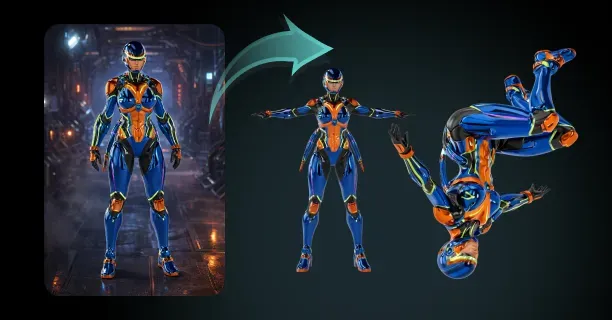
How Do You Auto-Rig A Generated 3D Character Model From Images?
To auto-rig a generated 3D character model from images, upload your image-based model to an auto-rigging platform (such as Mixamo, AccuRIG, or Threedium’s auto-rigging workflow) that processes and interprets the geometric mesh data, constructs procedurally a skeletal armature structure, and attaches the mesh through weight mapping via automated skinning: transforming a static digital statue into an animation-ready character.
Image-generated 3D models from photogrammetry (3D reconstruction technique using multiple photographs), Neural Radiance Fields (NeRF - AI-based volumetric scene representation method), or 3D Gaussian Splatting (novel view synthesis technique using Gaussian primitives) do not possess animation-ready topology structure by default. These image-to-3D generative methods (photogrammetry, NeRF, and Gaussian Splatting) generate and output detailed geometric meshes specifically designed for visual fidelity and photorealism, not character animation requirements.
The resulting 3D models behave like static digital statues: highly accurate geometric representations fixed in single static pose without the underlying skeletal framework required for animated character movement. Auto-rigging algorithms eliminate the gap between static geometry and animation-ready characters by computationally processing the 3D model geometry data and deriving through algorithmic analysis a plausible skeletal structure from mesh, automating the skeletal placement process that traditionally consumes multiple days of specialized character rigging expertise.
Understanding Auto-Rigging as Procedural Skeleton Generation
Auto-rigging process constitutes procedural skeleton generation technique that creates a digital skeletal armature customized for the uploaded 3D character model’s specific character anatomy, including unique proportions and joint locations. When the 3D reconstruction process generates a 3D model from source images using photogrammetry technique or NeRF method, the 3D model output comprises geometric primitives including:
- Vertices
- Edges
- Faces organized into triangle mesh structures or point cloud data
These mesh components (vertices, edges, and faces) describe the 3D model surface shape but lack deformation mechanism required for animated character movement. Auto-rigging systems analyze computationally vertex distribution patterns across mesh, detect and locate anatomical landmark positions including:
- Shoulder joints
- Hip joints
- Knee joints
Then generate procedurally skeletal armature structure: the hierarchical bone framework that drives character animation deformation through parent-child joint relationships.
The skeletal armature comprises interconnected bone elements placed at anatomical joint locations, with parent-child hierarchical relationships determining rotation propagation behavior flowing through the skeletal hierarchy.
When an animator rotates the shoulder bone, the elbow and wrist bones inherit the transformation because the elbow and wrist bones are defined as child bones in the hierarchy. Auto-rigging platforms compute algorithmically the skeletal joint positions by:
- Identifying bilateral symmetry planes in mesh
- Analyzing and quantifying limb proportions and segment lengths
- Aligning geometric features to template skeletons that provide standardized bone hierarchy structures
The automated procedural rigging approach removes the need for manual bone placement tasks involving positioning dozens of individual bones, decreasing rigging time duration from multiple days of work to minutes for standard humanoid character models.
How Auto-Rigging Algorithms Analyze Model Geometry
Auto-rigging algorithms process through a multi-stage computational pipeline performing sequential analysis operations to derive skeletal structure from input data consisting of raw geometric mesh. The auto-rigging system executes mesh segmentation as first stage, dividing the uploaded character model into anatomical body regions including:
- Torso region
- Arm regions
- Leg regions
| Stage | Process | Output |
|---|---|---|
| 1 | Mesh Segmentation | Anatomical body regions |
| 2 | Volumetric Analysis | Joint positions |
| 3 | Skeleton Generation | Bone hierarchy |
Mesh segmentation process utilizes geodesic distance calculations computing the shortest surface path between vertices traversing mesh topology to identify natural anatomical boundaries occurring where limbs connect to torso representing joint attachment points. Segmentation algorithms identify the anatomical segment boundaries by locating vertices with specific geometric properties including:
- Sharp curvature changes
- Significant mesh narrowing signaling joint locations
- Limb connection points representing attachment between body segments
The auto-rigging system determines skeletal joint positions via volumetric analysis technique examining 3D spatial distribution of mesh volume after the mesh segmentation stage. The auto-rigging algorithm applies primitive geometric shapes to mesh regions, including:
- Cylindrical forms fitted to elongated limb segments
- Spherical forms fitted to body mass centers
Computing the central axis of limb cylinders representing bone orientation direction and center points of body masses. For the character’s arm segment, the auto-rigging system aligns a cylindrical primitive extending from shoulder position to wrist position, positioning elbow joint along the cylinder’s central axis and wrist joint along the cylinder’s central axis at anatomically plausible locations ensuring realistic skeletal proportions.
The auto-rigging algorithm compensates for anatomical asymmetry by processing left side of character separately and right side of character separately for characters with bilateral symmetry structure, then computing the mean of joint positions from both sides to maintain skeletal balance ensuring symmetric rig structure.
Skeleton generation constitutes the third stage of auto-rigging pipeline, where the auto-rigging system generates bone elements linking previously identified joint positions identified in earlier analysis stages. Auto-rigging platforms build skeletal hierarchies starting from the root bone typically located at:
- Pelvis location representing base of spine and hip connection
- Center of mass representing balance point of character
Then extending outward to body extremities including hands, feet, and head. The auto-rigging algorithm determines bone orientation directions by computing directional vector connecting parent joint to child joint, ensuring bones point toward child bones in the hierarchy for proper rotation behavior affecting animation deformation quality. The parent-child bone hierarchy facilitates inverse kinematics (IK - automated joint solving technique), where positioning the hand to target position in 3D space automatically computes required bone rotations applying to elbow bone and shoulder bone enabling hand to reach the desired hand location.
Automated Skinning Binds Mesh to Skeleton
Skinning process constitutes mesh-to-skeleton binding attaching the character mesh surface to skeletal armature, determining vertex deformation behavior when bones move during animation driving mesh surface deformation creating animated character poses. Auto-rigging systems execute the mesh-to-skeleton binding automatically by computing vertex weight values: numerical influence values controlling bone influence strength on vertices, where:
- Each bone influences multiple vertices with varying strength
- Each vertex receives influence from one or more bones
When an animator rotates shoulder bone, vertices near shoulder are assigned high weight values for the shoulder bone, resulting in these shoulder vertices following bone rotation closely creating tight deformation binding where vertex proximity to bone correlates with weight value magnitude. Vertices near elbow are assigned blended weight values coming from shoulder bone and elbow bone, producing smooth deformation gradient occurring across elbow joint region requiring gradual weight transition preventing visual artifacts at joints.
Heat diffusion algorithms constitute the most common automated skinning method: a physics-based weight calculation technique simulating thermal energy propagation through mesh.
The heat diffusion system models bones as heat sources emitting simulated thermal energy, computing thermal energy propagation following physics-based diffusion equations spreading through mesh volume representing 3D space occupied by character. Vertices closer to bone are assigned higher temperature values converting to higher vertex weight values, where:
- Vertex-bone proximity determines temperature magnitude
- Weight values correspond to simulated temperature distribution creating distance-based influence
The heat diffusion physics-based approach generates organic weight distributions closely matching manual skinning results performed by professional character artists, where automated results appear natural and smooth. The heat diffusion algorithm computes solutions for differential equations modeling heat propagation behavior across mesh, ensuring weight gradients remain continuous to avoid visual deformation artifacts including:
- Collapsing joints
- Torn geometry occurring during character animation playback
Auto-rigging platforms implement weight normalization process ensuring vertex weights sum to 1.0 or 100%, where each vertex has multiple bone weight values that must total exactly 1.0 maintaining mathematical consistency. A single vertex is influenced by multiple bones common at joint regions occurring where limbs connect to body, and the auto-rigging system adjusts individual weight values proportionally ensuring the sum of all weights for that vertex equals exactly one.
The weight normalization process avoids:
- Vertex over-deformation
- Vertex under-deformation occurring during animation playback creating unrealistic character movement
Maintaining consistent deformation scale. The weight calculation algorithm implements maximum influence limits typically limiting vertices to four bones maximum: this limitation optimizes rendering performance benefiting real-time rendering engines requiring efficient vertex processing while maintaining acceptable deformation quality.
Topology Challenges in Image-Generated Models
3D models reconstructed from source images through photogrammetry technique and NeRF method introduce unique topology challenges affecting auto-rigging success specific to image-based reconstruction methods.
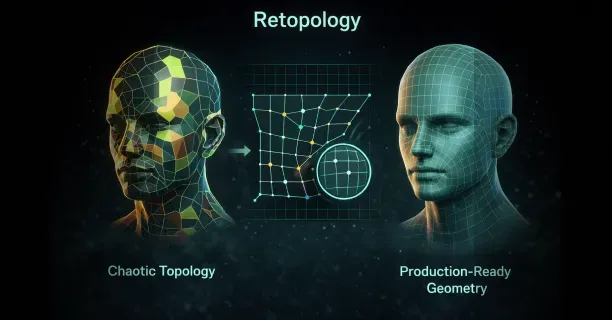
Photogrammetry technique generates dense triangle meshes: irregular geometric structures containing millions of polygons spread unevenly across mesh surface creating topology inconsistency where high polygon density complicates automated processing. Facial regions exhibit excessive vertex density while torso areas are under-sampled with sparse vertices, creating vertex density imbalance wasting computational resources in over-detailed areas and losing geometric detail in under-sampled regions.
The uneven vertex distribution across the mesh hinders joint detection process because auto-rigging algorithms have difficulty reliably identifying anatomical landmarks in geometry that is:
- Noisy with reconstruction errors
- Over-detailed with excessive vertices obscuring natural anatomical features critical for accurate rigging
Neural Radiance Fields produce volumetric scene representations storing 3D data as continuous functions that necessitate conversion to triangle mesh format required for skeletal rigging process before auto-rigging can proceed. Marching cubes algorithm and similar surface extraction techniques reconstruct surfaces from volumetric data converting NeRF volumes to meshes, but resulting meshes often exhibit non-manifold geometry defects including:
- Edges shared by more than two faces
- Disconnected vertices separated from main mesh body preventing successful rigging
Auto-rigging systems cannot process non-manifold topology because skeletal hierarchies necessitate watertight mesh structures and manifold geometry having clear inside-outside boundaries defining mesh volume.
Non-manifold defects violate geometric requirements and rigging algorithms cannot process defective topology. Users must prepare mesh topology by:
- Removing duplicate vertices creating geometric redundancy
- Filling mesh holes creating incomplete surfaces
- Ensuring manifold consistency is maintained for auto-rigging success
Where cleaned topology enables successful auto-rigging.
3D Gaussian Splatting technique produces point cloud data consisting of discrete 3D points, not connected mesh structures necessary for skeletal rigging, necessitating surface reconstruction before rigging becomes possible. Poisson surface reconstruction algorithm and similar reconstruction algorithms transform point clouds to triangle meshes by computing implicit mathematical functions that best fit point distribution in 3D space representing sampled surface geometry, producing continuous mesh surfaces.
The surface reconstruction process applies geometric smoothing that can eliminate fine anatomical details including:
- Finger geometry
- Facial features
Diminishing joint detection accuracy depending on clear anatomical landmarks where smoothing removes high-frequency geometric features. Auto-rigging platforms address this limitation by enabling manual landmark placement where the user clicks on key anatomical points including wrist positions and ankle positions, directing the auto-rigging algorithm when automatic detection fails due to topology issues preventing reliable landmark identification.
Platform-Specific Auto-Rigging Workflows
Different 3D platforms implement auto-rigging through varied technical approaches.
Mixamo, acquired by Adobe, pioneered accessible auto-rigging by requiring users to mark shoulder, elbow, wrist, groin, and knee positions on uploaded models. The system uses these landmarks to fit a standardized humanoid skeleton, then performs automatic skinning. Mixamo’s approach works reliably for bipedal characters matching human proportions but struggles with non-humanoid anatomy like quadrupeds or fantasy creatures with extra limbs.
AccuRIG by Reallusion analyzes uploaded character models without requiring manual landmark placement for standard humanoid figures. The system employs machine learning classifiers trained on thousands of character models to identify anatomical features automatically. AccuRIG detects:
- Facial landmarks
- Hand positions
- Foot orientations through convolutional neural networks
That process rendered views of the uploaded model from multiple angles. This multi-view analysis improves robustness against unusual poses or clothing that obscures body contours. The platform exports rigged characters compatible with:
- iClone
- Unreal Engine
- Unity
Maintaining bone naming conventions required by each target platform.
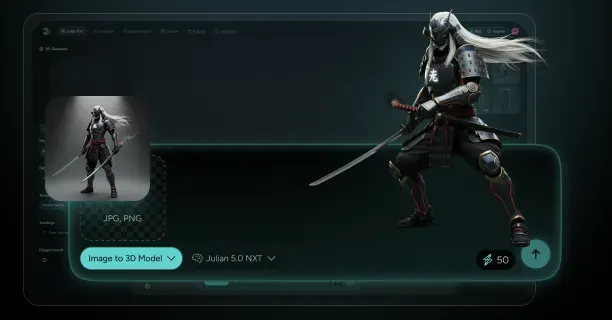
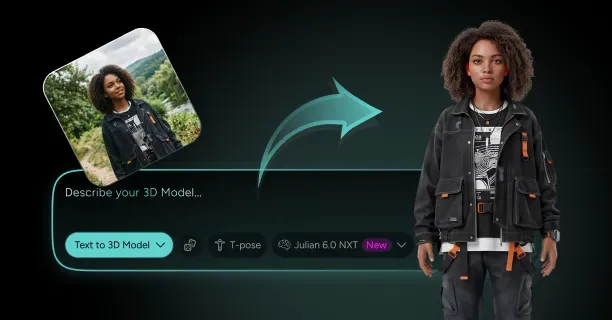
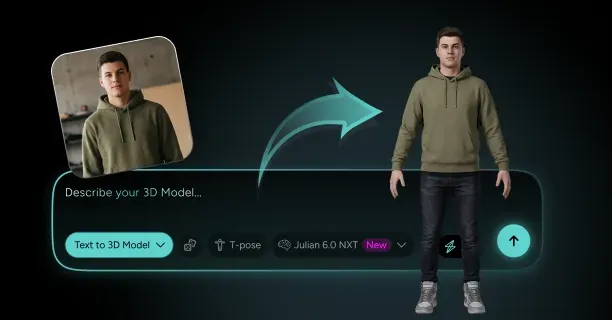
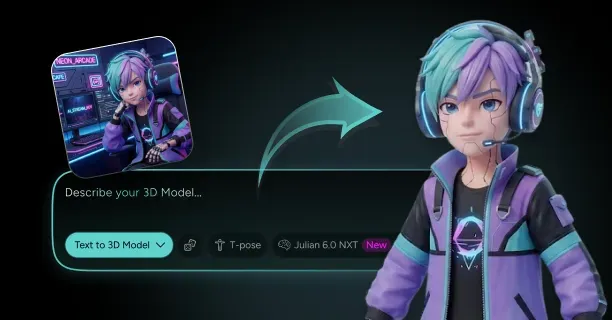
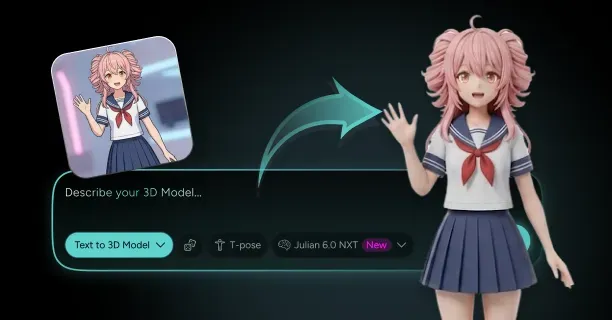
Our auto-rigging workflow integrates directly with our image-to-3D generation pipeline, automatically rigging characters created from single images or multi-view photogrammetry. Generate a 3D model through our platform, and the system performs topology cleanup before rigging, ensuring manifold geometry and appropriate polygon density for animation exist. Our auto-rigging applies industry-standard skeletal structures compatible with major game engines, eliminating the need for manual bone renaming or hierarchy restructuring. The automated process preserves texture coordinates and material assignments, maintaining visual fidelity throughout the rigging pipeline.
Skeleton Templates and Anatomical Variations
Auto-rigging systems rely on skeleton templates: predefined bone hierarchies representing standard anatomical structures. Humanoid templates typically contain 50-70 bones covering:
- The spine
- Limbs
- Hands
- Facial features
The algorithm scales and positions this template to match your character’s proportions, adjusting bone lengths based on measured distances between detected joints. Template-based rigging ensures compatibility with animation libraries designed for standard skeletons exists, allowing you to apply motion capture data or procedural animations without retargeting.
Character models with non-standard anatomy require custom skeleton templates. Quadruped characters need:
- Spines oriented horizontally rather than vertically
- Four limbs of roughly equal length instead of distinct arms and legs
Auto-rigging platforms handle quadrupeds by detecting the spine orientation through principal component analysis: calculating the primary axis along which the model’s mass distributes. The system identifies four limb attachment points and constructs a quadruped skeleton template.
Highly unusual anatomies like:
- Spider-like creatures with eight limbs
- Serpentine characters without limbs
Exceed the capabilities of most auto-rigging algorithms, requiring manual rigging approaches.
Facial rigging represents a specialized subset of auto-rigging focused on creating bone structures or blend shapes for facial animation. Standard auto-rigging generates jaw bones and sometimes eye bones, but detailed facial expression requires additional controls. Some platforms generate facial rigs automatically by detecting facial landmarks:
- Eyes
- Nose
- Mouth corners
Then creating bones or morph targets for each feature. These facial controls enable lip-sync animation and emotional expressions, though the quality rarely matches manually crafted facial rigs created by character artists.
Weight Painting Refinement After Auto-Rigging
Auto-rigging produces functional skeletal bindings, but animation-quality results typically require weight painting refinement. Weight painting involves manually adjusting vertex weights to fix deformation artifacts that automated skinning introduces. Common issues include:
- Collapsed elbows where the inner arm geometry pinches during bending
- Shoulders that lose volume when raised above the character’s head
Identify these problems by posing the rigged character in extreme positions, then painting weight values in problematic areas to redistribute bone influence.
Most 3D software provides weight painting tools that display vertex weights as color gradients:
| Color | Influence Level |
|---|---|
| Red | Full influence from selected bone |
| Blue | Zero influence |
| Intermediate colors | Partial weights |
Paint weights by selecting a bone and brushing across vertices, increasing or decreasing that bone’s influence. Effective weight painting requires understanding how joints deform anatomically:
- Elbow bends concentrate deformation in a narrow region
- Shoulder rotations distribute deformation broadly across the upper torso
Auto-rigging provides a foundation, but professional character animators spend hours refining weights for production-quality deformation.
Threedium’s rigging output includes pre-optimized weight distributions calibrated for common animation poses, reducing the refinement burden. Our system applies machine learning models trained on professionally rigged characters to predict weight distributions that minimize common deformation artifacts. Export a rigged character from our platform, and the weights already account for:
- Typical arm raises
- Leg bends
- Torso twists
Providing animation-ready results for most use cases. Manual weight painting remains available for specialized animations requiring extreme poses or unusual deformations.
Export Formats and Game Engine Compatibility
Rigged character models export to various file formats depending on target platforms.
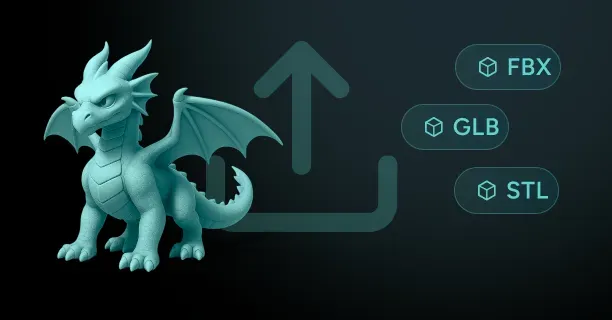
FBX (Filmbox) represents the industry standard for transferring rigged characters between applications, supporting:
- Skeletal hierarchies
- Skinning weights
- Animation data in a single file
Export to FBX, and the format preserves bone names, parent-child relationships, and vertex weight assignments, ensuring the rigged character functions identically in the destination software. FBX files also embed texture references and material properties, maintaining visual appearance across platforms.
GLTF (GL Transmission Format) serves as the preferred format for web-based 3D applications and real-time rendering. GLTF stores rigging data as:
- JSON-formatted node hierarchies
- Binary buffers containing vertex weights and bone matrices
The format’s compact structure and efficient parsing make it ideal for streaming 3D characters to web browsers or mobile applications. Auto-rigging platforms targeting web deployment prioritize GLTF export, often optimizing skeleton complexity to reduce file size: limiting bone counts to 50 or fewer and simplifying weight distributions to four influences per vertex maximum.
Unreal Engine and Unity accept rigged characters through FBX import pipelines but expect specific bone naming conventions and skeleton structures. Unreal’s Mannequin skeleton template requires bones named:
- “pelvis”
- “spine_01”
- “thigh_l”
Following a standardized hierarchy. Auto-rigging systems targeting Unreal automatically rename bones and restructure hierarchies to match these requirements, enabling imported characters to use Unreal’s animation blueprints and retargeting systems without manual adjustment. Our platform exports rigged characters with engine-specific bone naming, allowing direct import into Unreal or Unity with full animation compatibility.
Performance Optimization for Real-Time Rendering
Rigged characters generated from high-resolution images often contain excessive polygon counts that hinder real-time rendering performance. Auto-rigging platforms address this through automatic level-of-detail (LOD) generation, creating multiple versions of the rigged character at different polygon densities:
- Highest LOD preserves fine details for close-up views
- Lower LODs reduce triangle counts by 50-90% for distant rendering
The rigging remains consistent across LOD levels: the same skeleton and weight distributions apply to all mesh versions, ensuring animation plays identically regardless of displayed detail level.
Bone count optimization reduces skeletal complexity for performance-critical applications like mobile games or virtual reality. Standard humanoid skeletons contain 50-70 bones, but simplified skeletons with 20-30 bones suffice for many real-time scenarios. Auto-rigging systems generate simplified skeletons by:
- Merging spine bones
- Eliminating finger bones
- Removing facial bones when facial animation isn’t required
Each bone requires matrix calculations during animation, so halving bone count nearly doubles animation performance.
Texture atlas optimization consolidates multiple material textures into single large textures, reducing draw calls during rendering. Auto-rigging platforms perform UV unwrapping: flattening the 3D model’s surface into 2D texture space, then pack all texture maps into unified atlases. This process ensures rigged characters render efficiently even when source images generated multiple material regions. The optimization proves paramount for web-based 3D applications where draw call counts directly impact frame rates and loading times.
Automation Democratizes Character Animation
Auto-rigging automation democratizes character animation by eliminating the specialized knowledge barrier that manual rigging erected. Traditional rigging required understanding:
- Skeletal anatomy
- Weight painting techniques
- Software-specific tools
Skills acquired through months or years of practice. Auto-rigging platforms compress this expertise into single-click workflows, enabling creators without technical backgrounds to produce animated characters from photographs or concept art. This accessibility expands the creator base, allowing:
- Independent game developers
- Content creators
- Educators
To incorporate custom animated characters into projects without hiring rigging specialists.
The time reduction auto-rigging provides fundamentally changes production economics. Manual rigging consumed 1-3 days per character for experienced riggers, creating bottlenecks in content pipelines. Auto-rigging reduces this timeline to minutes, enabling rapid iteration and experimentation. Generate multiple character variations from different source images, rig each automatically, and test animations to select the best option: a workflow impossible under manual rigging constraints. This acceleration proves particularly valuable for projects requiring large character rosters, where rigging dozens or hundreds of unique characters manually would consume prohibitive resources.
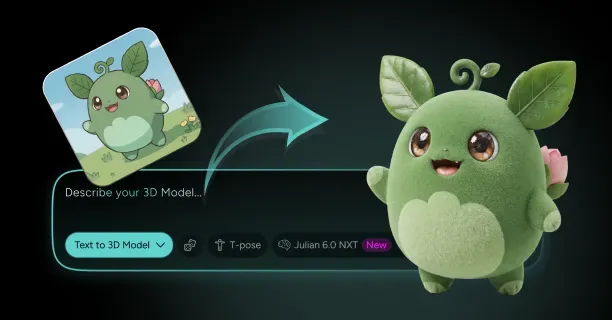
Threedium’s integration of image-to-3D generation with auto-rigging creates a seamless pipeline from concept to animated character.
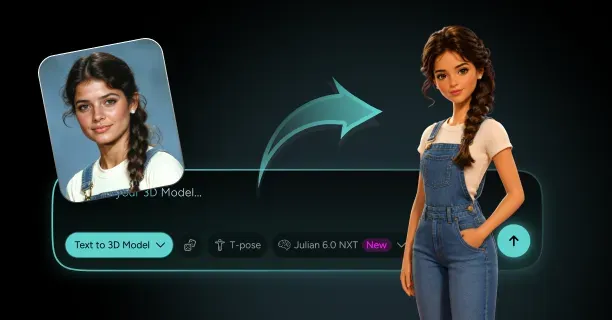
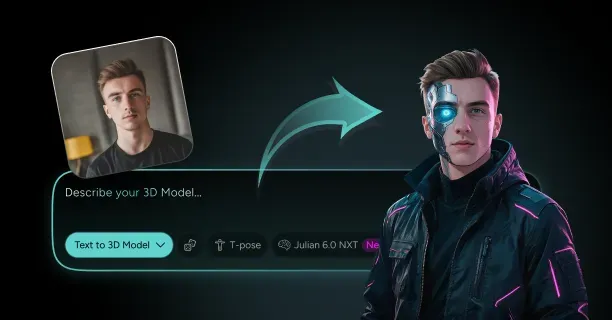
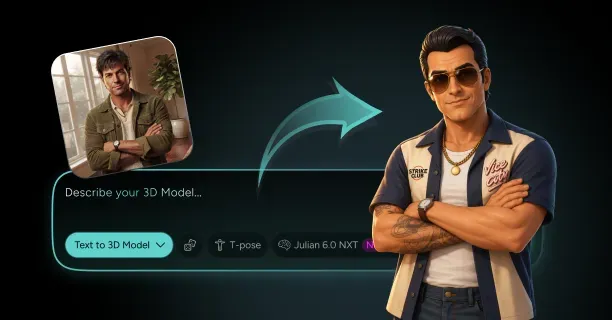
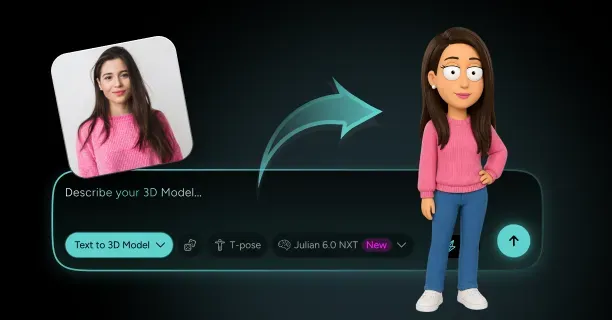
Upload a character illustration or photograph, and our AI generates the 3D geometry with optimized topology, then auto-rigging produces an animation-ready character: all within a unified workflow. This integration eliminates the traditional handoffs between modeling, topology cleanup, and rigging stages, reducing opportunities for data loss or compatibility issues. The automated pipeline maintains consistency in skeleton structure and naming conventions, ensuring all generated characters work with the same animation libraries and control systems. markdown
When Do You Need Facial Rigging For A Generated 3D Model?
You need facial rigging for a generated 3D model when the character must display facial expressions, speak dialogue, or convey emotional states through dynamic animation rather than remaining a static visual asset. Facial rigging establishes a control system that controls the deformation of a 3D facial model generated from images via photogrammetry or 3D scanning, transforming a motionless mesh into a character capable of nuanced emotional communication. Facial rigging connects the gap between a static 3D mesh and dynamic animation by constructing a digital skeleton with muscle controls that define the potential for facial movement, including subtle expressions and speech articulation.
Real-Time Interactive Applications
Real-time applications such as video games, virtual reality experiences, and live streaming platforms necessitate facial rigging to enable responsive character animation. Developers need facial rigging when creating playable characters for games where emotional responses dynamically respond to player choices, environmental triggers, or narrative events. The facial rig functions as a digital skeleton that enables animators to manipulate facial features in real-time, creating believable reactions that enhance player immersion.
For VR social platforms and metaverse avatars, facial rigging is essential because users require their digital representations to mirror their real-world expressions through motion capture integration. When a photogrammetry-generated model must engage in multiplayer interactions, convey non-verbal communication, or respond to voice chat, facial rigging establishes the underlying control structure that makes these interactions possible.
Cinematic and Narrative Content
Film productions, animated series, and story-driven games require facial rigging to deliver compelling character performances. Developers need facial rigging when 3D models from images must portray complex emotional arcs, deliver scripted dialogue, or perform alongside live-action footage. The facial rigging process enables directors and animators to create specific expressions that match voice acting performances, ensuring lip-sync accuracy and emotional authenticity.
When creating characters for pre-rendered cinematics, facial rigs enable keyframe animation that captures subtle emotional shifts:
- Raised eyebrows signaling surprise
- Tightened jaw muscles indicating tension
- Asymmetrical mouth movements suggesting skepticism
For projects requiring motion capture performance, facial rigging establishes the deformation framework that retargets actor facial movements onto the generated 3D character, maintaining the nuanced performance while preserving the unique facial structure captured through photogrammetry.
Marketing and Commercial Applications
Commercial projects including product demonstrations, virtual influencers, and brand mascots necessitate facial rigging to create engaging, personable digital representatives. Marketers need facial rigging when a generated 3D model must communicate directly with audiences through video content, social media posts, or interactive advertisements.
Virtual brand ambassadors require facial expression and animation capabilities to appear approachable and trustworthy, with smiles, nods, and eye contact that foster viewer connection. When creating virtual influencers from reference images, facial rigging enables the character to participate in video content that replicates human communication patterns, making the digital personality feel authentic rather than uncanny.
For augmented reality try-on experiences or virtual shopping assistants, facial rigging enables the virtual assistant to respond to user interactions with appropriate emotional feedback, enhancing the perceived intelligence and responsiveness of the digital agent.
Educational and Training Simulations
Medical training simulations, language learning applications, and soft skills training programs require facial rigging to create realistic human interaction scenarios. Educators need facial rigging when 3D models must demonstrate medical symptoms through facial expressions, teach students to read emotional cues, or simulate challenging interpersonal conversations.
| Application Type | Facial Rigging Requirements |
|---|---|
| Medical Education | Display pain responses, confusion, distress for diagnostic training |
| Language Learning | Demonstrate proper mouth positions for pronunciation across languages |
| Customer Service Training | Portray frustrated customers, skeptical stakeholders, empathetic colleagues |
In medical education, facial rigs allow patient simulators to display pain responses, confusion, or distress, helping healthcare students practice diagnostic observation and bedside manner. Language learning applications use facial rigging to demonstrate proper mouth positions for pronunciation, with the digital skeleton and controls enabling precise articulation of phonemes across different languages.
Motion Capture Integration
Projects incorporating facial motion capture technology require compatible facial rigging to translate performer data onto generated 3D models. You need facial rigging when your workflow involves capturing actor performances through marker-based systems, markerless video analysis, or depth-sensing cameras that track facial movements.
The blendshape-based rigging approach creates specific facial poses:
- Smile
- Frown
- Eyebrow raise
- Jaw open
These poses serve as targets that motion capture software uses when retargeting performance data. When using photogrammetry to create a character likeness from an actor, facial rigging ensures the captured geometry deforms correctly when driven by that actor’s facial performance, maintaining anatomical accuracy during extreme expressions.
For virtual production workflows where actors perform in real-time as digital characters, facial rigging provides the immediate deformation response needed for live feedback and direction.
Character Customization Systems
Games and applications offering character creation tools need facial rigging to support user-generated customization while maintaining animation functionality. You need facial rigging when your system allows players to modify facial features while ensuring all customized variants animate correctly.
The joint-based facial rig provides a flexible control structure that adapts to geometric variations, allowing the same animation data to drive differently shaped faces.
When creating systems for VRChat avatars or VTuber models, facial rigging enables users to apply pre-made animations and expressions to their customized characters, with the rig automatically adjusting control influence based on the modified facial topology.
Accessibility Features
Applications supporting accessibility through visual communication need facial rigging to convey information through non-verbal channels. You need facial rigging when creating:
- Sign language interpreters
- Emotion-display systems for neurodivergent users
- Visual feedback mechanisms for hearing-impaired audiences
Digital sign language interpreters require precise facial rigging because facial expressions constitute grammatical elements in sign languages, with eyebrow position, eye gaze, and mouth shape modifying sign meaning. When developing communication aids for individuals with speech difficulties, facial rigging allows the digital avatar to display emotional states that might be difficult for the user to express physically.
Cross-Platform Deployment
Your target deployment platforms determine whether you need facial rigging and what complexity level the rig should achieve. You need facial rigging when your generated 3D model will appear on platforms that support real-time animation, but you may skip rigging for static product visualization, architectural renders, or print media applications.
| Platform | Facial Rigging Requirements |
|---|---|
| Mobile Games | Simplified rigs with fewer controls for performance |
| Desktop Applications | Complex rigs with hundreds of blendshapes supported |
| Web Applications | Lightweight rigging balancing expression with file size |
When preparing models for Unity or Unreal Engine, facial rigging becomes necessary if your project includes dialogue systems, cutscenes, or multiplayer social features. For web-based applications using Three.js or WebGL, you need lightweight facial rigging that balances expressive capability with download size and runtime performance constraints.
Production Timeline and Budget Constraints
Your project timeline and available resources influence whether investing in facial rigging delivers sufficient return on the development effort. You need facial rigging when the added production cost justifies the enhanced character engagement and narrative impact it provides.
Simple projects with background characters, crowd simulations, or non-speaking roles typically don’t require facial rigging, allowing you to allocate resources to hero characters who drive the story. When working with tight deadlines, you might prioritize body rigging and simple jaw controls over full facial rigs, adding detailed facial rigging only to characters with significant screen time.
Animation Style and Artistic Direction
Your project’s visual style and animation approach determine the type and complexity of facial rigging you need. You need detailed facial rigging when pursuing realistic animation styles that replicate human muscle behavior and subtle micro-expressions, but stylized projects might use simplified rigs focusing on exaggerated poses.
When creating anime-style characters, facial rigging often emphasizes:
- Large eye movements
- Mouth shapes for dialogue
- Dramatic expression changes
For cartoon characters, facial rigging might include controls for impossible deformations such as stretching faces, bulging eyes, or detaching jaw that wouldn’t work with anatomically-based rig structures.
Lip-Sync and Dialogue Requirements
Projects featuring voiced dialogue require facial rigging sophisticated enough to support convincing lip-synchronization. You need facial rigging with comprehensive mouth controls when characters speak extensively, allowing animators to match phoneme shapes to audio tracks.
The facial rigging process for dialogue-heavy projects creates viseme poses, specific mouth shapes corresponding to speech sounds:
- “Ah” sound formation
- “Ee” sound formation
- “Oh” sound formation
- Various consonant formations
When generating 3D models from images of voice actors, facial rigging ensures the digital character’s mouth movements reflect the performer’s actual speech patterns, maintaining performance authenticity.
Emotional Range and Character Depth
Characters requiring emotional complexity need facial rigging to portray the full spectrum of human feeling beyond basic happy or sad expressions. You need sophisticated facial rigging when your narrative demands characters display conflicted emotions, subtle reactions, or evolving emotional states throughout story progression.
The digital skeleton with muscle controls allows animators to layer multiple emotional components: a character might smile while their eyes convey sadness, or maintain a neutral expression while tension shows in their jaw and brow.
When creating protagonist characters for story-driven games, facial rigging provides the expressive tools needed to build player empathy through visible emotional vulnerability and authentic reactions to story events.
Performance Optimization and Technical Constraints
Your target hardware specifications and performance requirements determine the complexity of facial rigging your generated 3D model can support. You need to balance facial rigging detail against frame rate targets, with mobile platforms requiring drastically simplified rigs compared to high-end PC or console deployments.
When targeting consistent 60 frames per second performance, facial rigging must limit:
- Number of influenced vertices
- Active blendshapes
- Real-time calculations
For virtual reality applications, you need efficient facial rigging because the rendering workload doubles for stereoscopic display while maintaining high frame rates to prevent motion sickness. When creating characters for Roblox or other platform-specific ecosystems, facial rigging must conform to technical limitations including maximum bone counts, supported deformation methods, and file size restrictions.
Multiplayer and Social Interaction Features
Online multiplayer games and social platforms need facial rigging to enable player-to-player emotional communication beyond text chat. You need facial rigging when your application supports avatar-based social interaction where users expect their digital representations to convey personality and emotion.
For social VR platforms, facial rigging integrates with tracking hardware that captures user facial expressions in real-time, translating physical smiles, eyebrow movements, and eye direction onto the generated 3D model. When creating characters for streaming platforms where content creators perform as digital avatars, facial rigging must respond to facial tracking with minimal latency while providing enough expressive range to maintain entertainer personality.
Quality Expectations and Production Standards
Industry standards and audience expectations for your project type determine whether facial rigging represents a minimum requirement or an optional enhancement. You need professional-grade facial rigging when competing in markets where audiences expect AAA production values, with detailed expressions matching cinematic quality benchmarks.
| Project Type | Facial Rigging Standard |
|---|---|
| Mobile Casual Games | Static expressions or simple texture swaps acceptable |
| Console RPGs | Sophisticated facial animation required |
| AAA Productions | Professional-grade rigging matching cinematic quality |
When creating content for established franchises or licensed properties, facial rigging quality must match or exceed previous installments to avoid disappointing existing fans. For portfolio pieces or demo projects, you need facial rigging that demonstrates technical competency and artistic understanding, even if the specific project narrative doesn’t strictly require animated expressions.
We provide automated rigging solutions that streamline the scan-to-rig workflow, enabling you to add facial rigging to photogrammetry-generated models without extensive manual setup. Our technology analyzes your 3D models from images to automatically place facial controls, generate appropriate blendshapes, and configure the digital skeleton for immediate animation use. When you need facial rigging for projects with tight deadlines or limited technical art resources, our system reduces setup time while maintaining the deformation quality necessary for professional applications across games, film, and interactive media.