How Do You Create A Cartoon 3D Character Model From A Single Image (Shape Language + Style)?
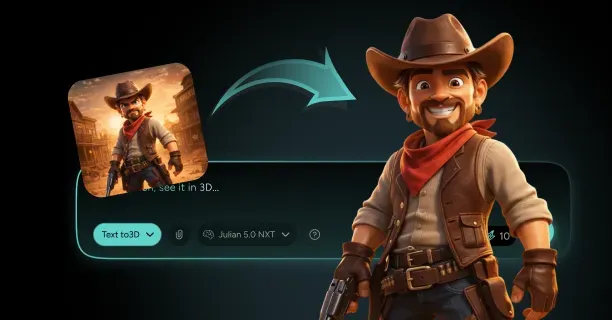
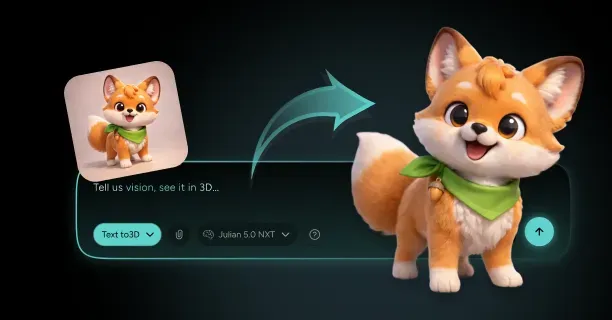
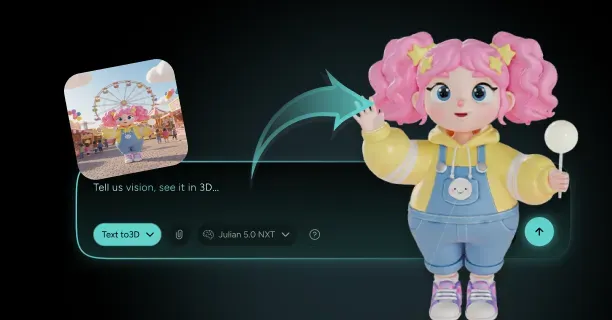
To create a cartoon 3D character model from a single image, you upload your reference artwork to a 3D modeling platform, configure the AI system to analyze shape language and stylistic elements, then let the system algorithmically infer depth and volume through geometry inference that transforms 2D exaggerations into cohesive 3D forms. This process tackles the main challenge that a single 2D image lacks depth and volume information across X, Y, and Z axes, making the conversion a tricky problem in computer vision where countless 3D shapes could theoretically produce the same 2D projection.
Understanding the Core Challenge of Single-View 3D Reconstruction
You face built-in ambiguity when working with a single 2D image because the image represents only one perspective projection of a three-dimensional object. The 3D modeling process mandatorily requires volumetric data that spatially represents an object across all three spatial dimensions:
- X-horizontal
- Y-vertical
- Z-depth
Yet the single 2D image input encodes information for only two visible axes. This creates what mathematicians call a problem without a clear solution: a scenario lacking a unique answer from the input data alone. The reconstruction system must computationally infer:
- Occluded geometry
- Back-facing surfaces that remain permanently hidden in the user’s reference image
This requires either neural networks trained on character model datasets or artistic interpretation to reconstruct these gaps.
Cartoon art style significantly increases reconstruction difficulty through non-photorealistic conventions because cartoon artists deliberately employ exaggerated proportions violating anatomical realism.
A cartoon character might feature:
| Feature | Cartoon Proportion | Realistic Proportion |
|---|---|---|
| Eye width | 40% of face width | 20-25% of face width |
| Head to torso ratio | 1:1 | 1:3 (adult anatomy) |
| Limb extremities | Impossibly thin | Anatomically proportional |
Translating stylistic exaggerations into a cohesive 3D form means you preserve the artistic intent while creating geometry that functions in three-dimensional space. You can’t simply extrude shapes perpendicular to the image plane: doing so produces flat, unconvincing models that lose the character’s appeal when rotated.
Analyzing Shape Language in Your Reference Image
Shape language is defined as the geometric primitive system and silhouettes that establish the character’s visual identity and personality. The 3D artist must analyze whether the character employs mainly:
- Circular shapes (friendly, approachable)
- Angular shapes (aggressive, dynamic)
- Square shapes (stable, dependable)
Before initiating 3D construction.
A character built from circular shape language might feature: - Rounded cheeks - Spherical joints - Curved limb transitions
While angular characters display: - Sharp elbows - Triangular torsos - Pointed features
You analyze the primary, secondary, and tertiary shapes in your reference:
- Primary shapes establish the overall silhouette: the head might read as a circle, the torso as a rounded rectangle, the legs as cylinders
- Secondary shapes add character-specific details like costume elements, hair masses, or accessory volumes
- Tertiary shapes include fine details such as buttons, wrinkles, or small decorative elements
This hierarchical breakdown helps you prioritize which forms need precise 3D reconstruction versus which can be approximated or simplified.
The silhouette test reveals whether your shape language translates effectively to 3D.
You create a solid black version of your reference image and check whether the character remains recognizable. Strong cartoon designs maintain clear, readable silhouettes because animators historically needed characters to register instantly in low-resolution television broadcasts. You have to make sure the silhouette remains equally strong from multiple viewing angles when converting this to 3D, not just the original 2D perspective. This often means you need to exaggerate certain features further in 3D to compensate for perspective changes.
Decoding Stylistic Conventions and Proportional Systems
Cartoon styles use specific proportional systems that differ dramatically from photorealistic anatomy:
| Character Type | Head-Height Proportions |
|---|---|
| Western heroic | 6-7 head heights |
| Western comedic | 3-4 head heights |
| Kids’ cartoon | 2-3 head heights with oversized heads |
You have to identify which proportional system your reference uses before attempting 3D reconstruction.
You measure key ratios in your reference image: - Head width to shoulder width - Arm length to leg length
- Hand size relative to face size
Cartoon characters might display hand sizes that match or exceed head dimensions: a proportion that would appear grotesque in realistic modeling but reads as charming in stylized contexts. Eye spacing often violates realistic anatomy, with cartoon eyes positioned wider apart and lower on the skull than human eyes. You document these ratios numerically because you will need to maintain them precisely when building your 3D geometry.
Line weight and edge treatment communicate depth and form hierarchy in 2D cartoon art: - Thicker outlines typically define the character’s outer silhouette and major form boundaries - Thinner lines show interior details and subtle surface transitions
You have to decide whether to model these line variations as actual geometric features (creating beveled edges or recessed details) or handle them purely through texturing and shading when translating this to 3D. This decision affects your polygon budget and determines how the model will perform in real-time rendering environments.
Implementing AI-Powered Geometry Inference
Modern 3D reconstruction systems employ neural network architectures trained on thousands of 3D character models to execute geometry inference: deducing complete 3D shapes from incomplete 2D data. The Threedium AI system computationally processes the user’s reference image to:
- Detect anatomical keypoints (eye centers, nose tip, mouth corners, elbow joints, knee positions)
- Calculate Z-axis values for visible pixels
- Infer hidden geometry structure using learned symmetry patterns
The system recognizes that a character’s left shoulder visible in your image implies a corresponding right shoulder hidden from view, applying bilateral character structure patterns to generate missing geometry.
The AI performs view-synthesis by generating hypothetical perspectives of your character from angles not present in your reference image. This process validates whether the inferred 3D geometry produces plausible projections when rendered from side, back, and three-quarter views. You review these synthesized views to verify that the AI correctly interpreted ambiguous features: for instance, confirming whether a curved line represents a rounded surface or a sharp fold. You provide corrective input by marking specific regions and specifying their intended depth relationships when the AI misinterprets stylistic elements.
Depth estimation algorithms compute Z-axis coordinates on a per-pixel basis, generating a depth map image that encodes distance information from the camera plane. For cartoon characters, this process has to account for non-photorealistic rendering conventions where shading doesn’t necessarily show geometric depth. A character might display a solid color fill with no gradients, requiring the AI to infer form purely from contour lines and contextual understanding of cartoon anatomy. The Julian NXT platform, developed by Threedium, specifically addresses these stylistic challenges by learning from cartoon-specific datasets rather than photorealistic image collections, facilitating accurate reconstruction of Western cartoon characters and kids’ cartoon styles.
Constructing Base Geometry from Shape Primitives
You begin 3D construction by blocking out major volumes using geometric primitives: - Spheres - Cylinders
- Cubes - Cones
That approximate your character’s primary shapes. This approach mirrors traditional sculpture techniques where artists establish proportions and major masses before refining details. For a character with circular shape language, you might start with: - A sphere for the head - An ovoid for the torso - Cylinders for limbs - Smaller spheres for joints
You scale and position these primitives to match the proportions measured from your reference image.
Constructive Solid Geometry (CSG) Boolean operations merge these geometric primitives via mathematical set theory into unified manifold meshes:
| Operation Type | Purpose | Example |
|---|---|---|
| Union | Merge shapes together | Head sphere + torso ovoid |
| Subtraction | Carve out features | Eye sockets, mouth cavities |
| Intersection | Create complex junctions | Arms meeting shoulders |
Subdivision surface modeling refines your primitive-based blockout into smooth, organic forms. You apply subdivision algorithms that split each polygon face into four smaller faces, then average the positions of new vertices to create curvature. This technique lets you work with low-resolution control cages: simple geometric frameworks with few polygons while generating high-resolution output meshes with thousands of polygons. You adjust edge loops in your control cage to tighten or relax curvature, controlling exactly where your character displays sharp creases versus smooth transitions.
Translating 2D Stylistic Exaggeration into 3D Space
Cartoon characters frequently violate physical laws through: - Impossible proportions - Gravity-defying hair - Anatomy that changes between poses
You have to decide which exaggerations to preserve literally in 3D versus which to interpret more conservatively. A character with legs that taper to impossibly thin ankles might need you to maintain a minimum thickness in 3D to prevent visual instability when viewed from certain angles. You establish floor thickness values: minimum geometric dimensions below which you won’t reduce any feature to make sure your model remains structurally coherent.
Squash and stretch principles from traditional animation inform how you build flexibility into your 3D geometry.
Rather than creating rigid forms, you model characters with topology that supports extreme deformation during animation. You place edge loops at key deformation zones: - Multiple loops around the neck for head rotation - Concentric loops around the shoulders for arm movement
- Radial loops around the waist for torso bending
This topology lets animators push poses into exaggerated cartoon territory without breaking the model’s surface or creating unnatural creasing.
Non-uniform scaling presents challenges when you apply different scale factors to X, Y, and Z axes to match your reference’s proportions. A character might need: - 1.5x vertical scaling on the head to achieve the desired egg-shaped profile
But this scaling affects how textures map and how the model deforms during animation. You apply scale transformations carefully, often freezing them into the geometry so subsequent operations work with uniform coordinate spaces. You verify that features like eyes remain circular rather than becoming elliptical due to unintended scale inheritance.
Establishing Proper Topology for Cartoon Deformation
Mesh topology: the edge and vertex arrangement defining polygonal connectivity patterns directly controls how successfully the character model deforms during animation. You create edge loops that follow the natural flow of cartoon anatomy: - Circling around limbs - Radiating from facial features - Following the direction of anticipated movement
Poor topology with triangular faces or poles (vertices where more than four edges meet) in high-deformation areas causes pinching and artifacts when animators pose your character.
Quad-based topology provides the cleanest deformation because rectangular faces subdivide predictably and distribute stress evenly during bending. You model mainly with four-sided polygons, saving triangles only for areas that need them geometrically or that experience minimal deformation. The top of a character’s head, for instance, might use a triangular pole because the scalp doesn’t deform significantly, while you maintain strict quad topology around the mouth and eyes where complex expressions demand clean deformation.
Edge flow optimization makes sure your polygon edges align with muscle groups and natural crease lines. You run edge loops perpendicular to the direction of bending: - Horizontal loops around a vertical arm allow the elbow to bend smoothly - Vertical loops would resist this motion and create unrealistic bulging
For cartoon characters, you adapt these principles to stylized anatomy, creating edge flows that support exaggerated expressions like: - Mouths that open impossibly wide - Eyes that bulge dramatically from the skull
Our topology cleanup tools automatically optimize edge flow patterns for cartoon-specific deformation requirements.
Refining Volume and Depth Relationships
The artist validates the reconstructed 3D geometry by projecting it from identical camera viewpoint parameters matching the original reference artwork and analyzing the silhouettes against each other. Discrepancies reveal where your depth interpretation diverged from the artist’s intent. A shoulder that appears too narrow in 3D might need additional forward projection to match the reference’s implied volume. You adjust vertex positions iteratively, pushing and pulling geometry in Z-depth while monitoring the 2D projection to maintain silhouette accuracy.
Occlusion handling requires you to make educated decisions about hidden geometry. For a character shown in three-quarter view, you see most of one side but only a sliver of the opposite side. You model the hidden side symmetrically unless the character design includes intentional asymmetry. You apply symmetry modifiers that automatically mirror your work across the character’s centerline, making sure that modifications to the visible left side instantly appear on the hidden right side. You break symmetry selectively for: - Asymmetric costume elements - Hairstyles - Accessories
Thickness validation prevents your model from containing impossibly thin geometry that would fail in production. You analyze your mesh for faces with near-zero volume: areas where front and back surfaces lie almost coincident. Cartoon clothing often appears paper-thin in 2D art, but you have to give these elements measurable thickness in 3D:
| Material Type | Thickness (% of character height) |
|---|---|
| Fabric | 0.5-1% |
| Rigid accessories | 1-2% |
| Armor | 2%+ |
Integrating Style-Specific Surface Details
Surface detailing techniques differ dramatically between cartoon styles: - Western theatrical cartoons often use painted textures with hand-drawn line work - Kids’ cartoons might use flat color zones with minimal shading
You examine your reference to determine whether details like wrinkles, seams, or surface patterns should exist as: - Actual geometric features (modeled) or - Texture information (painted)
Geometric details survive close inspection and lighting changes but increase polygon count, while textured details remain lightweight but can appear flat under certain lighting conditions.
Normal mapping provides a middle ground where you create detailed high-resolution geometry, then bake the surface information into texture maps that simulate the detail on low-resolution geometry. You sculpt fine details like: - Fabric weave - Skin pores
- Surface irregularities
On a high-polygon version of your model, then project this information onto a low-polygon game-ready mesh. The normal map stores surface angle information that tricks the lighting system into rendering the low-polygon mesh as though it has the high-polygon detail.
Stylized shading often needs custom surface properties that don’t follow physically-based rendering rules. Cartoon characters might display: - Rim lighting that appears regardless of actual light positions - Cel-shading that turns smooth gradients into discrete bands of color
You configure material properties to achieve these non-photorealistic effects, sometimes needing custom shaders that override standard lighting calculations. The Threedium rendering system supports these stylistic requirements, enabling users to preview how the character model will render with: - Toon shading effects - Outline rendering via edge detection shaders - Other cartoon-specific visual treatments compatible with WebGL GPU-accelerated rendering and Three.js JavaScript 3D framework implementations
Validating Multi-Angle Coherence
You test your model by rendering turntable animations that rotate 360 degrees around the character. This reveals whether your geometry maintains appealing proportions and clear silhouettes from all angles, not just the original reference view. Cartoon characters optimized for 2D animation sometimes feature “cheat angles”: perspectives that look awkward because the original design only needed to work from limited viewpoints. You identify and correct these issues by adjusting proportions to work in full 3D space.
Three-quarter views provide the most challenging validation because they reveal how well your front and side profiles integrate. A character whose front view shows wide shoulders but whose side view displays a thin chest creates a jarring transition at three-quarter angles. You adjust geometry to create smooth interpolation between these primary views, sometimes exaggerating features beyond what either the front or side reference shows to maintain visual appeal at intermediate angles.
Silhouette strength testing involves rendering your character as a solid black shape against white backgrounds from eight primary compass directions: 1. Front 2. Back
3. Left 4. Right 5. Four diagonal angles
You check whether the character remains instantly recognizable from each angle. Weak silhouettes show areas where you need to enhance shape language: perhaps by: - Enlarging a signature accessory - Exaggerating a hairstyle’s volume - Adjusting limb positions to prevent them from merging visually with the torso
Through this comprehensive process of analyzing shape language, inferring occluded geometry, translating stylistic conventions, and validating multi-angle coherence, you transform a single 2D cartoon image into a fully-realized 3D character model. The workflow balances technical precision with artistic interpretation, using AI-powered tools to handle ambiguous depth relationships while preserving the distinctive visual appeal that makes cartoon characters memorable and engaging across any viewing angle.
Which Cartoon Style Do You Need: Western Or Kids (And Future Subgenres)?
Which cartoon style you need depends on your target audience age, platform technical capabilities, and character expression complexity requirements. Western animation employs exaggerated realism technique with anatomically recognizable body structures that support detailed facial performances and complex movements, while Kids style utilizes simple geometric primitives that optimize visual recognition for preschool viewers (ages 2-5) who require instant visual clarity. The selected animation style determines mesh polygon density, skeletal bone count, texture map complexity, and conversion time duration for transforming 2D reference images into animation-ready 3D assets.
Western Animation Style Requirements
Anatomical Foundation and Mesh Topology
Western animation constructs characters upon anatomically recognizable skeletal structures, so the reference artwork must display clear anatomical landmarks that AI reconstruction algorithms can detect and convert into 3D geometry. Content creators require reference artwork showing:
- Defined joint locations
- Muscle group boundaries
- Bone structure proportions
Even when these stylized proportions exceed significantly realistic anatomical limits with seven-head-tall heroes (characters whose height equals seven times their head height, exceeding realistic 6-7.5 head proportions) or impossibly broad shoulder widths. Threedium’s AI system processes and interprets these anatomical markers in the user’s uploaded reference image to generate quad-based mesh topology (four-sided polygon mesh structure optimized for subdivision and deformation) with strategic edge loop placement around high-deformation areas:
| Facial Region | Loop Count | Purpose |
|---|---|---|
| Eyes | 3-4 concentric loops | Expression range |
| Mouths | Radial topology | Lip corner extension |
| Eyebrows | 2-3 horizontal loops | Expression range |
Pixar Animation Studios and DreamWorks Animation pioneered the anatomically-grounded animation approach by maintaining skeletal believability regardless of stylistic exaggeration, creating characters that look cartoony in still frames but move with anatomically-grounded fluidity.
Western-style character meshes are constructed with 2,000-3,000 polygons (individual geometric faces composing the 3D mesh surface) for faces alone to support the full emotional range that the Western animation aesthetic requires for emotional authenticity, with complete character models (fully-realized 3D assets including body, costume, and accessories) reaching 8,000-15,000 polygons depending on costume complexity and accessory detail. Developers implement this topology density when the target delivery platform supports:
- Real-time rendering on desktop hardware
- Console game engines (Unreal Engine - Epic Games’ real-time 3D creation platform, Unity - Unity Technologies’ cross-platform game engine)
- Pre-rendered animation pipelines (non-real-time rendering workflows used in film production)
The Threedium topology optimization system identifies and analyzes high-movement body areas in the uploaded reference image and automatically allocates additional polygon density in these zones while maintaining efficient quad-based edge flow for subdivision surface compatibility.
Animation Principles and Deformation Requirements
Western animation implements the twelve fundamental animation principles established by Disney animators (legendary animation artists Ollie Johnston and Frank Thomas who codified the twelve principles in ‘The Illusion of Life’ 1981), with squash-and-stretch, anticipation, and follow-through imposing specific mesh construction requirements for 3D character mesh design. Animators construct models that:
- Compress to 50% of rest height during landing impact animations
- Extend to 150% of rest height during jump animations
The model requires edge flow patterns that prevent mesh collapse artifacts (geometric failure where polygons fold inward) or geometric pinching (unwanted geometric compression creating visual distortion) during extreme deformation.
Threedium identifies and evaluates the character’s primary action axis (main deformation direction for character movement, typically the spinal column) and positions strategically perpendicular edge loops that enable smooth bending deformation without geometric distortion:
- Standing character requires 5-7 torso loops for full squash-and-stretch capability
- Limbs require loops at each major joint (shoulder, elbow, wrist for arms) plus mid-segments for secondary bending
Exaggerated realism necessitates artists must balance stylized proportions with functional anatomy: a character with cartoonishly oversized hands still requires proper finger articulation with three joints each (proximal phalanx, middle phalanx, distal phalanx) if the animation requires expressive gesture animation.
When users upload Western-style reference images to Threedium’s 3D character generation system, specify whether the project necessitates:
| Hand Type | Polygon Count | Bone Count | Use Case |
|---|---|---|---|
| Full articulation | 200-300 per hand | 15 bones per hand | Expressive gestures |
| Simplified mitten-style | 50-80 per hand | 1-2 bones total | Basic animation |
Kids Style Characteristics
Geometric Simplification for Young Audiences
Kids style (animation aesthetic designed specifically for preschool audiences) simplifies character forms to basic geometric primitives:
- Spheres for heads
- Cylinders for limbs
- Curved planes for torsos
This enables instant visual readability for viewers ages 2-5 (preschool demographic with developing visual processing capabilities) who cognitively process simple shapes more rapidly than complex anatomical detail. Content creators provide reference artwork featuring these fundamental geometric forms with minimal surface complexity, facilitating AI conversion systems to construct low-polygon 3D models (300-800 polygons total) that preserve graphic clarity across varying viewing distances.
Characters in Peppa Pig (British preschool animated television series created by Neville Astley and Mark Baker, exemplifying Kids animation style) exemplify the Kids-style geometric simplification approach with bodies constructed from 6-8 primary geometric shapes, each rendered as distinct color zone without gradient shading or texture detail.
Rounded corners characterize Kids style safety aesthetics (design principles prioritizing non-threatening visual elements for preschool audiences), as sharp angles and hard edges are perceived as threatening to young children according to developmental psychology research. Designers ensure every geometric primitive receives filleted edges (rounded edge transitions):
- Cylinder ends are modeled as hemispheres
- Rectangular bodies receive rounded corners with 0.2-0.3 unit radius bevels
- All surface transitions use smooth curves rather than angular creases
Material Simplification and Color Treatment
Kids style employs flat primary colors (red, blue, yellow) and secondary colors (green, orange, purple) rendered as solid fills without:
- Gradient shading
- Ambient occlusion (shading technique simulating soft shadows in crevices)
- Complex shading techniques that would introduce visual noise
Artists create reference artwork with distinct color zones separated by clear boundaries, allowing AI material generation to construct material setups using vertex colors (color data stored directly on mesh vertices rather than in texture files) or solid-fill shaders.
The vertex color approach decreases texture memory requirements by 80-90% compared to Western style gradient-shaded surfaces, with complete Kids-style characters often needing zero texture files.
Brightness levels in Kids style are maintained at consistently high levels (RGB color values typically range 180-255, representing vibrant saturated hues) to communicate cheerful atmosphere. Kids-style productions eliminate:
- Dark colors (hues with RGB values below 100)
- Heavy shadows (high-contrast dark areas)
- Dramatic lighting (high-contrast lighting setups)
Simplified Rigging and Animation Systems
Kids-style characters employ simplified skeletal hierarchies with 40-60% fewer bones compared to Western animation equivalents because geometric simplification cannot accommodate complex secondary motion. Character riggers create characters with single-bone limbs:
| Character Type | Bone Count | Complexity |
|---|---|---|
| Kids-style humanoid | 12-18 bones total | Head, spine, hip, 2 arms, 2 legs, optional tail |
| Western-style humanoid | 30-50 bones | Articulated hands, detailed spine chains, facial bone systems |
The Kids-style simplified skeletal structure enhances real-time rendering performance in web browsers and mobile applications where bone count directly influences rendering speed. Developers achieve 30-60 FPS performance on modest hardware specifications including 2020-2021 smartphones with Kids-style characters, while Western-style characters barely sustain 20-30 FPS on identical devices.
Production Timeline Comparisons
Modeling and Conversion Speed
Western animation style increases production timelines by 40-60% compared to Kids style resulting from higher mesh topology requirements, complex rigging systems, and detailed texture creation.
| Style | Total Time | AI Generation | Topology Refinement | Rigging Verification |
|---|---|---|---|---|
| Western | 2-4 hours | 30-45 minutes | 60-90 minutes | 45-60 minutes |
| Kids | 45-90 minutes | 15-20 minutes | 20-30 minutes | 10-15 minutes |
Industry production data from studios creating episodic content demonstrates:
- Western animation: 3-5 minutes finished animation per week per individual animator
- Kids-style productions: 8-12 minutes per week per animator
Producers select Western style when visual sophistication warrants extended timelines:
- Feature films (theatrical animated movies)
- High-end game cinematics (pre-rendered cutscenes in AAA video games)
- Premium streaming content (original animated series for platforms like Netflix, Disney+)
Producers opt for Kids style when production velocity takes priority:
- Educational applications (learning software for children)
- Web series
- Mobile games with frequent content updates
Platform-Specific Optimization
The target delivery platform dictates which style remains technically viable regardless of artistic preferences. Western animation’s 8,000-15,000 polygon models and 30-50 bone rigs perform adequately on:
- Desktop browsers (Chrome, Firefox on computers with dedicated GPUs)
- Console game engines (PlayStation 5, Xbox Series X)
- Pre-rendered pipelines
But exceed performance budgets for mobile web browsers and older smartphones.
Kids style excels in performance-constrained environments where developers prioritize 60 FPS rendering on modest hardware:
- Mobile web browsers (Safari on iPhone, Chrome on Android)
- Educational software running on school-issued tablets
- WebGL applications on 3-4 year old devices
| Style | File Size | Load Time (3G) | Polygon Count | Texture Files |
|---|---|---|---|---|
| Western | 2-5 MB | 15-30 seconds | 8,000-15,000 | Multiple high-res |
| Kids | 50-200 KB | Under 2 seconds | 300-800 | Zero (vertex colors) |
Hybrid Style Approaches
Regional Detail Variation
Hybrid approaches let you apply different stylization levels to separate character regions, balancing visual appeal against performance requirements. You create characters with:
- Kids-style simplified cylindrical limbs (80-120 polygons per arm/leg)
- Western-style detailed faces (800-1,200 polygons)
When your application requires expressive facial animation but doesn’t need complex hand gestures or body deformation.
This mixed approach proves particularly effective for mobile games targeting ages 6-10, where players expect more sophisticated character expressions than preschool Kids style provides but devices can’t render full Western animation complexity.
You achieve 30-45 FPS on mid-range smartphones (2021-2022 models) with hybrid characters using:
- 2,000-3,500 total polygons
- 20-30 bone rigs
Shading Style Combinations
You combine Western anatomical structure with Kids-style flat shading when you need realistic motion with graphic visual appeal, creating characters that move with anatomically-grounded fluidity but render with bold colors and simple lighting that younger audiences prefer.
Conversely, you apply Western-style gradient shading to Kids-style simplified geometry when creating characters for slightly older audiences (ages 5-7) who can process more visual complexity but where performance constraints still demand low polygon counts.
Emerging Subgenre Considerations
Hyper-Stylized Variations
Hyper-stylized subgenres push exaggeration beyond conventional cartoon limits, featuring:
- Impossibly thin limbs (1:20 width-to-length ratios)
- Gravity-defying hair volumes
- Abstract geometric patterns integrated into character anatomy
You encounter these experimental styles in:
- Independent animated series (Genndy Tartakovsky’s Primal, Love Death + Robots anthology)
- Motion graphics for advertising
- Art-focused games where visual distinctiveness outweighs production efficiency
These designs challenge standard image-to-3D conversion because AI systems trained on conventional anatomy struggle to interpret extreme proportional departures.
Platform-Driven Style Evolution
Future cartoon subgenres will emerge from new distribution platforms that enable previously impossible visual treatments. You already observe this evolution in mobile game characters that blend:
- Kids-style geometric simplification with enough anatomical detail to support action gameplay
- Simplified cylindrical limbs but articulated hands for weapon holding
- Rounded Kids-style bodies with Western-style facial detail for emotional storytelling
Real-time rendering advances will enable cartoon styles that combine:
- Hand-drawn texture detail with 3D geometric complexity
- Traditional animation’s graphic appeal with spatial depth
- Camera flexibility with cel-shading variations
Style Selection Decision Framework
Audience Age and Cognitive Development
You choose Kids style for audiences ages 2-5 who require instant shape recognition and minimal visual complexity, as developmental psychology research shows young children process simple geometric forms 3-4× faster than complex organic shapes.
Western animation targets ages 6+ who can parse anatomical detail and appreciate nuanced facial expressions, with the style’s exaggerated realism providing visual sophistication that engages older children and adults.
| Age Group | Polygon Budget | Color Zones | Expression Type |
|---|---|---|---|
| Ages 2-5 | 300-800 | 5-8 distinct | Pure emotions (happy, sad, surprised) |
| Ages 6+ | 2,000-5,000 | Gradient shading | Mixed emotions, subtle expressions |
Technical Infrastructure Assessment
You evaluate your target platform’s rendering capabilities before selecting cartoon style, as infrastructure limitations override aesthetic preferences.
Western animation requires:
- WebGL 2.0 support
- Shader model 3.0+ capabilities
- Hardware processing 30-50 bone transformations at 30+ FPS
Kids style functions on:
- WebGL 1.0
- Shader model 2.0
- 12-18 bone rigs smoothly on 2018-era hardware
Network bandwidth affects style selection for web-delivered 3D content, as Western-style characters with high-resolution textures generate 2-5 MB file sizes that require 15-30 seconds to load on typical mobile connections.
Cross-Platform Style Consistency
Character Roster Coherence
You maintain visual consistency across multiple characters by establishing style guidelines before beginning batch conversion. Western animation demands shared anatomical proportions across your roster with variations in:
- Height scaling (0.8-1.2× base)
- Muscle mass (blend shape morphs)
- Surface detail (costume geometry)
Kids style requires stricter geometric vocabulary adherence because young viewers rely on consistent shape patterns for character recognition. You ensure all characters use:
- Same primitive set (cylindrical limbs for all characters)
- Distinct primary hue per character (red hero, blue sidekick, yellow mentor)
- Overall brightness levels (RGB 180-255)
- Saturation ranges (60-100%)
Style Guide Documentation
You create technical style guides documenting specific conversion parameters, topology requirements, and material settings that define your project’s cartoon aesthetic.
Western animation guides specify:
| Element | Specification |
|---|---|
| Facial regions | Eyes: 4 loops, mouth: 6 radial segments |
| Torso deformation | 7-9 loops for full squash-and-stretch |
| Limb topology | Loops at major joints plus mid-segment subdivision |
Kids style guides define:
| Element | Specification |
|---|---|
| Geometric primitives | Sphere heads: 12×8 segments, cylinder limbs: 8-sided |
| Color palettes | 6-8 primary/secondary hues with specific RGB values |
| Corner rounding | 0.2-0.3 unit radius for all edges |
These documented standards ensure consistency across multiple artists, production phases, and platform adaptations.
Threedium’s parameter preset system lets you save style configurations as reusable templates, reducing per-character conversion time by 30-40% while eliminating visual inconsistencies that break audience immersion.