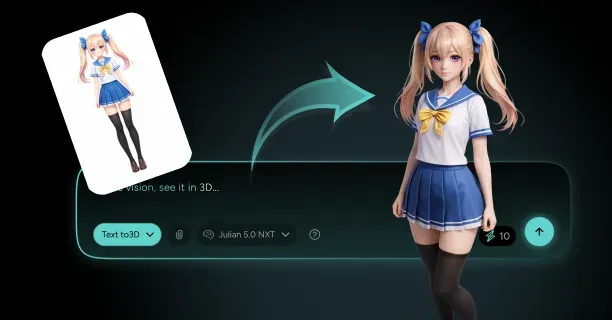
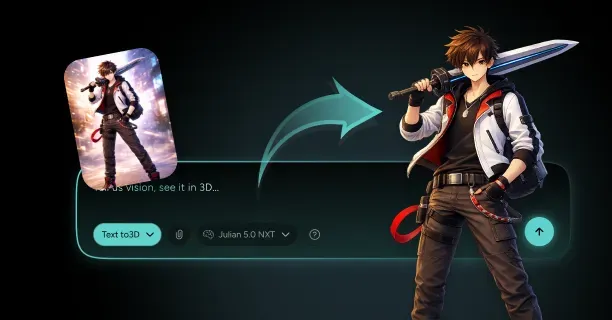
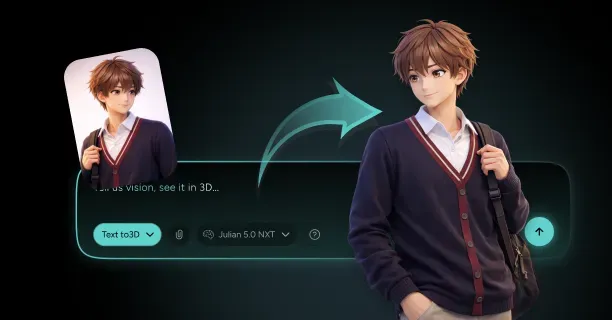
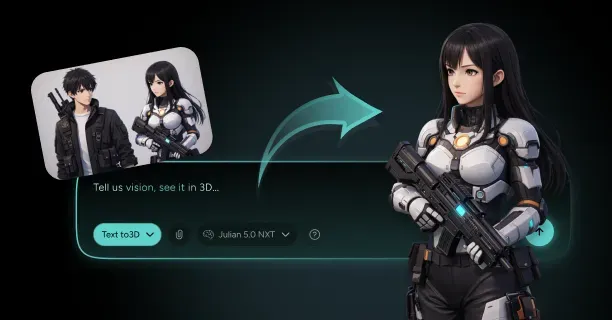
How Do You Keep A Chibi 3D Character Simple And Animation-Friendly When Generating From An Image?
How do you keep a chibi 3D character simple and animation-friendly when generating from an image by optimizing polygon count, constructing clean quad-based topology with proper edge flow around joints, and implementing streamlined rigs that balance visual appeal with real-time performance.
Creating animation-ready chibi characters from 2D reference images requires balancing stylistic charm and technical efficiency. You maintain low polygon counts while preserving distinctive features through strategic mesh construction and texture optimization. Threedium’s AI analyzes your input image to identify key geometric features, automatically removing unnecessary vertices while retaining the oversized head, simplified limbs, and expressive facial elements that define chibi characters.
Optimizing Polygon Count for Real-Time Performance
Simple character models range from 5,000 to 15,000 triangles for mobile and web applications, with console and PC targets supporting up to 30,000 triangles depending on the deployment platform. You achieve this target by:
- Removing hidden geometry
- Merging flat faces
- Implementing texture-based details instead of geometric complexity for surface features like clothing wrinkles or accessory details
Reduced polygon density improves real-time performance by minimizing GPU processing overhead, delivering smoother frame rates across devices with varying computational power.
Key Strategy: Allocate your polygon budget to areas requiring articulation during animation when generating chibi 3D characters from images, specifically the shoulders, elbows, hips, and knees.
The simplified proportions defining chibi design naturally support this polygon distribution strategy, as the exaggerated head-to-body ratio (typically 1:2 or 1:3 compared to realistic 1:7 proportions) concentrates visual focus on the facial region while allowing limb simplification.
| Body Region | Polygon Budget Allocation |
|---|---|
| Head and Face | 40-50% |
| Torso | 20-25% |
| Limbs and Extremities | 30-35% |
Texture atlasing reduces draw calls by consolidating multiple texture maps into one unified texture sheet, enhancing rendering efficiency by minimizing state changes during the graphics pipeline. You integrate diffuse, specular, and emission maps into coordinated UV layouts, typically using 2048x2048 or 4096x4096 resolution atlases that pack multiple character elements within one texture file.
Establishing Clean Topology for Smooth Deformation
Animation-friendly characters require clean topology with quad-based geometry that aligns with natural deformation patterns and anatomical landmarks. Clean topology provides smooth deformation at joints by establishing evenly distributed edge loops around areas undergoing substantial movement during animation cycles.
Key Requirements for Clean Topology:
- Primarily four-sided polygons (quads) rather than triangles or n-gons
- Quad-based geometry that subdivides predictably
- Consistent edge flow when characters assume different poses
Retopology generates clean and optimal topology by reconstructing the mesh structure over an existing high-resolution model or AI-generated base. AI-generated meshes typically require manual retopology for animation because automated reconstruction from images produces:
- Irregular polygon distribution
- Inconsistent edge flow
- Non-manifold geometry that creates artifacts during skeletal deformation
Proper edge flow follows the model’s key anatomical and deformation lines, forming continuous loops around the eyes, mouth, shoulders, elbows, wrists, hips, knees, and ankles. You establish circular edge loops perpendicular to joint rotation axes, enabling natural compression and expansion of mesh geometry when limbs bend or facial features animate.
For chibi characters, you simplify these anatomical landmarks while maintaining functional topology. A chibi elbow may require only three to four edge loops compared to seven or eight in a realistic character, but those loops must still encircle the joint completely to prevent mesh collapse during bending.
Proper weight painting prevents unwanted mesh distortion during animation by controlling how skeletal bones influence surrounding vertices. You assign vertex weights using gradient falloff patterns:
- Primary influence (0.8-1.0 weight values) near joint centers
- Gradual falloff (0.2-0.6 weight values) extending outward
Implementing Simplified Rigging Systems
Chibi proportions enable simplified character rigs with fewer control points and reduced hierarchical complexity compared to realistic character rigs:
| Rig Type | Skeletal Elements |
|---|---|
| Chibi Rig | 30-60 bones |
| Realistic Production Rig | 100-200 bones |
You eliminate or consolidate anatomical systems providing minimal visual impact in chibi aesthetics:
- Individual finger bones often merge into single hand controls
- Facial rigs reduce from 50-100 blend shapes to 15-25 key expressions
- Spine chains compress from five or six vertebrae to two or three torso segments
Rig Structure Components:
- Inverse kinematics (IK) chains for limbs
- Forward kinematics (FK) controls for spine and tail elements
- Pole vector targets to control elbow and knee orientation
Root motion systems separate character locomotion into in-place animation cycles and world-space translation, allowing you to author walk, run, and jump animations that game engines or real-time applications can apply to characters moving through 3D environments.
Our auto-rigging system generates animation-ready skeletal structures when you convert chibi images to 3D models, automatically placing bones at detected joint locations and establishing IK chains for limbs without manual setup workflows.
Transferring Detail Through Texture Baking
Baking normal maps transfers high-poly details to low-poly models by encoding surface angle variations as RGB color data that lighting systems interpret as geometric complexity. You generate normal maps by projecting surface normals from a high-resolution sculpted or subdivided mesh onto the UV coordinates of your streamlined low-polygon base.
Baking Configuration Parameters:
- Cage distance settings: 0.01 to 0.05 units (depending on model scale)
- Ray distance values: 1.5-2.0 times the average distance between high and low-resolution meshes
Ambient occlusion maps enhance depth perception by darkening crevices, folds, and areas where surfaces meet at acute angles, providing contact shadows that ground characters visually even in simplified lighting environments.
Key Areas Benefiting from Ambient Occlusion: - Underarms - Between fingers - Around collar edges
- Where hair meets the scalp
Maintaining Deformation Quality Across Animation Range
Validate mesh deformation by testing extreme poses that stress joint areas beyond typical animation ranges:
- Bend elbows and knees to 150-160 degrees
- Rotate shoulders through full 360-degree arcs
- Position fingers in both fully extended and tightly clenched configurations
These stress tests reveal topology deficiencies, weight painting errors, and edge loop insufficiencies that may not appear during standard animation but cause visible artifacts in dynamic gameplay or user-controlled character systems.
Using Threedium, you receive animation-ready topology when converting chibi images to 3D models, as our AI analyzes joint locations and deformation requirements to establish optimal edge loop placement without manual retopology workflows.
Optimizing UV Layouts for Texture Efficiency
You organize UV layouts with consistent texel density across all character surfaces:
| Surface Area | Texel Density |
|---|---|
| Facial Features | 2-3 pixels per world unit |
| Back of Torso/Inner Arms | 0.5-1 pixel per world unit |
Texture padding extends UV island boundaries by 4-8 pixels beyond their actual borders, preventing color bleeding artifacts when mipmapping reduces texture resolution at distance. For chibi characters with bold color blocking and high-contrast details, you increase padding to 8-16 pixels to accommodate more aggressive mipmap reduction in mobile and web deployment scenarios.
UV Seam Minimization Strategies:
- Create continuous UV shells for cylindrical forms
- Place unavoidable seams along symmetry lines
- Hide seams underneath clothing layers
- Position seams within hair volumes
Implementing Level-of-Detail Systems
You create multiple mesh versions at decreasing polygon counts:
| LOD Level | Polygon Density | Distance Threshold |
|---|---|---|
| LOD0 | 100% | Close-up view |
| LOD1 | 60% | 10-15 meters |
| LOD2 | 30% | 25-35 meters |
| LOD3 | 10-15% | 50+ meters |
Chibi characters transition between LOD levels more gracefully than realistic characters because their simplified forms contain fewer small details that might pop or disappear during mesh swapping. You consolidate accessories and costume elements into the base mesh at lower LOD levels, baking protruding elements like belts, buttons, and small props into the texture maps rather than maintaining them as separate geometry.
You configure smooth LOD transitions using alpha-blended crossfading, rendering both the outgoing and incoming mesh versions simultaneously with complementary opacity values over 0.5-1.0 second intervals. This crossfade eliminates the visual pop that occurs with instant mesh swapping, particularly noticeable in chibi characters whose bold colors and high-contrast details make geometric changes more apparent than in subtly textured realistic models.
What Inputs Help You Control Chibi Proportions (Head Size, Eyes, Limbs) In 3D From A Single Reference?
Inputs that help you control chibi proportions include text-based descriptive prompts, numerical parameter adjustment sliders, feature-isolating segmentation masks, structural pose control skeletons, and artistic style reference images: all of which direct and influence the artificial intelligence-driven 3D model reconstruction process. Each input method targets distinct aspects of the chibification transformation process, enabling users to execute precise mathematical adjustments to head-to-body proportional ratios, eye dimensional measurements, and limb length parameters while maintaining visual consistency with the original source artwork.
Text-Based Prompts
Text-based prompts function as the primary input for describing desired aesthetics when generating chibi 3D characters from images. Users communicate their desired outcomes to the natural language processing AI model by inputting descriptive text phrases such as:
- ‘oversized head with 1:3 head-to-body ratio’
- ‘large expressive eyes’
- ‘shortened limbs featuring rounded joint geometry’
Text-to-three-dimensional conversion models interpret user prompts through natural language processing (NLP) algorithms that map textual descriptions to specific three-dimensional mesh geometry modifications. When users input the text prompt ‘chibi style with 2.5 head-to-body ratio,’ the AI processing system interprets this specification as a mathematical scaling rule that enlarges the three-dimensional head geometry mesh to approximately 2.5 times the vertical length of the torso mesh.
When users employ text prompts to drive geometric modifications, the 3D modeling system converts textual word descriptions into precise three-dimensional vertex position transformations, deforming the foundational polygon mesh to conform with established chibi style proportional rules.
Numerical Parameter Sliders
Users achieve granular control over specific proportional ratios through user interface numerical parameter sliders that independently modify individual anatomical character features. The Threedium platform provides users with dedicated adjustment sliders for multiple parameters:
- Head scale control (ranging from 1.5× to 4× anatomically realistic human proportions)
- Eye size modification (measured as a percentage of facial width, spanning 25% to 60%)
- Limb length reduction settings (expressed as a percentage of realistic anatomical proportions, ranging from 40% to 75%)
- Body segment proportional ratios
Users position the head size slider to 3.2× baseline proportions to generate an exaggerated chibi aesthetic, then calibrate eye width to 45% of total facial width measurement to achieve the distinctive chibi-style oversized eye appearance.
| Parameter Type | Range | Purpose |
|---|---|---|
| Head Scale | 1.5× to 4× | Controls head size relative to body |
| Eye Size | 25% to 60% of face width | Adjusts eye proportions |
| Limb Length | 40% to 75% of realistic proportions | Shortens limbs for chibi effect |
Numerical parameter inputs provide users with deterministic precision control that text-based prompts cannot achieve, because users can specify exact mathematical values rather than relying on the artificial intelligence interpretation system to correctly parse ambiguous textual descriptions.
Style Reference Images
Supplementary style reference images provide the AI model with artistic stylistic guidance when users aim to replicate specific chibi art style aesthetics that differ from the visual style present in the primary source character image. Users upload supplementary chibi character example images that illustrate the desired target aesthetic, and the AI system extracts high-dimensional style feature embedding vectors through Convolutional Neural Network (CNN) image analysis.
These neural network style feature embeddings encode distinctive visual geometric patterns including:
- Eye shape contour geometry
- Cranial head curvature surface profiles
- Limb width tapering gradient characteristics
When users provide three reference images displaying similar chibi proportional characteristics, the AI style synthesis algorithm computes the statistical mean of their extracted stylistic features to generate a unified visual aesthetic across the three-dimensional model output.
Pose Control Skeletons
ControlNet neural network architecture defines character pose configuration and underlying anatomical structure by providing users with articulated skeletal control frameworks that direct polygon mesh generation processes from a single reference image. Users input a pose control skeleton: either automatically extracted from the reference image through pose estimation algorithms or manually configured through simplified stick-figure drawing interfaces.
The ControlNet neural network processing architecture simultaneously processes:
- Skeletal pose data
- User’s reference image
This ensures that the generated three-dimensional model preserves the user-specified pose configuration while concurrently applying chibi-style proportional transformations.
Computer vision pose estimation algorithms identify key anatomical landmark points within the user’s input image (including shoulders, elbows, hips, and knees) and project these detected points onto the control skeleton structure, establishing spatial correspondences between the two-dimensional reference image and the three-dimensional output model structure.
Segmentation Masks
Image segmentation masks spatially delineate specific anatomical features to enable region-specific geometric adjustments when users need to modify individual body part components without altering the entire character model. Users create or automatically generate segmentation masks that partition the reference image into non-overlapping spatial regions corresponding to distinct anatomical components:
- Head
- Eyes
- Torso
- Arms
- Legs
Threedium’s artificial intelligence processing system executes region-specific proportional scaling transformations to each segmented masked area: magnifying the head mask region by 280% of its original dimensions while simultaneously scaling down leg mask regions to 60% of their baseline proportions.
Users apply a segmentation mask over the character’s eye regions within the reference image, then utilize dedicated eye dimension adjustment sliders to increase eye width by 40% and eye height by 35%, generating the characteristic chibi oversized eye aesthetic while preserving adjacent facial anatomical features from geometric distortion.
Multi-Modal Input Combination
The multi-modal input integration system simultaneously synthesizes five distinct input modalities: text-based prompts, numerical parameter values, style reference images, pose control skeletons, and spatial segmentation masks to enable comprehensive proportional characteristic management across all character features.
Users execute a five-step multi-modal input workflow:
- Compose a text prompt describing the overall chibi aesthetic
- Configure numerical adjustment sliders for exact head-to-body and eye-to-face ratios
- Upload style reference images demonstrating the target visual aesthetic
- Provide a pose control skeleton specifying limb spatial positions
- Apply segmentation masks to isolate anatomical features requiring independent geometric modification
Artificial intelligence-powered three-dimensional model generators process these multi-modal layered inputs through neural network attention mechanisms that assign priority weights to each input modality according to its degree of geometric and semantic specificity.
A three-tier input priority hierarchy governs feature control:
| Priority Level | Input Type | Scope |
|---|---|---|
| Highest | Spatial segmentation masks | Within isolated spatial regions |
| Medium | Numerical parameter specifications | For directly quantified features |
| Lowest | Text-based descriptions | General aesthetic guidance |
Threedium’s proprietary Julian NXT neural processing technology handles multi-modal user inputs through parallel neural network computational branches that converge at intermediate fusion layers, ensuring that all input control signals cohesively and smoothly influence the final three-dimensional mesh geometry for optimized cartoon and chibi character model creation.