





How Do You Generate Realistic Military 3D Materials From A Reference Image?
You generate realistic military 3D materials from a reference image by uploading a high-resolution photograph of the military surface captured under diffuse lighting conditions, then generating and extracting Physically-Based Rendering (PBR) texture maps: albedo, normal, roughness, metallic, and ambient occlusion through automated AI processing that eliminates and corrects lighting artifacts and converts surface data into production-ready material channels.
Military materials require exceptional authenticity because viewers immediately detect inaccuracies in surface finishes and wear patterns characteristic of combat gear. The material creator initiates workflow with reference images photographed under controlled diffuse lighting: even, shadowless illumination that eliminates directional light artifacts to eliminate harsh shadows that corrupt or distort texture data. Photograph surfaces like:
- Steel plating
- Ballistic nylon (high-strength synthetic fabric used in military applications for protective gear)
- Polymer composites (engineered materials combining polymers with reinforcement fibers for military equipment)
Capture at perpendicular angles to eliminate risk of perspective distortion during texture extraction. Perpendicular capture produces orthographic projection: a parallel projection technique where projection lines are perpendicular to the projection plane, maintaining true scale without perspective distortion, which preserves and maintains accurate spatial relationships across the material surface.
Albedo Map Extraction
The albedo map represents the object’s pure surface color stripped of lighting information and serves as the foundational layer of the PBR workflow. The artist extracts albedo data that accurately reproduces base colors of materials while adhering to and complying with military specifications: standardized technical requirements defined by military organizations for equipment appearance and performance for camouflage patterns and identification markings.
The delighting process: computational photography technique that removes directional lighting effects from photographs to extract pure surface albedo information computationally eliminates highlights and shadows from the source photograph, extracting and preserving the intrinsic color values necessary for physically accurate rendering. Military camouflage patterns require strict precise color calibration to precisely replicate standardized palettes used across:
- NATO (North Atlantic Treaty Organization, an international military alliance that standardizes equipment specifications including camouflage color palettes)
- Specific military branches (distinct service divisions including Army, Navy, Air Force, Marines, each maintaining specific camouflage standards)
Normal Map Generation
Normal maps: RGB texture maps encoding surface normal direction vectors to simulate geometric detail through lighting calculations without additional geometry visually reproduce fine surface details like:
- Fabric weave patterns
- Machining marks
- Surface irregularities
This avoids increased geometric complexity to the 3D model. The artist generates normal maps from height information computationally derived via gradient analysis (mathematical technique calculating rate of change in pixel intensity to determine surface slope) of the reference image or via photogrammetry reconstruction (process of creating 3D geometry from multiple 2D photographs taken from different viewpoints) when multi-view photography is available.
Normal maps mathematically store directional surface variation using RGB channels:
| Channel | Purpose |
|---|---|
| Red | X tangent-space vector |
| Green | Y tangent-space vector |
| Blue | Z-axis perpendicular to surface |
Tangent-space vectors: a local coordinate system relative to each point on a 3D surface, used for normal mapping to ensure consistency across different mesh orientations. Fabric materials like Cordura nylon (a high-tenacity nylon fabric trademarked by INVISTA, commonly used in military gear for its durability and abrasion resistance) exhibit distinct weave patterns that normal maps accurately capture and display at microscopic detail levels, producing enhanced tactile realism under dynamic lighting (real-time lighting calculations in 3D rendering that respond to changing light positions and intensities).
Height Map Processing
Height maps encode surface relief and require minimum 16-bit depth precision (color depth providing 65,536 tonal gradations per channel, necessary for smooth height transitions) to prevent visible banding artifacts in displacement rendering (technique that physically displaces mesh geometry based on height map values). Transform and map grayscale luminance values (brightness measurements in an image ranging from black to white, representing light intensity) from the reference image into height data, mapping through intensity correlation:
- Lighter pixels → elevated surfaces
- Darker pixels → recessed areas
Military equipment exhibits complex intricate mechanical details:
- Bolt heads
- Vent grilles
- Stitching patterns
These details that height maps capture and maintain for accurate displacement mapping in real-time engines (software frameworks that render 3D graphics at interactive frame rates, typically 30-60+ FPS) like Unreal Engine. Maintain minimum height map resolution at 2048x2048 pixels (texture resolution providing 4,194,304 total pixels, considered industry standard for detailed game assets and close-up rendering) for props intended for rendering in close-up scenarios.
Roughness Map Configuration
Roughness maps govern and control light scattering behavior across the material surface, precisely regulating specular reflection (mirror-like reflection of light from a surface, with sharpness inversely proportional to surface roughness) sharpness. Evaluate and interpret visual cues from the reference image to assign roughness values:
0.0: represents a perfectly smooth mirror-like surface with sharp specular reflections 1.0: represents a completely matte surface with fully diffused light scattering
Military equipment exhibits realistic characteristic wear patterns:
- Polished contact points on rifle grips (the handle portion of firearms where repeated hand contact creates polished wear patterns)
- Oxidized steel on barrel exteriors (outer surface of firearm barrels subject to oxidation and environmental weathering)
- Abraded paint on vehicle armor (protective plating on military vehicles showing paint abrasion from environmental exposure and combat conditions)
Derive and generate roughness data by mathematically inverting glossiness information (visual data representing surface smoothness visible as bright reflections in photographs) visible in the reference photograph, transforming through value inversion specular highlights (bright reflective spots on surfaces indicating smooth, glossy areas that appear in photographs under directional lighting) into matte regions and vice versa.
Metallic Map Classification
Metallic maps differentiate and classify conductive materials (substances that conduct electricity, primarily metals like steel, aluminum, copper) from dielectric insulators (non-conductive materials including plastics, rubber, ceramics that do not conduct electricity). This material classification is critical for accurate rendering of objects containing both metal components and polymer housings.
Apply binary classification using binary values (simplified metallic classification using only 0.0 or 1.0 rather than intermediate values) in most PBR workflows:
| Value | Material Type | Examples |
|---|---|---|
| 1.0 | Pure metallic conductor | Steel, aluminum, brass |
| 0.0 | Dielectric non-metal | Rubber, plastic, fabric |
Military props integrate multiple materials:
- Polymer furniture (plastic components on firearms including stocks, grips, and fore-ends)
- Aluminum receivers (the main body/frame of firearms made from aluminum alloy)
- Steel barrels (the tube through which projectiles travel, made from hardened steel)
Apply computational edge detection algorithms (computational methods including Canny, Sobel, Laplacian that identify boundaries between different materials or regions in images based on intensity gradients) to detect and delineate material boundaries in the reference image, then manually correct and optimize metallic assignments for physical accuracy.
Seamless Texture Creation
Generate seamless tileable textures (texture maps designed to repeat seamlessly without visible seams when placed adjacent to copies) through offset blending techniques (method of creating seamless textures by offsetting the image 50% and blending seam regions) or procedural noise functions (mathematical algorithms including Perlin and Simplex generating natural-looking random patterns) to facilitate continuous seamless repetition across large surfaces.
Spatially shift the source image by 50% in both axes, then computationally merge the seam regions using:
- Gradient masks (grayscale masks with smooth transitions used to blend image regions)
- Frequency-based blending (technique separating image into frequency bands to blend different detail levels independently)
This maintains intact high-frequency details (fine textures and sharp edges) while gradually transitioning low-frequency transitions (broad color and tone variations). Military vehicle armor (protective plating on tanks, armored personnel carriers, and combat vehicles covering large surface areas) and aircraft fuselages (the main body structure of military aircraft requiring continuous texture coverage over extensive areas) require specialized tileable materials that preserve consistent visual continuity across extensive surface areas without visible repetition patterns.
Resolution Standards:
- Minimum: 2048x2048 pixels for detailed military props
- High-end: 4096x4096 (high-resolution texture providing 16.8 megapixels for cinematics and close-ups) for hero assets (primary featured assets receiving highest detail treatment for prominent screen presence)
Ambient Occlusion Implementation
Ambient Occlusion (AO) maps: grayscale texture maps representing areas where ambient light is occluded by nearby geometry, darkening crevices and contact points to enhance perceived depth capture and store shadow information in surface recesses, significantly improving depth perception for mechanical complexities.
Computationally produce AO maps through ray-casting algorithms (computational methods shooting virtual rays from surface points to determine light accessibility) that calculate physically-based diffuse light occlusion (reduction of ambient light in recessed areas due to surrounding geometry blocking light rays), or derive from photographic AO maps from reference photos captured with optimal diffuse lighting that naturally reveals cavity shadows (dark areas in recesses and crevices where ambient light cannot reach).
Military equipment incorporates intricate complex assemblies:
- Magazine wells (recessed openings in firearms where ammunition magazines are inserted)
- Trigger guards (protective loops surrounding firearm triggers)
- Accessory rails (mounting systems including Picatinny and M-LOK for attaching tactical accessories)
Render and generate AO data at higher sample counts with minimum 256 rays per pixel (minimum ray sampling density for AO calculation ensuring smooth gradients without visible noise) to minimize or eliminate noise artifacts (random pixel-level variations in AO maps caused by insufficient ray sampling, appearing as graininess) in final maps.
Shader Integration
Integrate and configure all PBR maps within a shader system (programmable rendering pipeline component that processes texture maps and calculates final pixel colors based on lighting) that guarantees mathematically correct physically accurate light interaction (rendering behavior conforming to real-world physics of light reflection, refraction, and absorption). Connect and route shader nodes (individual processing units in node-based shader editors that perform specific calculations) to channel:
- Albedo → base color inputs
- Normal maps → surface normal calculations
- Roughness → specular distribution functions (mathematical models including GGX and Beckmann describing how light scatters from rough surfaces)
- Metallic → Fresnel reflectance equations (formulas calculating reflection intensity based on viewing angle and material properties)
Test and verify material assembly across different rendering platforms:
- Real-time engines (rendering systems including Unreal Engine and Unity calculating graphics at interactive frame rates)
- Offline renderers (high-quality rendering software including V-Ray and Arnold producing frames without real-time constraints)
- Web-based viewers (browser-based 3D visualization tools including Three.js and Babylon.js for online content delivery)
Threedium’s AI-powered platform streamlines through artificial intelligence PBR extraction from single reference images, implementing computational gradient algorithms for height-to-normal conversion (computational process transforming height map data into normal map vectors through gradient calculation) and guaranteeing optimized seamless texture tiling while maintaining physical accuracy across rendering engines.
Photo-Sourcing Techniques
Photo-sourcing (technique of creating textures from photographs of real objects rather than synthetic generation) significantly enhances material authenticity by extracting authentic texture data directly from photographs of actual military equipment, capturing nuanced details that procedural generation methods (algorithmic techniques creating textures through mathematical functions rather than photographic reference) fail to replicate.
Photograph using bracketed multiple exposures under varying lighting conditions to isolate and distinguish albedo information from specular components through computational photography techniques (methods combining multiple photographs with algorithmic processing to extract material properties impossible to capture in single exposures).
Exposure Bracketing Process:
- Underexposed (photographs with reduced light exposure preserving bright area details) capturing highlight detail
- Overexposed (photographs with increased light exposure revealing dark area details) revealing shadow information
- HDR processing (High Dynamic Range image processing combining multiple exposures to capture full tonal range) that separates and extracts: - Diffuse reflectance (non-directional light reflection representing surface albedo) - Specular response (directional mirror-like reflection depending on surface smoothness)
Exposure bracketing with HDR processing is critically important for hero assets in military simulations (virtual training environments replicating combat scenarios and equipment operation) where material fidelity directly determines quality of training effectiveness (measurable improvement in skill acquisition and retention through simulation-based training).
Specularity Behavior Control
Specularity behavior (the manner in which surfaces reflect light, ranging from diffuse scattering to mirror-like reflection), controlled through combined roughness and metallic map interactions, defines and controls reflection characteristics (specific qualities of how light bounces from surfaces including sharpness, intensity, and color tinting) on military surfaces.
Material-Specific Behaviors:
- Polished steel (steel with smooth mirror-finish surface treatment producing sharp reflections) → sharp mirror-like reflections
- Anodized aluminum (aluminum with electrochemical oxide coating creating semi-matte appearance) → softer specular lobes (the shape and size of specular highlights, with tight lobes indicating smooth surfaces and broad lobes indicating rough surfaces)
- Painted surfaces → broad diffuse reflections
Test and verify specular response under multiple lighting scenarios to confirm mathematically correct physically plausible behavior (rendering results conforming to real-world physics of light interaction with materials) across operational environments (diverse real-world conditions where military equipment is used including various weather, time-of-day, and geographical settings).
Environmental Testing Scenarios:
- Desert sunlight (intense direct sunlight with high UV content and minimal atmospheric filtering typical of arid environments)
- Jungle canopy shade (filtered green-tinted light with high ambient occlusion from dense vegetation)
- Urban night illumination (artificial lighting from street lights, building lights, and vehicle lights in nighttime city environments)
Mathematical Processing
Implement mathematical gradient-based algorithms (mathematical methods computing rate of change in height values to determine surface orientation) to transform through computation height data into normal maps, computing directional surface slope derivatives (mathematical measures of height change rate in X and Y directions used to calculate normal vectors) in horizontal and vertical directions.
Processing Methods:
- Sobel filters (edge detection operators using 3x3 convolution kernels to calculate image gradients)
- Central difference methods (numerical differentiation technique calculating derivatives using values before and after each point)
These mathematically calculate surface slope gradients, producing normalized tangent-space normal vectors (surface normal directions expressed relative to local surface coordinates rather than world space) that represent as RGB values surface orientation.
Fine-tune and calibrate gradient strength parameters (multiplier values controlling how strongly height differences are converted into normal map angles) to control normal map intensity (the degree of surface relief appearance created by normal mapping, visible as bump depth), optimizing trade-off between subtle detail preservation against exaggerated relief that produces visually unrealistic surface appearance.
Military fabric materials (textile surfaces including Cordura, ballistic nylon, and canvas used in military gear) require lower gentler gradient strength relative to hard-surface metals (rigid metallic materials like steel, aluminum, and titanium with distinct mechanical properties) to preserve realistic authentic tactile qualities (visual perception of surface texture and feel conveyed through rendering).
Resolution and Density Standards
Ensure that texture resolution appropriately corresponds to the intended viewing distance (the expected distance between viewer and 3D object in the virtual scene) and screen resolution (pixel dimensions of display device including 1920x1080, 3840x2160) of the target platform (intended hardware and software system for content delivery including PC, mobile, VR, web).
Compute and standardize texel density (the ratio of texture pixels to 3D world-space dimensions, typically measured as pixels per meter or centimeter): pixels per world-space unit (standardized measurement in 3D coordinate system, typically meters or centimeters, defining object scale) to ensure uniform consistent detail levels across all props within a scene.
Quality Standards:
| Viewing Distance | Texel Density | Use Case |
|---|---|---|
| Arm’s length (50-70cm) | 10+ pixels per centimeter | First-person handheld objects |
| Medium distance | 5-10 pixels per centimeter | Environment props |
| Background objects | 2-5 pixels per centimeter | Distant scenery |
Military simulations require strict uniform texel density to eliminate perceptible visual discontinuity (perceptible quality mismatch between objects that breaks visual coherence) where some objects display inconsistent detail levels at equivalent distances (objects positioned at similar distances from camera requiring comparable texture detail).
Quality Verification
Test and verify quality of extracted materials under physically-based lighting environments (lighting setups using HDR environment maps and physical light units to replicate real-world illumination) that accurately replicate real-world illumination conditions (actual lighting scenarios including sunlight, overcast sky, indoor lighting with measured intensity and color temperature).
Standard Testing Environments:
- Outdoor daylight (bright sunlight environment with high intensity direct light and blue sky ambient)
- Overcast sky (diffuse outdoor lighting with soft shadows and neutral color temperature)
- Indoor fluorescent (artificial interior lighting with cool color temperature and low contrast)
Military equipment requires photorealistic appearance in operational theaters (geographic areas where military operations occur requiring specific environmental simulation) spanning lighting extremes from bright desert environments (high-intensity sunlight conditions with extreme brightness and high contrast shadows) to low-light nocturnal operations (nighttime scenarios with minimal ambient light requiring night vision or artificial illumination), necessitating specialized materials calibrated for extreme dynamic range conditions (lighting scenarios with vast differences between brightest and darkest areas).
Verification Checklist:
- [ ] Metallic surfaces exhibit correct Fresnel falloff (the increase in reflection intensity at grazing angles, characteristic of all materials)
- [ ] Dielectric materials preserve physically accurate energy conservation (physical principle that reflected and absorbed light cannot exceed incoming light energy)
- [ ] Roughness values generate mathematically correct physically plausible specular distributions (the pattern and intensity of specular highlights across a surface based on roughness) across all viewing angles (the angle between viewer direction and surface normal affecting perceived reflection)
How to Make Military 3D Models Look Authentic After Image-To-3D Generation?
To make military 3D models look authentic after image-to-3D generation, refine raw scans through mesh cleanup, retopology, UV unwrapping, and texture baking. These processes transform high-poly geometry into production-ready assets while preserving realistic surface detail and structural accuracy.
Raw 3D scans contain geometric errors that compromise realism. Generate a military prop from an image using photogrammetry or AI-based reconstruction, and 3D artists typically receive initial output with floaters, non-manifold geometry, and inconsistent polygon distribution that inhibits correct rendering in game engines or real-time applications.
Mesh cleanup removes these artifacts by eliminating disconnected geometry fragments and repairing surface continuity errors. 3D artists can detect floaters by:
- Selecting loose geometry in software like Blender or ZBrush
- Removing these elements so the model becomes a single unified mesh
Non-manifold geometry occurs when edges share more than two faces or vertices form invalid connections, creating surfaces that cannot be parameterized into continuous flat pieces. Resolve these errors using:
- Mesh analysis tools that identify problem areas
- Manually merge vertices or remove duplicate faces to establish manifold topology
Retopology for Clean Low-Poly Meshes
Retopology generates a clean low-poly mesh that replicates the high-poly scan’s shape while reducing polygon count for real-time performance. Military props require quad-based topology that facilitates deformation if the asset incorporates movable parts like hinges, handles, or articulated components.
| Software | Tool | Purpose |
|---|---|---|
| TopoGun | Dedicated retopology | Manual edge loop tracing |
| Maya | Quad Draw | Built-in retopology tools |
| Blender | Surface snapping | Manual quad face drawing |
Employ dedicated retopology software such as TopoGun or built-in tools like Maya’s Quad Draw to manually trace edge loops over the high-poly surface, ensuring edge flow aligns with the object’s natural contours and mechanical features. For a military rifle, position edge loops parallel to the barrel’s length and construct circular loops around cylindrical components like the muzzle and stock attachment points.
This quad-based topology preserves surface smoothness when 3D artists apply subdivision modifiers and eliminates shading artifacts that manifest when triangular polygons cluster irregularly.
High-Poly to Low-Poly Workflow
The high-poly to low-poly workflow projects visual detail from the dense scan to the optimized mesh through texture baking. Align the low-poly model inside the high-poly version, ensuring both meshes correspond to identical 3D space with minimal offset.
Baking normal and AO maps encodes surface micro-details like: - Scratches - Panel seams
- Bolt heads
These details are present in the high-poly geometry but would require millions of polygons to represent directly on the low-poly mesh.
Normal maps store surface angle deviations in RGB color channels, creating the illusion of high-frequency detail when light illuminates the low-poly surface. Ambient occlusion (AO) maps record shadow information in crevices and recessed areas, enhancing visual depth perception to flat geometry.
Configure baking parameters by: 1. Adjusting ray distance to avoid the baker from sampling incorrect surface areas 2. Activating cage projection to control how the high-poly detail projects onto the low-poly UV layout
UV Unwrapping and Texel Density
UV unwrapping parameterizes the 3D surface into a 2D map that enables texture images to map correctly around the model geometry. Place UV seams along edges where texture continuity is least critical, typically positioning cuts on underside surfaces or areas obscured during typical viewing angles.
For military equipment, situate seams along: - Bottom edges of ammunition pouches - Inside trigger guards - Underside of weapon stocks where players infrequently view the model
RizomUV and similar dedicated UV unwrapping software automatically pack UV islands efficiently, maximizing texture space utilization while maintaining consistent texel density across all surfaces.
Texel density measures the number of texture pixels per unit of 3D surface area, and maintaining uniform density prevents some model areas from appearing blurry while others show excessive detail.
Calculate target texel density by dividing your texture resolution (such as 2048×2048 pixels) by the model’s total surface area in square meters, then scale UV islands proportionally to match this density value.
Consistent Texel Density Across Materials
Consistent texel density ensures uniform texture resolution across military props that combine multiple materials and surface types. A combat helmet might include:
- Polymer shell
- Fabric chin strap
- Metal buckles
- Foam padding
Each requiring different texture detail levels. Assign higher texel density to hero elements like insignia decals or manufacturer markings that players examine closely, while reducing density on interior surfaces that remain hidden during gameplay.
This selective density allocation optimizes texture memory usage without sacrificing perceived realism. Verify density consistency using checker pattern textures that reveal stretching or compression when UV scaling deviates from the target value, then adjust island scale until the checker grid appears uniform across your entire model.
The Baking Process
The baking process transfers details from high-poly to low-poly meshes by sampling surface information at each pixel of the UV layout. Configure baking settings in software like Blender or Marmoset Toolbag by specifying:
- Output texture resolution
- Selecting which map types to generate (normal, AO, curvature, thickness)
- Defining sampling quality through ray count parameters
Higher ray counts reduce noise artifacts in baked maps but increase processing time exponentially. For military props with complex mechanical assemblies, bake components separately to prevent overlapping geometry from causing projection errors, then combine the resulting texture maps in image editing software.
This component-based baking workflow allows you to adjust individual part details without re-baking the entire asset.
Automated Scan-to-Game Pipeline
The scan-to-game pipeline automates portions of the cleanup and optimization process but requires manual refinement to achieve authentic military realism. AI-powered tools analyze photogrammetry scans to detect and remove obvious floaters, but you must manually verify that critical functional details retain correct geometry:
- Ejection ports
- Safety selectors
- Magazine release mechanisms
Authentic meshing goes beyond simple geometric cleanup by ensuring retopologized surfaces accurately reflect the functional and structural details of real-world military equipment. Reference technical diagrams and field manuals to verify that:
- Bolt carrier groups move along correct axes
- Magazine wells accept properly dimensioned ammunition clips
- Optical mounting rails align to MIL-STD-1913 Picatinny specifications
Software-Specific Workflows
ZBrush Sculpting and Cleanup
ZBrush provides sculpting and cleanup tools that refine photogrammetry scans before retopology:
- Use the ZRemesher algorithm to generate automatic topology from high-poly scans
- Manually adjust edge flow using the Topology Brush to align loops with mechanical features
- The Decimation Master plugin reduces polygon counts while preserving surface detail
Export these decimated meshes as high-poly references, then build low-poly versions in Maya or Blender that match the simplified silhouette while using minimal geometry.
Blender’s Open-Source Suite
Blender’s open-source 3D suite includes retopology tools that snap new geometry to existing scan surfaces:
- Enable surface snapping in Edit Mode
- Manually draw quad faces that follow the high-poly mesh contours
- Use the Shrinkwrap modifier to project low-poly geometry onto the high-poly surface
Create edge loops around cylindrical components like gun barrels by duplicating and scaling circular face rings, ensuring each loop contains the same vertex count for consistent subdivision.
Maya’s Professional Tools
Maya’s Quad Draw tool accelerates retopology by allowing you to draw quad strips directly on high-poly surfaces while the software automatically snaps vertices to the underlying geometry:
- Hold Shift while clicking to extend edge loops
- The tool intelligently predicts edge flow direction based on surface curvature
- Transfer Maps feature bakes normal, displacement, and diffuse information using mental ray or Arnold rendering engines
TopoGun Specialization
TopoGun specializes in retopology workflows that convert dense scans into animation-ready meshes:
- Load your high-poly model as a reference surface
- Draw edge loops that define the low-poly structure
- Export the retopologized mesh with preserved vertex order for rigging compatibility
RizomUV Optimization
RizomUV optimizes UV layouts through automatic packing algorithms:
- Unwrap command flattens 3D surfaces into 2D islands
- Optimize function rearranges islands to maximize packing efficiency
- Pelt mapping mode stretches UV islands like animal pelts, reducing distortion
Polygon Budget Guidelines
| Asset Type | Triangle Count | Use Case |
|---|---|---|
| Background props | 2,000-5,000 | Environmental details |
| Mid-range equipment | 5,000-15,000 | Standard military gear |
| Hero weapons | 15,000-30,000 | Player inspection items |
| Military vehicles | 50,000-150,000 | Complex mechanical assemblies |
High-poly models preserve the detailed raw scan data captured through photogrammetry, including surface imperfections, wear patterns, and manufacturing marks that authenticate military equipment. Retain this geometry as a baking reference but exclude it from final game assets due to prohibitive polygon counts that exceed real-time rendering budgets.
A photogrammetry scan of a military radio might contain 50 million triangles that accurately represent every knob texture and antenna thread, but game engines render this prop efficiently only when you reduce it to 5,000-15,000 triangles through retopology.
AI-Powered Optimization with Threedium
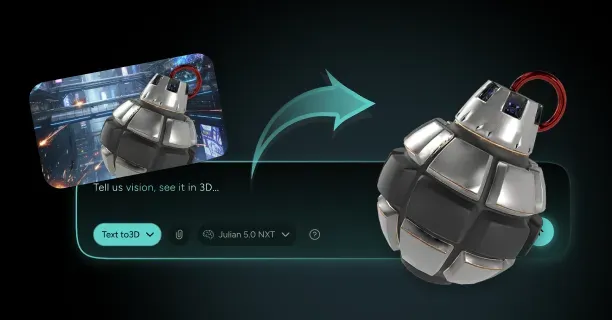
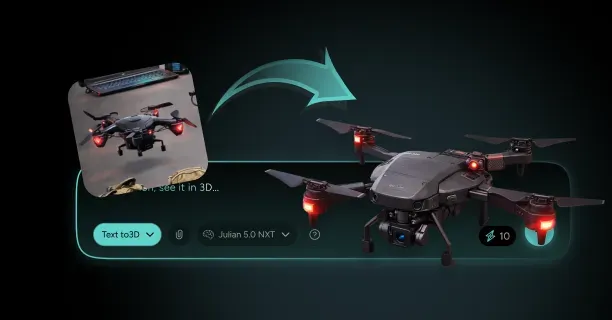
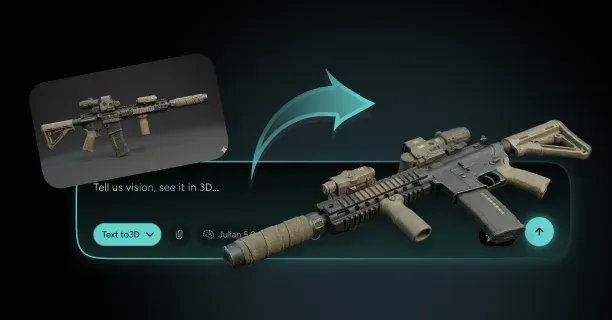
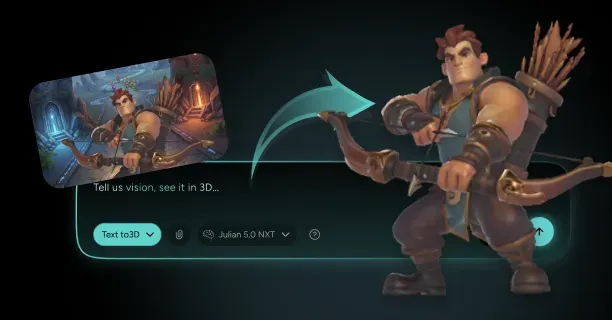
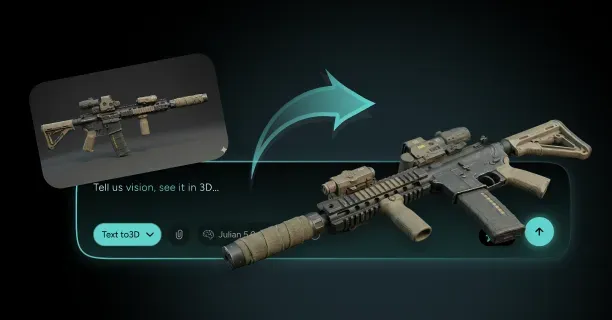
Threedium’s AI-powered platform accelerates the image-to-3D generation process for military props by automatically analyzing reference images to reconstruct depth, geometry, and surface details. Upload photographs of military equipment, and our proprietary Julian NXT technology generates initial 3D meshes that capture overall shape and proportion, reducing manual modeling time from days to hours.
Refine these AI-generated meshes using the cleanup and retopology workflows described above, correcting geometric errors while preserving authentic structural details. Our system optimizes texture baking parameters based on prop complexity, automatically calculating appropriate ray distances and cage sizes that minimize projection artifacts.
Topology Best Practices
Quad-based topology supports animation and deformation by ensuring edge loops flow continuously around cylindrical and curved surfaces. Create loops perpendicular to deformation axes, allowing joints to bend smoothly without creating pinching or collapsing geometry.
For articulated military equipment like folding stocks or adjustable sights: - Position edge loops at rotation points - Ensure surrounding faces maintain square proportions that subdivide evenly
Triangle-based topology creates shading artifacts when subdivision surfaces activate, as triangular faces introduce irregular vertex valence that disrupts smooth curvature calculations.
UV Layout Efficiency
UV unwrapping and packing efficiency determines how much texture detail you can display within memory constraints. Minimize UV seams to reduce visible texture discontinuities, but balance this against distortion that occurs when complex shapes flatten into 2D space.
Cylindrical objects like gun barrels unwrap efficiently with a single vertical seam, while complex shapes like helmets require multiple islands that separate the crown, visor, and ear protection into distinct UV regions. Pack islands with 2-4 pixel padding to prevent texture bleeding during mipmap generation when the engine creates lower-resolution texture versions for distant rendering.
Normal and AO Map Details
Baking normal and AO maps preserves surface detail while reducing geometric complexity:
Normal maps represent surface angle information in RGB channels, where red encodes X-axis deviation, green encodes Y-axis deviation, and blue encodes Z-axis (surface-facing) information.
Game engines use this per-pixel normal data to recalculate lighting as if the surface contained the high-poly detail, emulating the illusion of depth on flat geometry. AO maps capture shadow information in crevices and recessed areas, such as:
- Space between a rifle’s trigger and trigger guard
- Recessed areas around ventilation holes in protective gear
Combine normal and AO maps with albedo (color) textures to create physically-based rendering (PBR) material sets that respond realistically to dynamic lighting.
Authenticity Verification
Verify authenticity by comparing retopologized models against technical specifications and field photographs. Military equipment follows standardized dimensions defined by:
- NATO specifications
- STANAG agreements
- Manufacturer blueprints
Measure your 3D model’s dimensions using software ruler tools and confirm that barrel lengths, sight radii, and magazine capacities match documented specifications. Surface details like serial numbers, proof marks, and manufacturer logos must appear in correct positions and orientations, as military equipment enthusiasts immediately recognize inaccuracies in these identifying features.
Project-Wide Consistency
Consistent texel density across military props maintains visual coherence when multiple assets appear together in scenes. Establish a project-wide texel density standard:
- 512 pixels per meter for first-person weapons
- 256 pixels per meter for environmental props
Scale all UV layouts to match this target. This consistency ensures that a rifle’s texture detail matches the detail level on associated equipment like magazines, optics, and cleaning kits, preventing some objects from appearing artificially sharp while others look blurry.
Audit texel density using visualization shaders that color-code surfaces based on their pixel-per-meter ratio, quickly identifying outliers that require UV adjustment.
Complete Workflow Summary
The complete workflow from raw scan to game-ready military prop involves iterative refinement across multiple software packages:
- Mesh cleanup in ZBrush to remove floaters and repair non-manifold geometry
- Retopology in Maya or TopoGun to create optimized low-poly meshes with quad-based topology
- UV unwrapping in RizomUV or Blender, ensuring consistent texel density and minimal seam visibility
- Texture baking that transfers high-poly detail to the low-poly surface
- Engine import into Unreal Engine or Unity for final verification
Import your final textured model into game engines like Unreal Engine or Unity, where you verify that normal maps display correctly under dynamic lighting and that polygon counts remain within performance budgets.
This multi-stage process transforms photogrammetry scans into authentic military 3D props that combine realistic visual fidelity with real-time rendering efficiency.