How Do You Create A Metaverse-Ready 3D Avatar From Images?
To create a metaverse-ready 3D avatar from images, you upload reference photographs to an AI-powered platform that computationally reconstructs 3D geometry, procedurally maps textures, algorithmically constructs a digital skeleton, and serializes and exports the model in platform-compatible formats like glTF or VRM. This workflow computationally converts 2D visual data into an animatable, optimized 3D asset interoperable and deployable across virtual environments including metaverse platforms such as VRChat, Spatial, and Decentraland.
Creating metaverse-ready 3D avatars from images necessitates the integration of computer vision, generative artificial intelligence, and real-time rendering technologies operating synergistically. You determine and select your source imagery: either a single photograph for AI-driven reconstruction or multiple images for photogrammetry-based approaches.
Single-image 3D reconstruction leverages generative adversarial networks and neural radiance fields to computationally infer depth, geometry, and surface details from limited visual information.
Photogrammetry necessitates the systematic capture of 50-100 high-resolution photographs from varied angles, which specialized software like Agisoft Metashape algorithmically processes in 10-20 minutes on powerful consumer hardware including:
- Multi-core CPUs
- Dedicated GPUs with 16GB+ RAM
This process triangulates 3D coordinates and reconstructs a dense point cloud containing millions of 3D points representing surface geometry.
AI-Powered Single-Image Reconstruction
Generative AI systems implement and utilize parametric models such as the Skinned Multi-Person Linear Model (SMPL), which mathematically encodes human body shape and pose through:
| Parameter Type | Count | Function |
|---|---|---|
| Shape Parameters | 10 | Parametrically govern overall proportions |
| Pose Parameters | 72 | Specify joint rotations and global orientation |
These parameters were documented by Matthew Loper and colleagues at the Max Planck Institute for Intelligent Systems in Tübingen, Germany, in their 2015 academic paper “SMPL: A Skinned Multi-Person Linear Model” presented at SIGGRAPH Asia 2015.
Neural radiance fields acquire through optimization a continuous 3D scene representation by:
- Transforming spatial coordinates and viewing directions
- Encoding into a neural network
- Predicting color and density values
- Facilitating reconstruction of complex geometries
AI algorithms computationally infer 3D geometry from 2D image features by extracting and analyzing visual cues such as:
- Shading gradients
- Perspective distortion
- Occlusion boundaries
- Learned priors about human anatomy
Platforms like Ready Player Me, Avaturn, and In3D deploy these techniques to fully automate single-image avatar creation. The resulting mesh typically comprises 15,000-20,000 vertices, edges, and faces that geometrically represent the avatar’s shape.
Photogrammetry-Based Multi-Image Processing
Photogrammetry workflows necessitate the systematic acquisition of images from multiple viewpoints to facilitate computational triangulation of 3D coordinates. The process involves:
- Systematically capture images from 50-100 different angles
- Ensure consistent lighting conditions
- Prevent motion blur
- Apply surface reconstruction algorithms like Poisson reconstruction or Delaunay triangulation
Texture Mapping and Material Definition
UV unwrapping parametrically projects the 3D surface into a 2D map, enabling the application of texture images that specify the avatar’s color, surface detail, and material properties.
Physically based rendering (PBR) textures mathematically encode physically plausible material properties via dedicated texture channels:
- Albedo: Base color
- Roughness: Surface smoothness
- Metallic: Conductivity
- Normal: Fine surface detail
Common texture dimensions include:
| Resolution | Use Case |
|---|---|
| 1024×1024 | Basic quality |
| 2048×2048 | Standard quality |
| 4096×4096 | High detail for close-up interactions |
Texture compression formats optimize performance:
- BC7: Desktop platforms
- ASTC: Mobile devices
Polygon Optimization for Real-Time Performance
Polygon reduction optimizes 3D models for real-time performance by decreasing face count while preserving visual fidelity. Best practice targets:
- Mobile-compatible avatars: Fewer than 20,000 polygons
- High-detail scans: Often millions of polygons (impractical for real-time)
Level-of-detail (LOD) variants:
- LOD0: Highest detail (15,000-20,000 polygons)
- LOD1: Medium detail (8,000-10,000 polygons)
- LOD2: Low detail (3,000-5,000 polygons)
Normal map baking transfers high-frequency surface detail from high-polygon source mesh to low-polygon target mesh by encoding surface normal deviations in RGB textures.
Skeletal Rigging and Animation Setup
Rigging inserts a digital skeleton for animation by creating an armature: a hierarchical skeletal framework embedded within the mesh. The process includes:
- Define joint positions at anatomical landmarks
- Assign vertex weights for polygon deformation
- Create blend shapes for facial expressions
Clean topology proves important for proper deformation during animation, as poorly arranged polygons create visual artifacts like mesh tearing or unnatural bending.
Facial rigging extends skeletal animation through blend shapes representing specific expressions:
- Smiling
- Frowning
- Raised eyebrows
Meta’s Reality Labs has pioneered codec avatar technology that compresses and decompresses extremely realistic, animatable avatars for efficient network transmission.
Platform-Compatible Export Formats
Export format selection determines cross-platform compatibility:
| Format | Description | Key Features |
|---|---|---|
| glTF | GL Transmission Format | Standard for metaverse assets, PBR support, skeletal animation |
| VRM | Humanoid avatar extension of glTF | Standardized metadata, bone mapping, expression controls |
| FBX | Filmbox | Broad compatibility with 3D tools |
| USD | Universal Scene Description | Pixar-developed, supports complex scenes |
Advanced AI-Powered Workflows
Generative avatar workflows powered by companies including NVIDIA, Meta, and Google increasingly automate the image-to-avatar creation pipeline. These systems:
- Process single photographs
- Predict 3D shape and infer occluded regions
- Generate texture maps
- Produce rigged, animatable models in minutes
Instant-NGP (Neural Graphics Primitives) technology developed by NVIDIA Research accelerates neural radiance field training:
This breakthrough enables real-time preview of 3D reconstructions during the capture process, letting you identify gaps in coverage and capture additional photographs to improve completeness.
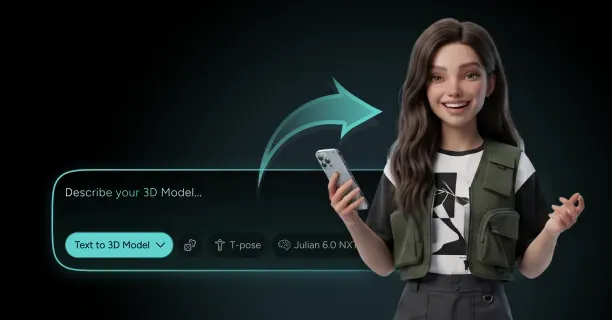
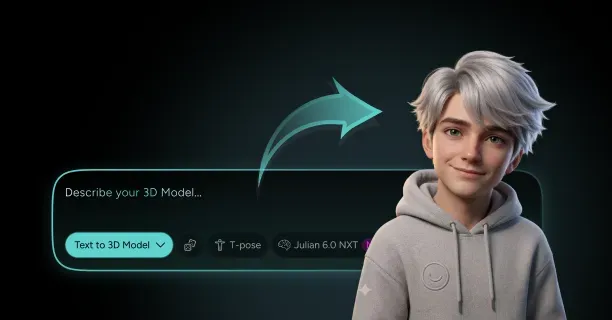
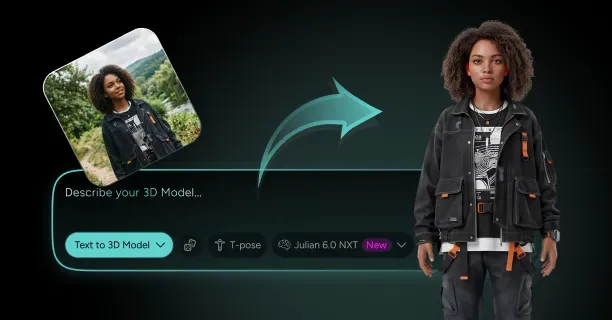
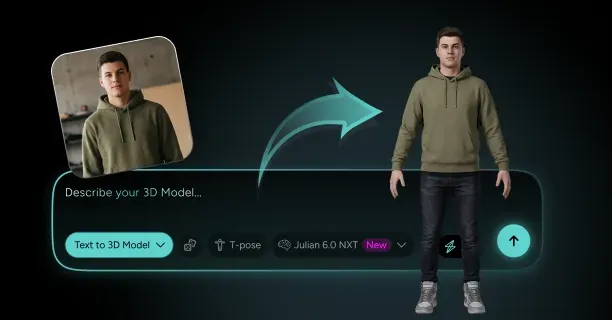
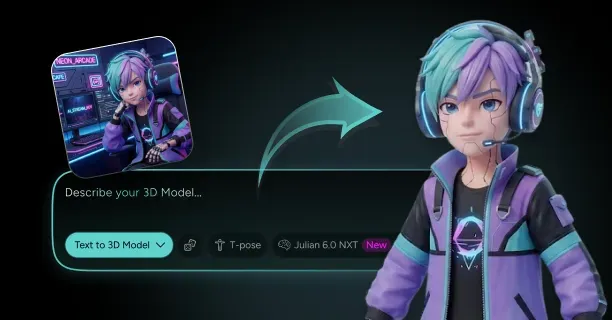
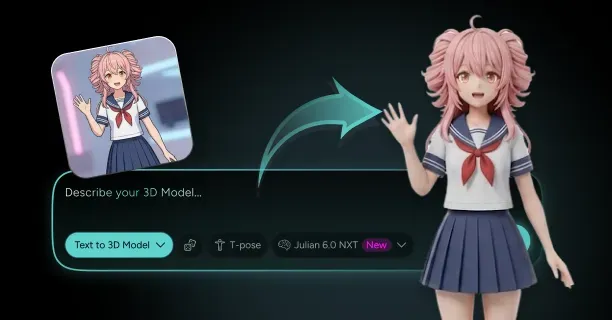
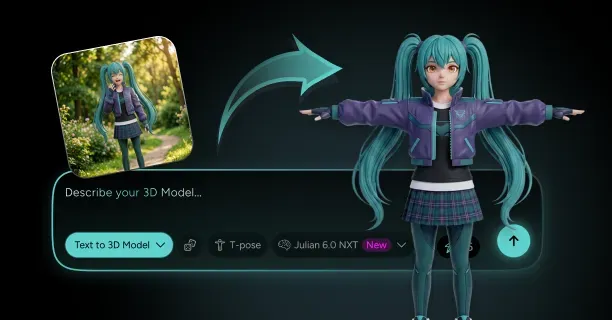
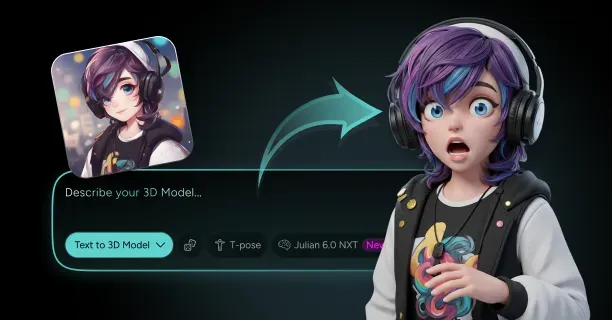
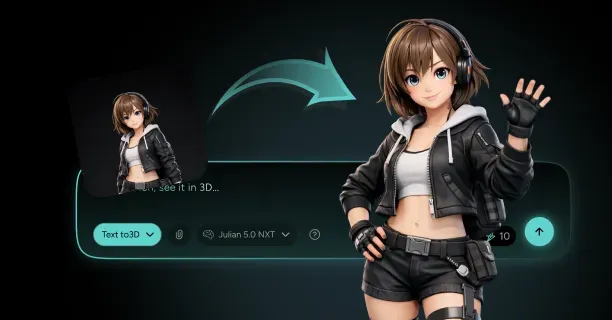
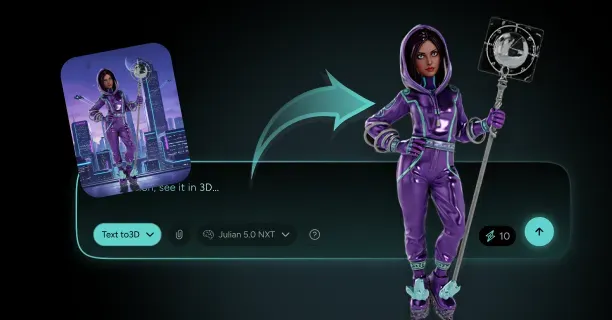
Threedium’s proprietary Julian NXT technology specifically addresses metaverse avatar creation by:
- Analyzing reference images
- Automatically generating optimized 3D models
- Providing proper rigging and PBR textures
- Creating platform-compatible exports
Quality Validation and Performance Testing
Validation steps ensure your metaverse-ready avatar meets technical specifications:
- Import model into target platforms (Unity or Unreal Engine)
- Verify proper material rendering
- Test skeletal animation across pose ranges
- Measure performance metrics:
- Draw calls
- Vertex count
- Texture memory usage
Performance profiling tools:
- NVIDIA Nsight
- AMD Radeon GPU Profiler
- Built-in game engine profilers
Mobile metaverse applications demand particular attention to performance metrics due to thermal throttling and battery consumption constraints.
Customization and Personalization Systems
Customization systems let users modify generated avatars through:
- Parameter adjustments for body proportions
- Facial feature modifications
- Skin tone variations
- Hairstyle and clothing options
Material assignment defines light interaction through:
- Shader parameters
- Texture maps
- Surface behavior specification (dielectric vs. conductor materials)
- Roughness values for specular highlight control
- Subsurface scattering parameters for translucent materials
These physically based rendering techniques provide visual consistency when avatars transition between different metaverse environments implementing standardized lighting models.
Which Exports And Materials Make A Generated 3D Avatar Deployable On Web And Apps?
Exports and materials that make a generated 3D avatar deployable on web and apps are platform-specific formats: glTF/GLB for web browsers, FBX for game engine integration, USDZ for iOS augmented reality, and VRM for metaverse platform interoperability, combined with Physically Based Rendering (PBR) materials for consistent rendering across environments. The selected export format dictates avatar functionality scope, while the implemented material system governs appearance under different lighting conditions.
glTF 2.0 for Web Deployment
The GL Transmission Format (glTF), maintained by the Khronos Group (non-profit industry consortium responsible for OpenGL, Vulkan, and WebGL standards), functions as the ‘JPEG of 3D’ for web deployment. 3D artists and developers export avatars as glTF 2.0 to guarantee compatibility with web frameworks like Three.js (WebGL-based 3D graphics library), Babylon.js (real-time 3D engine), and native WebGL implementations (Web Graphics Library: browser-based 3D rendering API).
The binary glTF format (GLB): GL Binary format, single-file variant of glTF) encapsulates:
- Geometry
- Textures
- Materials
- Animations
This consolidation reduces HTTP requests (Hypertext Transfer Protocol network requests required for asset loading) by consolidating assets and accelerating initial render times by 40-60% compared to multi-file formats (traditional 3D formats requiring separate geometry, texture, and material files).
glTF 2.0 implements Physically Based Rendering (PBR: rendering methodology simulating real-world light physics) materials using metallic-roughness workflow (PBR material model using metallic and roughness parameters) or specular-glossiness workflow (alternative PBR model using specular color and glossiness values), generating photorealistic surface responses to environmental lighting.
The format provides developers and content creators a lightweight, efficient delivery method for 3D avatars across:
- Web browsers (Chrome, Firefox, Safari, Edge)
- WebGL-based applications (applications utilizing Web Graphics Library for 3D rendering)
This ensures cross-platform visual consistency without plugin requirements (third-party software extensions like Flash or Unity Web Player).
FBX for Game Engine Integration
Autodesk’s (3D software and technology company) Filmbox (FBX) format serves as the standard for asset interchange between digital content creation (DCC) applications and game engines like Unity (Unity Technologies’ real-time 3D development platform) and Unreal Engine (Epic Games’ game engine and real-time 3D creation tool).
3D artists and technical artists export FBX files to transfer avatars between multiple software packages, maintaining:
- Complex rigging hierarchies (bone structure and parent-child relationships)
- Blend shapes (morph targets for facial animation and body deformation)
- Animation curves (keyframe-based motion data defining movement over time)
- Material assignments (texture and shader properties linked to geometry)
FBX files often require conversion to web-friendly formats (lightweight 3D formats optimized for web delivery: glTF, GLB) like glTF for browser-based applications (web applications rendering 3D content without plugins). 3D artists can utilize tools like Blender’s (open-source 3D creation suite) built-in exporter or dedicated conversion utilities:
| Tool | Description |
|---|---|
| FBX2glTF | Autodesk’s FBX to glTF converter |
| obj2gltf | OBJ to glTF conversion utility |
| Autodesk FBX Converter | Official Autodesk conversion tool |
These tools strip unnecessary metadata (application-specific settings, unused custom properties) while preserving essential data (geometry, UV coordinates, materials, rigging, animations).
FBX preserves skeletal animation data (bone transformation data over time) with up to 120 frames per second (120 FPS: high-frequency animation sampling for smooth motion) sampling rates, supporting high-fidelity motion capture (mocap: recording real-world movement for digital animation) integration for game-ready avatars (optimized 3D character models suitable for real-time rendering in games).
USDZ for iOS Augmented Reality
Apple Inc. (consumer electronics and software company) and Pixar Animation Studios (computer animation studio owned by Disney) collaboratively developed Universal Scene Description Zipped (USDZ) for Augmented Reality (AR: technology overlaying digital content on real-world environments) experiences on iOS (Apple’s mobile operating system for iPhone and iPad) and macOS (Apple’s desktop operating system for Mac computers).
Content creators export USDZ files for:
- AR try-on experiences (augmented reality applications for virtual product fitting: clothing, accessories, cosmetics)
- Virtual showrooms (3D product galleries viewable in AR)
- Metaverse portals (entry points to virtual worlds accessible through AR)
Where end users interact with avatars in real-world environments (physical spaces enhanced with digital overlays via smartphone cameras).
USDZ packages avatars with embedded textures and materials in a single archive (compressed file containing all 3D assets), enabling end users to place AR content with one-tap placement (iOS Quick Look AR feature allowing instant AR viewing) without app installation (downloading and installing dedicated applications from App Store).
3D artists and developers must optimize USDZ exports by:
- Reducing polygon counts below 100,000 triangles (polygon budget for mobile AR performance)
- Limiting texture resolution to 2048×2048 pixels (2K texture resolution: standard for mobile AR)
This ensures 60 frames per second (60 FPS: smooth motion rendering rate) on iPhone 12 and newer devices (Apple smartphones with A14 Bionic chip or later, released 2020 onwards).
Apple’s Reality Converter (Apple’s free macOS application for USDZ creation) converts glTF and FBX assets into USDZ while implementing optimizations like:
- Texture compression (reducing image file size through algorithms like JPEG or PNG compression)
- Mesh simplification (reducing triangle count through decimation while preserving visual fidelity)
This reduces file sizes by 30-50% (typical compression ratio achieved through automated optimization) without perceptible quality loss.
VRM for Metaverse Interoperability
VRM (Virtual Reality Model: avatar format for VR/metaverse platforms) builds upon glTF 2.0 (second version of GL Transmission Format) for interoperable 3D humanoid avatars, standardizing:
- Bone naming conventions (standardized skeletal joint nomenclature for animation compatibility)
- Facial expression systems (blend shape specifications for emotions: 52 ARKit-compatible expressions)
- Metadata requirements
Developers export VRM files for platforms like:
| Platform | Description |
|---|---|
| VRChat | Social virtual reality platform by VRChat Inc. |
| Cluster | Japanese metaverse platform for virtual events |
| Virtual Cast | VR live streaming and communication platform |
Where standardized avatar formats enable users to maintain their virtual identity (consistent avatar appearance and characteristics across different virtual environments) across platforms.
VRM mandates T-pose (reference pose with arms extended horizontally, forming T shape) or A-pose (reference pose with arms at 45-degree angle from body, forming A shape) reference configurations and standardized bone names, enabling animation retargeting (process of applying animations from one skeleton to another) systems to apply motion capture data (mocap: recorded human movement data) without manual bone mapping (manually assigning bone correspondences between different skeletal structures).
VRM metadata encodes:
- Usage permissions (allowed use cases: personal use, commercial use, redistribution)
- Creator attribution (original author name, contact information, creation date)
- Modification rights (permissions for editing, remixing, or derivative works)
This defines clear licensing boundaries for avatar redistribution (sharing or selling avatars to other users).
The format implements 52 blend shape targets (ARKit-compatible facial expression set covering emotions, phonemes, and micro-expressions) for facial expressions, facilitating nuanced emotional communication (conveying feelings through avatar facial expressions and body language) in social VR environments (virtual reality spaces for multi-user interaction: VRChat, Rec Room, AltspaceVR).
PBR Materials for Visual Consistency
PBR materials compute surface appearance through energy-conserving algorithms (rendering calculations ensuring reflected light never exceeds incident light), ensuring consistent visual results across rendering engines (3D graphics engines: Unity, Unreal Engine, Three.js, Babylon.js) and lighting environments (Image-Based Lighting, directional lights, point lights, ambient lighting).
3D artists and material artists implement PBR workflows by specifying:
- Base color (albedo: diffuse surface color without lighting)
- Metallic values (0 = non-metal/dielectric, 1 = metal/conductor) (0-1 range)
- Roughness parameters (0 = smooth/glossy, 1 = rough/matte) (0-1 range)
- Normal maps (RGB texture encoding surface normal vectors for detail simulation)
- Optional ambient occlusion maps (grayscale texture showing light accessibility: shadows in crevices)
Threedium’s (3D avatar generation platform) material generation system (AI-powered material classification and PBR parameter assignment) processes source images (input photographs or textures for avatar creation) to assign appropriate PBR values, automatically classifying between:
| Material Type | Roughness Range | Description |
|---|---|---|
| Skin | 0.4-0.6 | Semi-glossy to slightly rough, realistic human skin |
| Hair | 0.2-0.4 | Glossy to semi-glossy, natural hair sheen |
| Fabric | 0.6-0.9 | Rough to very rough, cloth materials like cotton, wool |
| Accessories | Variable | Dependent on material type |
Metallic values set to 1.0 (fully metallic: conductors like gold, silver, steel) produce mirror-like reflections for:
- Jewelry (metallic accessories: rings, necklaces, earrings)
- Armor (metallic protective gear: helmets, breastplates, gauntlets)
While values at 0.0 (non-metallic: dielectrics like skin, wood, plastic, fabric) create diffuse surfaces for organic materials (biological substances: skin, hair, leather, wood).
Normal maps (RGB textures encoding surface normal directions for lighting calculations) store surface detail at 2048×2048 resolution (2K texture: 4,194,304 pixels for high-detail normal information), creating illusion of geometric complexity (fine surface features: pores, wrinkles, fabric weave, scratches) without increasing polygon counts (number of triangles in 3D mesh: performance metric).
Texture Compression and Format Selection
Texture compression (algorithmic reduction of texture file size: BC7, ASTC, ETC2) minimizes file sizes and GPU memory consumption (VRAM usage for storing textures during rendering) without visible quality loss (perceptible degradation in texture detail or color accuracy).
Developers and technical artists select compression formats based on platform capabilities:
| Platform | Format | Compression Ratio | Description |
|---|---|---|---|
| Desktop | BC7 | 4:1 | Block Compression 7: DirectX texture compression for Windows/desktop |
| Mobile | ASTC | 8:1 | Adaptive Scalable Texture Compression: modern mobile GPU format |
| Android | ETC2 | 6:1 | Ericsson Texture Compression 2: OpenGL ES standard for Android |
| Older iOS | PVRTC | 4:1 | PowerVR Texture Compression: Apple’s legacy format for pre-A11 devices |
Developers implement KTX2 (Khronos Texture 2.0: modern texture container format) container format with Basis Universal (supercompressed texture codec transcoding to BC7, ASTC, ETC2, PVRTC at runtime) compression for glTF 2.0, enabling runtime transcoding (converting textures to optimal platform format during application execution) of textures into platform-specific formats and reducing download sizes by 60-80% (typical compression improvement over uncompressed textures).
Desktop avatars (PC/Mac avatar models for high-end graphics cards) employ 4096×4096 (4K texture: 16,777,216 pixels for maximum detail) texture resolutions for close-up viewing (camera distances under 2 meters requiring high texture detail), while mobile deployments (smartphone and tablet applications) use 1024×1024 resolution (1K texture: 1,048,576 pixels for performance) to meet GPU memory constraints of 2-4GB on mid-range devices (smartphones with Snapdragon 700-series, Apple A12-A14, Mali-G76).
Mesh Optimization for Performance
Polygon count (total number of triangles in 3D mesh) directly affects rendering performance (frame rate and rendering speed measured in FPS) across platforms (desktop, mobile, VR, web browsers with varying GPU capabilities).
3D artists and technical artists optimize triangle counts through decimation algorithms (mesh simplification techniques: quadric error metrics, edge collapse, vertex clustering), preserving:
- Silhouette (outer edge profile visible from any viewing angle)
- Surface curvature (geometric smoothness and shape definition)
While eliminating interior faces (polygons not visible from exterior viewpoints: removable without visual impact).
Performance Guidelines:
| Platform | Triangle Budget | Target FPS | GPU Type |
|---|---|---|---|
| Web | 10,000-50,000 | 60 FPS | Integrated graphics (Intel UHD, AMD Vega) |
| VR | 50,000-100,000 | 60 FPS | Dedicated GPU (NVIDIA RTX, AMD Radeon) |
Rendering engines and game engines implement Level of Detail (LOD) (performance optimization using multiple mesh resolutions) systems to automatically generate multiple mesh versions (progressively simplified 3D models for different viewing distances) at:
- 100% triangle density
- 50% triangle density
- 25% triangle density
- 10% triangle density
With rendering engines dynamically swapping models based on camera distance:
- Beyond 5 meters: High detail
- Beyond 15 meters: Medium detail
- Beyond 30 meters: Low detail
- Beyond: Minimal detail
Threedium’s platform (AI-powered 3D avatar generation system) automatically creates three LOD levels (high, medium, low detail mesh variants) during export process (conversion of avatar to deployment-ready formats), optimizing by creating frame rate stability (consistent 60 FPS performance across viewing distances).
Animation and Rigging Data
Skeletal rigging data (bone structure and vertex weight assignments) establishes the bone hierarchy (tree structure of joints from root to extremities) and skinning weights (per-vertex influence values determining how much each bone affects mesh deformation) governing mesh deformation (vertex position changes following bone transformations during animation).
3D artists export rigging information alongside geometry (3D mesh vertices, faces, UV coordinates) to enable animation systems across platforms:
| Platform | Animation System |
|---|---|
| Unity | Mecanim |
| Unreal Engine | Animation Blueprint |
| Three.js | Animation mixer |
Format-Specific Rigging:
- glTF encodes skeleton data as node hierarchies (tree structure representing bone parent-child relationships) with inverse bind matrices (4x4 transformation matrices converting vertices from world space to bone space)
- FBX provides advanced rigging through comprehensive rigging data with deformer chains (sequential bone influences for complex deformations) and constraint systems (aim constraints, parent constraints, IK solvers limiting bone movement)
VRM exports provide pre-configured humanoid bone mappings following Unity Mecanim (Unity’s animation system with standardized humanoid rig) standard, facilitating animation retargeting from motion capture libraries (databases like Mixamo, Motion Capture Database, containing thousands of pre-recorded human movements) containing 10,000+ pre-recorded animations.
Facial rigging systems (blend shape-based facial animation rigs) implement 52 blend shapes (Apple ARKit standard expression set including jawOpen, eyeBlinkLeft, mouthSmile, etc.) for expressions, mapping to ARKit (Apple’s Augmented Reality framework with face tracking capabilities)-compatible face tracking on iOS devices (iPhones with TrueDepth camera: iPhone X and newer, iPad Pro 2018+).
Material Extensions for Advanced Rendering
glTF extensions (optional modules extending core glTF 2.0 functionality) extend the base specification with features like:
- Subsurface scattering (light transmission through translucent materials like skin, wax, marble) (KHR_materials_subsurface: Khronos extension for subsurface scattering in glTF)
- Anisotropic reflections (directional highlights on brushed metal, hair strands) (KHR_materials_anisotropy: Khronos extension for anisotropic reflections)
Activate these extensions for advanced material models when platforms (rendering engines and frameworks: Three.js r148+, Babylon.js 5.0+, Unity with glTFast) support them, achieving:
- Skin translucency effects (subsurface scattering creating realistic skin appearance)
- Hair strand highlights (anisotropic reflections along hair fiber direction)
Custom shaders (user-written vertex and fragment shaders) written in GLSL (OpenGL Shading Language: shader language for OpenGL and WebGL) or HLSL (High-Level Shading Language: shader language for DirectX) provide developers precise control over rendering algorithms beyond PBR limitations (constraints of standard metallic-roughness model: cannot achieve toon shading, cel shading, custom lighting models).
Toon shading (cel shading: non-photorealistic rendering creating cartoon appearance) replicates hand-drawn animation aesthetics using step functions (discrete lighting levels instead of smooth gradients) for lighting gradients, popular for anime-style avatars (Japanese animation-inspired characters with large eyes, stylized features).
Threedium’s material and texture refinement system (AI-powered optimization tool) automatically implements platform-appropriate shader models during export configuration (pre-export settings specifying target platform and optimization level):
- PBR for glTF
- Standard Shader for Unity
- Master Material for Unreal
Platform-Specific Optimization
Platforms like VRChat (social VR platform by VRChat Inc.) and Roblox (online game platform and creation system) mandate strict performance limits:
| Platform | Triangle Limit | Material Slots | Performance Tier |
|---|---|---|---|
| VRChat | 70,000 | 10 | “Good” performance rating |
| Roblox | 10,000 | Variable | Mobile compatibility |
3D artists and developers enhance performance of avatars by:
- Combining materials through texture atlasing (combining multiple textures into single atlas to reduce material count)
- Minimizing mesh density via edge collapse algorithms (iteratively merging adjacent vertices to reduce triangle count)
- Compressing textures to 1024×1024 resolution (1K texture: 1,048,576 pixels for mobile-optimized quality)
Unity (Unity Technologies’ game engine and development platform) and Unreal Engine (Epic Games’ game engine) facilitate FBX imports with automatic material conversion to engine-specific shader systems:
- Unity’s Standard Shader (built-in PBR shader in Unity)
- Unreal’s Master Materials (parent material templates in Unreal Engine allowing instanced variations)
Technical artists and developers adjust skeletal mesh import settings (Unreal Engine FBX import configuration) to preserve morph targets (blend shapes: vertex-based facial and body deformations) and use animation blueprints (Unreal Engine’s visual scripting system for animation logic) for runtime blending (real-time animation mixing during gameplay: layering walk, aim, and idle animations).
Metadata and Licensing
VRM files encode creator information through standardized JSON fields (JavaScript Object Notation: text-based data format in VRM metadata):
- Creator information (author name, contact, creation date)
- Usage licenses:
- Redistribution Prohibited (license preventing sharing or resale)
- Allow Redistribution (license permitting sharing but not modification)
- Allow Redistribution with Modification (license permitting derivative works)
- Modification permissions
glTF assets enable custom extension data for watermarking (invisible or visible marks identifying content ownership) and attribution (creator credits and copyright information) using the “extras” property (glTF specification field for custom application-specific data).
Threedium’s platform (AI-powered avatar creation system) automatically creates metadata identifying avatars as AI-generated (disclosure that avatar was created by artificial intelligence, not human artist), including:
- Generation timestamps (ISO 8601 format: international standard for date-time representation: YYYY-MM-DDTHH:MM:SSZ)
- Usage guidelines compliant with platform terms of service (usage policies of deployment platforms: VRChat, Roblox, etc.)
Users define licensing terms through Threedium’s interface (web-based configuration dashboard for avatar export settings) to ensure compliance with platform requirements (licensing and technical specifications mandated by VRChat, Roblox, etc.), preventing unauthorized commercial use (selling or monetizing avatars without permission) or unauthorized modification (editing or remixing avatars against license terms).