




How Do You Generate Clean, Realistic Competitive FPS 3D Models & Prop Materials From Images?
To generate clean, realistic competitive FPS 3D models and prop materials from images, systematically photograph real-world objects using photogrammetry techniques, algorithmically reconstruct the reference photographs into high-polygon-count meshes, retopologize the geometry into performance-optimized game-ready assets, and derive physically-based rendering (PBR) materials through delighting workflows and texture baking processes. This scan-to-game pipeline transforms real-world objects into optimized digital props that maintain visual fidelity while meeting strict performance budgets required by competitive first-person shooter titles.
The 3D artist initiates the photogrammetry workflow by documenting the target physical prop from multiple angles using systematic camera positioning patterns that ensure complete geometric coverage for 3D reconstruction. Acquire 50-200 photographs for medium-sized props (objects 10-50 centimeters in dimension), maintaining 60-80% overlap between consecutive images so photogrammetry software (such as RealityCapture, Agisoft Metashape, or Meshroom) can algorithmically detect and correlate matching features across the photographic dataset for accurate 3D reconstruction.
Systematically place the DSLR (Digital Single-Lens Reflex) camera at consistent distances around the physical object, creating a spherical coverage pattern that captures complete geometric information from every surface angle, ensuring comprehensive 360-degree documentation required for photogrammetry reconstruction.
Mount circular polarizing filters (CPL) to the camera lens to reduce and control surface reflections and specular highlights (mirror-like bright spots on glossy surfaces) that interfere with and degrade photogrammetry reconstruction algorithms during point cloud generation, ensuring consistent feature detection across the image dataset. The 3D artist establishes and configures controlled lighting environments using lightboxes (enclosed photography boxes with built-in diffusion) or diffused studio lights (professional lights with softboxes or umbrellas) to neutralize and remove harsh shadows and ensure uniform distribution of illumination across all object surfaces, which is critical for accurate photogrammetry reconstruction and material extraction. Position and photograph a color checker card (such as the X-Rite ColorChecker Passport containing standardized color values) in several reference shots to establish accurate color reference for calibration during the delighting process, which guarantees that the final albedo maps (base color PBR textures) represent true surface colors without environmental lighting contamination or baked-in shadows.
| Software Application | Developer | Type | Key Features |
|---|---|---|---|
| RealityCapture | Capturing Reality | Commercial | Feature-matching algorithms (SIFT, SURF) |
| Agisoft Metashape | Agisoft LLC | Professional | Computer vision algorithms for feature detection |
| Meshroom | AliceVision | Open-source | Multi-view stereo (MVS) algorithms |
Photogrammetry software applications computationally reconstruct the photographic dataset as three-dimensional geometry through feature-matching algorithms that identify and correlate corresponding visual features across multiple images. These applications process the photographic dataset using computer vision algorithms to identify corresponding feature points across multiple camera views, determining precise 3D coordinates of these points through triangulation mathematics that calculates spatial positions from multiple viewing angles.
The photogrammetry software workflow follows these steps:
- Initially constructs a sparse point cloud (containing thousands of feature points) representing the object’s basic geometric structure
- Computationally expands the sparse point cloud through multi-view stereo (MVS) algorithms to produce detailed dense surface representations containing millions of points
- Applies mesh reconstruction algorithms (such as Poisson surface reconstruction or Delaunay triangulation) to become a high-polygon-count mesh containing 1-50 million polygons
The dense point cloud undergoes mesh reconstruction to preserve and encode every surface irregularity, scratch, wear pattern, and texture variation present in the scanned physical object with photographic accuracy.
The raw high-polygon-count mesh (photogrammetry output with irregular topology and excessive polygon density) requires optimization through retopology processes to achieve real-time rendering performance in game engines such as Unity and Unreal Engine, which demand efficient geometry for maintaining 60-240 frames per second in competitive FPS titles.
The 3D artist manually constructs through retopology a low-polygon-count model with clean quad-based topology (geometry composed of four-sided polygons) that conforms to and accentuates the prop’s natural contours and structural features, optimizing polygon counts to 500-15,000 triangles depending on the asset’s screen-space visibility (pixel coverage during gameplay) and gameplay importance (interaction frequency and strategic value in competitive matches).
Manual retopology performed in specialized 3D software provides superior quality control:
- ZBrush (digital sculpting software by Maxon)
- Blender (open-source 3D software by Blender Foundation)
- TopoGun (dedicated retopology software by Pixelmachine)
These tools enable precise placement of edge loops (continuous edge chains) along defining silhouette edges and structural breaks that preserve visual form and enable proper mesh deformation during animation. The 3D artist strategically allocates polygons efficiently by:
- Assigning higher polygon density to curved surfaces (requiring smooth interpolation)
- Assigning higher polygon density to silhouette boundaries (defining recognizable object shape)
- Reducing geometry to essential topology on flat interior faces (planar areas not contributing to silhouette)
This optimization balances visual quality and rendering performance for competitive FPS frame rate targets.
AI-assisted retopology tools emerging in modern 3D software applications (such as Quad Remesher by Exoside and ZBrush’s ZRemesher by Maxon) employ machine learning algorithms trained using supervised learning on thousands of professionally manually retopologized meshes to automate topology creation processes while maintaining professional standards for edge flow quality (logical edge loop arrangement) and quad distribution patterns (industry-standard four-sided polygon layouts), significantly reducing artist production time.
UV unwrapping generates a two-dimensional texture coordinate layout (UV map) that projects the low-polygon-count game-ready mesh onto flat texture space (0-1 coordinate system), creating the mapping relationship between 3D vertex positions and 2D texture pixel locations that enables texture application to 3D geometry in game engines.
The 3D artist strategically divides the mesh into UV islands (continuous UV-mapped sections) at locations including:
- Natural seams such as material boundaries (where different physical materials meet)
- Hard edges (sharp geometric transitions with normal discontinuities)
- Areas hidden during typical gameplay viewing angles (surfaces not visible from standard player camera perspectives)
This minimizes visible texture stretching and seam artifacts during gameplay.
The 3D artist reduces and eliminates texture stretching (visual distortion from uneven UV scaling) by establishing and maintaining consistent texel density (ratio of texture pixels to 3D surface area) across all UV islands, targeting 10.24 pixels per centimeter (approximately 512 pixels per meter, a standard for competitive FPS props).
The 3D artist arranges and optimizes UV island packing within the 0-1 normalized texture space (UV coordinate system ranging from 0 to 1), optimizing to:
- Maximize texture coverage (percentage of utilized texture space)
- Maintain adequate padding (typically 2-8 pixels of empty space) between UV islands
- Eliminate texture bleeding (color contamination between adjacent islands) that occurs during mipmap generation
The 3D artist strategically orients UV shells (groups of connected UV islands) to align with texture axes (horizontal U and vertical V directions), which enables the use of tiling detail textures (seamlessly repeating micro-detail textures) to add procedural surface variation and break up repetitive patterns without increasing memory consumption (VRAM usage) beyond the base PBR material textures.
Texture baking computationally projects and encodes surface detail from the high-resolution photogrammetry mesh (containing millions of polygons) to the optimized low-polygon-count game-ready model through:
- Normal maps (RGB textures encoding surface normal directions for lighting calculations)
- Ambient occlusion maps (grayscale textures encoding light accessibility and surface crevice darkening)
This preserves visual detail while dramatically reducing rendering cost.
The texture baking workflow includes:
- Align and position the low-polygon-count mesh inside the high-resolution photogrammetry scan within texture baking software
- Project rays through ray-casting algorithms from the low-poly surface outward (controlled by the baking cage distance parameter)
- Capture and record high-poly geometry details at corresponding surface locations
Baking Software Options:
- Substance Painter (3D texturing software by Adobe)
- Marmoset Toolbag (specialized baking and rendering software by Marmoset)
The normal map mathematically encodes surface angle deviations in RGB color channels:
| Color Channel | Direction | Purpose |
|---|---|---|
| Red | X-axis normal direction | Horizontal surface variations |
| Green | Y-axis normal direction | Vertical surface variations |
| Blue | Z-axis normal direction | Depth surface variations |
These represent microscopic height variations (sub-polygon surface details like scratches, dents, and bumps) that per-pixel lighting calculations render as apparent geometric complexity without additional polygon cost.
Ambient occlusion maps (AO maps: grayscale textures) calculate and store light accessibility (the degree to which indirect environmental light reaches surface locations) at each surface point using ray-tracing algorithms, applying shadow gradients to recessed areas including:
- Panel gaps (spaces between surface panels)
- Bolt holes (cylindrical fastener recesses)
- Surface crevices (narrow grooves and cracks)
This improves visual depth perception and contact shadows under dynamic lighting conditions (real-time game lighting with moving light sources).
Bake these maps at 2048×2048 or 4096×4096 pixel resolutions, then downscale to final game resolutions of 1024×1024 or 2048×2048 pixels to reduce aliasing artifacts while maintaining detail clarity.
Creating PBR materials from photogrammetry data means extracting physically accurate surface properties that define how light interacts with the prop. The delighting process removes baked-in environmental lighting from your source photographs to produce a neutral albedo texture representing pure surface color. Substance Sampler analyzes lighting conditions in your reference images, identifying shadow patterns and highlight distributions, then digitally subtracts these lighting artifacts to reveal base material colors.
You derive roughness maps from albedo texture variations and photogrammetry surface analysis:
- Lower roughness values (0.2-0.4) for smooth materials like polished metal or painted surfaces
- Higher values (0.7-0.9) for rough materials like concrete or weathered wood
Metallic maps define which surfaces exhibit metallic light response, using binary values:
- 0.0 represents dielectric materials (plastic, wood, fabric)
- 1.0 represents conductive metals (steel, aluminum, brass)
Optimized polygon counts and clear silhouettes matter for competitive FPS performance, balancing visual quality with rendering efficiency across varied hardware configurations. You allocate triangle budgets based on prop classification:
- Background clutter receives 200-500 triangles
- Mid-range interactive objects use 1,000-3,000 triangles
- Hero weapons or key props justify 5,000-15,000 triangles
Place edge loops along silhouette-defining contours to maintain shape readability when the prop renders at distance or under motion blur. Competitive titles like Counter-Strike 2 and Valorant need instant visual recognition of props for gameplay clarity, which means simplified geometry that preserves characteristic shapes while eliminating superfluous detail.
Standard texture resolutions for competitive FPS props range from 1024×1024 pixels for small objects to 2048×2048 pixels for prominent props, with each PBR material needing four to six texture maps:
- Albedo
- Normal
- Roughness
- Metallic
- Ambient occlusion
- Height
A complete 2K PBR material consumes approximately 64-96 megabytes of video memory when accounting for mipmap chains, making texture resolution optimization critical for maintaining performance targets of 144-240 frames per second on competitive gaming hardware.
Texture Compression Standards:
| Map Type | Compression Format | Purpose |
|---|---|---|
| Albedo | BC1/DXT1 | Color information |
| Metallic | BC1/DXT1 | Binary metallic values |
| Normal | BC5/ATI2N | Normal vector data |
| Roughness | BC4/ATI1N | Single-channel roughness |
You compress these maps to reduce memory footprint by 75-85% while preserving visual quality.
Game engines render PBR materials using physically-based shading models that calculate light interaction according to energy conservation principles and Fresnel equations:
- Unreal Engine implements the GGX microfacet distribution for specular reflections
- Unity uses a similar Disney principled BRDF model
Normal maps perturb surface normals during lighting calculations, creating the illusion of geometric complexity without additional polygons. Roughness maps control specular highlight size and intensity, with lower values producing sharp reflections and higher values generating diffuse scattering. Metallic maps determine whether surfaces use metallic or dielectric reflection models, fundamentally altering how light bounces off the material.
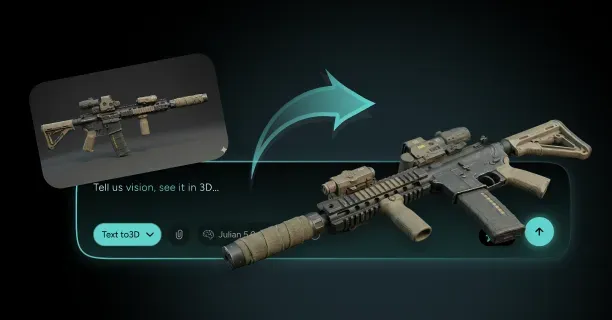
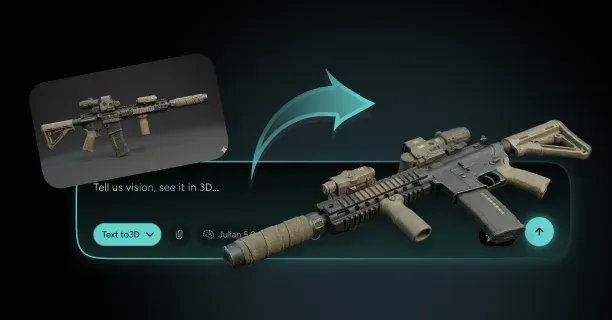
Threedium’s AI-powered platform automates retopology, UV unwrapping, and material extraction workflows for competitive FPS prop generation. Our proprietary Julian NXT technology analyzes high-poly photogrammetry scans to identify structural features, then generates optimized low-poly geometry with clean quad topology and efficient UV layouts in minutes rather than hours of manual artist work. The system extracts PBR material properties directly from photogrammetry data, performing automatic delighting and roughness estimation to produce game-ready materials compatible with Unity and Unreal Engine rendering pipelines.
Scan-bashing techniques enhance asset production efficiency by combining elements from multiple photogrammetry scans into composite props. You extract clean geometric components from different scans:
- A door handle from one object
- Panel details from another
- Fasteners from a third
Then assemble these elements into unique prop variations. This modular approach reduces scanning workload while increasing asset diversity, letting you generate dozens of prop variants from a library of scanned components.
Procedural-photorealism workflows blend photogrammetry-derived textures with procedural noise generators and weathering algorithms in Substance Designer, adding controlled variation to prevent repetitive tiling patterns while maintaining the authentic surface characteristics captured through scanning.
Quality control verification makes sure your props meet performance budgets and visual standards before integration into game environments:
- Test models at multiple viewing distances (0.5 meters, 5 meters, 20 meters)
- Confirm silhouette recognition and texture detail appropriateness at each range
- Verify polygon counts remain within allocated budgets using profiling tools
- Measure draw call overhead and vertex processing costs
- Check normal map baking quality by examining the model under various lighting angles
- Identify artifacts like reversed normals, baking cage errors, or insufficient ray-casting distances
- Validate PBR material accuracy by comparing rendered props against reference photographs
Check normal map baking quality by examining the model under various lighting angles, identifying artifacts like reversed normals, baking cage errors, or insufficient ray-casting distances that create surface distortions.
Competitive FPS titles need minimal resource consumption per asset while maintaining environmental richness through quantity and variety. You achieve this balance through aggressive optimization:
- Sharing texture atlases across multiple props
- Implementing level-of-detail (LOD) systems that reduce geometry at distance
- Using topology cleanup techniques to eliminate non-contributing polygons
LOD transitions occur at predetermined distance thresholds:
| LOD Level | Distance Range | Polygon Reduction |
|---|---|---|
| LOD0 | 0-10 meters | Base geometry |
| LOD1 | 10-25 meters | 40-60% reduction |
| LOD2 | 25-50 meters | 40-60% reduction |
| LOD3 | Beyond 50 meters | 40-60% reduction |
Each level reduces polygon counts while maintaining silhouette integrity. Smooth LOD transitions prevent visual popping during gameplay by implementing dithered crossfades or hysteresis zones where LOD switches occur gradually based on screen-space coverage rather than absolute distance.
Which Competitive FPS Props Convert Best From Images To 3D For Maps And Scenes?
Competitive FPS props that convert best from images to 3D are military crates, industrial barrels, concrete barriers, ammunition boxes, and factory machinery featuring simple geometric shapes, hard-surface topology, and matte surface finishes that photogrammetry software processes with minimal reconstruction errors. Props featuring clear geometric outlines, modular component designs, and consistent material properties generate production-ready 3D models for game developers that require minimal manual cleanup during retopology (mesh optimization) and texture baking (detail transfer) processes. Understanding which asset categories convert effectively from 2D photographic reference images to competitive-grade 3D geometry (performance-optimized models meeting esports standards) enables level designers and environment artists to accelerate environment creation workflows while maintaining visual quality consistency across multiplayer game maps.
Geometric Simplicity Drives Conversion Success
3D artists and photographers achieve optimal photogrammetry results when capturing props featuring basic geometric shapes (cubes, cylinders, rectangular forms) because reconstruction algorithms in software like RealityCapture process clear edges, flat surfaces, and predictable angles with significantly higher accuracy and fewer computational errors.
Military-style crates, industrial storage barrels, Jersey-style concrete barriers, ammunition boxes, and factory machinery components excel in image-to-3D conversion workflows because these prop categories feature predominantly cubic, cylindrical, or rectangular geometric primitives that photogrammetry algorithms reconstruct with optimal precision.
These hard-surface prop targets enable photogrammetry applications like RealityCapture (by Capturing Reality) and Metashape (by Agisoft) to triangulate surface points with high accuracy, producing clean initial meshes for 3D artists that require significantly reduced manual cleanup effort during the retopology (mesh optimization) phase.
Photographers and 3D scanning technicians should capture source photographs at minimum 12-megapixel camera resolution with 60-80% inter-frame overlap (the percentage of scene coverage shared between consecutive shots) to ensure photogrammetry reconstruction algorithms generate geometry that accurately matches the original prop’s physical dimensions and surface detail characteristics.
Level designers and environment artists enhance performance in competitive First-Person Shooter (FPS) game environments by selecting props featuring hard-surface mechanical details rather than complex organic shapes, because hard-surface assets generate predictable simplified collision geometry (physics calculation meshes) that maintains performance-friendly computational efficiency and stable framerates during multiplayer gameplay.
An industrial metal storage container featuring welded seams, mechanical rivets, and panel divisions reconstructs accurately into a 3D mesh topology where each hard-surface feature (seam lines, rivet positions, panel boundaries) occupies a geometrically defined position that photogrammetry software precisely captures during point cloud generation and mesh reconstruction.
Photogrammetry (3D reconstruction technology using multiple photographs) processes more accurately when photographers capture matte, non-uniform surfaces that scatter light evenly across viewing angles, rather than glossy or transparent materials that create specular highlights or refraction effects which interfere with depth reconstruction algorithms’ ability to calculate accurate 3D spatial positions from 2D image data.
Optimal Photogrammetry Candidates
| Prop Category | Examples | Key Benefits |
|---|---|---|
| Military Equipment | Cases, pallets, junction boxes | Simple geometry, matte surfaces |
| Industrial Items | HVAC units, electrical boxes | Hard-surface features, predictable shapes |
| Storage Solutions | Shipping containers, drums | Modular design, clear silhouettes |
| Construction Materials | Concrete blocks, barriers | Uniform surfaces, geometric precision |
Surface Material Properties Determine Reconstruction Quality
Photographers and 3D scanning technicians achieve superior reconstruction accuracy when capturing props featuring diffuse (light-scattering) non-reflective surface materials, compared to significantly reduced quality when photographing assets with glossy, transparent, or highly reflective material properties that create inconsistent appearance across multiple viewing angles and disrupt photogrammetry feature-matching algorithms.
Image-to-3D photogrammetry conversion achieves optimal reconstruction results under high-contrast (adequate tonal separation) diffuse lighting conditions (soft, scattered illumination without harsh directional shadows) where surface textures and material colors display consistent appearance across multiple camera viewing angles, enabling accurate color capture and feature matching throughout the 3D reconstruction process.
When photographers capture weathered concrete construction blocks or industrial rusted metal storage drums, the matte surface finish (non-reflective texture) enables photogrammetry software algorithms to match identical surface feature points consistently across multiple image sets without disruption caused by changing specular reflections or light refraction (bending) that would otherwise create false correspondence matches and reconstruction errors.
Source photogrammetry images should contain minimal reflective or transparent surface areas because shiny specular highlights vary with camera angle changes, generating fake geometry (artifactual 3D surfaces) or mesh holes (missing polygon regions) in the reconstructed 3D mesh where photogrammetry reconstruction algorithms fail to resolve conflicting depth information from inconsistent surface appearance across the image dataset.
Game developers and level designers satisfy competitive gameplay requirements (esports-grade multiplayer mechanics demanding consistent performance) when selecting props featuring uniform material properties, because material consistency enables image-to-3D photogrammetry workflows to generate predictable, simplified collision geometry (physics collision meshes) that supports reliable player interaction and projectile physics calculations without performance degradation.
A wooden ammunition storage crate featuring consistent wood grain patterns and diffuse brown color tones generates a clean albedo map (base color texture in Physically Based Rendering workflow) during texture baking (detail transfer process from high-resolution mesh to optimized mesh), where pure base color information extracts directly from high-resolution source photographs and maps onto the low-polygon game-ready asset without lighting artifacts or color contamination.
Physically Based Rendering (PBR) materials extracted from photogrammetry scans maintain visual consistency and realistic appearance under varying dynamic lighting conditions when source props feature matte surface finishes without complex subsurface light scattering or translucency effects that would complicate material property separation and prevent accurate extraction of albedo (base color), roughness, and metallic texture channels required for proper PBR material authoring.
Threedium’s AI-powered 3D conversion platform automatically analyzes user-submitted reference images to identify optimal material candidates for photogrammetry reconstruction, using machine learning algorithms to flag props featuring problematic reflective or transparent surfaces that would compromise reconstruction accuracy, enabling 3D artists and photographers to avoid wasted processing time on unsuitable assets before initiating full photogrammetry processing workflows.
Silhouette Clarity Enables Gameplay Recognition
Level designers convert props most successfully from photographic images when the asset silhouette (outline shape) remains clear and visually readable for gameplay recognition, because competitive multiplayer players must instantly identify:
- Cover positions (protective structures for tactical positioning)
- Interactive objects (usable game elements)
- Environmental obstacles (movement-blocking geometry)
This instant recognition is crucial during fast-paced esports competitive matches where split-second decision-making determines victory.
Military sandbag barriers, Jersey barrier concrete dividers, industrial pipe systems, and metal scaffolding structures possess distinct geometric outlines and recognizable silhouettes that photogrammetry reconstruction software captures with high shape accuracy, while simultaneously satisfying competitive First-Person Shooter (FPS) level design requirements for instant visual clarity and gameplay-critical object recognition during multiplayer combat scenarios.
Level designers and technical artists must verify that each asset’s visual profile remains instantly recognizable from multiple viewing distances (near, medium, far) and camera angles when selecting props for image-to-3D photogrammetry conversion, ensuring the resulting 3D model preserves gameplay-critical shape language (distinctive visual form vocabulary) after polygon reduction and Level of Detail (LOD) (distance-based mesh optimization) processing that reduces triangle count while maintaining silhouette clarity for player recognition.
Polygon Budget Guidelines
- Hero props (high-detail foreground assets): 5,000-15,000 triangles - Military weapon storage racks - Electronic control panels - Vehicle component parts
- Background environmental props: 500-2,000 triangles - Safety traffic cones - Scattered small debris piles - Basic storage containers
Technical artists and production managers can evaluate photogrammetry conversion efficiency by establishing target polycount ranges (triangle budget specifications) that directly determine which prop categories successfully transform from photogrammetry source scans into competition-ready game assets (performance-optimized 3D models meeting esports technical standards for frame rate and rendering efficiency).
Threedium’s artificial intelligence (AI) system automatically partitions captured photogrammetry geometry into appropriate Level of Detail (LOD) tiers (distance-based mesh complexity levels), generating multiple optimized mesh variants (LOD0 high-detail, LOD1 medium-detail, LOD2 low-detail, LOD3 impostor) from a single photogrammetry scanning session to accommodate both close-range viewing scenarios requiring maximum surface detail and distant viewing contexts using simplified geometry for rendering performance optimization.
Modular Construction Accelerates Asset Production
3D artists and environment designers enhance asset production efficiency when selecting props featuring modular components (interchangeable geometric sections designed for recombination) because photographers can capture individual prop sections separately through focused photogrammetry sessions, then technical artists combine the cleaned, optimized geometry into flexible reusable building blocks that level designers integrate into varied environment construction configurations across multiple competitive game maps.
Warehouse industrial shelving systems, chain-link fence panel sections, stackable tire barriers, and prefabricated concrete construction blocks exemplify modular prop categories where image-to-3D photogrammetry conversion generates reusable geometric components that level designers arrange into different spatial configurations (varied layouts, heights, and formations) across multiple competitive multiplayer maps, maximizing asset reuse efficiency and maintaining visual consistency throughout esports-grade game environments.
Photographers should capture individual fence system components: vertical fence posts, horizontal connecting rails, and 90-degree corner brackets as separate photogrammetry scanning subjects to generate modular 3D components that connect seamlessly in game engines (Unreal Engine, Unity) through snap-to-grid placement systems, while maintaining consistent texture density (pixels per world unit) and visual quality standards regardless of final geometric arrangement or configuration layout.
Technical artists and level designers achieve correct real-time rendering and accurate physics collision calculation when selecting props that naturally produce manifold geometry (topologically correct mesh structure where every edge connects to exactly two polygon faces), because watertight closed-surface meshes without holes, gaps, or non-manifold edges function reliably in competitive multiplayer environments requiring predictable physics interactions and consistent visual rendering across all gameplay scenarios.
Solid volumetric objects such as concrete construction blocks, cylindrical metal storage drums, and wooden shipping pallets naturally generate manifold topology (topologically correct closed-surface geometry) during photogrammetry reconstruction, whereas props featuring thin surfaces (sheet metal, fabric), complex internal cavities (hollow interiors, ventilation channels), or overlapping geometric elements produce non-manifold meshes (topologically incorrect geometry with shared edges, reversed normals) requiring extensive manual repair work by technical artists to correct topology errors.
Using Threedium’s AI-powered 3D conversion platform, 3D artists submit reference photographs of solid-form props and automatically receive topologically validated manifold meshes (watertight geometry with correct edge/face relationships) ready for immediate collision mesh generation and game engine integration, eliminating the time-consuming technical cleanup phase that traditionally consumes 40-60% of artist production time when processing raw photogrammetry scans manually in Blender (open-source 3D modeling software) or Autodesk Maya.
Texture Detail Preservation Across Conversion Pipelines
Photographers and 3D artists achieve optimal photogrammetry conversion results when capturing props displaying rich surface variation (weathering, wear patterns, material detail) without excessive underlying geometric complexity (avoiding unnecessary topology density), because texture baking processes efficiently encode visual surface detail from high-polygon photogrammetry scans onto low-polygon game-ready assets through:
- Normal maps (RGB textures encoding surface relief and fine detail)
- Ambient occlusion maps (grayscale textures capturing contact shadowing and surface proximity information)
Weathered industrial metal storage containers exhibiting environmental wear: rust oxidation patterns, flaking paint chips, and corrosion spots display abundant surface texture variation that photogrammetry technology captures in high-resolution source photographs (4K+ resolution), which texture baking processes then transfer onto simplified low-polygon geometry, preserving visual richness and material authenticity while maintaining competitive framerates (60+ frames per second performance targets) required for esports multiplayer gameplay.
Photographers should capture props under controlled studio lighting conditions with minimal directional shadows (using diffused light sources or overcast outdoor conditions) to ensure resulting albedo maps (base color textures in Physically Based Rendering workflow) contain pure color information free from baked-in lighting artifacts (permanent shadows, highlights), enabling dynamic lighting systems in Unreal Engine (by Epic Games) and Unity Engine (by Unity Technologies) to accurately calculate and render materials and textures under varied in-game illumination conditions (day/night cycles, dynamic light sources, environmental lighting changes).
3D modelers and technical artists can implement hybrid photo-sourced hard-surface workflows by employing photogrammetry technology not to capture final production mesh topology directly, but rather as primary dimensional reference data and authentic texture source material for manually creating clean, optimized hard-surface models (geometric representations of manufactured objects like industrial machinery or military vehicles) that combine photorealistic material detail with performance-optimized topology suitable for real-time game rendering.
Hybrid Workflow Process
- Photography Phase: Capture industrial power generation equipment from multiple camera angles (360-degree coverage with 60-80% overlap)
- Reference Extraction: Derive accurate dimensional proportions and capture authentic surface wear patterns
- Manual Modeling: Create clean quad-based geometry (optimized mesh topology with proper edge flow)
- Texture Mapping: Map photogrammetry-derived texture data (albedo, normal, roughness maps) onto performance-optimized mesh
This hybrid photogrammetry-modeling workflow strategically merges the geometric precision and optimized topology of traditional manual hard-surface modeling techniques with the authentic material detail and realistic surface variation captured through photogrammetry scanning, producing game-ready props that satisfy strict competitive First-Person Shooter performance requirements (60+ frames per second, optimized triangle budgets, efficient draw calls) while simultaneously displaying photorealistic surface characteristics (accurate wear patterns, material variation, environmental weathering) that enhance visual immersion.
Threedium’s AI-powered measurement extraction system automatically derives precise dimensional measurements and proportional relationships from reference photographs using computer vision algorithms, generating accurate modeling guides (dimensional blueprints with real-world scale references) that ensure 3D modelers’ manually created geometry matches authentic real-world proportions and measurements without requiring physical access to source objects or manual measurement of reference props.
Environmental Context Influences Conversion Viability
Photographers and 3D scanning technicians achieve significantly different photogrammetry conversion results when capturing outdoor environmental assets (exterior props exposed to natural lighting and weathering) versus interior architectural elements (indoor props under artificial illumination), because natural lighting conditions (sun angle, cloud cover, time of day) and environmental weathering patterns (UV fading, rain damage, oxidation) substantially influence photogrammetry reconstruction quality, surface detail capture accuracy, and material property extraction success.
Outdoor military and defensive props: Jersey concrete barriers, tactical sandbag emplacements, and military vehicles photographed under overcast daylight conditions (cloud-diffused natural illumination providing soft, even lighting without directional shadows) yield superior photogrammetry reconstruction quality compared to indoor architectural props where artificial lighting sources (fluorescent fixtures, spotlights, mixed color temperatures) generate harsh directional shadows and uneven illumination patterns that compromise depth calculation accuracy and create texture baking artifacts.
Photographers should strategically plan photogrammetry capture sessions during cloudy weather conditions (providing naturally diffused illumination) or golden hour periods (the hour after sunrise or before sunset offering soft warm directional light) when documenting outdoor props, to eliminate strong directional shadows and harsh contrast that interfere with depth reconstruction algorithms’ stereo matching and multi-view geometry calculations, which rely on consistent surface appearance across multiple viewing angles to triangulate accurate 3D spatial positions.
Interior architectural props: office furniture (desks, chairs, filing cabinets), laboratory equipment (analytical instruments, workbenches), and industrial machinery (manufacturing equipment, control systems) require controlled studio lighting setups utilizing multiple diffused light sources (softboxes, LED panels with diffusion) strategically positioned in a surrounding configuration to eliminate harsh shadow casting, minimize specular reflections from glossy surfaces, and create even illumination that enables photogrammetry software to maintain consistent surface appearance across all camera angles during 3D reconstruction processing.
Production Investment Priorities
Production managers and art directors can establish image-to-3D conversion investment priorities (budget and artist time allocation decisions) based on competitive First-Person Shooter map design requirements and gameplay specifications that identify which prop categories warrant:
- Full photogrammetry processing (hero assets, signature environmental features)
- Traditional polygon modeling approaches (background elements, simplified geometric props)
This optimization maximizes production resource allocation for maximum visual impact within technical performance constraints.
High-traffic gameplay areas: spawn zones, objective capture points, and contested chokepoints where players spend extended time examining environmental details at close range warrant photogrammetry-sourced props displaying authentic wear patterns (rust, paint damage, weathering) and material variation (color shifts, surface degradation) that enhance visual realism and environmental storytelling, while distant background environmental elements perform adequately with simpler procedurally textured models (using algorithmically generated tiling materials) that maintain visual consistency without requiring expensive unique texture budgets or high-resolution photogrammetry processing.
Production teams should strategically direct photogrammetry scanning resources and artist time toward signature map features: visually distinctive landmark locations including central objective capture points, player spawn area environmental props, and frequently contested cover positions (walls, barriers, structures providing tactical protection) where photorealistic visual authenticity strengthens player environmental immersion and map identity without compromising competitive clarity (instant visual readability and gameplay-critical object recognition required for esports-grade First-Person Shooter design).
Using Threedium’s 3D conversion platform interface, 3D artists and production managers classify and categorize which reference photographs represent hero assets (foreground high-detail props requiring maximum visual fidelity) warranting full photogrammetry processing with unique high-resolution textures, versus background environmental props appropriate for rapid AI-accelerated reconstruction workflows that generate simplified geometry with tiling textures (repeating seamless material patterns) optimized for memory efficiency and rendering performance while maintaining acceptable visual quality at typical viewing distances.
Performance Optimization Shapes Prop Selection
Technical artists achieve optimal photogrammetry conversion results when selecting props that support aggressive Level of Detail (LOD) optimization through simplified silhouettes and uniform surface curvature, because competitive esports First-Person Shooter titles require consistent framerates (60+ frames per second performance targets) across varied hardware configurations ranging from high-end gaming PCs to mid-range consoles, necessitating efficient LOD systems that dramatically reduce polygon density at distance while preserving recognizable prop silhouettes and gameplay-critical visual clarity.
Props featuring simple geometric forms: rectangular storage crates maintaining box silhouettes, cylindrical storage barrels preserving circular profiles, and basic structural elements (support beams, columns, braces) retaining fundamental linear shapes decrease polygon counts significantly (reducing to 10-25% of original density) at viewing distances beyond 20 meters without losing recognizable silhouettes through Level of Detail reduction chains, establishing these prop categories as ideal photogrammetry scanning targets for performance-critical competitive multiplayer environments requiring sustained 60+ frames per second across varied hardware platforms.
LOD Distance Thresholds
| LOD Level | Distance Range | Triangle Reduction | Usage |
|---|---|---|---|
| LOD0 | 0-10m | 100% (Original) | Close inspection |
| LOD1 | 10-25m | 50% | Medium distance |
| LOD2 | 25-50m | 25% | Far viewing |
| LOD3 | 50m+ | 10% | Distant objects |
When technical artists optimize photogrammetry scans using automated decimation algorithms (algorithmic polygon reduction tools in software like Simplygon or InstaLOD), props featuring uniform surface curvature and minimal fine geometric detail preserve visual coherence and recognizable form at 50% (LOD1), 25% (LOD2), and 10% (LOD3) of original triangle counts, generating Level of Detail progression chains that transition smoothly based on player camera distance thresholds without visible geometry popping or silhouette degradation.
You achieve collision mesh generation efficiency when you select prop categories with convex shapes like boxes, spheres, and simple angular forms that produce accurate physics approximations using minimal collision primitives. Photogrammetry-sourced props featuring predominantly flat surfaces and right angles convert into collision geometry using 5-10 simple collision boxes or capsules, ensuring predictable player movement and projectile interactions without expensive per-polygon collision calculations.
Complex organic shapes or props with intricate negative spaces require dozens of collision primitives or expensive mesh colliders that impact server performance in multiplayer matches, making them poor candidates for image-to-3D conversion workflows targeting competitive FPS deployment. Our AI analyzes reconstructed geometry to automatically generate optimized collision meshes, simplifying convex decomposition for props with complex forms while maintaining gameplay-accurate physics boundaries.
Material Authoring Workflows Favor Specific Prop Types
You convert props most efficiently when they enable straightforward PBR material extraction from photogrammetry data because modern game engines require separate texture maps for:
- Albedo (base color)
- Roughness (surface smoothness)
- Metallic (metal/non-metal classification)
- Normal (surface detail)
Metal objects with clear material boundaries between painted surfaces, bare metal, and rust areas allow automated texture separation algorithms to generate accurate PBR maps where each material property occupies distinct texture regions. When you photograph a military ammunition box featuring olive drab paint with exposed metal corners and rust streaks, photogrammetry processing extracts these material zones into properly formatted PBR textures that render correctly under dynamic lighting without manual texture painting.
Props combining multiple material types in clearly defined regions like wooden crates with metal reinforcement bands produce superior PBR conversions compared to objects with gradual material transitions or complex layered finishes.
Texture Resolution Guidelines
You determine photogrammetry investment priorities based on texture resolution requirements that influence which props justify photogrammetry versus procedural texturing approaches:
- Large props (vehicle wrecks, shipping containers, industrial equipment): 2048×2048 or 4096×4096 texture resolutions
- Small repeating props (individual bricks, small debris, distant clutter): 512×512 or 1024×1024 textures
Calculate texture memory budgets for competitive maps by multiplying expected unique prop instances by texture resolution, determining which assets receive full photogrammetry treatment versus simplified conversion workflows. Threedium’s workflow automatically recommends optimal texture resolutions based on prop dimensions and typical viewing distances, balancing visual fidelity against memory constraints for target platforms ranging from high-end PC to console hardware.
Strategic Prop Selection Maximizes Conversion Efficiency
You maximize conversion efficiency when you select competitive FPS props sharing common characteristics:
- Simple underlying geometry
- Matte surface finishes
- Clear silhouettes
- Modular construction potential
- Straightforward material definitions
Prioritize photographing military equipment, industrial machinery, concrete structures, metal containers, and wooden construction materials because these categories align with both photogrammetry technical requirements and competitive gameplay design principles.
When you build reference image libraries for image-to-3D conversion, catalog props by:
- Geometric complexity
- Surface material properties
- Gameplay function
This ensures your photogrammetry pipeline focuses on assets delivering maximum visual impact relative to processing time investment. Our platform enables you to batch-process multiple prop images simultaneously, converting entire reference libraries into game-ready 3D assets while maintaining consistent quality standards across all generated models, textures, and collision meshes for immediate deployment in competitive FPS map production workflows.