How Do You Make an AI Streamer Avatar in 3D?
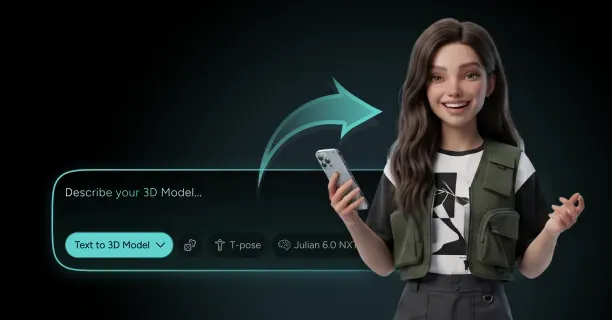
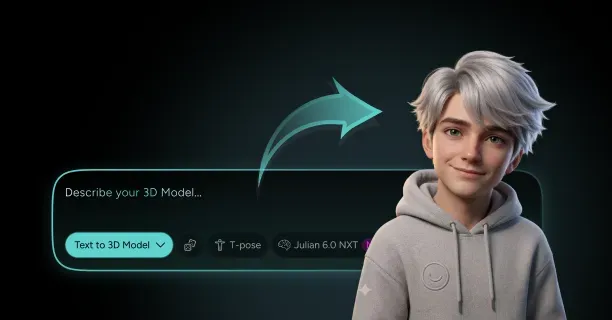
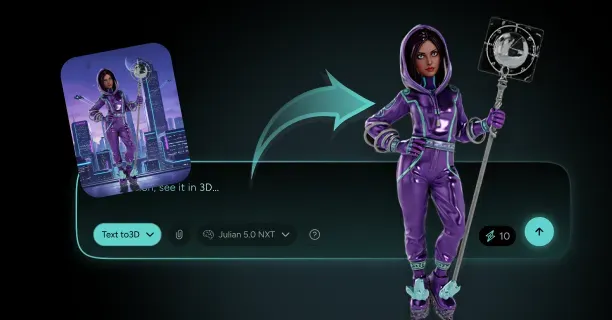
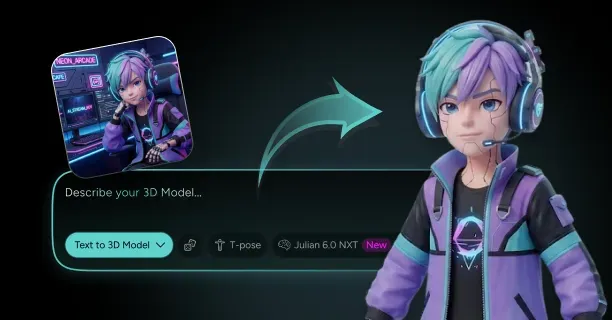
To build an ai streamer avatar in 3D, generate a stylized humanoid character from a text prompt or reference art on Threedium, whose Julian NXT generator produces PBR-textured, auto-rigged models with facial blendshapes, then export it to VRM, GLB, or FBX and load it into a real-time runtime such as Unity, VSeeFace, or a headless web renderer. From there the avatar is driven entirely by software events rather than a webcam: a language model reads Twitch chat and writes replies, a text-to-speech engine speaks them, and the audio stream drives mouth movement while idle animation loops keep the body alive between responses. OBS captures the rendered character over a transparent background and pushes it to the platform, and a watchdog process restarts any component that dies so the channel survives unattended for days. The whole build is realistic for a solo developer in one to three weeks, and the 3D asset itself is the fastest part to get right.
Define the AI Streamer's Persona Before You Prompt the Model
The persona is a technical specification, not marketing copy. Everything downstream inherits from it: the silhouette you prompt, the number of expression blendshapes you budget, the voice model you license, and the system prompt that constrains the language model. Write it down before you generate a single polygon, because retrofitting a personality onto a finished rig costs more than starting over.
A workable persona document is short and specific. It names the character's speaking register (sarcastic, deadpan, hyperactive), the emotional states the avatar must physically show, the content lane, and any hard behavioral limits. Those emotional states are the most important line item, because each becomes an expression preset in the rig and a sentiment tag in the model's output format. Six states is a good ceiling: neutral, happy, surprised, annoyed, sad, and smug.
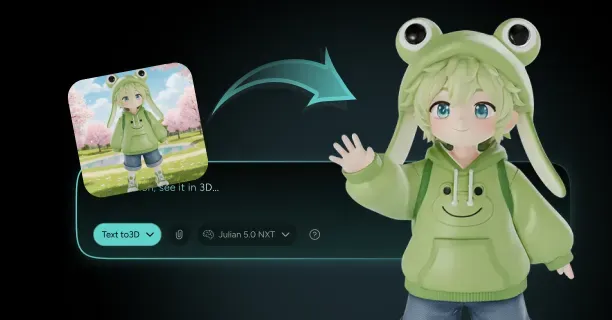
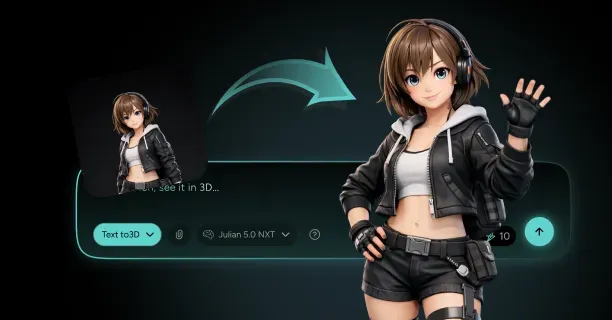
Visual design should follow the render pipeline you intend to use. A cel-shaded anime silhouette with large eyes and flat color regions reads clearly at 1080p even when the avatar occupies only a quarter of the canvas, which is why most neuro-sama style ai vtuber builds converge on that look. Photoreal skin, by contrast, punishes you: it demands higher texture resolution, better lighting, and a much more expensive shader budget on a machine that is already running language model inference.
Write the persona before the prompt, and keep the emotion list to six states or fewer. Every extra emotion adds a blendshape to author, an animation clip to record, a tag for the language model to emit correctly, and a branch in your expression controller.
Generate the 3D Avatar From a Text Prompt or Reference Art
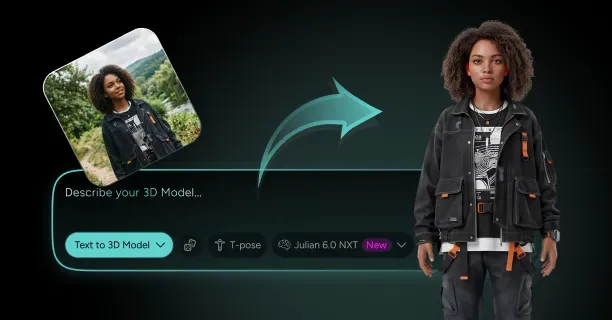
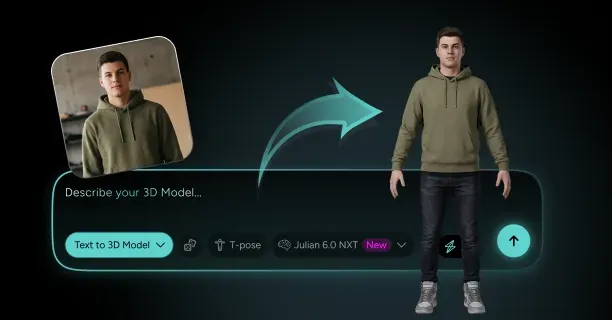
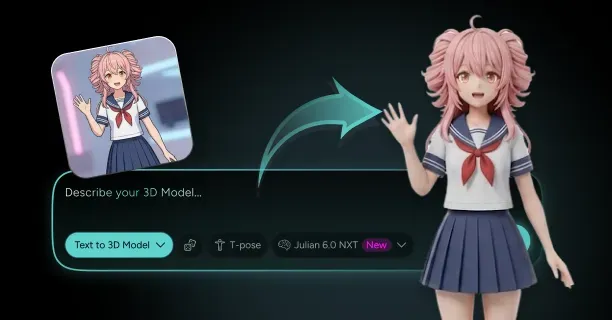
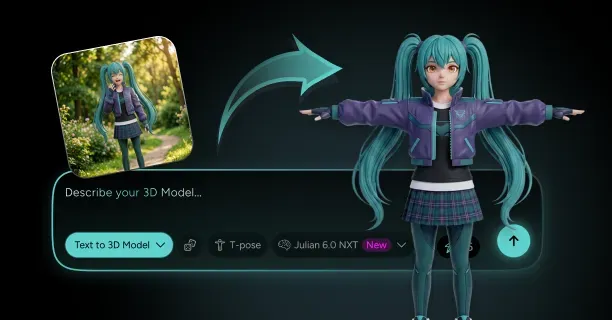
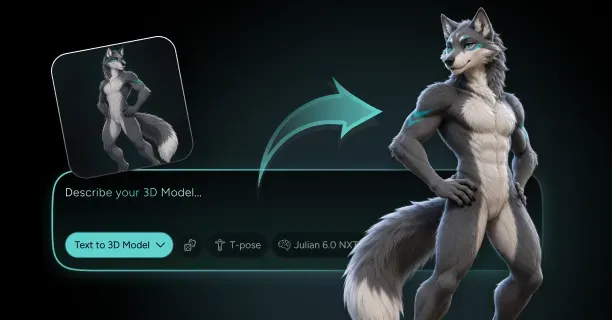
With the persona fixed, generation is the fast step. Threedium's AI 3D model generation accepts either a written description or uploaded reference images, and the Julian NXT pipeline returns a textured mesh with PBR maps rather than a raw untextured sculpt. For a streamer character, reference images give you far more control than prose alone: a front view and a three-quarter view of your concept art will pin down proportions, hair shape, and outfit silhouette in a way that adjectives cannot.
Prompts for real-time characters should describe construction as well as appearance. Useful things to specify:
- Body proportions in head units (a 6.5 to 7 head-tall figure reads as stylized-realistic, 5 to 6 heads reads as anime)
- A-pose or T-pose at generation time, since a neutral pose is a prerequisite for clean automatic rigging
- Separated hair and outfit so those pieces can carry their own materials and physics later
- Closed, symmetrical geometry with no floating accessories that will break skinning
- Flat, high-contrast color blocking if you plan to use a toon shader in the runtime
This is also the decision point between generation, commission, and manual sculpting. A commissioned VRM model from an experienced modeler typically runs 800 to 3,000 USD with a four to ten week turnaround, while sculpting it yourself in Blender is free but realistically costs 60 to 150 hours. AI generation compresses the first pass to minutes, which matters most for an autonomous channel where you will iterate on the character several times before finding one that holds an audience. Threedium's enterprise tiers add refinement by human 3D artists on top of the generated base: generated geometry, professional cleanup.
Refine Topology and Textures for Real-Time Rendering at 60 FPS
A 60 FPS stream gives you a 16.6 millisecond frame budget, and the avatar is not the only thing spending it. On a machine that is simultaneously running language model inference and speech synthesis, the character render should fit comfortably inside 4 to 6 milliseconds. That constraint sets your polygon and texture budgets more than any aesthetic preference does.
Practical targets for a full-body streamer avatar sit between 30,000 and 70,000 triangles. VSeeFace and similar VRM runtimes handle models in that range without complaint, and the difference between 40k and 120k triangles is invisible at broadcast resolution while the latter measurably raises frame time. Threedium's polygon optimization handles the decimation pass, but you should still check where the density went: the face and hands deserve a disproportionate share, and the back of a character who is always framed from the front deserves almost none.
| Component | Triangle budget | Texture resolution | Notes |
|---|---|---|---|
| Head and face | 8,000 - 15,000 | 2048 x 2048 | Densest area; supports blendshape deformation |
| Hair | 6,000 - 20,000 | 1024 x 1024 with alpha | Card-based hair is cheaper than tube geometry |
| Body and outfit | 10,000 - 25,000 | 2048 x 2048 | Merge into one atlas where possible |
| Hands | 3,000 - 6,000 | Shared with body | Keep loops at knuckles for finger bends |
| Accessories | 2,000 - 8,000 | 512 x 512 - 1024 x 1024 | Merge tiny props into existing materials |
| Full model | 30,000 - 70,000 | 2 - 4 materials total | Under 8 draw calls for the character |
Material count matters as much as triangle count. Every distinct material is a draw call, so consolidate to a skin atlas, an outfit atlas, and a hair atlas with alpha. Keep textures at 2K for anything the camera frames closely and drop everything else to 1024 or 512; at typical stream framing, a 4K outfit texture is pure VRAM tax competing with the memory your language model wants.
Rig a Full Humanoid Skeleton With Facial Blendshapes
An autonomous streamer needs a complete humanoid skeleton even though nobody is puppeting it, because your animation clips, retargeted motion capture, and physics components all assume a standard bone hierarchy. Threedium's automatic rigging produces that skeleton along with facial rigs carrying the 52 ARKit blendshapes where the character warrants them, which saves the slowest and most error-prone part of a manual build.
The bone set you want mirrors the Unity Humanoid and VRM conventions:
- Spine chain: hips, spine, chest, upper chest, neck, head
- Arms: shoulder, upper arm, lower arm, hand, plus 15 finger bones per hand for expressive gestures
- Legs: upper leg, lower leg, foot, toes, which matter even for a waist-up framing because idle weight shifts propagate up the chain
- Secondary chains: two to four bones per hair strand and per skirt or coat panel, driven by spring physics rather than keyframes
- Eye bones: separate left and right eye transforms so gaze can be aimed procedurally at the camera or off to the side
Check skin weights at the joints that move most. Rotate the head 45 degrees left and right and look for neck pinching; bend each elbow to 90 degrees and look for volume collapse; open the jaw fully and confirm the cheeks follow. These three tests catch the majority of automatic weighting artifacts. Also confirm the model's scale is 1 unit per meter with the origin at the feet and the character facing positive Z, because a rig authored at centimeter scale will import into Unity 100 times too large and every physics constant you tune will be wrong.
Add Viseme Blendshapes So Synthesized Speech Can Drive the Mouth
Visemes are the mouth shapes that speech maps onto, and they are a separate concern from the emotional expressions on the same face. Because your avatar has no human performer, these shapes will be driven by audio-based lip sync visemes computed from the text-to-speech output rather than by a webcam reading a real mouth. That makes the quality of the viseme set the single largest factor in whether the character looks like it is talking or like it is chewing.
Two standards cover almost every runtime. The VRM specification defines five preset mouth shapes, aa, ih, ou, ee, and oh, which is the minimum viable set and is what VRM-native runtimes expect. Larger sets used by real-time lip sync libraries expand to roughly 15 visemes, adding consonant shapes for bilabials (p, b, m), labiodentals (f, v), dentals (th), and sibilants (s, z), plus a closed rest pose. The consonant shapes are what separate convincing speech from a jaw that just opens and closes.
When you author or verify these shapes, hold each one to a few rules:
- Every viseme must return cleanly to zero, with no residual deformation left in the neutral face
- Visemes must be additively combinable with emotion blendshapes, so a smiling character can still form an "oh" without the mouth tearing
- The closed shape (p, b, m) must actually seal the lips, since a mouth that never closes is the most common tell of a cheap rig
- Teeth and tongue geometry must move with the jaw rather than staying static inside the head
- Naming must match your runtime's expected strings exactly, because silent name mismatches produce a permanently closed mouth
The avatar generation pipeline outputs ARKit-compatible facial blendshapes, which include jaw and mouth targets that map onto both the five-shape VRM set and the wider 15-viseme set. Verify the mapping once, in a viewer, before you build anything on top of it.
Export to VRM or FBX for Your Rendering Runtime
Format choice follows runtime choice, and for an autonomous streamer the shortlist is small. A vrm avatar for ai streamer use is the default answer if you intend to run VSeeFace, Warudo, or any VRM-native application, because VRM bundles the humanoid bone mapping, blendshape presets, spring bone physics, look-at configuration, and licensing metadata into a single file that these applications read without setup.
| Format | Carries rig | Carries blendshapes | Carries physics | Use when |
|---|---|---|---|---|
| VRM | Yes, humanoid-normalized | Yes, named presets | Yes, spring bones | VSeeFace, Warudo, VRM-native runtimes |
| FBX | Yes, arbitrary skeleton | Yes, as morph targets | No, rebuild in engine | Unity or Unreal custom builds |
| GLB | Yes, glTF skin | Yes, morph targets | No | Browser and headless web renderers |
| USDZ | Yes | Limited | No | Apple ecosystem previews and mobile AR |
Threedium exports GLB, USDZ, and FBX directly, and VRM is a short conversion away from GLB using UniVRM inside Unity, since VRM is a glTF extension rather than a separate container. If you plan to run a custom Unity build, exporting FBX and configuring the Humanoid avatar in the Unity importer gives you the most control over blendshape naming and material assignment. If you plan to render in a browser or headless Node process, GLB is the direct path.
Before calling the export final, run a five-point check in a neutral viewer: correct scale and orientation, all textures resolving rather than showing magenta, every blendshape present under its expected name, a skeleton that animates without stray vertices trailing behind, and a sane file size. A finished stylized streamer avatar typically lands between 8 MB and 40 MB as a VRM with 2K textures; files past 100 MB usually mean uncompressed 4K textures you do not need.
Load the Avatar in Unity, VSeeFace, or a Headless Web Renderer
The runtime is the layer that turns a static file into a character that reacts, and the three realistic options trade convenience against control. Choosing badly here is the most common cause of a rebuild three weeks in, because the control interface you get determines how your language model and speech engine talk to the avatar at all.
| Runtime | Model format | Control interface | Transparency | Best for |
|---|---|---|---|---|
| VSeeFace | VRM | VMC protocol over OSC, audio lip sync | Native transparent window | Fastest path to a working stream |
| VTube Studio | VRM and Live2D | Plugin API over WebSocket | Chroma key or window capture | Reusing an existing VTuber setup |
| Unity custom build | FBX, VRM via UniVRM | Anything you code, WebSocket or local IPC | Transparent framebuffer or Spout2 | Full control over state machines and shaders |
| Headless web renderer | GLB | Direct JavaScript calls | CSS or canvas alpha, captured as browser source | Cloud hosting and low-overhead builds |
For a first build, VSeeFace with a VRM is the shortest route to something on screen: it opens the file, renders it with a transparent background, and drives the mouth from any microphone input, which is exactly what you need when synthesized speech is routed back in as audio. It is also the least programmable, so expression control goes through the VMC protocol or hotkey emulation.
A Unity build costs a weekend of setup and repays it in control: an Animator state machine for idle and talking loops, direct blendshape access through SkinnedMeshRenderer, a local WebSocket server your orchestration script can drive, and rendering to a transparent framebuffer. For a 24/7 ai stream obs pipeline where the avatar reacts to a dozen distinct software events, this is usually the right call. A headless web renderer is cheapest to host and easiest to script, at the cost of weaker shading and no spring bone physics.
Connect the LLM Brain That Reads and Answers Twitch Chat
The brain is an orchestration loop, not a single API call. In a working llm vtuber setup the loop reads messages from the chat socket, decides which one deserves a response, assembles a prompt from persona plus recent context, calls the model, parses the reply into speech text and control tags, hands the text to the speech engine, and signals the avatar. Everything else in the build hangs off that loop.
Chat ingestion runs over IRC for Twitch or the live chat API for YouTube. Both give you a stream of messages with author, timestamp, and badge information. What you do next matters more than how you connect: an ai twitch streamer that answers every message in order will fall minutes behind within the first hour of any real audience. Instead, buffer incoming messages for a two to five second window, then select one to answer based on a priority score that weighs recency, message length, question marks, subscriber or moderator status, and whether the author has already been answered recently.
The prompt itself should be assembled from four fixed parts:
- Persona block: identity, speaking style, hard behavioral limits, and the required output format
- Situation block: what is currently on screen, the time, the current activity, and how long the stream has been running
- Rolling memory: the last 10 to 20 exchanges, summarized down once the transcript exceeds your context budget
- Current message: the selected chat line with author name, sanitized before insertion
Constrain the response length hard. A reply capped at 40 to 60 words speaks in roughly 15 to 25 seconds, keeping the conversational rhythm tight and both token spend and synthesis cost predictable. Ask the model to emit a small structured header alongside the spoken line, an emotion tag plus an optional gesture tag, since that header drives the avatar's face and body.
Route TTS Output Through a Virtual Audio Cable for Lip Sync
This step is pure wiring. Your speech engine produces an audio buffer; your avatar runtime expects an audio input device; a virtual audio cable connects the two without a physical loopback. On Windows, VB-Audio Virtual Cable or VoiceMeeter creates a paired output and input device, and anything played to the output appears at the input.
The routing chain looks like this:
- The orchestration script receives synthesized audio and plays it to the virtual cable output device
- The avatar runtime is configured to listen to the virtual cable input device as its microphone source, driving mouth movement from that signal
- A second copy of the same audio is routed to OBS as the broadcast audio track, either through a second virtual cable or through VoiceMeeter's multi-output routing
- Nothing is routed to your physical speakers unless you explicitly want local monitoring, since an open monitor plus an open capture can create an echo loop
Keep the whole chain at a single sample rate. Set the virtual device, the speech engine output, and the OBS audio track all to 48 kHz, because mismatched rates introduce resampling that shows up as gradual audio and mouth drift over a long session. Buffer sizes in the 256 to 512 sample range keep the added latency to a handful of milliseconds, which is negligible next to model inference time. The same wiring covers tts lip sync vtube studio setups, where VTube Studio takes the virtual cable as its microphone input exactly as VSeeFace does.
Verify the cable with a static WAV file before you connect the language model. If a test file plays through the cable and the avatar's mouth moves, the wiring is correct and any later silence is a synthesis or orchestration bug, not an audio routing bug.
Build Idle, Talking, and Reaction Animation Loops
An autonomous avatar is idle far more than it speaks. Even a chatty character with a busy chat spends 55 to 70 percent of any hour not talking, so the quality of your idle animation loops determines the perceived quality of the whole channel. This is the animation work that actually pays off, and it is where most builds under-invest.
The minimum viable animation set for a streamer avatar:
- Three to five idle loops of 8 to 20 seconds each, differing in weight shift, arm position, and head angle
- Two talking loops, one calm and one animated, layered above the idle so gesture and body sway continue while the mouth works
- Six to ten reaction clips of 1 to 3 seconds: nod, headshake, laugh, shrug, lean in, recoil, point, wave
- Two thinking poses used while the model is generating, which are covered in detail further down
- One transition idle for scene changes, such as turning to face a different part of the frame
Layer these rather than switching between them. In a Unity Animator, a base layer carries the idle loop, an additive layer carries talking gestures with a mask that excludes the legs, and a third layer plays one-shot reactions with a mask limited to the upper body and head. Crossfades of 0.2 to 0.35 seconds between states hide the seams; anything shorter snaps visibly, anything longer feels sluggish.
Blinking should be procedural rather than baked into clips. Fire a blink on a randomized interval between 2 and 6 seconds, with a 100 to 150 millisecond close and a slightly slower open, and suppress it during surprise where wide eyes are the point. Layer a breathing offset on the chest bone at 12 to 16 cycles per minute. These two details do more for the illusion of life than an extra idle clip.
Capture the Rendered Avatar in OBS With a Transparent Background
OBS is the compositing layer where the avatar, the background scene, chat overlays, and alerts come together. The goal is a clean alpha channel around the character so it can sit over any background without a halo or a chroma fringe.
Three capture methods work, in descending order of quality. The best is a runtime that renders with a genuinely transparent window: add a Window Capture source in OBS, enable the transparency option, and the alpha channel comes through untouched. Second best is Spout2, which sends a texture with alpha directly from a Unity build into OBS through the Spout2 plugin, avoiding window compositing entirely. Last is chroma key against a solid background color, which is the fallback when nothing else works and which will cost you edge quality on hair and semi-transparent materials.
Scene layout for a streamer channel is worth building once, properly:
- Background layer: a static room render, looping video, or gameplay capture
- Avatar layer: the transparent capture, positioned and scaled once and then left alone
- Overlay layer: chat box, current topic, subscriber alerts, and a now-playing readout
- Debug layer: a hidden text source showing model latency and queue depth, toggled on only when you are watching
Encoder settings should be conservative because the GPU is shared. For 1080p60, 6,000 kbps with NVENC is the standard Twitch configuration, and NVENC uses a dedicated hardware block that does not compete with rendering or inference the way x264 competes for CPU. If the GPU is fully committed to inference, dropping to 720p60 costs less perceived quality than dropped frames do.
Dry-Run a 24/7 Unattended Stream Before Going Live
Never take an unattended stream public without a private soak test. Stream to a private or unlisted target for a minimum of 12 continuous hours, ideally 48, and record what fails. Almost every serious failure mode in this architecture is a slow one: memory growth, log files filling a disk, token spend drifting upward, audio devices being reclaimed by Windows, a websocket that silently stops delivering messages.
Instrument the soak test so it produces evidence. Log a timestamped line per response cycle containing model latency, synthesis latency, token counts, queue depth, and frame time, then chart those five series. A latency curve that creeps upward over eight hours almost always means the context window is growing without a summarization step.
Your pre-launch checklist should confirm each of the following:
- Process memory is flat, not climbing, across the full run
- The avatar still renders after a scene change, a runtime restart, and a display sleep event
- Audio and mouth movement remain synchronized in the final hour as tightly as in the first
- The watchdog actually restarts each component when you kill it manually mid-test
- Token and speech synthesis spend per hour matches your projection within 20 percent
- The chat filter rejects a deliberately adversarial message you inject yourself
- Stream health in OBS shows zero dropped frames from encoding overload
What Breaks When Nobody Is Piloting the Avatar?
A human VTuber absorbs an enormous amount of failure invisibly: they cover dead air, they notice a glitching model, they decline to read a hostile message aloud, and they end the stream when something goes wrong. Remove the pilot and each of those becomes an engineering problem with a budget and a failure mode, from latency gaps and stale idle loops to GPU contention, runaway cost, and platform policy.
Lip-Syncing to Synthesized Audio Without a Human Performer
The constraint is simple to state. With no webcam and no performer, the only signal available to move the mouth is the synthesized audio itself, either as a raw waveform or as timing metadata returned alongside it by the speech engine. There is no ground truth face to copy, so the mouth is only ever as good as the mapping you build from sound to shape.
Practically this means you choose between two families of approach, and the trade is between fidelity and effort. Anything driven by amplitude alone is trivial to wire and produces a mouth that opens and closes without forming distinct shapes; anything driven by phoneme timing produces recognizable speech but requires either an engine that returns phoneme marks or a separate analysis pass. The deep treatment of that mapping, the full phoneme-to-viseme tables, and how ARKit blendshapes combine with viseme targets belong with the facial rig itself, and Threedium's rigging and blendshape documentation is the right reference for that layer. For the broadcast pipeline, the only thing you must guarantee is that the audio reaching the runtime is the exact audio reaching the stream, at the same sample rate, with no added delay on one path and not the other.
Masking LLM Response Latency With Thinking Poses and Filler Motion
Between a chat message arriving and the avatar's first spoken syllable, you will typically spend 1.5 to 4 seconds: model inference, speech synthesis, and audio buffering stacked end to end. On a video stream, four seconds of a motionless character is a very long time, and it is the single most obvious signal that nobody is home.
The fix is to make the gap legible as thinking rather than as lag. The moment the orchestration loop selects a message, trigger a thinking state before you call the model: the avatar tilts its head, glances up and to the side, and shifts weight. A short, non-verbal vocalization can help too, though it grates quickly if reused every cycle. Randomize between two or three thinking behaviors and select without immediate repetition.
You can also cut the perceived latency directly. Three techniques compound well:
- Stream the model output and start speech synthesis on the first complete sentence rather than waiting for the full reply
- Pre-warm the speech engine with an open connection so the first call does not pay handshake cost
- Speculatively start generation during the message selection window when a clear front-runner message exists
Triggering Expressions From Sentiment Tags in LLM Output
Because there is no face to copy, emotional expression has to be declared by the language model and executed by your controller. The reliable pattern is to require a small structured header on every response, parsed off before the remainder goes to speech synthesis. A single emotion field drawn from your fixed list of six states, plus an optional gesture field, covers almost everything.
Keep the vocabulary closed and validate it. Models will occasionally invent an emotion outside your list, so the parser should fall back to neutral rather than throwing an exception mid-stream. Log every fallback: a high fallback rate means your prompt formatting instruction needs tightening, not that the model is unreliable.
Expression timing is where builds go wrong. Blend the expression in over 150 to 300 milliseconds, hold it for the spoken line, then decay toward neutral over roughly 800 milliseconds after the audio ends. Cap intensity at 70 to 85 percent, since maximum-intensity blendshapes distort the face, and blend expressions additively with visemes so a happy character can still form consonants.
Keeping Idle Loops From Looking Robotic Over Long Sessions
A loop that looks natural for 30 seconds looks like a screensaver after two hours. Human viewers detect repetition at a resolution that surprises most developers, and once they notice the cycle they cannot unsee it. The problem compounds on an unattended channel because nobody is there to break the pattern.
The fix is layered variation rather than more clips. Combine these techniques:
- Randomized clip selection from a pool of three to five idles, with a rule preventing the same clip twice in a row
- Playback speed jitter of plus or minus 5 to 8 percent applied per cycle, which breaks the visual metronome
- Procedural head noise: a slow Perlin-driven offset of 1 to 3 degrees on the neck, running continuously above whatever clip plays
- Randomized gaze targets: look at the camera 60 percent of the time and drift to a nearby off-camera point otherwise, with saccades every 3 to 8 seconds
- Micro-fidgets: an occasional weight shift, hair touch, or shoulder roll injected at a low probability per minute
Watch an hour of your own idle footage at 4x speed. Repetition that is invisible in real time becomes glaringly obvious when fast-forwarded, which makes it the cheapest test available for detecting a mechanical loop.
GPU Budgeting: LLM Inference, TTS, and 3D Rendering on One Machine
If you run local inference, three workloads compete for the same card, and the avatar always loses because rendering is the one with a hard real-time deadline. Budget VRAM explicitly before you build rather than discovering the ceiling mid-stream.
A rough allocation on a 24 GB card running everything locally: 14 to 18 GB for a quantized language model, 2 to 4 GB for a neural speech model, 1 to 2 GB for the avatar runtime and its textures, and a reserve of 1 to 2 GB for the compositor and encoder. On a 12 GB card, local inference of a capable model is a tight fit and you should expect to either use a smaller quantization or move inference off the machine.
The cleanest architecture for most builders splits the workload:
- Hosted model inference over an API, which removes the largest VRAM consumer and adds 300 to 900 milliseconds of network latency
- Local speech synthesis, which is small enough to coexist and avoids per-character billing
- Local rendering and encoding, using NVENC so encoding does not touch the CUDA cores
Watchdog Scripts and Crash Recovery for 24/7 Uptime
Over a week of continuous operation, something will crash. The design goal is not zero crashes, it is recovery fast enough that viewers read it as a hiccup rather than an outage. Treat every component as disposable and supervised.
A practical supervision policy:
- Health ping every 10 seconds to each component over a local socket, with a 5 second timeout
- Heartbeat on output: if the orchestration loop has produced no response in 5 minutes despite active chat, treat it as hung and restart it
- Staged restart: restart the smallest failing component first, escalate to the runtime, then to OBS, then to the machine
- Restart storm guard: if a component restarts more than 5 times in 10 minutes, switch to a holding scene instead of looping forever
- Holding scene: a pre-rendered "back shortly" card with music, which is infinitely better than a frozen avatar
Log rotation is not optional. A verbose orchestration loop can write several gigabytes per day, and a disk that fills at 3 a.m. takes down every component at once. Cap log files, rotate daily, and delete anything older than a week. Similarly, schedule a deliberate restart of the whole stack every 24 to 48 hours during a low-viewer window, which resets accumulated memory and driver state before it becomes a crash.
Filtering Chat Input Before It Reaches the LLM Prompt
Chat is untrusted input being inserted into a prompt that then produces speech broadcast under your name. This is the highest-risk surface in the entire build, and it deserves defense in depth rather than a single word blocklist.
Filter in layers, cheapest first:
- Structural rejection: drop messages over roughly 200 characters, messages that are mostly links or emotes, and messages from accounts created within the last day
- Blocklist and pattern matching for slurs, doxxing patterns, and known instruction-injection phrasings such as attempts to redefine the system prompt or reveal it
- Delimited insertion: place the chat message inside clearly marked boundaries in the prompt and instruct the model that everything inside is user speech to react to, never instructions to follow
- Output filtering: scan the generated reply before synthesis and discard anything containing blocked terms, personal data patterns, or fragments of the system prompt
- Audio delay: a 10 to 20 second broadcast delay gives an automated check, or a human moderator if one is around, time to intervene
The critical architectural point is that the language model is not a security boundary. Prompt instructions telling it to ignore malicious input will be defeated eventually by a sufficiently motivated chatter, and on an ai twitch streamer channel there will be motivated chatters within days of launch. Deterministic filters on the way in and on the way out are what actually protect the channel.
Assume every string that reaches your prompt is an attack. Test your own filter by writing the ten nastiest injection attempts you can think of and confirming that none of them changes the avatar's behavior before you go public.
Rate Limiting and Cooldowns So One Chatter Cannot Monopolise the LLM
Without a pilot exercising social judgment, one determined viewer sending a message every three seconds will consume the entire response budget and turn a public channel into a private conversation. Everyone else watches someone else's chat log get read aloud, and they leave. Rate limiting is an audience-retention feature, not just a cost control.
Apply limits at three levels:
- Per user: at most one answered message per user every 60 to 120 seconds, regardless of how many they send
- Per channel: a global cap of roughly 20 to 40 responses per hour, which sets a hard ceiling on token and speech spend
- Per topic: a cooldown on repeated near-identical questions, detected by simple string similarity against the last 50 answered messages
Selection should also favor new voices. Weight the priority score so an author who has not been answered in the last 15 minutes outranks a frequent one. In practice this single change does more for perceived fairness than any amount of moderation tooling, and it fills gaps naturally: when no eligible message exists, let the avatar comment on what is on screen or simply idle rather than forcing a reply.
Scene and Scheduling Automation So the Stream Changes Activity Unattended
A channel that shows the same shot with the same behavior for 20 hours reads as a screensaver no matter how good the avatar is. A human streamer varies structure naturally: they open, they play something, they read chat, they break. An unattended channel needs that variation encoded as a schedule.
Drive OBS scene changes through its WebSocket interface, which lets your orchestration script switch scenes, toggle sources, and change text overlays on a timer or on events. A day plan is just a list of blocks, each with a duration, scene, and activity mode:
- Chat hour, 45 to 90 minutes: room scene with chat overlay, high response rate
- Topic segment, 20 to 40 minutes: topic card on screen, monologue on a queued subject, fewer answered messages
- Media or music, 20 to 60 minutes: media scene with the avatar framed smaller, occasional commentary over idle loops
- Low-activity window, 2 to 6 hours: dim scene with ambient audio, sparse responses, reduced token spend
- Maintenance, 10 to 20 minutes: holding card while the stack restarts and logs rotate
Tie the schedule to the clock rather than to elapsed runtime so the channel has a recognizable rhythm across days. A warm daytime room and a dim night room, switched at fixed hours, communicates the passage of time at zero ongoing cost, and changing the overlay text with each block tells a viewer who arrives cold what is happening.
Cost Per Stream Hour: Token Spend, TTS Minutes, and GPU Electricity
The economics of a 24/7 channel are dominated by per-response costs multiplied by a large number of hours, and small design choices move the total more than most builders expect. Model the cost per hour explicitly before you launch, then verify it against your soak test.
Start from the response rate. At 30 responses per hour with roughly 1,200 tokens in and 90 tokens out, you are buying about 36,000 input tokens and 2,700 output tokens per hour. Multiply by your provider's published rates, and run the same arithmetic across a few models, because the spread between a small fast model and a frontier model is usually an order of magnitude. Speech synthesis bills per character or minute: 30 responses of 50 words is about 10 minutes of speech and around 8,500 characters per hour.
Local hardware has a real running cost too. A machine drawing 400 to 600 watts under sustained load consumes 9.6 to 14.4 kWh per day, which at a residential rate of 0.15 USD per kWh is roughly 1.45 to 2.15 USD per day before accounting for cooling. Over a year that is not trivial, and it is a genuine argument for hosted inference on a low-viewer channel.
The levers that actually reduce cost:
- Summarize rolling memory aggressively, since input tokens dominate the bill and an ungoverned transcript grows without limit
- Cache the static persona block if your provider supports prompt caching, which can cut the repeated portion of input cost substantially
- Cap output length in the request rather than trusting the prompt instruction alone
- Reduce response rate overnight during low-viewer blocks, where 8 responses per hour reads as a quiet stream rather than a broken one
- Run speech synthesis locally once volume is high, since per-character billing scales linearly with hours while a local model does not
Twitch and YouTube Policy Rules for AI-Run Channels
Both platforms permit AI-driven content, and both hold the channel owner fully responsible for everything the channel broadcasts. "The model said it" is not a defense in any enforcement conversation, which makes your filters and delay a compliance requirement rather than a nicety.
The rules that matter most in practice:
- Owner liability: hateful conduct, harassment, and adult content policies apply to synthesized speech exactly as they apply to a human voice
- Synthetic media disclosure: YouTube requires creators to disclose realistic synthetic content in the upload flow, and clearly stylized animated characters generally sit outside that requirement, but disclosure in the channel description costs nothing and removes ambiguity
- Likeness and voice rights: do not clone a real person's voice or replicate a recognizable public figure's appearance without permission, since this crosses both platform policy and law in many jurisdictions
- Music licensing: an unattended channel playing music for 20 hours a day is a copyright strike generator unless the library is explicitly licensed for stream use
- Model provider terms: most providers prohibit certain content categories, and violations can cost you API access mid-stream, which is a technical outage as well as a policy problem
How Is an AI Streamer Avatar Different From a VTuber Model?
An ai streamer avatar and a conventional VTuber model share the same file formats, the same skeleton, and often the same art style, but they are driven by completely different signal sources and therefore optimized for different things. A human-piloted model is built around a webcam reading a real face in real time; an autonomous one is built around software events with no continuous input signal at all. The webcam tracking workflow, capture hardware, and calibration process live on the VTuber avatar guide, so this section focuses only on where the two builds diverge.
No Face Tracking: Software Events Drive the Rig, Not a Webcam
A webcam produces a continuous, high-frequency stream of facial data: dozens of coefficients updated 30 to 60 times per second, capturing every micro-expression the performer makes without anyone deciding what should happen. That continuous signal is why human-piloted models look alive even when the performer is doing nothing in particular.
An autonomous rig receives discrete events instead: a message arrives, a response begins, an emotion tag is parsed, audio starts, audio ends. Between those events there is no input at all. Everything that fills the space has to be generated, which is why procedural blinking, gaze drift, breathing, and layered idle variation are mandatory in this architecture and merely nice in a piloted one.
The trade shapes the whole build. You need no capture hardware, no lighting, and no calibration; in exchange you need an expression controller, a scheduler for ambient motion, and a state machine deciding what the character does when nothing is happening. That generally favors anyone more comfortable writing code than performing, which is much of the appeal of an ai vtuber that runs itself.
Blendshape Priorities: Visemes and Emote Triggers Over ARKit Shapes
The full 52 ARKit blendshapes exist to reproduce a human face captured live, and a piloted model uses nearly all of them because the tracker is feeding all of them. An autonomous avatar only ever activates the shapes your controller explicitly names, which means a large portion of that set is dead weight in the runtime.
The shapes that earn their place on an autonomous rig:
- Viseme set: 5 VRM presets at minimum, or roughly 15 shapes for consonant-accurate speech
- Emotion presets: one composed shape per persona emotion, typically six, each combining brow, eye, and mouth targets
- Blink shapes: separate left and right eye closure for procedural blinking and winks
- Brow controls: independent raise and furrow, since brows carry a large share of readable emotion at broadcast scale
- Eye direction: look up, down, left, right, either as blendshapes or as eye bone rotation
Generating the full ARKit set is still worth doing, since it costs nothing extra in an automated pipeline and preserves the option of piloting the model later. What changes is where you spend refinement effort: on an autonomous rig, one carefully sculpted viseme is worth ten polished cheek-puff shapes that will never fire.
When You Can Reuse an Existing VTuber Rig for an AI Streamer
An existing VRM model built for human piloting will usually work as an autonomous avatar with minor additions, which makes reuse the fastest path if you already have one. The skeleton, skin weights, spring bone physics, and materials all transfer without modification.
What you need to verify before committing to reuse:
- The model contains named viseme blendshapes and they visibly deform the mouth, not just the jaw
- Emotion presets exist as discrete named shapes your controller can address, rather than only as tracker-driven combinations
- Blink shapes are separable from expressions so procedural blinking does not fight an emotion
- Triangle count and material count fit the budget alongside your inference workload
- The model's license permits the use you intend, particularly for commissioned models with usage restrictions
That last point catches people out. Commissioned VTuber models frequently carry licenses limiting use to the commissioner's own personal streaming, and VRM files embed permission metadata covering commercial use and modification. Running a commissioned model as an autonomous channel is a materially different use than the artist likely agreed to, so ask before you launch. A model produced through Threedium's avatar pipeline avoids that ambiguity entirely.
Rendering Runtimes Compared: VTube Studio, Unity, and Web Renderers
The runtimes that dominate human VTubing were designed around a tracking input, and that assumption shows when you try to drive them from software. Understanding where each one bends is the difference between a weekend of setup and a month of workarounds.
VTube Studio exposes a plugin API over WebSocket that sets parameter values directly, enough to drive expressions and mouth movement from code, but it expects to be a tracking consumer, so layered body animation is not really its model. VSeeFace sits closer to what you want: it accepts a VRM, renders with a transparent background, drives the mouth from any audio input including a virtual cable, and speaks the VMC protocol.
A Unity build is where an ambitious autonomous streamer ends up. You control the animation layers, the shader, the camera moves, the physics, and the network interface, and you can implement behavior that no piloting-oriented application exposes: gaze that tracks an on-screen element, gesture selection driven by response content, scene-aware framing changes. The cost is that you are maintaining a small application.
Headless web rendering suits cloud-hosted builds: a glTF loader in a browser page, rendered offscreen and captured as a browser source, runs on modest hardware and is trivially scriptable from the same code as your orchestration loop. The trade is weaker shading and no built-in spring bones.
Designing One Avatar That Works Piloted and Autonomous
The most useful build target is a single model that runs unattended most of the time and can be piloted by a human for special events, collaborations, or moments when the channel needs a real personality behind the face. Designing for both from the start costs very little and preserves an option worth having.
The requirements are additive rather than conflicting. Generate the full ARKit blendshape set so a tracker has everything it needs, and additionally author the named viseme and emotion presets your autonomous controller addresses. Keep the emotion presets composed from the same underlying targets the tracker uses, so a piloted session and an autonomous session produce a face that looks like the same character.
Architecturally, put an input abstraction between the driver and the rig. A webcam tracker and your orchestration loop ultimately produce the same thing: blendshape weights, a head rotation, a gaze direction, and a body pose. If the runtime consumes that structure rather than talking to either source directly, switching modes becomes a configuration change instead of a rebuild. Budget the model for the harder case, autonomous operation sharing a GPU with inference, and both modes work.
Frequently Asked Questions About AI Streamer Avatars
These are the questions that come up most often from builders working out how to make an AI streamer that can hold a channel unattended, covering formats, hardware, cost, and platform rules.
Is Neuro-sama a 2D or 3D Model?
Neuro-sama is presented as a 2D-style anime character, and the visual approach most builders associate with a neuro-sama style ai vtuber is flat, cel-shaded, and anime-derived rather than photoreal. The important point for anyone building one is that the visual style is a rendering choice, not a technical constraint: a 3D model with a toon shader and an orthographic-leaning camera reads as 2D on stream while giving you real depth, physics, and reusable animation.
Building in 3D is generally the better choice for an autonomous character even when the target look is flat. A 3D rig gives you body language, camera moves, and the ability to place the character into different scenes, which matters over the long unattended hours where a static 2D asset feels limited. It is also one asset you can repose and re-costume for thumbnails, clips, and merchandise renders without redrawing anything.
How Much Does It Cost to Build an AI Streamer?
A solo build lands somewhere between a few hundred and a few thousand US dollars up front, plus a running cost of roughly 1 to 8 USD per stream hour depending on how chatty the character is and whether inference runs locally or over an API. The avatar itself is the most variable line item: AI generation is the cheapest and fastest path, a commissioned VRM typically runs 800 to 3,000 USD, and sculpting it yourself trades money for 60 to 150 hours of work.
Beyond the model, budget for a capable GPU if you intend to run inference locally, a speech synthesis subscription or a local voice model, and your own time for the orchestration layer, which is realistically 40 to 80 hours for a first build. Software costs are close to zero: OBS, VSeeFace, Blender, and virtual audio cable tools are all free.
Are AI Streamers Allowed on Twitch?
Yes. Twitch permits AI-driven channels, and several operate openly. The condition is that the channel owner remains fully responsible for everything broadcast, so all standard community guidelines on hateful conduct, harassment, adult content, and copyright apply exactly as they would to a human voice.
The practical requirements are therefore about controls rather than permission. Run deterministic input and output filters, keep a broadcast delay so an automated check can suppress a bad line, log everything the avatar says with timestamps, and disclose the AI nature of the channel in your description. Also keep an eye on your model provider's usage policies, since losing API access mid-stream is both a policy problem and an outage.
What Software Do You Need to Run an AI VTuber 24/7?
A minimal stack has five pieces: a rendering runtime for the avatar, a language model interface, a speech synthesis engine, a virtual audio cable, and OBS for capture and streaming, plus a watchdog process supervising all of it. Most builders write the orchestration layer in Python and let it talk to everything else over local sockets.
A concrete working stack looks like this:
- Avatar runtime: VSeeFace with a VRM, or a custom Unity build for more control
- Orchestration: a Python service handling chat ingestion, filtering, prompting, and event dispatch
- Speech synthesis: a hosted neural voice API or a locally hosted voice model
- Audio routing: VB-Audio Virtual Cable or VoiceMeeter at a fixed 48 kHz
- Broadcast: OBS with the WebSocket plugin so scenes can be switched programmatically
- Supervision: a watchdog script with health pings, staged restarts, and log rotation
Can an AI Streamer Play Games While Talking to Chat?
It can, but gameplay is a substantially harder problem than conversation and is usually the wrong thing to build first. Playing a game autonomously requires the system to perceive the screen, decide on actions, and issue inputs, all while the conversation loop continues, and each of those adds latency and GPU load to a machine that is already busy.
The common intermediate approach is commentary rather than play: capture periodic screenshots of gameplay footage or a replay, feed them to a vision-capable model at a low frequency such as once every 20 to 60 seconds, and let the avatar react to what it sees while chat interaction continues normally. This produces a channel that looks like it is watching and talking about a game without needing to be competent at the game.
What File Format Should an AI Streamer Avatar Use?
Use VRM if your runtime is VSeeFace, VTube Studio, Warudo, or another VRM-native application, since it carries the humanoid rig, named blendshape presets, spring bone physics, and licensing metadata in one file. Use FBX if you are building a custom Unity or Unreal application and want full control over import settings. Use GLB if you are rendering in a browser or a headless web pipeline.
In practice, keep the source model in a format that converts cleanly to all three. Threedium exports GLB, USDZ, and FBX, and VRM is a short conversion from GLB through UniVRM in Unity because VRM is defined as a glTF extension. Keeping a clean GLB as your master asset means you can produce whichever runtime format you need later without regenerating anything.
Do You Need a Powerful GPU to Run an AI Streamer?
Only if you run model inference locally. Rendering a 40,000 triangle avatar at 60 FPS and encoding 1080p60 with NVENC is comfortable on a mid-range card with 8 GB of VRAM, which means a modest machine plus hosted inference is a perfectly viable architecture and often the cheaper one at low viewer counts.
Local inference changes the picture entirely. A capable quantized language model wants 14 to 18 GB of VRAM, a neural speech model wants another 2 to 4 GB, and the avatar and encoder need headroom on top, which puts you on a 24 GB card for a comfortable all-local build. On 12 GB you can make it work with a smaller model and careful quantization, but you will be managing contention constantly.
The decision comes down to volume rather than raw capability. Hosted inference is simpler and costs nothing when the stream is off; local inference carries a fixed hardware and electricity cost that only pays off at high sustained response volume. Start hosted, measure real spend during the soak test, and move inference local only when the arithmetic favors it.