How Do You Make an AI Companion 3D Avatar?
To make an ai companion avatar, write a persona document first, generate a stylized character from that description with Threedium's avatar generation pipeline, then add a humanoid rig, expression blendshapes, and visemes a speech engine can drive. Export as VRM or GLB and wire it into a loop where an LLM writes text, a TTS service produces audio, and that audio moves the mouth while an emotion tag moves the face. Prompt to talking character at 60 FPS on a mid-range phone is two to five days of work with AI generation, against four to eight weeks through a commission.
What separates a companion from any other 3D character is proximity and dwell time. Your user watches this face from arm's length for twenty minutes at a stretch, with nothing else on screen. Every pinch in the mouth topology, every frame the head sits still, every millisecond of drift between audio and jaw registers as wrongness. The bar is not a good turntable render; it is holding up as a conversational partner for half an hour.
Define Your Companion's Persona Before You Touch the 3D Model
An ai companion persona is a specification, not flavor text. It has to survive translation into three systems: the appearance of the model, the system prompt of the language model, and the voice settings of your TTS engine. A slow, warm companion rendered with sharp angular features and a hot saturated palette reads as dissonant, and dissonance breaks the illusion faster than a low polygon count ever will.
Keep the document to one page and make every line map onto a downstream parameter.
- Temperament in three adjectives chosen to imply posture and resting expression, since "calm, attentive, dry" produces a different idle pose than "eager, playful, restless."
- Emotional ceiling: does this character ever show anger, or does the range stop at concern? This decides which blendshapes you actually sculpt.
- Speech cadence, because a slow voice needs longer viseme holds and a fast voice needs tighter blend curves to avoid mush.
- Wardrobe rules separating fixed identity markers from swappable elements.
Most teams over-scope the emotional ceiling. A companion built for daily conversation needs a warm neutral, three positive states, two concerned states, and a surprise: seven targets, not thirty, and cutting the list early saves days of blendshape work.
Write a Generation Prompt That Encodes Personality Into Appearance
The common mistake is describing the character like a novelist rather than a character artist. Generative 3D systems respond to visual nouns: proportions, materials, shapes, colors, named style references. "Kind but guarded, with a past she does not discuss" produces nothing. "Soft rounded jawline, heavy upper eyelids, narrowed eye aperture, high collar, muted slate and warm sand palette" produces a face that reads as guarded warmth.
Build the prompt in separated layers so you can iterate on one without disturbing the others: subject and archetype, head and face, hair, body proportion, wardrobe, palette, style anchor, technical constraints. Give the face the most words, since it is roughly eighty percent of perceived quality. Call out eye shape and aperture, iris size against visible sclera, brow arch, nose bridge width, lip fullness, and whether the lips rest slightly parted. That last detail matters: a small resting gap reads as alive, a sealed line reads as inert.
Reference images are faster when you have them: three to five images that agree on style give a much tighter target than text alone. Feed front, three-quarter, and profile views plus one image carrying the palette you want. With Threedium's model generation, a short structured prompt combined with references beats either input alone, because text handles proportion while images handle style.
Generate at least six variations before committing. Companion avatars get chosen emotionally, and the one you pick after seeing six is almost never the one you would have accepted first.
Generate the Base Companion Model From Text or Reference Images
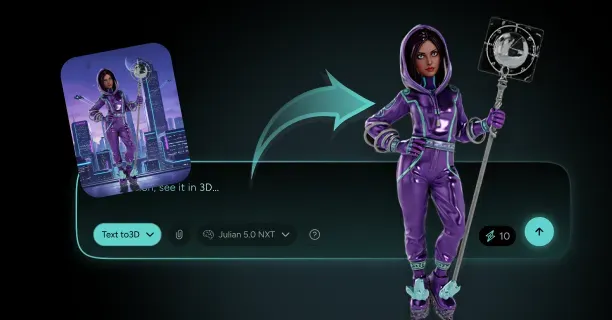
Generation itself is fast. A text-to-3D or image-to-3D pass returns a textured mesh in minutes rather than the days a manual sculpt would take. You get geometry, PBR textures covering base color, normal, roughness, and metallic, and depending on the pipeline a humanoid skeleton already bound. Threedium's Julian NXT generator handles this end to end, including automatic rigging and a facial rig with the ARKit blendshapes set where the subject is a character rather than a prop.
Evaluate the base against a checklist, not a vibe, because the things that hurt later are not visible in a hero render.
- Silhouette read at 128 pixels tall. If you cannot identify the character in a squinted downscale, no texture detail will fix it.
- Eye symmetry from a straight-on orthographic view, since two or three millimeters of offset reads as uncanny up close.
- A real oral cavity with tongue and teeth, since a mouth opening onto the inside of the head is the most common generation failure.
- Face on its own UV island at an effective 1024 by 1024 or better, even when the body shares a 2048 atlas.
- Polygon distribution over total: 40,000 triangles with 8,000 in the face beats 90,000 with a coarse mouth.
- Scale and orientation: roughly 1.6 to 1.8 meters, Y-up, facing negative Z, origin on the floor.
Fail two or three checks and regenerate rather than repair, since generation is cheap and manual fixes compound. Always generate in a neutral A-pose with arms clear of the torso, because skinning degrades wherever the base pose compresses geometry into a crease.
Choose an Art Style That Survives Daily Close-Up Conversation
Style is a technical decision wearing an aesthetic costume. The question is not which style you like but which degrades gracefully under close-up framing, long dwell time, mobile rendering, and procedurally blended expressions.
Stylized anime-adjacent designs hold up best, for concrete reasons. Cel-shaded skin has no subsurface scattering to get wrong. Large eyes with simple iris geometry read at any resolution and tolerate crude gaze rotation. Simplified noses and ears free polygon budget for the mouth. Most importantly, stylized faces sit far from the uncanny valley, so a slightly wrong expression reads as stylization instead of as a corpse smiling. Realistic styles are achievable but the cost curve is steep, and every expression five percent wrong reads as ten percent creepy. A non-human character, a fox or a floating construct, sidesteps the valley entirely and lets ear and tail motion carry signal a human face would need twenty blendshapes to convey.
| Style | Face triangles | Blendshape effort | Uncanny risk | Best fit |
|---|---|---|---|---|
| Cel-shaded anime | 6,000 - 12,000 | Low | Very low | Mobile apps, VRM ecosystem |
| Stylized semi-real | 10,000 - 20,000 | Medium, needs correctives | Moderate | Desktop companions |
| Realistic human | 20,000 - 45,000 | High, full 52 plus correctives | High | Desktop, VR, demos |
| Chibi or mascot | 3,000 - 8,000 | Very low | Negligible | Low-end mobile, widgets |
| Non-human creature | 8,000 - 25,000 | Medium, custom shape set | None | Distinctive brands |
Refine Facial Topology So Expressions Deform Cleanly
Generated meshes often render beautifully in a static pose and fall apart the moment they deform. For a companion, whose face deforms all session, this is the critical cleanup step. The fix is edge loop structure: concentric rings of quads around the eyes and mouth, plus loops on the nasolabial fold and jawline.
The reason is mechanical. When a blendshape pulls a vertex, its neighbors move along a gradient. If edges ring the mouth, that gradient follows the anatomy and the deformation looks like a mouth. If edges run as an arbitrary triangulated grid, the same displacement produces faceting and creases that snap in and out as shapes blend. Target three to four loops around each eye with the innermost tight against the lid margin, four to six around the mouth, and even quad density across the cheeks rather than a dense forehead and a sparse mouth.
Test topology before building any blendshapes. Push the jaw open fifteen degrees, pull the mouth corners wide, and inspect in a flat matcap, because textures hide problems a grey clay render exposes. Fix pinching now: every blendshape built on bad topology has to be rebuilt afterward. Threedium's enterprise tier includes refinement by human 3D artists, the pragmatic answer when generated topology is close but not clean enough.
Rig the Companion for Idle Motion, Gestures, and Head Tracking
A companion rig has a different shape than a game rig. No locomotion, no combat, no ragdoll. Instead: constant subtle idle motion, upper-body gesture during speech, neck articulation, and eye bones for gaze. Effort concentrates from the waist up, and legs can stay minimal because most companion UIs frame the character from the chest.
Target the standard humanoid hierarchy rather than inventing your own: hips, spine, chest, upper chest, neck, head, plus shoulders, arms, and hands with three joints per finger. Sticking to the standard means every animation library, retargeting tool, and VRM-compatible runtime works without a mapping layer. Threedium's automatic rigging pipeline produces this hierarchy directly, removing the most tedious step of the traditional workflow.
Add the companion-specific extras: two eye bones parented to the head so gaze can be driven procedurally, an optional jaw bone, and spring bone chains for hair and coat tails. Weight the neck across three or four vertex rows with a smooth falloff, because a visible crease at forty degrees is an artifact users see a hundred times per session.
Cap head yaw near 60 degrees and pitch near 30 degrees at runtime, blending the remainder into chest and spine. Real necks do not rotate 90 degrees, and letting a rig do it produces a silhouette users read as broken without being able to name why.
Build the Expression Blendshapes Your Companion Needs for Emotional Range
Expression blendshapes are your companion's vocabulary for feeling. Build them as layers rather than a flat list: atomic shapes at the bottom, composed emotions in the middle, runtime mixing on top. The atomic layer is roughly twenty-five action units, brow inner up, brow outer up and down split left and right, eye wide, squint, blink, cheek raise, nose sneer, mouth smile and frown split, pucker, funnel, press, and jaw open. That gives combinatorial coverage far past twenty-five expressions.
The composed layer is what your application code names, and it should live in a small JSON weight table rather than extra mesh data so you can tune without re-exporting. A workable set: warm neutral at smile 0.15 with eye squint 0.08, attentive at brow inner up 0.3 with eye wide 0.2, happy at smile 0.7 with cheek raise 0.6, concerned at brow inner up 0.6 with frown 0.3, and surprised at brow outer up 0.9 with jaw open 0.35.
Peaks rarely reach 1.0 and holds stay under a second and a half, because an expression held at full weight reads as a mask. The natural rhythm is a fast rise, a brief peak, and a slow decay, so encode an attack of 120 to 200 milliseconds and a release of 400 to 800. Cheek raise is the shape people forget and the one that matters most, since a smile made only of mouth corners is the classic insincere smile; couple it to every smile preset at roughly eighty percent of the smile weight.
Map TTS Audio Output to Viseme Blendshapes for Lip-Sync
Visemes are the visual counterparts of phonemes. Because many phonemes look identical, the mapping collapses hard: English has roughly forty-four phonemes and needs about fifteen visemes to look correct, and a stylized companion is convincing on five. The minimal set is the AIUEO group, near-universal in the VRM world: A for open vowels, I for wide spread, U for rounded and forward, E for mid spread, O for rounded and open, plus a closed shape for P, B, and M.
The extended set adds consonant shapes that matter as realism rises: F and V with upper teeth on the lower lip, TH with the tongue between the teeth, and the sibilant group with teeth nearly closed.
- Never fully close the mouth between every word, since real speech keeps the jaw partly open and snapping closed produces the chattering puppet look.
- Cap viseme weights near 0.7 to 0.85, because full-weight shapes overarticulate and look like enunciation for a lip reader.
- Smooth the weight signal over a 40 to 80 millisecond window so shapes ease rather than step.
- Layer a small amplitude-proportional jaw contribution underneath, filling gaps where phoneme detection is uncertain.
Name shapes to match what your runtime expects: VRM uses A, I, U, E, O, while ARKit uses jawOpen, mouthFunnel, mouthPucker and the rest of the 52-name list. Naming mismatches are the most common cause of a model that loads perfectly and never moves its mouth, and the fix is always a rename, never a re-sculpt.
Set Up Idle Animations, Auto-Blink, and Gaze Behavior
Between messages your companion is doing nothing, and nothing is where most avatars die. The user sends a message and waits three seconds, and during those seconds the character has to remain a living thing. Idle behavior is cheap and disproportionately responsible for whether the avatar feels alive.
Auto-blink is the baseline. Humans blink fifteen to twenty times per minute at rest, so schedule with a randomized interval averaging three to four seconds, never a fixed timer. A blink is 60 to 80 milliseconds closing, a 30 millisecond hold, and 100 to 150 milliseconds opening. Breathing is nearly free: about 1.5 percent oscillation on chest scale at twelve to sixteen cycles per minute. Postural sway is the third layer, slow noise under two degrees on the hips and three on the head.
Gaze is the most expressive layer, because a companion staring unbroken into the camera reads as intense and slightly threatening. Implement a small state machine: hold eye contact two to six seconds, saccade to an offset point within fifteen degrees, hold half a second to two seconds, return. Bias offsets up and away while thinking, down during pauses, and back to camera when speech starts. Drive gaze with the eye bones and let the head follow at roughly thirty percent of eye rotation with a 100 millisecond lag. Layer all four behaviors additively rather than switching between exclusive states, since the moment a state machine cuts breathing to play a gesture, the character goes dead for that gesture's duration.
Export to VRM or GLB for Your Companion App Runtime
Format follows runtime. Use VRM in the browser or when plugging into an existing ecosystem of tools, and GLB for a bespoke pipeline in Unity, Unreal, or a native renderer.
A vrm avatar is a glTF binary with a standardized extension layer: normalized humanoid bone mapping, a named expression system including the vowel visemes, look-at configuration, spring bone physics, a toon material extension, and embedded usage metadata. The payoff is interoperability, since a VRM drops into any VRM-aware application and works without per-app setup. GLB is the same geometry and morph targets with none of that normalization, meaning more setup in application code and complete freedom, which is the right call for non-humanoid characters and custom renderers. FBX remains the common intermediate into Unity and Unreal, and USDZ serves Apple AR Quick Look.
Threedium exports GLB, USDZ, and FBX, with VRM available for avatar-class characters, so one generation feeds a browser build, a Unity build, and an iOS preview. Validate before integrating: confirm every expected blendshape name exists, every humanoid bone mapped, and textures are embedded rather than referenced. Aim under 10 MB for mobile and 25 MB for desktop using Draco or meshopt compression and KTX2 textures.
Connect the Avatar to Your LLM, TTS, and Memory Stack
The avatar is one of four systems in an ai companion app, and integration is mostly about the contract between them. The loop: input arrives, memory retrieval assembles context, the LLM produces a response plus an emotion tag, TTS produces audio, audio drives visemes while the tag drives expression, and the exchange returns to memory.
Structure LLM output so the avatar layer gets machine-readable signal instead of inferring emotion from prose. The cheapest reliable method is an inline tag convention stripped before synthesis: the model emits a bracketed label per sentence, a parser extracts it, and clean text goes to TTS. This gives sentence-level emotional resolution instead of one emotion per response.
- Keep the avatar behind a small interface: setEmotion, speak, setGaze, playGesture. Everything upstream can change without touching the renderer.
- Buffer the first audio chunk before starting the mouth, so lip-sync never begins and then stalls on a network hiccup.
- Fire an attentive expression the instant the user submits, so the character reacts within 100 milliseconds instead of freezing during inference.
- Maintain three memory tiers: a rolling window of recent turns, timestamped durable facts, and a vector index over past conversations.
Prefer a TTS engine that streams audio and exposes phoneme or word timing metadata, since timing data is the difference between accurate lip-sync and an educated guess.
Test Emotional Expression Against Real Conversation Transcripts
Cycling expressions in a debug panel tells you almost nothing, because every expression looks fine in isolation. What breaks is the sequence: transitions, timing against real speech, and the accumulated impression over twenty minutes. Build a replay harness early: run twenty to thirty realistic transcripts through the full pipeline with the LLM stubbed to replay recorded responses.
- Expression thrash from rapid switching on short sentences. Fix with a minimum dwell near 800 milliseconds and by ignoring low-magnitude tag changes.
- Emotional flatness: sitting in warm neutral ninety percent of the time means your tagging is too conservative or neutral is swamping other shapes.
- Content mismatch, usually a tag landing on the wrong sentence because the parser and the audio queue drifted apart.
- Dead air behavior during LLM latency, which you must artificially reintroduce in a replay harness or never see.
Then run a long-session test: thirty minutes of real conversation, noting every moment the illusion cracked. It is the highest-value test in the process, because artifacts compound. A mechanical blink rhythm is trivial in a thirty second demo and intolerable at minute twenty.
What Makes a Face Believable in Close-Up Conversation?
Believability at conversational distance comes from four things: enough blendshape resolution for real emotional nuance, lip-sync timed accurately against streamed audio, correct arbitration between emotion and speech shapes, and idle behavior that never lets the character go still. Each is a distinct engineering problem with failure modes that only surface under the conditions a 3d ai companion operates in.
How Many Blendshapes Does an Emotionally Expressive Companion Need?
The useful range runs from about twelve to sixty, depending on style, platform, and whether you need ARKit compatibility. There is no benefit to the full 52-shape set on a cel-shaded character with no nasolabial fold to crease and no nostrils to flare.
A minimum viable face needs five visemes, a blink, smile, frown, brow up, brow down, eye wide, and jaw open. Eleven shapes, four or five distinguishable emotional states, and on a stylized design the result is genuinely acceptable. A comfortable production target is twenty-five to thirty-two: the AIUEO visemes plus closed and F, blink and squint split left and right, brow shapes split, cheek raise, nose sneer, smile and frown split, pucker, funnel, press, and jaw open. Splitting shapes left and right buys asymmetry, worth more for perceived realism than almost any other addition, since a perfectly symmetric smile looks synthetic while one weighted 1.0 left and 0.85 right looks human.
Sculpted by hand, eleven shapes is two to four hours, thirty-two is one to two days, and the full ARKit 52 is three to five days before correctives. Generated facial rigs collapse those numbers: Threedium's pipeline produces the ARKit 52 set automatically where facial animation is relevant, leaving validation and tuning. More shapes is not monotonically better, though, since every morph target adds vertex data, per-frame GPU work, and another axis on which blending can go wrong.
AIUEO Visemes vs ARKit 52 Blendshapes: Which Standard To Target
These standards solve different problems. AIUEO is a viseme set: five vowel mouth shapes for lip-sync, defined by the VRM specification. ARKit's 52 are a full facial parameterization covering brows, eyes, cheeks, nose, jaw, and mouth, designed originally for TrueDepth face tracking. AIUEO gives you a mouth; ARKit gives you a face. Five vowel shapes cannot express concern, so any companion needing emotional range needs something ARKit-shaped whether or not it uses ARKit names.
The practical answer for most projects is both: build the ARKit 52 as the underlying set, then define the five AIUEO visemes as named combinations of ARKit mouth shapes.
- A maps to jawOpen near 0.6 with mouthClose at 0, a relaxed open vowel.
- I maps to mouthSmileLeft and mouthSmileRight near 0.35 with jawOpen 0.15, the wide spread.
- U maps to mouthPucker near 0.7 with jawOpen 0.1, tight and forward.
- E maps to jawOpen 0.3 with the mouthSmile pair at 0.2, sitting between A and I.
- O maps to mouthFunnel near 0.6 with jawOpen 0.35, rounded and open.
- Closed maps to mouthClose 1.0 with jawOpen 0, used for P, B, and M.
The direction matters. Going from a five-shape AIUEO model to something ARKit-compatible means sculpting 47 missing shapes; going the other way means six lines of a lookup table. The only case for AIUEO alone is a low-end device or a face rendered under roughly 60 pixels tall, where the difference is invisible and the extra vertex data is pure cost.
Driving Lip-Sync From TTS: Amplitude, Phoneme, and ML-Based Approaches
Tts lip sync comes in three approaches that differ enormously in cost, accuracy, and how they degrade. The right choice depends on what your TTS engine gives you, not on which technique is theoretically best.
Amplitude-driven is simplest: read RMS amplitude in 20 to 50 millisecond windows and map it to a jaw-open shape with smoothing, about twenty lines with the Web Audio AnalyserNode. Its real virtue is that it can never desync, because it reads the same audio the user hears at the same moment. Improve it by splitting into two or three frequency bands, mapping low energy to jaw open, mid to mouth width, and high to a spread or teeth-showing shape, so motion correlates with content far better than a single value.
Phoneme-driven is the accurate approach. When your TTS returns viseme or word-boundary events with timestamps, map each phoneme through a lookup table and schedule weight changes against the audio clock. Without timing data but with known text, run a grapheme-to-phoneme conversion and re-anchor at every word boundary to limit drift. ML-based approaches run an audio-to-blendshape model over the waveform and capture coarticulation that lookup tables miss, at the cost of bundle size and inference latency you have to hide.
| Approach | Accuracy | Latency added | Effort | Use when |
|---|---|---|---|---|
| Single-band amplitude | Low | None | Under an hour | Prototype, small face on screen |
| Multi-band amplitude | Medium | None | Half a day | No TTS timing available |
| TTS viseme events | High | None | 1 - 2 days | Engine exposes timing metadata |
| G2P estimated timing | Medium-high | Minimal | 2 - 3 days | Text known, TTS silent on timing |
| ML audio-to-viseme | Very high | 20 - 200 ms | 3 - 5 days | Realistic character, quality critical |
A hybrid is usually the production answer: TTS viseme events as the primary driver with a small amplitude-driven jaw contribution at roughly twenty percent. Visemes give correct shapes, amplitude gives correct energy, and if the viseme track is late the amplitude layer keeps the mouth moving so the failure stays invisible.
Viseme Timing Offsets: Aligning Mouth Shapes to TTS Audio That Arrives in Streamed Chunks
Streamed TTS makes a companion feel responsive and makes lip-sync hard. Instead of one complete file with a known duration and a full timing track, you get chunks arriving with variable latency, each carrying timestamps relative to something you have to establish. Alignment here is the difference between a companion that talks and one that appears dubbed.
The core rule: schedule against the audio playback clock, never wall clock time and never a frame counter. In the browser that is AudioContext.currentTime; in Unity it is AudioSettings.dspTime. These advance with actual audio output, so if playback stalls to rebuffer, your visemes stall with it and resume in sync. Wall clock scheduling produces cumulative drift, the number one cause of lip-sync that starts fine and ends embarrassing. The pattern that works: maintain a cursor holding the audio-clock time at which the next chunk begins, snap it forward if it falls into the past, convert every viseme timestamp to absolute by adding the cursor, and advance the cursor by the chunk duration.
- Prebuffer two chunks, roughly 200 to 400 milliseconds. A gap mid-word is far more noticeable than extra initial latency.
- Apply a 30 to 60 millisecond lead offset, since perception tolerates visual-leads-audio far better than the reverse.
- Cross-fade the last 20 to 30 milliseconds of each chunk into the next, removing clicks and keeping transitions continuous.
- On underrun, ease toward a soft neutral over 200 milliseconds instead of snapping shut, so a stall looks like a breath.
- Discard events already more than about 80 milliseconds late, because a late shape is worse than a missing one.
- On barge-in, cancel audio and flush the viseme queue together, since cancelling audio alone leaves a character silently mouthing words.
Measure alignment rather than eyeballing it. Screen-record the avatar speaking a phrase with hard plosives and step frame by frame, comparing waveform spikes against the frame the mouth opens. Within roughly 50 milliseconds reads as synchronized; past about 100 milliseconds of audio-leads-video, viewers consistently notice. Test on a throttled connection, since alignment bugs are invisible at low latency and obvious at 400 milliseconds of jitter.
Blending Emotion Expressions With Active Visemes Without Face Breakage
This is where most companion avatars visibly break, because emotion shapes and viseme shapes both want the same vertices. A happy expression pulls the mouth corners wide and up; an O viseme pulls the lips forward and round. Add them naively and you get a grimace no human face has made. Additive blending is the engine default and it is wrong here. Three techniques together solve essentially all of it.
Region masking is the most important. Split every emotion into upper-face and lower-face components: brows, lids, and cheeks above, lips, jaw, and corners below. Apply the upper component at full weight always, and scale the lower component by one minus a speech activity value derived from total viseme weight. During speech, emotion lives almost entirely in the eyes and brows, which is how real faces work.
Weight normalization is second: sum all mouth-affecting weights and, above a ceiling near 1.2, scale them down proportionally, preventing the over-deformation that tears or inverts lips. Exclusion pairs is third: maintain a table of incompatible shapes, pucker against smile, funnel against press, jaw open against mouth close, and suppress the lower-priority one. Visemes win priority during speech, because a wrong mouth shape breaks the word while a muted smile breaks nothing.
One subtlety: a character speaking while smiling should still read as smiling, so floor lower-face emotion at fifteen to twenty-five percent rather than zeroing it. Build a debug overlay listing every active shape and weight while the avatar talks, because face breakage is hard to diagnose from the render alone and trivial when you can see mouthPucker and mouthSmileLeft both at 0.8.
Hitting 60 FPS on Mobile: Polycount, Draw Calls, and Texture Budgets
Real-time avatar rendering on mobile has a constraint desktop developers underestimate: thermal throttling. A companion runs twenty or thirty minutes continuously, long enough for a phone to cut sustained GPU clocks well below burst performance, so budget for sustained rather than peak numbers.
- Total triangles 30,000 to 60,000, with 8,000 to 15,000 in the face. Past 80,000 you buy very little visible quality on a face a few hundred pixels tall.
- Draw calls under 12 for the character, merging every mesh that shares a material.
- Texture memory under 40 MB: a 2048 body atlas, a 1024 face atlas, and small eye and hair maps in ASTC land comfortably inside budget.
- Skinned bones under 80 including spring bones, since each costs per-vertex work in the skinning shader.
- Active morph targets under 20 per frame, thresholding weights below 0.01 to exactly zero.
- One real-time light with baked ambient occlusion and an image-based probe for fill.
The morph threshold deserves emphasis. GPUs apply morphs by iterating active targets and accumulating deltas, so 52 shapes sitting at small nonzero weights from an over-eager blend system cost you all 52 every frame on every vertex. Zeroing below 0.01 typically cuts active targets from the high forties to under fifteen during speech, worth 10 to 15 FPS on some devices.
Polygon optimization at generation time avoids this work entirely, and Threedium's pipeline includes it, so you target a triangle budget up front instead of decimating afterward, which is especially painful once blendshapes exist because morph data is per-vertex. Finally, render at 0.7 to 0.8 scale rather than full device resolution: visually near-identical, and it cuts fragment cost by roughly forty percent.
Why Persona Consistency Depends on the Avatar, Not Just the LLM
Teams tend to treat persona as a language model problem: fix the system prompt and the character is right. This underestimates how much personality arrives through the face. Users form an impression within seconds of seeing the character, and everything said afterward is interpreted through it.
Mismatch is unforgiving in both directions. A playful, energetic design paired with measured formal text makes the character feel insincere, and a calm warm design paired with bubbly text produces the same dissonance. The avatar contributes through channels no system prompt controls: resting expression sets the emotional baseline, idle behavior signals temperament, thinking behavior during latency signals thoughtfulness, and expression amplitude signals reserve or exuberance.
Derive expression parameters from the same persona document that generates your system prompt, and write them as explicit values: resting weights, blink rate, sway amplitude, gaze hold duration, expression ceiling, attack and release times. A reserved character might use a 0.6 ceiling, four to seven second gaze holds, and 900 millisecond releases; an energetic one 1.0, one to three second holds, and 350 millisecond releases. Same rig, same shapes, entirely different personality. This is also why swapping an avatar is disruptive: users who have talked to a character for months experience a redesign as a personality change even with unchanged prompt and memory.
Keeping Appearance, Outfits, and Memory Consistent Between Sessions
Continuity is the product. A character that looks slightly different each session, or forgets what you said yesterday, is a chatbot with a picture attached. Both halves need explicit engineering, and neither compensates for the other: a companion that recalls something from three weeks ago while wearing a different face still breaks continuity.
Visually, ship a fixed asset rather than regenerating. Generate once, validate, version the file, and load that exact file every session, because teams that wire a generation call into their runtime for flexibility end up with a face that drifts. Offer customization as deterministic parameters on a fixed base, blendshape sliders, material values, accessory toggles, stored in the user profile. Build outfits as separate meshes skinned to the same skeleton and swapped by visibility, never as regenerated characters wearing different clothes, and keep head, hair, and hands constant across every outfit.
- Version every avatar asset in the filename with a changelog entry, so you can roll back a change users react badly to.
- Cache the model on device after first download and validate with a content hash, so session start does not depend on network conditions.
- Persist emotional state loosely: if the last exchange ended warm, open the next session from a warm resting expression rather than a cold default.
- Write memory extractions with timestamps and source turn references, so users can audit and correct what the companion believes.
Latency Budgets: Syncing LLM Response, TTS Audio, and Mouth Motion
Conversational latency has a threshold. Gaps in natural human turn-taking average around 200 milliseconds, and delays past roughly one second register as hesitation. Budget each stage: input capture under 50 milliseconds, memory retrieval 50 to 150, LLM first token 300 to 600 with streaming and prompt caching, first TTS chunk 150 to 400 later, plus 100 to 200 of playback prebuffer. Total to first sound: 600 to 1200 milliseconds as a target, 2500 as a ceiling.
The largest single win is overlapping stages rather than running them in series. Stream tokens, detect the first clause boundary, and send that fragment to TTS while generation continues. On longer responses this typically halves time-to-first-sound, and the character starts speaking while the rest of its own sentence is still being written.
The second lever is visual occupancy. Fire an attentive expression the instant the user submits: brows slightly up, eyes widening a fraction, small head tilt, gaze to camera. Past roughly 800 milliseconds, transition to thinking behavior with gaze up and away and a slight brow furrow. A visibly thinking character makes a 1.5 second wait feel shorter than a frozen character makes an 800 millisecond wait feel. Add a pre-speech tell too, a small breath and jaw drop 80 to 120 milliseconds before the first sample, which hides variance in audio start time.
Emotion Tagging: Letting the LLM Drive Facial Expressions in Real Time
The cleanest way to match a companion's face to its words is to have the model that writes the words choose the expression. Sentiment analysis run over generated text afterward is slower and blind to intent that is not lexically obvious: the model knows whether it was being playful, while a classifier has to guess.
Options in increasing sophistication: inline bracketed tags stripped by a parser before TTS, structured output returning segments with text, emotion, and intensity, or function calling that exposes setExpression as a tool. Keep the vocabulary to seven to ten labels, because offering thirty means the model uses six consistently and picks arbitrarily among the rest. Treat intensity as a separate continuous axis rather than defining happy, very happy, and extremely happy as distinct labels.
- Segment at sentence or clause level so a response shifting from concern to reassurance shows both, in order.
- Enforce a minimum dwell near 800 milliseconds per expression so a run of short sentences does not thrash.
- On a missing or unrecognized tag, ease toward the persona's resting expression rather than a hard neutral.
- Scale requested intensity by the persona ceiling, so a reserved character stays reserved even when the model asks for full delight.
Layer cheap non-tagged reactive behavior on top: a brow raise on a question mark, a nod ending an affirming clause, an eye widen on an exclamation. Log tag frequency in production too, since one label above sixty percent of segments means your prompt guidance needs work.
Avoiding the Frozen Stare: Designing Believable Long Idle States
Companion apps have long silences: a user reads back through old messages, types a long reply, or steps away. The avatar is on screen throughout, and if nothing prompted means nothing at all, the character reverts from a presence to a rendered object.
Blink, breath, sway, and gaze handle the first thirty seconds. Past that, repetition becomes visible, because a gaze cycle repeating every eight seconds is noticeable within a minute. The answer is escalating idle depth keyed on time since last interaction: attentive under fifteen seconds with gaze mostly on camera, relaxed to sixty seconds with gaze wandering and posture settling, occasional gestures from one to three minutes, and disengaged past that with long gaze holds away from camera.
Build the return-to-attention beat carefully. When the user types after a long silence, the character noticing, turning back, and brightening is one of the highest-value 400 milliseconds in the product. Trigger it on input focus or first keystroke, not on message send. Randomization keeps this from reading as scripted: draw every parameter from a distribution, and for gestures, block immediate repeats and weight recent selections down for several minutes.
Leave the avatar running for ten minutes with no interaction and actually watch it. Almost nobody does this, which is exactly why frozen-stare problems ship. Ten minutes of honest observation surfaces every repetition in your idle system.
Which Runtime Should Host Your Companion Avatar?
Runtime choice sets your distribution model, performance ceiling, development speed, and export format. The tradeoffs mostly reduce to how much you value instant access against native performance and platform integration.
Choosing a Runtime: Browser, Native Mobile, or Embedded
The browser is the fastest path to a working companion. A WebGL or WebGPU renderer loads a VRM or GLB, the Web Audio API hands you an audio clock plus amplitude analysis for free, and the product is a URL with no install and no store review. The three-vrm library, part of the pixiv three.js VRM ecosystem, handles VRM loading, humanoid normalization, expression management, spring bones, and look-at. For loading detail and format specifics, see the VRM avatar format guide.
The browser's costs are performance and platform access: one main thread for application logic, a rendering ceiling below native, unreliable background audio on mobile Safari, and limited notifications. For a bust-framed character in a chat interface none of that matters much; for a full-body character with cloth simulation it does. Native mobile in Unity or Unreal gives you the performance ceiling and platform integration at the cost of weeks rather than days to a prototype. Embedded is the underrated third option: a companion on dedicated hardware where constraints are tighter but fixed, and a 15,000 triangle character with 14 blendshapes and baked lighting looks excellent on a small always-on display.
Whatever your eventual target, prototype in the browser first. You will validate persona, conversation loop, emotion tagging, and lip-sync in a fraction of the time, and every one of those decisions transfers, because the rendering layer is the cheapest part to rewrite.
Building a Native Mobile Companion App in Unity or Unreal Engine
If you commit to native, keep the avatar behind an interface and conversation logic outside the engine. Game engines are excellent at rendering and mediocre at network orchestration and persistence. Run LLM, TTS, and memory in a plain service layer and expose a small command surface, so you can iterate on conversation behavior without opening the editor.
In Unity the concrete stack is UniVRM for import, an AudioSource with AudioSettings.dspTime for scheduling, SetBlendShapeWeight for morph control, and either a layered Animator with avatar masks or direct bone manipulation in LateUpdate for gaze. Note that Unity blendshape weights run 0 to 100 rather than 0 to 1, a perennial source of bugs when porting from a browser prototype. Unreal delivers stronger out-of-the-box fidelity at the cost of build size and a steeper mobile optimization curve.
- Use a forward renderer with one real-time light, bake ambient occlusion into textures, and replace real-time shadows with a blob.
- Set an explicit target frame rate, since a locked 30 feels better than an unlocked rate oscillating between 40 and 60.
- Run spring bone physics at 30 Hz with interpolation, which is imperceptible and halves the cost.
- Profile on the oldest device you support with a thirty minute session, watching for throttling rather than peak frame rate.
- Handle backgrounding explicitly: pause rendering and physics, keep audio if mid-sentence, and resume with a return-to-attention beat.
Starting From Open-Source Companion Frontends Like Amica or Utsuwa
You do not have to build the runtime from scratch. Several open-source companion frontends already implement VRM loading, TTS integration, lip-sync, emotion handling, and a chat interface. Amica is the best known: a browser-based VRM companion on three.js and three-vrm with pluggable LLM backends, multiple TTS options, emotion-tagged responses, and microphone input. Reading its source is instructive even if you do not adopt it.
The advantages are consistent. The unglamorous integration work, audio scheduling, blendshape mapping, VRM quirks, browser autoplay policies, is already solved and debugged, so you can drop your generated avatar in and have a talking companion the same day. The disadvantages are equally consistent: you inherit the project's architecture, dependency versions, and abandoned corners, and customizing past what it anticipated means fighting that structure, so check commit history before committing. A reasonable rule: if your differentiation is the conversation or the memory system, start from an existing frontend; if it is the avatar itself, build the runtime yourself because that is your product.
Choosing an LLM Backend: Cloud APIs vs Local Models on Device
The backend affects avatar work more than it seems, because it sets your latency budget and therefore how much visual gap-filling you build. Cloud APIs give the strongest models and no local compute requirement, at the cost of per-message expense, network dependency, and sending conversation content off device. Local models give privacy, zero marginal cost, and offline operation, at the cost of capability and device requirements.
Privacy weighs heavily here. Companion conversations are among the most personal content users produce, and a meaningful segment of this audience cares deeply about that content staying on device, which makes it a genuine product differentiator rather than a compliance checkbox.
Latency profiles differ in ways that shape idle design. Cloud APIs typically return a first token in 300 to 800 milliseconds, with much worse variance on a poor connection. A small quantized local model often returns a first token under 200 milliseconds but generates subsequent tokens more slowly and degrades under the same thermal pressure your renderer faces. A hybrid, local for quick acknowledgments and cloud for substantive answers, lets the character respond within a couple hundred milliseconds while the real answer is still being produced.
What Commissioning a Custom Companion Avatar Costs Instead
Commissioning is a legitimate option, and knowing its real cost makes the decision informed rather than reflexive. The VRM and VTuber model market is mature, with established freelancers and studios producing conversation-ready characters.
| Deliverable | Typical price | Turnaround | What you get |
|---|---|---|---|
| Base mesh, unrigged | $300 - $900 | 1 - 2 weeks | Modeled and textured, no rig or shapes |
| Rigged VRM, basic shapes | $800 - $2,000 | 2 - 4 weeks | Humanoid rig, AIUEO visemes, few expressions |
| Full VRM with ARKit 52 | $1,500 - $4,000 | 3 - 6 weeks | Complete facial rig, spring bones |
| Studio-grade realistic | $5,000 - $15,000+ | 6 - 12 weeks | High fidelity mesh, correctives, shaders |
| Rigging on your mesh | $250 - $900 | 1 - 2 weeks | Skeleton, weights, blendshapes |
| Additional outfit | $150 - $500 | 3 - 10 days | Swappable mesh on the same skeleton |
Against that, AI generation produces a rigged, textured, blendshape-equipped companion in minutes at a fraction of the cost. The practical difference is not only money but iteration count: you can generate twenty variations and pick what feels right, which is unavailable at commission prices.
Commissioning still wins for unusual art direction a generator has not seen and for characters matching existing brand IP exactly. The strongest option for most teams is the combination: generate the base, then apply human artist refinement. Threedium's enterprise tiers include exactly this, and it costs far less than a full commission because the artist starts from a working model. Spend that refinement entirely on the face: mouth and eye topology, and the correctives that keep combined expressions clean.
Frequently Asked Questions About AI Companion Avatars
What is the best AI companion app with a 3D avatar?
There is no single best app, because the category splits between polished commercial products with fixed characters and open self-hosted frontends where you supply your own avatar and model. Commercial apps offer the smoothest experience and the least control. Open options such as Amica, which runs VRM characters in the browser with pluggable LLM and TTS backends, offer complete control over the character and where conversation data goes.
Choose by what you want. For a finished experience with no setup, a commercial app is correct and the avatar is whatever they shipped. For your own character, your own persona, and your data under your control, a self-hosted frontend with a generated VRM avatar is the path, and it is achievable in a weekend.
Evaluate candidates on four specifics: does the face show real range or cycle three poses, is lip-sync phoneme-aware or amplitude-only, does the character stay alive during silence, and does it hold a steady frame rate across a long session. Those questions separate companion avatars that hold up from ones that do not.
Can I create my own AI companion avatar for free?
Yes, and free paths produce genuinely usable results. VRoid Studio is the most direct: a free anime-style character creator from pixiv that exports VRM files with a humanoid rig, AIUEO visemes, and spring bone hair already configured. Blender is free for modeling, rigging, and blendshape authoring if you want full control, though the learning curve is real.
The runtime side can be free too. Three.js and three-vrm are open source, several companion frontends are open source, and local model runtimes let you run inference at no marginal cost. A complete free stack is a VRoid character, an open-source frontend, a local language model, and a local TTS engine.
What you trade is distinctiveness. VRoid characters share a recognizable house style, so they tend to look related to each other, and building a custom character by hand in Blender is measured in weeks for a beginner. AI generation sits between the two: faster than manual work and more distinctive than a template creator.
How do I add lip-sync to a VRM avatar?
VRM files already contain the five AIUEO viseme expressions, so adding lip-sync means driving existing shapes rather than creating new ones. The minimum implementation maps audio amplitude to the A viseme: connect your audio source to a Web Audio AnalyserNode, compute RMS per frame, smooth it, and set the A weight to roughly 0.7 times that value. Under thirty lines of code, and the mouth visibly talks.
The better implementation uses phoneme timing from your TTS engine. If it emits viseme or word-boundary events, map each phoneme to one of the five vowel shapes through a lookup table and schedule weight changes against the audio playback clock. Add a 40 to 80 millisecond smoothing window, cap weights near 0.8, and keep a small amplitude-driven jaw contribution underneath as a safety net.
Two details cause most problems. Expression names must match what the runtime expects, A, I, U, E, O in the VRM expression system, since a mismatch produces a model that loads correctly and never moves its mouth. And schedule against the audio clock rather than a frame timer, because frame timing drifts and audio does not.
What file format do AI companion apps use for avatars?
VRM dominates for stylized humanoid companions, and GLB is the common choice for everything else. VRM is a glTF binary plus a specification layer covering humanoid bone normalization, named expressions including the vowel visemes, look-at configuration, spring bone physics, and toon materials. That standardization is why a VRM works in any VRM-aware app without setup.
GLB is the same underlying geometry and animation without the normalization, meaning more setup in your application and complete freedom in structure. It is right for non-humanoid characters, custom renderers, and pipelines with existing conventions. FBX remains common as an intermediate into Unity and Unreal, and USDZ is the format for Apple AR Quick Look previews.
In practice, export more than one. Threedium outputs GLB, USDZ, and FBX from a single generation, with VRM available for avatar-class characters, so the same model serves a browser build, a native app, and an iOS AR preview without regenerating. Archive the highest-fidelity source and treat each export as a reproducible build artifact.
How much does a custom AI companion avatar cost?
Commissioning a rigged VRM companion with basic expressions typically runs $800 to $2,000 over two to four weeks. A complete character with the full ARKit 52 set, spring bone physics, and polished materials runs $1,500 to $4,000 over three to six weeks. Studio-grade realistic characters start near $5,000 and pass $15,000 with six to twelve week timelines.
AI generation collapses both numbers. A generated character with PBR textures, automatic humanoid rigging, facial blendshapes, polygon optimization, and multi-format export comes back in minutes at a small fraction of commission pricing, and lets you iterate across many variations before committing. For a companion product where the character is central but the budget is not unlimited, this is usually the correct starting point.
Budget the surrounding work regardless of path. Runtime integration, lip-sync, emotion mapping, idle behavior, and mobile optimization are typically one to three weeks of engineering, and that cost does not change based on where the model came from. The asset is often the cheaper half of getting a companion avatar running.
Can my AI companion remember me between sessions?
Yes, but only if you build a memory system, because language models have no persistence of their own. Every request starts from nothing, so continuity comes from what your application stores and re-supplies as context. The standard architecture has three tiers: a rolling window of recent conversation, a set of extracted durable facts, and a vector index over past conversations for semantic retrieval.
The durable facts tier does most of the work. Run a periodic extraction pass pulling stable information, name, preferences, ongoing projects, relationships, and store each as a structured record with a timestamp and a reference to its source conversation. Retrieval then combines the recent window, the fact set, and the top few relevant past excerpts.
Two design points matter more than retrieval mechanics. Make memory inspectable and editable so users can see and correct what the companion believes about them, which is both a trust feature and a practical fix for extraction errors. And keep the visual side consistent alongside the textual side, because a character that remembers your history but greets you with a different face still breaks continuity: users experience appearance and memory as one thing.
Can I use my VTuber model as an AI companion avatar?
Usually yes, and it is often the fastest route to a good-looking companion. A VTuber VRM already has the humanoid rig, AIUEO visemes, expression shapes, and spring bone physics a companion needs. The technical work is swapping the input source, replacing face-tracking data with TTS-driven visemes and LLM-driven emotion tags.
Check three things first. Licensing matters most: a commissioned model's agreement may cover personal streaming but not commercial use in a product, and marketplace models almost always restrict redistribution inside an application. Second, performance, since VTuber models built for a desktop rendering one character often exceed 100,000 triangles, far above a mobile companion budget. Third, expression coverage, because a model tuned for face-tracking input sometimes has only the shapes a tracker drives and lacks the discrete emotion presets a tag-driven system expects.
The behavioral gap is larger than the technical one. A VTuber model is animated by a performer whose face supplies constant micro-motion for free. Drop the same model into a companion app and it sits dead still between messages. Auto-blink, breathing, sway, gaze, and tiered long-idle states all have to be built explicitly, and skipping that produces a beautiful character that feels like a paused video.